
XGIMI vs NEBULA: Which Projector Brand Should You Buy in 2026?
Choose XGIMI for the brightest available home-theater option and lower entry price, or choose NEBULA if you want a highly rated 4K projector and are willing to pay more for the premium X1 Pro.
Quick Verdict
XGIMI is the better choice for shoppers prioritizing maximum brightness and a more accessible price range. Its HORIZON 20 Max 4K Projector reaches 5700 ISO lumens and costs $2599.00, while the standard HORIZON 20 offers 3200 ISO lumens for $1559.00. That gives XGIMI a strong position for buyers comparing large-screen home theater performance against upfront cost.
NEBULA stands out for its highly rated Nebula X1 and its premium soundcore Nebula X1 Pro. The Nebula X1 has a 4.9 rating, 3500 ANSI lumens, Dolby Vision, and a $2299.00 price, making it particularly compelling for buyers who value customer feedback and feature balance. The X1 Pro costs $4999.00 and is the most expensive model in this comparison, but it is also positioned as NEBULA’s premium 4K laser projector.
| Category | XGIMI | NEBULA |
|---|---|---|
| Price | $1559.00 to $2599.00 | $2299.00 to $4999.00 |
| Key spec | Up to 5700 ISO lumens; 4K; triple laser | 3500 ANSI lumens; 4K; Dolby Vision on Nebula X1 |
| Rating | 4.0 to 4.1 | 4.1 to 4.9 |
| Best For | Brightness and value-focused home theater | Highly rated 4K viewing and premium features |

Pros
- Lens shift and optical zoom may help home theater owners accommodate more room layouts, though adjustment ranges are unknown.
- Google TV may reduce the need for an external streaming device because it is built in, though supported apps are not enumerated.
- Triple-laser color coverage is claimed at 110% BT.2020, which may appeal to viewers prioritizing color, though the figure is not independently verified.
- The claimed 5700 ISO lumens may suit rooms with ambient light, though actual brightness in a configured installation is unknown.
- The claimed 1ms input lag and 240Hz motion may benefit gaming households, though console and signal compatibility must be checked.
Cons
- Dimensions, throw range, weight, ventilation clearances, and mounting details are not supplied.
- The product's stated streaming, gaming signal, audio, and smart-home compatibility should be verified before purchase.
- Cleaning instructions, replaceable components, operating noise, power use, and warranty exclusions are not provided.
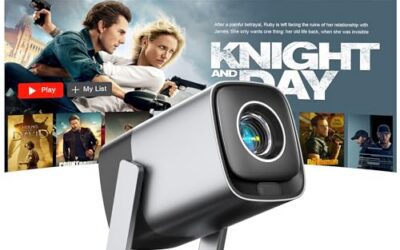
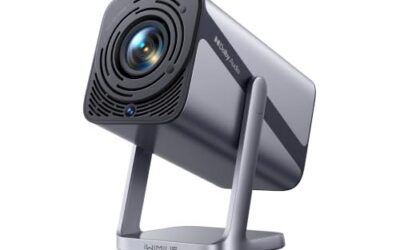
XGIMI HORIZON 20 Max is aimed at owners building a large-screen home theater or gaming setup, because its description combines lens shift, optical zoom, Google TV, and claimed 5700 ISO lumens. The strongest convenience is flexible image placement, though the adjustment ranges, throw requirements, and projector dimensions are not supplied.
Lens shift and optical zoom could reduce the need to place the projector exactly on the screen centerline because both optical adjustments are listed. That may help rooms with fixed furniture or a preferred shelf location, though the data does not establish how much correction is available or whether every image size remains equally practical.
The triple-laser engine is presented as delivering 20,000:1 contrast and 110% BT.2020 coverage, while the claimed brightness is positioned for daylight viewing. These specifications may matter to viewers who want vivid HDR content, though they are manufacturer claims rather than independent measurements, and no screen, room-lighting, or calibration guidance is supplied.
Gaming is a major stated use case because the description claims 1ms input lag, 240Hz motion, and HDR gaming calibration. Google TV and Google Home are integrated, which may streamline streaming and voice control, though supported apps, input ports, audio connections, wireless standards, and account requirements remain unanswered.
Buyers with a planned theater or gaming room should consider it after verifying dimensions, throw distance, mounting, ventilation, power, signal compatibility, and warranty terms. Buyers needing a quiet, compact, fully specified bedroom installation should avoid assuming those details; they are not established by the supplied data.
Best Ownership Fit: XGIMI HORIZON 20 Max suits households creating a dedicated movie or gaming area because lens shift, optical zoom, and integrated Google TV address placement and content access, though room fit and connectivity remain to be confirmed.
Daily Workflow: XGIMI HORIZON 20 Max may support repeated viewing through Google TV, Google Home, and claimed gaming modes because those controls are built in, though the supplied data does not describe startup, input switching, calibration, or remote operation.
Likely Friction: Installation planning is the main uncertainty because dimensions, throw distance, mounting method, ventilation, cleaning access, and operating noise are not listed.
Before You Buy: Verify projector dimensions and weight, throw distance and lens-shift range, screen and room-lighting requirements, input and audio compatibility, power requirements, included accessories, and the exact two-year warranty terms.
This Is NOT For: XGIMI HORIZON 20 Max is not a low-information purchase for renters or small rooms that cannot confirm projection distance, ventilation, mounting, and cable routing. It is also a poor fit for buyers who require independently measured brightness or confirmed app compatibility before installation.
Setup: XGIMI HORIZON 20 Max may be easier to position than a fixed-optics projector because flexible lens shift and optical zoom are listed, though the supplied data does not provide installation steps or adjustment limits.
Controls: Google TV and Google Home are integrated because the description identifies both platforms, while claimed 1ms input lag and 240Hz motion target gaming use. Verify remote functions, account setup, supported apps, ports, signal formats, and network requirements with the manufacturer.
Cleaning: No cleaning procedure, filter information, lens-care guidance, or access instructions are supplied. Verify how the lens, vents, and any dust-management components should be maintained.
Storage and Replacement: Storage dimensions, transport guidance, replaceable parts, light-source service, and end-of-life procedures are not provided. Confirm these details, along with power requirements and warranty exclusions, before committing to a permanent installation.

Pros
- Bright 3200 ISO lumen output benefits viewers building a large home-cinema image.
- RGB triple-laser imaging benefits viewers who prioritize color and image depth.
- Built-in Google TV and Harman Kardon speakers benefit buyers seeking an all-in-one setup.
- Lens shift and optical zoom benefit households with less flexible projector placement.
- VRR, ALLM, and 240Hz support benefit gamers seeking responsive large-screen play.
Cons
- The feature-rich design may be excessive for buyers seeking a basic projector.
- The supplied data does not specify installation requirements, throw distance, or supported gaming resolutions.
- The supplied data does not include customer-review evidence to confirm everyday performance.
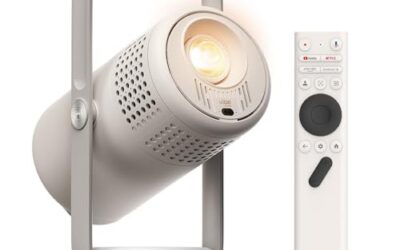
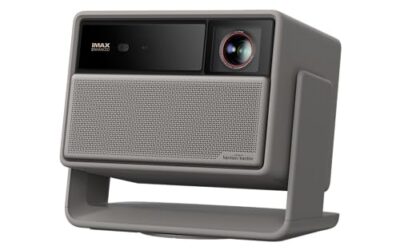
XGIMI HORIZON 20 4K RGB Triple Laser Home Projector is best suited to home-theater viewers and gamers who want a large, bright image because the supplied data lists 3200 ISO lumens, 4K output, and gaming features, though the data does not provide throw-distance or installation details.
The RGB triple-laser engine is intended to support vivid, accurate color, while the listed 100,000:1 contrast ratio is intended to add image depth, though these are manufacturer-supplied specifications rather than independent test results. IMAX Enhanced, Dolby Vision, HDR10+, and Filmmaker Mode give viewers several cinema-oriented playback formats, though source-device and content compatibility are not specified.
Google TV, Harman Kardon speakers, and an integrated stand can reduce the number of separate components needed because those functions are built into the projector, though the supplied data does not identify included cables, apps, external audio connections, or control methods. Flexible lens shift and optical zoom can help accommodate different placements, though no adjustment ranges or room-size guidance are supplied.
XGIMI HORIZON 20 4K RGB Triple Laser Home Projector deserves consideration for buyers who value bright home viewing, cinematic formats, and gaming responsiveness because its feature list combines those capabilities, though the premium-style specification set may not suit buyers seeking a simple projector. Buyers who need independently verified measurements, detailed installation guidance, or a lower-complexity option should compare other projector types.
Best For: Home-theater viewers and gamers who want a bright, large-screen projector with built-in entertainment features.
Why It Fits: XGIMI HORIZON 20 4K RGB Triple Laser Home Projector lists 3200 ISO lumens, 4K, RGB triple-laser imaging, Google TV, and 240Hz gaming support.
Think Twice If: You need verified room-placement measurements, detailed compatibility information, or a basic projector without an extensive feature set.
Bottom Line: Choose XGIMI HORIZON 20 4K RGB Triple Laser Home Projector for its supplied cinema and gaming capabilities, though installation details remain limited.
Buy It If: You need large-screen home viewing and bright RGB triple-laser projection matters to you.
Skip It If: You need independently tested performance or installation specifications that this supplied data cannot provide.
Picture: XGIMI HORIZON 20 4K RGB Triple Laser Home Projector targets vivid viewing because it lists RGB triple-laser imaging and 3200 ISO lumens, though independent measurements are not supplied.
Cinema: IMAX Enhanced, Dolby Vision, HDR10+, and Filmmaker Mode support varied movie playback because each format is listed, though content and source compatibility are unspecified.
Convenience: Google TV, Harman Kardon speakers, and an integrated stand can simplify a viewing setup because these functions are built in, though included accessories are not detailed.
Gaming: A listed 1ms response, 240Hz fluidity, VRR, and ALLM target responsive play, though supported resolutions and device compatibility are not provided.

Pros
- Bright 4K triple-laser projection suits viewers who want a large, high-impact image.
- Integrated wireless 7.1.4 audio helps home theater buyers avoid assembling a separate sound system.
- Automatic picture and placement tools can reduce setup work for users who frequently reposition a projector.
- The portable design benefits users who want to move a complete theater setup between rooms or locations.
- Dual microphones add built-in support for microphone-based entertainment use.
Cons
- At 72.3 pounds, the projector is portable by design but heavy for one person to carry frequently.
- The supplied information requires immediate firmware and Android 14 system updates for improved picture quality and smoother operation.
- The product data does not confirm long-term reliability, real-world black-level performance, or streaming performance from customer testing.
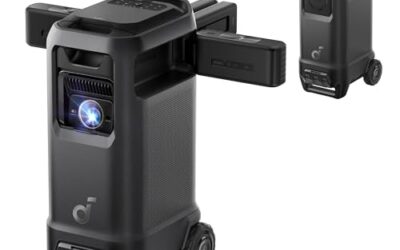
soundcore Nebula X1 Pro 4K Laser Projector is a strong fit for buyers who want a complete, movable theater rather than a projector that requires separate speakers. Its combination of a 3,500 ANSI lumen True 4K triple-laser engine and wireless Dolby Atmos 7.1.4 audio is the main reason to consider it, but buyers should accept a heavy chassis and plan to update the software immediately.
The picture hardware is aimed at a cinematic experience, with 1.07 billion colors, a listed 5,000:1 native contrast ratio, and a 56,000:1 dynamic contrast ratio. Those specifications should appeal to viewers who want bright, detailed images with stronger shadow definition, while the listed ISF, TÜV, and Dolby Vision certifications add credibility to its image-focused design. The 400W wireless audio system is equally important because it aims to provide room-filling sound without making buyers build a separate speaker package.
Setup is designed to be forgiving. Autofocus, keystone correction, screen fit, obstacle avoidance, zoom, ambient and wall-color adaptation, and a 25-degree micro gimbal can help compensate for imperfect placement. FlexWave lets users move the audio sweet spot, which is useful when several people sit in different positions. Built-in wheels and a telescopic handle support relocation, while dual microphones broaden its entertainment use.
The main practical drawback is weight: at 72.3 pounds, this is not an effortless carry despite its mobility features. The supplied data also says buyers should install a firmware update for expanded dynamic-contrast controls and deeper black levels, plus the latest Android 14 system software for smoother responsiveness. That means the factory experience may not represent the intended performance. No supplied customer testing confirms real-world contrast, software stability, or long-term reliability.
Buy it if you prioritize bright 4K laser video, integrated wireless Atmos sound, and flexible placement in a premium all-in-one setup. Hesitate if you need a lightweight projector or want verified hands-on evidence before committing. Before purchase, verify that the projector's dimensions, 72.3-pound weight, update process, and intended placement work for your room and handling needs.
The Good:
- soundcore Nebula X1 Pro 4K Laser Projector combines a bright 3,500 ANSI lumen 4K triple-laser image with an integrated wireless Dolby Atmos 7.1.4 system, making it well suited to buyers who want a complete theater in one product.
- The automatic setup tools, including autofocus, screen fit, obstacle avoidance, zoom, and keystone correction, can make placement less demanding.
- Built-in wheels and a telescopic handle make relocation easier than with a conventional fixed home theater projector.
- FlexWave audio positioning can improve directional sound for viewers sitting in different locations.
The Bad:
- The 72.3-pound weight limits how conveniently one person can carry it, even with wheels and a handle.
- Immediate firmware and Android 14 updates are recommended for the intended picture and responsiveness improvements.
- The supplied information does not include independent testing or customer evidence confirming real-world black levels, software performance, or durability.
Bottom Line: soundcore Nebula X1 Pro 4K Laser Projector is best for buyers wanting bright 4K video and powerful integrated audio, but its heavy design and unverified real-world performance deserve caution.
Buy It If:
- soundcore Nebula X1 Pro 4K Laser Projector fits your goal of creating a complete home theater without separately assembling a speaker system, because its listed 400W wireless Dolby Atmos 7.1.4 audio is built in.
- You want bright large-screen viewing and value the listed 3,500 ANSI lumen True 4K triple-laser engine.
- You regularly move your setup and can manage a 72.3-pound projector, since the built-in wheels and telescopic handle support relocation.
- You prefer automatic setup assistance, including autofocus, screen fit, obstacle avoidance, zoom, and keystone correction.
Skip It If:
- You need a genuinely lightweight projector for frequent hand carrying, because the listed weight is substantial despite the mobility features.
- You want a projector with independently verified performance or a confirmed out-of-box experience, since the supplied data provides no customer testing and calls for immediate updates.
- You prefer a simpler device without a large integrated audio and projection package.
Our Take: Buy soundcore Nebula X1 Pro 4K Laser Projector for an all-in-one, movable 4K theater, provided you can accommodate its weight and complete the required updates.

Pros
- High stated brightness can make large-screen viewing more practical when the room is not completely dark.
- Dolby Vision support can benefit compatible content by preserving encoded contrast and highlight detail.
- Automatic alignment may save time for users who move the projector between rooms or outdoor locations.
- The specified 14-element all-glass lens is intended to maintain 4K clarity toward the image edges.
- Android 14 system software and firmware updates are identified as ways to improve streaming responsiveness and picture quality.
Cons
- The product data does not specify throw ratio, input ports, audio features, or supported streaming services, which may affect buyers planning a particular installation.
- The projector requires immediate firmware and Android 14 system updates for the described picture and responsiveness improvements, adding setup work for buyers who want instant use.
- Large-screen and outdoor performance will still depend on the projection surface and surrounding light, so buyers seeking consistent theater-like results in every environment may need a more controlled setup.
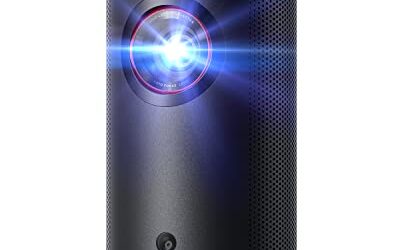
NEBULA Nebula X1 4K Laser Projector is aimed at home-theater viewers and people who want a flexible large image indoors or outdoors, because it combines 4K laser projection, Dolby Vision, and 3,500 ANSI lumens. Its automatic alignment is useful for easier setup, though the supplied data does not document ports, throw distance, or audio capabilities.
The strongest appeal is image quality in varied lighting. The projector claims Dolby Vision support and ISF-calibrated color, which should help compatible content retain more intended contrast and color detail. Its six-blade iris and NebulaMaster processing are specified to raise contrast from a 5,000:1 native ratio to a claimed 56,000:1, though those figures are manufacturer-provided rather than independently verified.
For large-screen use, the 14-element all-glass lens is designed to deliver edge-to-edge 4K sharpness on screens up to 300 inches. Automatic alignment scans the projection surface and adjusts position, size, and clarity, while Spatial Recall can restore preferences for different spaces. The black-and-gray chassis measures 11.14 by 7.32 by 9.76 inches, though the data does not list its weight or included accessories.
There are practical qualifications before purchase. Nebula instructs owners to update the firmware immediately for expanded dynamic-contrast controls, real-time iris behavior, and improved Dolby Vision black levels. The latest Android 14 system software is also recommended to reduce lag. That update workflow may frustrate buyers expecting immediate operation, and the missing connectivity details make it difficult to confirm fit with a specific sound system, streaming service, or ceiling installation.
The best reason to buy the NEBULA Nebula X1 is its combination of claimed brightness, large 4K output, Dolby Vision, and automated alignment. The main reason to hesitate is incomplete product information around connections and installation requirements. Choose it if flexible, high-impact projection matters more than a fully documented setup; consider another display type if predictable room placement and simple compatibility are priorities.
Dolby Vision: Dolby Vision is intended to preserve compatible content's encoded contrast and color information, which matters for streaming movies with bright highlights and dark scenes. The projector also claims ISF-calibrated color accuracy, giving image-focused viewers a reason to consider it. The benefit depends on compatible content and the supplied claims do not establish independent calibration results.
3,500 ANSI Lumens: The stated 3,500 ANSI-lumen output is designed to keep images visible in ambient light, making the projector more practical for living rooms and some outdoor viewing than a dimmer model may be. Brightness can help with larger images, though room light, screen material, and viewing conditions still influence perceived contrast and black levels.
High-Contrast System: A six-blade iris is specified to support a 5,000:1 native contrast ratio, while NebulaMaster technology claims enhancement up to 56,000:1. This is meant to improve black depth and shadow detail for movie viewers. The figures are product claims, and the visible benefit may vary by picture mode, content, and ambient light.
All-Glass 4K Lens: The custom 14-element all-glass lens is designed to maintain sharpness from the center to the edges of an image as large as 300 inches. That can benefit viewers planning a very large screen, because edge softness or color fringing would be especially noticeable at that scale. The supplied data does not provide independent sharpness measurements.
Automatic Alignment and Spatial Recall: Automatic alignment scans the projection surface and adjusts image position, size, and clarity, while Spatial Recall saves preferences for different spaces. These features target users who move the projector or regularly switch rooms. They reduce manual adjustment, though the data does not explain which surfaces or placement angles the alignment system can handle.
NEBULA Nebula X1 4K Laser Projector specifications: The listed specifications describe a black-and-gray home-entertainment projector with 4K laser projection, Dolby Vision, and a large-screen design, though several installation and connectivity details are not supplied.
Brand: NEBULA.
Model: Nebula X1 4K Laser Projector.
Category: Video Projectors.
Resolution: 4K.
Light Source: Laser.
Brightness: 3,500 ANSI lumens.
Contrast: 5,000:1 native contrast ratio; up to 56,000:1 with stated NebulaMaster enhancement.
Supported Picture Feature: Dolby Vision.
Projected Image Size: Up to 300 inches.
Dimensions: 11.14 x 7.32 x 9.76 inches.
Color: Black and gray.
System Software: Android 14 update referenced in the product data.
Product Group: Home Entertainment.
Setup Difficulty: NEBULA Nebula X1 4K Laser Projector should be relatively approachable for users who value automated setup, because its alignment system scans the projection surface and adjusts the image. The product data does not state how much placement correction is supported, so buyers with unusual angles or restricted mounting locations should not assume every setup will be automatic.
First-Use Updates: Plan to update both the projector firmware and Android 14 system software immediately after unboxing, because Nebula identifies these updates as important for improved picture quality, deeper Dolby Vision blacks, smoother scene transitions, and reduced system lag. Buyers who need instant playback without an update process may find this less convenient.
Space Management: Spatial Recall can save and restore preferences for different viewing spaces, which benefits owners who alternate between a living room and outdoor setup. The projector is listed at 11.14 by 7.32 by 9.76 inches, but the data does not include weight, mounting guidance, throw ratio, or required clearance.
Ongoing Care: The supplied information does not specify cleaning intervals, filter care, consumables, storage requirements, or maintenance procedures. Confirm those details with NEBULA if the projector will be used outdoors frequently or installed in a hard-to-reach location.
NEBULA Nebula X1 4K Laser Projector Real Limitations:
- Incomplete installation details: The supplied data does not list throw ratio, mounting guidance, or placement limits, which matters most to buyers fitting the projector into a fixed room or ceiling installation.
- Required software updates: Nebula recommends immediate firmware and Android 14 updates for the described picture and responsiveness improvements, which affects buyers who expect fully optimized performance straight out of the box.
- Ambient-light qualification: The 3,500 ANSI-lumen claim is designed for brighter environments, but room light and the projection surface can still reduce perceived contrast, affecting viewers who want consistently deep blacks outside a controlled theater room.
- Unspecified connectivity and audio: The product data does not identify input ports, wireless standards, built-in audio features, or streaming-service compatibility, which affects buyers planning a specific entertainment system.
Before You Buy - Verify These:
- Confirm the throw ratio and mounting options with the manufacturer if the projector must fit a specific room distance or ceiling location.
- Confirm input ports, wireless connectivity, audio outputs, and supported streaming services with the manufacturer if you plan to connect particular sources or speakers.
- Confirm outdoor-use guidance and maintenance requirements with the manufacturer if the projector will be stored or operated outside regularly.
Still the Right Pick If: NEBULA Nebula X1 remains a sensible fit for buyers who prioritize a bright, large 4K image with Dolby Vision and automated alignment and can complete software updates while verifying installation and connectivity details.
XGIMI Overview
XGIMI offers two strong options in this comparison: the XGIMI HORIZON 20 Max 4K Projector Triple Laser Home Theater 5700 ISO Lumens and the XGIMI HORIZON 20 4K RGB Triple Laser Home Projector, 3200 ISO Lumens. The HORIZON 20 Max costs $2599.00 and has a 4.1 rating. Its headline advantage is brightness, with 5700 ISO lumens, making it the most powerful brightness specification listed among these four products.
The standard XGIMI HORIZON 20 costs $1559.00 and has a 4.0 rating. It provides 3200 ISO lumens and a 4K RGB triple-laser design, giving buyers a less expensive path into XGIMI’s 4K projector lineup. The $1040.00 difference between the two XGIMI models creates a clear choice: pay more for the HORIZON 20 Max’s higher listed brightness, or select the standard HORIZON 20 to keep the purchase price lower.
NEBULA Overview
NEBULA’s lineup includes the soundcore Nebula X1 Pro 4K Laser Projector, 3,500 ANSI Lumens and the Nebula X1 4K Laser Projector, 3,500 ANSI Lumens, Dolby Vision. The X1 Pro costs $4999.00 and has a 4.1 rating. It is the costliest projector in this comparison by a substantial margin, so it is best viewed as a premium purchase rather than a value-oriented alternative.
The Nebula X1 costs $2299.00 and has an impressive 4.9 rating, the highest rating among the products provided. It also lists 3500 ANSI lumens and Dolby Vision, giving it a clear feature distinction within this comparison. At $2299.00, it costs $740.00 more than the standard XGIMI HORIZON 20 but $300.00 less than the XGIMI HORIZON 20 Max. For buyers who place considerable weight on ratings and Dolby Vision, the Nebula X1 is NEBULA’s most attractive option.
Head-to-Head Comparison
Performance
Based only on the listed specifications, XGIMI has the brightness advantage, particularly with the HORIZON 20 Max’s 5700 ISO lumens. The standard HORIZON 20 lists 3200 ISO lumens, while both NEBULA models list 3500 ANSI lumens. Because the products use different brightness measurement terms, ISO lumens and ANSI lumens should not be treated as perfectly interchangeable measurements. Still, the listed figures show that XGIMI offers the highest stated brightness, while NEBULA’s Nebula X1 adds Dolby Vision as a notable feature. All four products are identified as 4K projectors, so the main specification trade-off is brightness and price versus NEBULA’s Dolby Vision listing.
Design & Build
The available product data does not provide details about chassis materials, dimensions, weight, throw distance, connectivity, speakers, operating system, or included accessories. It does identify the core product formats: both XGIMI models use triple-laser descriptions, with the standard HORIZON 20 specifically described as 4K RGB triple laser, while both NEBULA models are described as 4K laser projectors. Consequently, there is not enough verified information to declare one brand better for portability, installation flexibility, or physical durability. Buyers should check the individual Amazon listing for those details before ordering.
Price & Value
XGIMI has the clearest value advantage across the full range. Its $1559.00 HORIZON 20 is the least expensive option, while its $2599.00 HORIZON 20 Max remains far below the $4999.00 soundcore Nebula X1 Pro. NEBULA’s Nebula X1 at $2299.00 sits between the two XGIMI models and offers the strongest rating at 4.9, along with Dolby Vision. In practical terms, XGIMI is the better fit for shoppers focused on brightness per dollar, while NEBULA may justify its pricing for shoppers who prioritize the listed rating and Dolby Vision feature.
Which One Should You Buy?
-
Buy XGIMI if you want the highest listed brightness. The XGIMI HORIZON 20 Max provides 5700 ISO lumens, the largest brightness figure in the supplied product data, along with 4K resolution and a triple-laser home-theater design.
-
Buy XGIMI if you want the lowest price. The XGIMI HORIZON 20 costs $1559.00, making it $740.00 less than the Nebula X1 and $1040.00 less than the HORIZON 20 Max.
-
Buy NEBULA if you value the highest customer rating. The Nebula X1 has a 4.9 rating, exceeding the 4.0 to 4.1 ratings listed for the XGIMI models and the soundcore Nebula X1 Pro.
-
Buy NEBULA if Dolby Vision is important to you. The Nebula X1 specifically lists Dolby Vision and 3500 ANSI lumens, making it the most feature-focused middle-ground option in the comparison.
FAQ
Is XGIMI better than NEBULA?
Neither brand is universally better. XGIMI is stronger on listed brightness and price, especially with the HORIZON 20 Max and standard HORIZON 20. NEBULA is more appealing if you prioritize the Nebula X1’s 4.9 rating and Dolby Vision. Your best choice depends on whether brightness and value or rating and listed features matter more.
Which brand has the brightest projector?
XGIMI has the brightest listed projector in this comparison. The XGIMI HORIZON 20 Max lists 5700 ISO lumens. The standard XGIMI HORIZON 20 lists 3200 ISO lumens, while both NEBULA projectors list 3500 ANSI lumens. Since the brands use different brightness measurement terms, direct numerical comparisons should be made cautiously.
Is the NEBULA X1 worth more than the XGIMI HORIZON 20?
The answer depends on your priorities. The NEBULA X1 costs $2299.00, while the XGIMI HORIZON 20 costs $1559.00. NEBULA’s model has the higher 4.9 rating, lists 3500 ANSI lumens, and includes Dolby Vision. XGIMI costs less and uses a 4K RGB triple-laser design with 3200 ISO lumens. The NEBULA X1 may be worth the additional $740.00 if its rating and Dolby Vision feature are especially important to you; otherwise, the XGIMI model offers a lower-cost 4K option.