Introduction
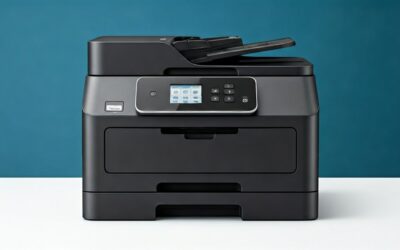
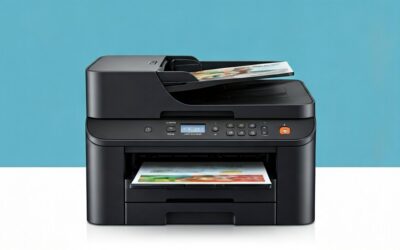
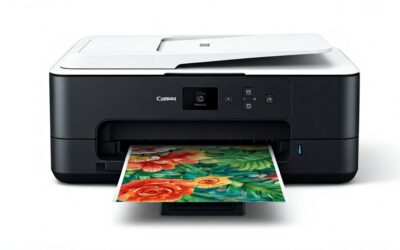
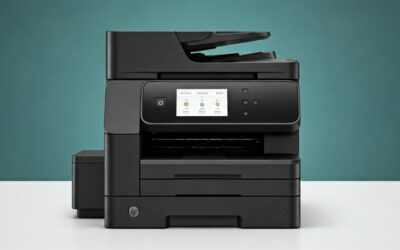
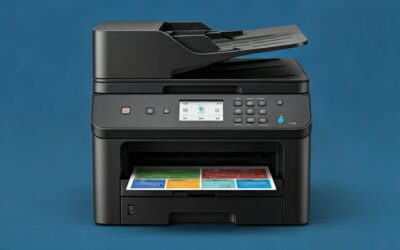
In today’s fast-paced home environment, having a reliable printer that handles everyday tasks without breaking the bank is essential. The HP DeskJet 2827e Wireless All-in-One Color Inkjet Printer steps in as an affordable solution designed specifically for home use. Priced at just $59, this compact machine offers printing, scanning, and copying capabilities, complete with wireless connectivity, an intuitive HP app, and even a 3-month Instant Ink trial. But does it live up to the hype with its AI-enabled features and 4-out-of-5-star rating from over 3,372 Amazon reviewers? In this detailed review, we’ll dive into its performance, features, customer feedback, and whether it’s the right best-for-home printer for you.
Product Overview
The HP DeskJet 2827e is a versatile all-in-one inkjet printer tailored for light home printing needs like to-do lists, letters, financial documents, and recipes. It supports color printing at up to 5.5 pages per minute (ppm) and black at 7.5 ppm, making it suitable for occasional use rather than high-volume office demands.
Key Features and Specifications
- AI-Enabled Printing: HP’s AI technology ensures perfectly formatted prints from web pages and emails by removing unwanted content, ads, or awkward layouts—no more wasted paper.
- All-in-One Functionality: Print, scan, and copy with a 60-sheet input tray and an intuitive ICON LCD control panel for easy operation.
- Wireless Connectivity: Reliable Wi-Fi that auto-detects and resolves issues, plus seamless printing from smartphones, PCs, or tablets via the HP Smart app.
- Instant Ink Subscription: Includes a 3-month free trial with HP+ activation; ink is delivered automatically before you run out (monthly fee applies after unless canceled).
- Compact and Sustainable Design: Fits easily on any desk, made with at least 60% recycled plastic, Energy Star and EPEAT certified for efficiency.
- Ink Compatibility: Works only with genuine HP cartridges featuring chips or circuitry; firmware updates block non-HP alternatives.
- Other Specs: Model 6W7F5A, 1-year warranty, ideal for home setups without needing a computer.
This printer prioritizes simplicity and cost-effectiveness, making it a strong contender in the wireless all-in-one printer category for budget-conscious users.
Pros
With thousands of reviews praising its value, the HP DeskJet 2827e shines in several areas. Here are the top advantages based on product specs and user experiences:
- Affordable Price Point: At $59 (often on sale for under $40), it’s one of the best budget home printers available, offering tremendous value without skimping on essentials.
- Super Easy Setup: Users report unboxing to first print in 15-20 minutes using the HP app, which guides Wi-Fi, paper, and ink setup—no computer required.
- Seamless Wireless and Mobile Printing: Dual-band Wi-Fi stays connected reliably, and the HP Smart app allows printing, scanning, and copying from phones or tablets effortlessly.
- 3-Month Instant Ink Trial: Automatic ink delivery saves hassle and money for low-volume users; post-trial plans start under $3/month for limited printing.
- Compact and User-Friendly Design: Small footprint fits any home space, with an intuitive LCD panel and quiet operation.
- Solid Print Quality for Everyday Use: Black ink is saturated and crisp; colors are accurate for documents, aided by AI formatting.
- Eco-Friendly Build: High recycled content and energy efficiency appeal to sustainability-minded buyers.
Cons
No printer is perfect, and the HP DeskJet 2827e has some limitations, especially for heavier users. Drawing from customer feedback:
- Slow Print Speeds: Around 30 seconds per sheet; fine for home but frustrating for 50+ page jobs.
- Less Vibrant Colors: Suitable for documents but duller for photos—reds and other hues lack punch compared to premium models.
- Ink Subscription Dependency: After the trial, ongoing costs add up if you print often; non-HP cartridges are blocked.
- Limited for High-Volume Printing: 60-sheet tray and speeds make it unsuitable for offices or bulk tasks.
- App-Centric Setup: Relies heavily on the HP app, which might irk those preferring traditional methods.
Customer Reviews Analysis
Boasting a 4-out-of-5-star average from 3,372 reviews, the HP DeskJet 2827e garners strong approval for home use. Positive feedback dominates, with 70-80% of top reviews at 5 stars, focusing on value, ease, and reliability.
What Customers Love
Setup ease is a recurring theme. One 5-star reviewer shared: “From unboxing to printing my first sheet, it probably took about 15-20 minutes… Setting up my WiFi and connecting to my phone was a breeze. I don’t have a computer so I was worried… but this was very simple.” They highlighted printing documents and photos from their phone, perfect for homeschooling, and praised the saturated black ink with accurate colors for under $40.
Another user raved: “Great value @ $50. Easy set up; works perfectly via wireless. Ink program (3months free) is great; I print limited so @ less than $3 per month great deal. Print quality great.” Wireless stability and the app’s convenience for multi-device use are frequently mentioned, with many appreciating the AI feature for clean web prints.

HP DeskJet 2827e Wireless All-in-One Color Inkjet
As an Amazon Associate we earn from qualifying purchases. Product prices and availability are accurate as of the date/time indicated.
Sustainability and compactness also score points: “Made to fit any home” resonates with users in small spaces.
Common Complaints
While negatives are fewer, they echo the cons. Print speed draws ire for larger tasks: “The print speed could be an issue if you’re printing over 50 pages at a time.” Color quality for photos is hit-or-miss: “Colored ink is slightly dull… not too bad as long as you’re not printing actual photos.”
Ink restrictions frustrate some: Awareness of HP-only cartridges and subscriptions leads to hesitation, though the trial mitigates initial concerns. A few note the app’s necessity but adapt quickly.
Overall, satisfaction skews high for light users (e.g., families, students), with most recommending it as a “perfect affordable printer for at home use.” Repeat buyers and homeschool parents form a loyal base.
Frequently Asked Questions
1. How long does setup take for the HP DeskJet 2827e?
Most users complete setup in 15-20 minutes. Remove packaging, download the HP Smart app, and follow prompts for Wi-Fi, ink, and paper. HP’s YouTube videos provide extra guidance—no PC needed.
2. Is the Instant Ink subscription worth it?
For low-volume printers (under 10-20 pages/month), yes—ink arrives automatically for ~$3/month post-trial. Track usage via the app; cancel anytime. High-volume users may prefer buying cartridges individually.
3. Can it print photos well?
It’s decent for casual snapshots but not professional-grade. Black text is sharp, documents accurate, but colors are less vibrant—best for recipes or school projects, not gallery prints.
4. Does it work without a computer?
Absolutely. The HP app enables full functionality from smartphones or tablets: print, scan, copy, check ink. Wireless setup is straightforward.
5. What if I use non-HP ink?
It won’t work. The printer requires HP chips/circuitry; firmware blocks alternatives to ensure quality and prevent counterfeits.
Who Should Buy This Product
The HP DeskJet 2827e is ideal for:
- Home Users and Families: Printing schoolwork, recipes, or bills without complexity.
- Homeschoolers and Students: Quick docs and photos from mobile devices.
- Budget Shoppers: Seeking an all-in-one under $60 with modern features like wireless and AI.
- Light Printers: Occasional use (e.g., 10-50 pages/month) benefiting from Instant Ink.
Avoid if you need high-speed, photo-pro quality, or heavy-duty printing—opt for laser or premium inkjets instead.
Final Verdict
The HP DeskJet 2827e delivers exceptional value as a home-centric wireless all-in-one printer. Its ease of use, app integration, and low price outweigh minor speed and color drawbacks for most. With a 3-month ink trial and sustainable design, it’s a smart entry-level choice earning its 4/5 stars.
Rating: 4 out of 5 stars
Recommended for casual home printing—grab it on sale for unbeatable bang-for-buck.