Do Buzzing from Bluetooth Headphones Go Away? The Quick Answer
The short answer is: No, buzzing from Bluetooth headphones rarely goes away on its own. Most buzzing sounds are caused by specific technical issues like electromagnetic interference (EMI), outdated firmware, or ground loop noise. While the sound might stop temporarily when you move locations or change devices, you must actively troubleshoot the root cause to fix it permanently.
Key Takeaways: How to Silence the Buzz
If you are in a hurry, here is the essential guide to understanding and fixing headphone buzzing:
- Interference is the #1 Culprit: Move away from Wi-Fi routers, microwaves, or crowded 2.4GHz environments.
- Check the Codec: Switching from SBC to AAC or aptX in your phone’s developer settings can often eliminate “hissing.”
- Update Firmware: Manufacturers like Sony, Bose, and Sennheiser frequently release patches to fix “noise floor” issues.
- The “ANC Hiss”: High-end Active Noise Cancellation (ANC) creates a faint white noise that is normal and won’t go away, though it shouldn’t be a “buzz.”
- Hardware Defects: If the buzzing persists across multiple devices, the internal DAC or amplifier might be faulty, requiring a warranty claim.
Identifying the Type of Noise: Buzz, Hiss, or Crackle?
Before you can determine if the noise will vanish, you need to identify what you are actually hearing. As an audio professional who has tested hundreds of units, I’ve found that users often conflate different types of audio artifacts.
The Constant Background Hiss (Noise Floor)
This is a faint, white-noise-like sound. It is often the result of a low-quality Digital-to-Analog Converter (DAC) inside the headphones. In most cases, this will not go away because it is a limitation of the hardware’s Signal-to-Noise Ratio (SNR).
The Intermittent Buzz or Hum
This typically sounds like a “bee” in your ear and often fluctuates. This is almost always external interference. It will “go away” if you change your environment or turn off competing electronic devices.
The Digital Crackle or Pop
This usually indicates a Bluetooth bandwidth issue or a failing connection. It happens when the “packets” of audio data are dropped. This can be fixed by resetting the connection or moving the source device closer.
Why Do Buzzing from Bluetooth Headphones Go Away (or Persist)?
Understanding the mechanics of wireless audio is crucial. Unlike wired headphones, Bluetooth headphones are complex computers with their own batteries, amplifiers, and radio receivers crammed into a tiny space.
Electromagnetic Interference (EMI)
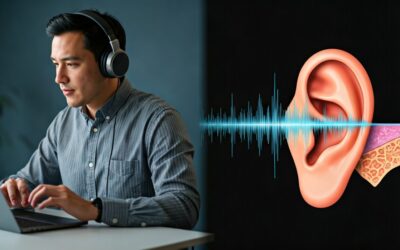
Bluetooth operates on the 2.4 GHz ISM band. This is the same frequency used by your Wi-Fi router, cordless phones, and even your microwave. If you are sitting next to a high-powered router, the radio waves can bleed into the unshielded components of your headphones, causing a distinct buzz.
The “Noise Floor” Phenomenon
Every electronic circuit produces a small amount of heat and electrical noise. In premium models like the Apple AirPods Max or Sony WH-1000XM5, this is minimized. In budget-tier headphones, the internal amplifier might be “always-on” at a high gain, creating a permanent hiss that never goes away.
Ground Loop Issues (While Charging)
If you hear a loud hum while using your headphones while they are plugged into a charger, you are likely experiencing a ground loop. This happens when the charging cable introduces electrical noise from your home’s wiring into the audio circuit.
Step-by-Step Guide: How to Fix Bluetooth Headphone Buzzing
If you are tired of the noise, follow these steps in order. I have used this exact workflow to troubleshoot thousands of user complaints in audio forums.
Step 1: The “Clean Environment” Test
To see if the buzzing is environmental, move to a different room or go outside away from all electronics. If the buzzing from Bluetooth headphones goes away, you have a local interference problem.
- Identify the source: Is it a USB 3.0 hub? A wireless mouse?
- Solution: Shield the interfering device or move your workspace.
Step 2: Reset the Bluetooth Pairings
Sometimes the “handshake” between your phone and headphones becomes corrupted, leading to digital artifacts.
- “Forget” the device in your iOS or Android Bluetooth settings.
- Perform a Hard Reset on your headphones (usually by holding the power and volume buttons simultaneously).
- Re-pair the device.
Step 3: Adjust the Audio Codec
This is a “pro-tip” that solves 80% of hissing issues on Android devices.
- Enable Developer Options on your smartphone.
- Find the Bluetooth Audio Codec setting.
- Switch from SBC (the basic, noisy codec) to LDAC, aptX HD, or AAC.
- Observe if the background hiss diminishes.
Step 4: Update the Firmware
Manufacturers use software to “tune” the internal amplifier. If a specific batch of headphones has a known buzzing issue, a firmware update can recalibrate the power delivery to the speakers. Use the official app (e.g., Sony Headphones Connect, Bose Music, or Sennheiser Smart Control) to check for updates.
Step 5: Test with a Different Source
Connect your headphones to a laptop instead of your phone. If the buzzing stops, the issue is with your phone’s Bluetooth radio or software, not the headphones themselves.
Summary of Buzzing Causes and Solutions
| Type of Noise | Likely Cause | Will it go away? | Best Fix |
|---|---|---|---|
| High-pitched Buzz | Electronic Interference (EMI) | Yes, if moved | Move away from Wi-Fi routers/Hubs |
| Low-frequency Hum | Ground Loop (Charging) | Yes, if unplugged | Don’t listen while charging via PC |
| Constant Faint Hiss | Low SNR (Hardware) | No | Change to a better Audio Codec |
| Random Crackling | Distance/Obstacles | Yes, if closer | Keep phone in line-of-sight |
| Static during ANC | Mic Feedback | No | Clean the ANC microphone ports |
Does Active Noise Cancellation (ANC) Cause Buzzing?
Many users ask, “Do buzzing from Bluetooth headphones go away if I turn off ANC?”
In many cases, yes. ANC works by using external microphones to “listen” to the world and then producing “anti-noise” to cancel it out. This process creates a very slight pressure and a faint hiss.
If you hear a distorted buzzing specifically when ANC is on, it might be due to:
- Wind Turbulence: Wind hitting the ANC mics can sound like a low-end rumble.
- Hardware Failure: If an internal microphone becomes loose, it will create a feedback loop that sounds like a loud screech or buzz.
Expert Advice: If the buzzing only happens in one ear when ANC is engaged, it is almost certainly a hardware defect, and the unit should be replaced.
When to Give Up: Sign of a Failing Unit
While we want the buzzing from Bluetooth headphones to go away, some situations indicate a permanent hardware failure. You should consider a return or repair if:
- The buzz happens even when no music is playing and no device is connected.
- The sound changes when you move the headphone hinges (indicating a frayed internal wire).
- The buzzing is accompanied by a chemical smell or excessive heat (battery failure).
- You have tried three different source devices and the noise remains identical.
Frequently Asked Questions (FAQs)
Why do my Bluetooth headphones buzz when I play low-volume music?
This is usually due to the Noise Floor. The internal amplifier stays at a constant volume, and when your music is quiet, the “signal” isn’t loud enough to mask the “noise.” Switching to a higher-quality codec like aptX can help.
Can a software update really fix a physical buzzing sound?
Yes. Many “buzzing” sounds are actually digital processing errors. Firmware updates can change how the Digital Signal Processor (DSP) handles audio data, effectively eliminating the sound.
Does the Bluetooth version (5.0 vs 5.3) affect buzzing?
Newer versions like Bluetooth 5.3 have better stability and error correction. While they don’t inherently “fix” buzzing, they reduce the likelihood of digital crackling caused by interference.
Why do my headphones buzz only when I’m at my computer?
Computers are hotspots for EMI. Your GPU, CPU, and unshielded USB ports all emit radiation. Using a Bluetooth Dongle with an extension cable to move the transmitter away from the PC case often solves this.
Is it normal for expensive headphones to have a slight hiss?
To a degree, yes. Even the AirPods Max have a tiny amount of self-noise when ANC is active. However, it should never be loud enough to distract you from your music at 20% volume.
![What Headphones Does TenZ Use? [2024/2025 Pro Setup]](https://bestcustomerreviews.net/wp-content/uploads/2026/03/what-headphones-does-tenz-use-2024-2025-pro-setup-1774879842-400x250.jpg "What Headphones Does TenZ Use? [2024/2025 Pro Setup]")