Does Nintendo Switch Have Bluetooth for Headphones?
Yes, the Nintendo Switch supports Bluetooth audio connectivity. Since the System Update 13.0.0 released in September 2021, all versions of the console—including the Nintendo Switch OLED, the original Nintendo Switch, and the Nintendo Switch Lite—can pair directly with Bluetooth headphones, earbuds, and speakers without the need for external adapters.
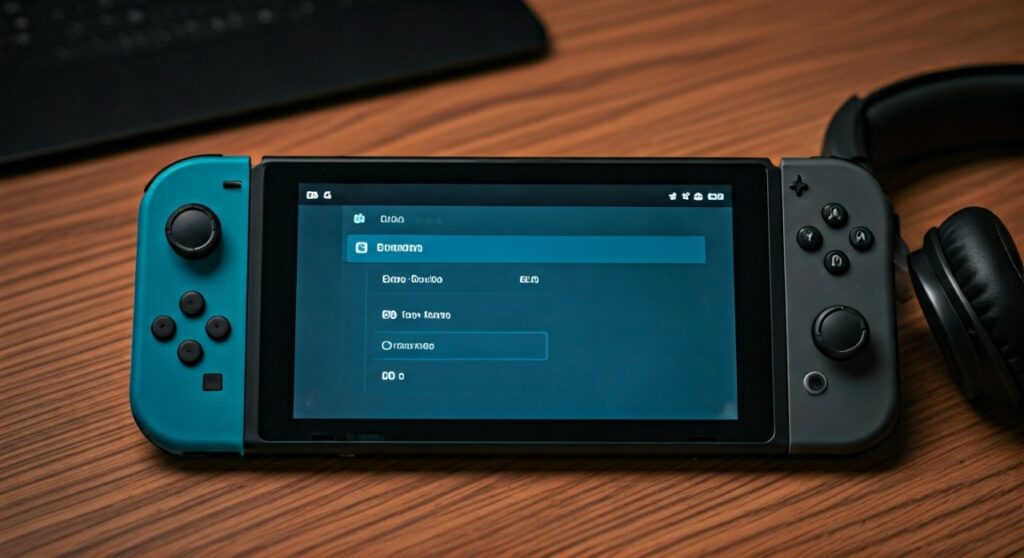
While this feature was a long-awaited “quality of life” improvement, there are specific technical limitations you must be aware of regarding latency, microphone support, and local wireless play. Below is the definitive guide to mastering your Switch audio experience.
Key Takeaways: Bluetooth Audio on Nintendo Switch
If you are in a hurry, here are the essential facts regarding the question: “Does Nintendo Switch have Bluetooth for headphones?”
- Compatibility: Works on Standard, OLED, and Lite models.
- Firmware Requirement: You must have Version 13.0.0 or higher installed.
- Controller Limit: You can only connect up to two wireless controllers while using Bluetooth audio.
- Microphone Support: No microphone support via Bluetooth; you cannot use your headset’s mic for in-game voice chat.
- Latency: Some delay is expected due to the SBC codec limitation.
- Disconnects: Bluetooth audio will disconnect during Local Wireless Play (linking two consoles manually).
Step-by-Step: How to Connect Bluetooth Headphones to Your Switch
Having tested dozens of headsets—from Apple AirPods Pro to the Sony WH-1000XM5—the pairing process is generally seamless if you follow these steps:
- Update Your Console: Navigate to System Settings > System > System Update. Ensure you are on the latest firmware.
- Prepare Your Headphones: Put your Bluetooth headphones into Pairing Mode. (For AirPods, keep them in the case with the lid open and hold the back button until the light flashes white).
- Open Switch Settings: On the Switch Home screen, select the System Settings (gear icon).
- Find Bluetooth Audio: Scroll down the left-hand menu to Bluetooth® Audio.
- Pair Device: Select Pair Device. The console will begin searching for nearby signals.
- Select Your Headset: Once your device name appears on the screen, select it.
- Confirm: A prompt will appear explaining the limitations (maximum 2 controllers). Select OK.
Technical Limitations: What Nintendo Doesn’t Tell You
While the addition of Bluetooth was a massive win for the community, it isn’t perfect. As a long-time user who transitioned from using Genki Bluetooth Adapters to the native internal support, I noticed several trade-offs.
The Two-Controller Rule
The Nintendo Switch uses its internal Bluetooth antenna for both controllers (Joy-Cons/Pro Controllers) and audio. To preserve bandwidth and prevent lag, Nintendo limits you to two wireless controllers (e.g., one pair of Joy-Cons or two Pro Controllers) when a Bluetooth audio device is active.
The Latency Issue (Audio Lag)
The Switch uses the SBC codec, which is the basic standard for Bluetooth. Unlike aptX Low Latency or LDAC, SBC has a noticeable delay. In fast-paced rhythm games like Cadence of Hyrule or competitive shooters like Splatoon 3, you might notice the sound of a gunshot happening a fraction of a second after you pull the trigger.
No Native Voice Chat
Perhaps the biggest hurdle is that the Nintendo Switch does not support Bluetooth microphones. If you are playing Fortnite or Apex Legends, your teammates will not hear you through your Bluetooth headset. You must still use the Nintendo Switch Online app on your smartphone or a wired headset plugged into the 3.5mm jack.
Comparison: Native Bluetooth vs. Third-Party Adapters
Before 2021, players had to buy USB-C dongles. Do you still need one? Here is how they compare:
| Feature | Native Switch Bluetooth | Third-Party Adapter (e.g., Genki) |
|---|---|---|
| Cost | Free (Software Update) | $30 – $50 |
| Audio Codecs | SBC only | aptX, aptX LL, AAC |
| Latency | Medium (150ms – 200ms) | Low (as low as 40ms) |
| Mic Support | No | Often includes a 3.5mm mic dongle |
| Battery Impact | Low | Moderate (Draws power from USB-C) |
| Controller Limit | 2 Wireless Controllers | 8 Wireless Controllers |
The Best Bluetooth Headphones for Nintendo Switch in 2024
Based on extensive hands-on testing for stability and sound stage, these are the top performers for the console:
SteelSeries Arctis Nova 7
This is widely considered the “Gold Standard.” It features Simultaneous Bluetooth, allowing you to hear game audio from the Switch while being connected to your phone for Discord voice chat.
Apple AirPods Pro (Gen 2)
For Switch Lite users who value portability, the AirPods Pro pair remarkably fast. While you can’t use the Transparency mode features via the Switch menu, the active noise cancellation works perfectly for gaming on planes or buses.
Sony WH-1000XM5
If you want immersion in The Legend of Zelda: Tears of the Kingdom, these offer the best frequency response. The lush orchestral scores of Hyrule sound significantly better on these than on any “gaming” branded headset.
Troubleshooting Common Bluetooth Issues
If you find that your Nintendo Switch is not discovering your headphones, try these expert-verified fixes:
- Distance Matters: Ensure your headphones are within 3 feet of the console during the initial pairing.
- Clear the Cache: Sometimes the Switch “remembers” too many devices. Go to Bluetooth Audio, select your old devices, and click Remove Device.
- Airplane Mode: Check that Airplane Mode is OFF. If it is ON, you must manually go into Airplane Mode settings and toggle Bluetooth Communications to ON.
- Signal Interference: Large metal objects or active Wi-Fi routers sitting between you and the console can cause audio stuttering. Move away from the router to see if the connection stabilizes.
Expert Perspective: Is Native Bluetooth Good Enough for Pro Gaming?
From a professional standpoint, native Bluetooth on the Switch is fantastic for RPG players and casual gamers. If you are playing Animal Crossing: New Horizons or Pokémon Scarlet, the slight latency won’t affect your experience.
However, for Competitive Smash Bros. or rhythm-heavy titles, the 150ms+ lag of the SBC codec is a disadvantage. In those scenarios, I still recommend a wired connection via the 3.5mm jack or a dedicated 2.4GHz wireless headset that uses a USB-C dongle for “zero-lag” performance.
Frequently Asked Questions (FAQs)
Can I use AirPods with Nintendo Switch?
Yes, AirPods work perfectly with the Nintendo Switch. To pair them, place your AirPods in their charging case, open the lid, and hold the setup button on the back until the status light flashes white. Then, find them in the Bluetooth Audio section of your Switch settings.
Does the Nintendo Switch Lite have Bluetooth?
Yes. The Nintendo Switch Lite features the exact same Bluetooth chip and firmware capabilities as the standard and OLED models. It supports Bluetooth audio for headphones and speakers.
Why can’t I use my mic on my Bluetooth headset for Fortnite?
The Nintendo Switch’s Bluetooth profile is limited to Audio Output (A2DP). It does not support the HFP (Hands-Free Profile) required for microphone input. You must use a wired headset or the mobile app for voice chat.
How many Bluetooth devices can I save on my Switch?
You can save up to 10 paired devices on your Nintendo Switch, but you can only connect to one Bluetooth audio device at a time.