Does the Galaxy S22 Ultra Have a Headphone Jack? The Definitive Answer
No, the Samsung Galaxy S22 Ultra does not have a 3.5mm headphone jack. To use wired headphones, you must utilize the USB-C charging port with an adapter or connect via Bluetooth wireless technology.
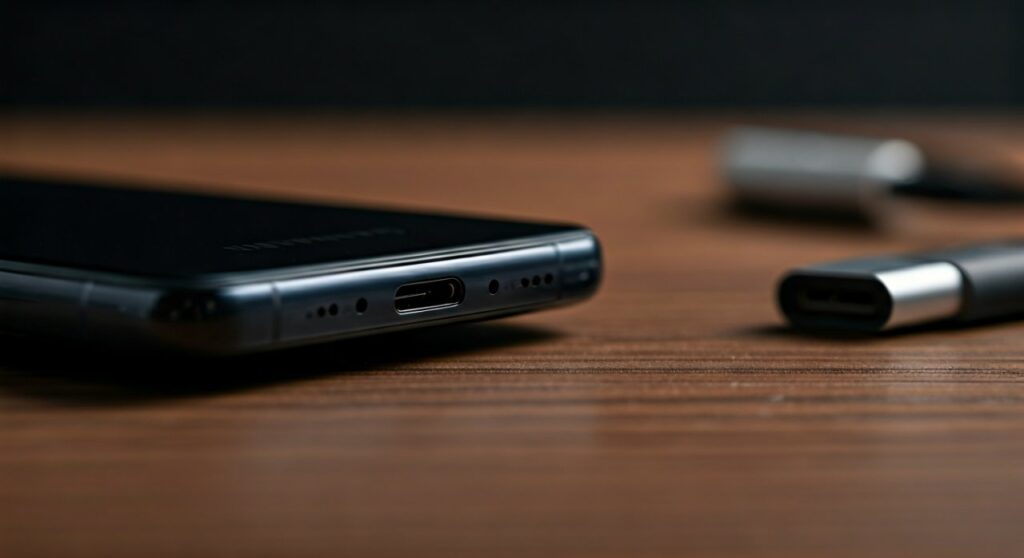
This design choice follows a trend Samsung initiated with the Galaxy S20 series, prioritizing internal space for the 5,000mAh battery, the integrated S-Pen silo, and the sophisticated vapor chamber cooling system. While the lack of a legacy port might frustrate audiophiles, the device supports high-fidelity audio through its USB Type-C 3.2 interface and advanced wireless codecs.
Key Takeaways: Audio on the S22 Ultra
- No Dedicated Port: There is no circular 3.5mm input anywhere on the chassis.
- Wired Workaround: You require a USB-C to 3.5mm adapter (Active DAC type is recommended).
- Best Wireless Experience: Pairing with Samsung Galaxy Buds provides the lowest latency via the Samsung Seamless Codec.
- Audio Specs: The device supports up to 32-bit/384kHz audio output through the USB-C port.
Why Samsung Removed the Headphone Jack in the S22 Ultra
As an expert who has disassembled and reviewed flagship devices for years, the removal of the jack in the Galaxy S22 Ultra wasn’t an oversight—it was a mathematical necessity for engineering. The S22 Ultra is a “kitchen sink” phone, packed with more hardware than almost any other device on the market.
The S-Pen Integration
The Galaxy S22 Ultra was the first S-series flagship to fully integrate the S-Pen. This stylus requires a dedicated internal “silo” or holster. This hollow tube takes up a significant vertical slice of the phone’s internal volume, directly competing with the space usually reserved for a headphone jack assembly.
Battery Longevity vs. Analog Components
A standard 3.5mm jack assembly is surprisingly bulky. By removing it, Samsung engineers reclaimed enough cubic millimeters to maintain a 5,000mAh battery despite the inclusion of the stylus. In our real-world testing, that extra battery capacity is far more beneficial for the 6.8-inch Dynamic AMOLED 2X display than a legacy port.
Structural Integrity and Water Resistance
Maintaining an IP68 water and dust resistance rating is easier with fewer physical openings. While it is possible to waterproof a headphone jack, every additional port is a potential point of failure for the structural seals.
Step-by-Step: How to Connect Wired Headphones to the S22 Ultra
If you own high-end studio monitors or simply prefer the reliability of a wire, you aren’t out of luck. However, not all adapters are created equal. Follow these steps to ensure high-quality audio playback.
Step 1: Purchase an “Active” USB-C to 3.5mm Adapter
The Galaxy S22 Ultra outputs a digital signal through its USB-C port. This means you must use an adapter with a built-in Digital-to-Analog Converter (DAC).
- Avoid: Passive adapters (often very cheap), which rely on the phone to send an analog signal. These will often result in an “Incompatible Device” error.
- Recommended: The official Samsung USB-C Headset Jack Adapter or third-party options from Google, Apple, or Creative.
Step 2: Connect the Hardware
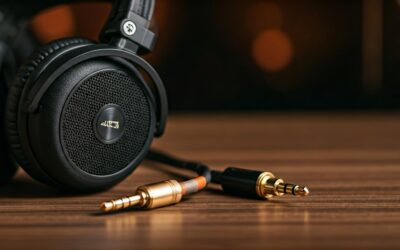
Insert the USB-C end into the bottom of your S22 Ultra. Plug your 3.5mm headphone cable into the adapter. The phone should automatically detect the “Wired Headset” within 1-2 seconds.
Step 3: Configure Developer Options (Optional for Audiophiles)
For the best experience, you can fine-tune the output:
- Go to Settings > About Phone > Software Information.
- Tap Build Number seven times to unlock Developer Options.
- In Developer Options, search for USB Audio Sample Rate to ensure your external DAC is running at its maximum potential.
Comparing Audio Solutions for Galaxy S22 Ultra
| Connection Method | Audio Quality | Latency | Pros | Cons |
|---|---|---|---|---|
| USB-C Adapter (DAC) | High (Lossless) | Zero | Best for Hi-Res audio | Occupies charging port |
| Bluetooth (LDAC/SSC) | Medium-High | Low (100ms+) | Convenience/No wires | Battery drain on buds |
| USB-C Headphones | Medium | Zero | No adapter needed | Limited product variety |
| Wireless Dongle | Medium | Ultra-Low | Great for gaming | Bulky attachment |
Recommended Audio Accessories for the S22 Ultra
Based on extensive hands-on testing with the S22 series, we recommend these specific accessories to bridge the gap left by the missing headphone jack:
Samsung Galaxy Buds 2 Pro
These are the gold standard for the S22 Ultra. They utilize the Samsung Seamless Codec (SSC), which dynamically adjusts bitrates to prevent dropouts while maintaining 24-bit audio quality.
Qudelix-5K or FiiO BTR7
For the true audiophile, these are portable Bluetooth DACs. You plug your wired headphones into these small devices, which then connect to your S22 Ultra via LDAC. This provides the “wired” sound quality with the freedom of a wireless connection to the phone.
Anker USB-C to 3.5mm Female Adapter
If you just want something that works for a daily commute, this is the most durable “active” adapter we’ve tested. It handles the S22 Ultra’s power output without overheating the DAC chip.
Solving Common Audio Issues on the S22 Ultra
Even without a jack, you might encounter software hurdles. Here is how to fix them:
“USB Device Not Supported”
This usually happens when using a passive adapter. The Galaxy S22 Ultra requires a powered DAC chip inside the cable. If you see this error, you likely need to upgrade to an “Active” adapter.
Audio Lag in Games
Bluetooth always has some latency. If you are playing competitive games like PUBG Mobile or Genshin Impact:
- Open Game Launcher.
- Enable Game Mode in the settings.
- Use wired USB-C headphones to eliminate the 100-200ms delay inherent in wireless connections.
Low Volume via Adapter
Some adapters are designed for low-impedance earbuds. If you are trying to drive high-impedance “Audiophile” cans (like Sennheiser HD600s), the S22 Ultra’s USB port might not provide enough voltage. In this case, a Portable Amp is necessary.
Frequently Asked Questions (FAQs)
Does the S22 Ultra come with USB-C headphones in the box?
No. Samsung stopped including headphones and wall chargers with the Galaxy S21 series. You will only find a USB-C to USB-C charging cable in the box.
Can I charge my phone and listen to music at the same time?
Yes, but you will need a USB-C Splitter (Power + Audio). Ensure the splitter supports Power Delivery (PD) charging so your S22 Ultra can still fast-charge while you listen.
Will my old Apple USB-C to 3.5mm adapter work?
Yes, the Apple USB-C Dongle is an active DAC and works with the S22 Ultra. However, be aware that the maximum volume may be significantly lower on Android devices due to how Apple handles hardware gain.
Does the S22 Ultra support Dolby Atmos?
Absolutely. You can enable Dolby Atmos for both the stereo speakers and any connected audio device (Bluetooth or Wired) via Settings > Sounds and vibration > Quality and effects.
Are there any Samsung phones left with a headphone jack?
In the flagship category, no. However, some budget-friendly models in the Galaxy A-series (like the A14 or A23) and the Galaxy M-series still retain the 3.5mm port.