Understanding the Core Mechanics: How Do Beats Headphones Work?
Beats headphones work by converting electrical signals from your device into audible sound waves using internal transducers (drivers). They utilize Class 1 Bluetooth for wireless transmission and, in modern models, feature Apple Silicon (like the H1 or H2 chips) to facilitate instant pairing and high-efficiency audio processing.
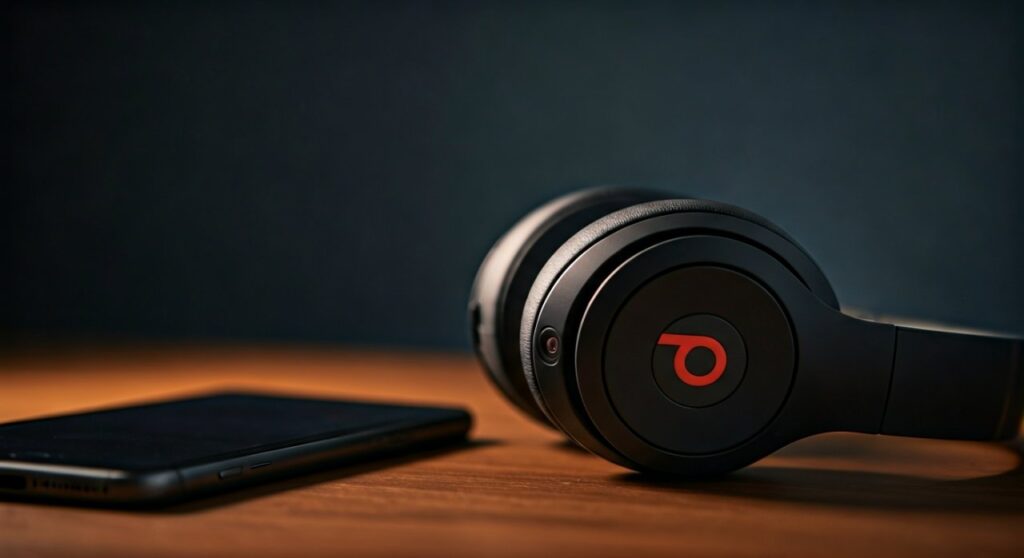
This seamless integration of hardware and software allows Beats by Dre products to deliver their signature bass-heavy sound profile while maintaining low latency. Whether you are using the Beats Studio Pro or the Beats Flex, the fundamental process involves digital-to-analog conversion followed by physical diaphragm vibration.
Key Takeaways: How Beats Technology Operates
If you are looking for a quick breakdown of how these iconic headphones function, here is the essential data:
- Connectivity: Modern Beats use Class 1 Bluetooth for an extended range of up to 300 feet.
- Processing: Integration with Apple’s W1/H1/H2 chips allows for “one-touch” pairing and seamless switching between Apple devices.
- Acoustics: High-fidelity transducers and custom-tuned digital signal processors (DSP) create the specific “Beats sound.”
- Noise Management: Pure Adaptive Noise Canceling (Pure ANC) uses internal and external microphones to block ambient noise 50,000 times per second.
- Power: Fast Fuel technology allows for rapid charging, often providing 3 hours of playback from a 5-10 minute charge.
The Science of Sound: How do Beats by Dre Headphones Work Internally?
At the heart of every pair of Beats headphones is a sophisticated acoustic engine. To understand how do the beats headphones work, we must look at the hardware components that translate data into music.
The process begins when your smartphone or laptop sends a digital audio file—such as an AAC or ALAC stream—via Bluetooth. Within the earcups, a Digital-to-Analog Converter (DAC) transforms these binary bits into an electrical current.
This current travels to the voice coil, which is attached to a diaphragm. This coil sits within a permanent magnetic field created by neodymium magnets. As the electricity fluctuates, the coil moves rapidly, pushing the diaphragm back and forth. This movement displaces air molecules, creating the sound waves that hit your eardrum.
The Role of Digital Signal Processing (DSP)
Unlike “flat” studio monitors, Beats headphones use heavy Digital Signal Processing (DSP). This software-driven layer adjusts the frequencies in real-time.
Engineers at Beats tune the DSP to emphasize the low-end (bass) and crisp highs. This is why how do dr dre beats headphones work is often synonymous with a high-energy, “club-like” listening experience. The DSP ensures that even at high volumes, the distortion remains minimal, protecting the integrity of the transducers.
Wireless Magic: How Beats Headphones Work with Bluetooth and Apple Chips
One of the primary reasons users choose this brand is the wireless reliability. But exactly how beats headphones work without a physical cable involves advanced radio frequency engineering.
Most modern Beats utilize Class 1 Bluetooth technology. While standard Bluetooth (Class 2) typically reaches only 30 feet, Class 1 provides a much stronger signal, reducing dropouts even when your phone is in another room.
| Feature | Standard Bluetooth (Class 2) | Beats Bluetooth (Class 1) |
|---|---|---|
| Max Range | ~33 feet (10 meters) | ~328 feet (100 meters) |
| Signal Stability | Moderate | High |
| Power Consumption | Low | Optimized via Apple Silicon |
| Latency | Noticeable in gaming | Ultra-low (H1/H2 Chip) |
The Impact of Apple W1, H1, and H2 Chips
Since Apple acquired Beats by Dre, the internal architecture has shifted toward proprietary silicon. If you’ve wondered how do the beats headphones work so fast when pairing, the answer is the Apple H1 chip (found in Beats Powerbeats Pro and Solo Pro).
These chips handle more than just audio; they manage the Bluetooth handshake, battery efficiency, and “Hey Siri” voice activation. When you bring your Beats near an iPhone, the H1 chip communicates via a low-energy frequency to trigger an instant setup animation.
Active Noise Cancellation (ANC): How It Silences the World
A flagship feature of the Beats Studio Pro and Beats Fit Pro is Active Noise Cancellation. To understand how do dr dre beats headphones work in noisy environments, we have to look at “anti-noise” technology.
Beats uses a system called Pure ANC. This isn’t just a static filter; it is an active, responsive process.
- External Microphones: Tiny mics on the outside of the earcups constantly “listen” to the environment.
- Internal Microphones: Mics inside the earcup measure what you are actually hearing to account for “leakage” from hair, glasses, or ear shape.
- Inversion: The Beats processor calculates the inverse wave of the background noise.
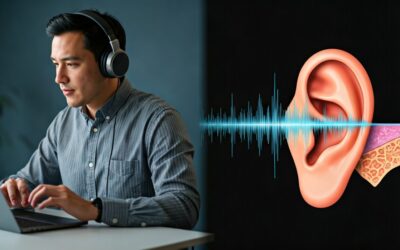
- Cancellation: The speakers play this “anti-noise” alongside your music. The two waves cancel each other out (destructive interference), leaving you with silence.
This happens roughly 50,000 times per second, ensuring that sudden sounds, like a plane engine or a vacuum, are neutralized instantly.
Step-by-Step: How to Make Beats Headphones Work with Your Devices
Setting up your gear is the first step in experiencing how do beats headphones work in your daily life. The process differs slightly depending on your operating system.
Connecting to iOS (iPhone/iPad)
- Turn on Bluetooth: Ensure your iPhone’s Bluetooth is toggled to ‘On’ in the Settings.
- Power On: Press and hold the power button on your Beats for 1-3 seconds.
- Proximity Pairing: Hold the headphones within 2 inches of your unlocked iPhone.
- Connect: A card will pop up on your screen. Tap “Connect.”
Connecting to Android
- Download the App: Install the Beats App from the Google Play Store for the best experience.
- Pairing Mode: Hold the power button until the LED flashes (this indicates “Discovery Mode”).
- Bluetooth Settings: Go to your Android Bluetooth menu and select your device (e.g., Beats Studio3).
- Google Fast Pair: Many modern Beats support Google Fast Pair, which works similarly to the iPhone “pop-up” method.
Sound Profiles and Spatial Audio
Recently, the question of how does beats headphones work has expanded into 3D environments. With Spatial Audio and Dolby Atmos, Beats utilize internal accelerometers and gyroscopes.
When you move your head while watching a movie or listening to supported tracks on Apple Music, the headphones track that motion. The DSP then shifts the virtual “source” of the sound to make it feel like you are in the middle of a theater.
This technology creates a multi-dimensional soundstage. Instead of hearing sound strictly in your left and right ears, you perceive it as coming from above, behind, and in front of you.
Power Management and “Fast Fuel”
Battery life is a critical component of how beats headphones work for long-distance travelers. Beats uses high-density Lithium-ion batteries.
The Fast Fuel feature is a proprietary charging circuit that allows for a high-voltage intake for the first few minutes of charging. This is why a Beats Solo Pro can give you nearly 3 hours of playback after being plugged in for just 10 minutes.
Expert Tips for Longevity and Performance
Having tested dozens of wireless models, I’ve found that how to beats headphones work at their peak depends heavily on maintenance.
- Firmware Updates: If you use an iPhone, your Beats update automatically. Android users must use the Beats App to push firmware updates that improve ANC and battery life.
- Earcup Care: Sweat and oils can degrade the synthetic leather on Beats Studio models. Wipe them down with a dry microfiber cloth after gym sessions to prevent the “cracking” of the ear pads.
- Resetting: If you encounter connectivity issues, most Beats can be reset by holding the Power and Volume Down buttons simultaneously for 10 seconds.
FAQ: Common Questions About Beats Functionality
Do Beats headphones work with non-Apple devices?
Yes. While they are owned by Apple, they use standard Bluetooth protocols. They work perfectly with Android, Windows, and Linux systems, though some features like “Automatic Switching” are exclusive to the Apple ecosystem.
How do Beats headphones work without a battery (wired mode)?
Only certain models, like the Beats EP, work without a battery. Most modern wireless models, such as the Beats Studio Pro, require battery power even when using the 3.5mm RemoteTalk cable because the internal DAC and amplifiers must be powered to produce sound.
Why do my Beats sound different on different devices?
This is due to the Bluetooth Codec. iPhones use AAC, which Beats are optimized for. Some Android devices might default to SBC, which has lower bitrates. You can often change this in the “Developer Options” on Android to improve sound quality.
Are Beats headphones waterproof?
Most over-ear Beats are not waterproof. However, earbuds like the Beats Fit Pro and Powerbeats Pro have an IPX4 rating, meaning they are resistant to sweat and light splashes. They should never be submerged in water.
How do the controls on Beats headphones work?
Most models feature the “b” button as a multi-function control. Press once to play/pause, twice to skip forward, and three times to skip back. On the Beats Studio Pro, the entire side of the earcup acts as a button for volume and track control.
![What Headphones Does TenZ Use? [2024/2025 Pro Setup]](https://bestcustomerreviews.net/wp-content/uploads/2026/03/what-headphones-does-tenz-use-2024-2025-pro-setup-1774879842-400x250.jpg "What Headphones Does TenZ Use? [2024/2025 Pro Setup]")