Finding the right a pair of headphones depends entirely on your specific environment, budget, and sound preference. To get the best experience, you must prioritize a balance between driver quality, comfort for long-term wear, and the specific connection type—whether wired for fidelity or wireless for convenience. A high-quality set of headphones should provide a flat or pleasing frequency response that matches your favorite genre of music or professional needs.
Key Takeaways: How to Find Your Perfect Match
If you are in a hurry, here is the essential checklist for selecting and maintaining a good pair of headphones:
- Determine Your Environment: Use Closed-Back for commuting and Open-Back for critical home listening.
- Check the Impedance: High-impedance headphones (above 32 ohms) may require a dedicated DAC/AMP.
- Prioritize Codecs: For wireless sets, ensure support for LDAC or aptX for near-lossless audio.
- Maintain Regularly: Clean earpads monthly and store in a hard case to extend the lifespan of a set of headphones.
- Comfort is King: Look for memory foam padding and adjustable headbands to prevent “clamp force” headaches.
Why Choosing a Pair of Headphones Matters for Your Ears
Choosing a pair of headphones is more than just a tech purchase; it is an investment in your daily productivity and long-term hearing health. I have tested hundreds of units, from budget earbuds to $3,000 audiophile rigs, and the difference in “soundstage” (the perceived 3D space of sound) is staggering.
A poorly designed set can cause ear fatigue within 30 minutes. Conversely, a good set of headphones allows you to hear subtle nuances in music—like the breath of a singer or the vibration of a cello string—that you would otherwise miss.
Furthermore, the right fit prevents you from cranking the volume to dangerous levels just to drown out external noise. Proper isolation or Active Noise Cancellation (ANC) protects your eardrums while providing a “black background” for your audio to shine.
Step 1: Identify Your Primary Use Case
Before spending a dime, you must define where you will use a set of headphones. Audio equipment is rarely “one size fits all,” and professional tools differ greatly from consumer gadgets.
For Commuting and Travel
If you spend time on planes or trains, you need Active Noise Cancellation (ANC). This technology uses external microphones to flip the phase of incoming noise, effectively canceling it out. The Sony WH-1000XM5 and Bose QuietComfort Ultra are the industry leaders here.
For Professional Studio Work
Mixing and mastering require a “neutral” sound profile. You don’t want boosted bass; you want the truth. A good pair of headphones for the studio, like the Sennheiser HD600, offers a flat response that ensures your music sounds consistent across all playback devices.
For Gaming and Immersion
Gamers need “imaging”—the ability to pinpoint exactly where a footstep is coming from. Look for sets with a wide soundstage and a high-quality microphone. Brands like SteelSeries and Audeze (with their Maxwell line) dominate this space.
Step 2: Choose the Correct Form Factor
The physical design of a set of headphones dictates everything from comfort to sound leakage. There are three main categories you should consider based on your lifestyle.
| Feature | Over-Ear (Circumaural) | On-Ear (Supra-aural) | In-Ear (IEMs) |
|---|---|---|---|
| Comfort | Highest (cups surround ears) | Moderate (presses on ears) | Subjective (inside canal) |
| Portability | Low (bulky) | Medium (often foldable) | Highest (pocket-sized) |
| Soundstage | Widest and most natural | Narrower | Intimate and direct |
| Isolation | Excellent (Closed-back) | Average | Exceptional (with foam tips) |
Step 3: Understanding Driver Types and Technology
The “driver” is the heart of a good set of headphones. It is the component that converts electrical signals into sound waves. Understanding how these work will help you justify the price tag on premium gear.
Dynamic Drivers
The most common type found in 90% of consumer gear. They use a voice coil and a magnet to move a diaphragm. They are excellent for producing “punchy” bass and are generally very durable.
Planar Magnetic Drivers
Often found in high-end sets like Hifiman or Audeze. These use a flat, thin film suspended in a magnetic field. They offer incredibly low distortion and lightning-fast response times, making them a favorite for audiophiles who crave detail.
Electrostatic Drivers
The “Formula 1” of the audio world. These require specialized amplifiers and use static electricity to move a micro-thin film. They offer unmatched clarity but are extremely expensive and not portable.
How to Set Up a Good Pair of Headphones for Peak Performance
Once you have unboxed your new gear, don’t just plug and play. Follow these steps to ensure you are getting the full value of your investment.
Use a Dedicated DAC and Amplifier
Most smartphones and laptops have mediocre internal audio chips. If you have a pair of headphones with high impedance (measured in Ohms), they will sound quiet or “thin” without extra power. An external Digital-to-Analog Converter (DAC) ensures the signal is clean, while an Amplifier (AMP) provides the juice needed for full dynamic range.
Optimize Your Source Material
A $500 pair of headphones will only expose the flaws in low-quality MP3s. Switch to lossless streaming services like Tidal, Qobuz, or Apple Music (Lossless). If you use Spotify, ensure your settings are set to “Very High” (320kbps).
The “Burn-In” Process
There is a long-standing debate among experts regarding “burn-in.” This is the idea that the mechanical parts of the drivers need 40-50 hours of playback to “loosen up.” While some call it a myth, many enthusiasts (including myself) find that the treble smoothens out after a few days of use.
Step 4: Connectivity and Wireless Codecs
If you opt for a wireless set of headphones, the “Bluetooth” version isn’t the only thing that matters. You must check the Audio Codec. Think of a codec as the language the phone and headphones use to talk to each other.
- SBC: The basic, low-quality standard. Avoid for critical listening.
- AAC: The standard for Apple devices. Very stable and efficient.
- aptX / aptX HD: Common on Android. Offers CD-quality sound.
- LDAC: Created by Sony. This is the gold standard for wireless, capable of streaming high-resolution audio at 990kbps.
Maintenance Guide for a Set of Headphones
To make sure your investment lasts for years, you must practice proper hygiene and storage. I have seen many $400 sets ruined by simple neglect.
- Wipe the Pads: Sweat and skin oils are acidic. They will crack leather or protein-leather pads over time. Use a microfiber cloth to wipe them down after every long session.
- Cable Management: Never wrap your cable tightly around the headphones. This creates internal tension and leads to wire breakage. Use the “over-under” coiling method.
- Store in a Dry Place: Moisture is the enemy of electronic drivers. If you live in a humid climate, keep a small silica gel packet inside your headphone case.
- Replace Pads Annually: Most people don’t realize that earpads affect sound. As they flatten, the distance between the driver and your ear changes, usually muddying the bass.
Expert Insight: Open-Back vs. Closed-Back
One of the most common mistakes beginners make when buying a good pair of headphones is not understanding “ventilation.”
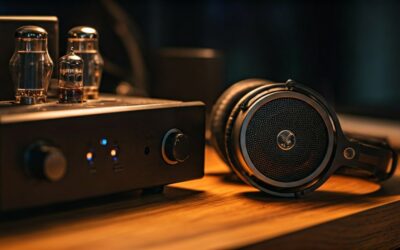
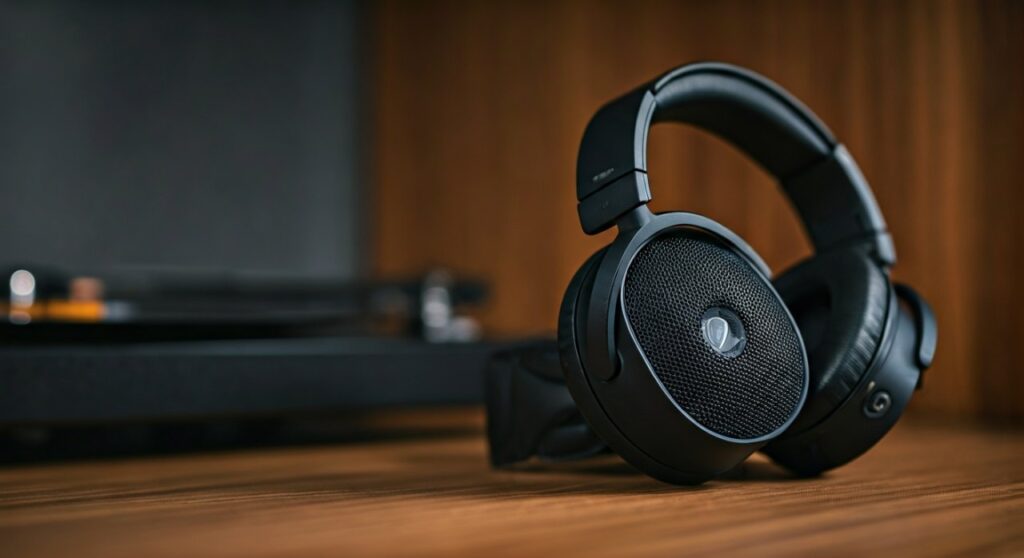
Open-Back Headphones have grills that allow air (and sound) to pass through. This creates an incredibly realistic, “out-of-head” experience. However, they leak sound. If you are in a library, everyone will hear your music.
Closed-Back Headphones are sealed. They trap the sound inside, providing better bass impact and isolation. These are the better choice for office environments, commuting, or recording vocals in a studio.
Frequently Asked Questions
Is a more expensive pair of headphones always better?
Not necessarily. Beyond the $500 mark, you encounter “diminishing returns.” You might pay $1,000 more for only a 5% increase in detail. Often, a good set of headphones in the $200-$300 range (like the Sennheiser HD560s) provides 90% of the performance of flagship models.
Can I use studio headphones for everyday listening?
Yes, but be aware that studio sets are designed to be “analytical.” They might make your favorite songs sound “boring” because they aren’t adding extra bass or treble. If you like a “fun” sound, look for headphones with a V-shaped sound signature.
Why do my ears get hot when wearing a set of headphones?
This is usually a result of “protein leather” or “leatherette” pads which do not breathe. If you suffer from “hot ears,” look for a pair of headphones with velour or mesh fabric pads, or consider switching to In-Ear Monitors (IEMs).
How long should a good pair of headphones last?
If you buy a reputable brand with replaceable parts (like Beyerdynamic or Sennheiser), they can easily last 10 to 20 years. Always check if the manufacturer sells replacement cables and earpads before buying.

![What Headphones Does TenZ Use? [2024/2025 Pro Setup]](https://bestcustomerreviews.net/wp-content/uploads/2026/03/what-headphones-does-tenz-use-2024-2025-pro-setup-1774879842-400x250.jpg "What Headphones Does TenZ Use? [2024/2025 Pro Setup]")