To fix a Beats headphones headband, you must first determine if it is a hairline crack or a complete snap. Minor cracks can be reinforced with industrial-strength adhesive or heat-shrink tubing, but a snapped headband requires a full replacement part and a T5 Torx screwdriver to swap the broken plastic arch with a new one. Replacing the part is the only way to restore the original clamping force and aesthetic of your Beats by Dre headphones.
Why Beats Headbands Snap and Your Best Fix Options
It is incredibly frustrating when your premium Beats Solo3 or Studio3 headphones suddenly snap after a few months of use. Most users assume the headphones are ruined, but the headband is actually a modular piece designed to be replaced.
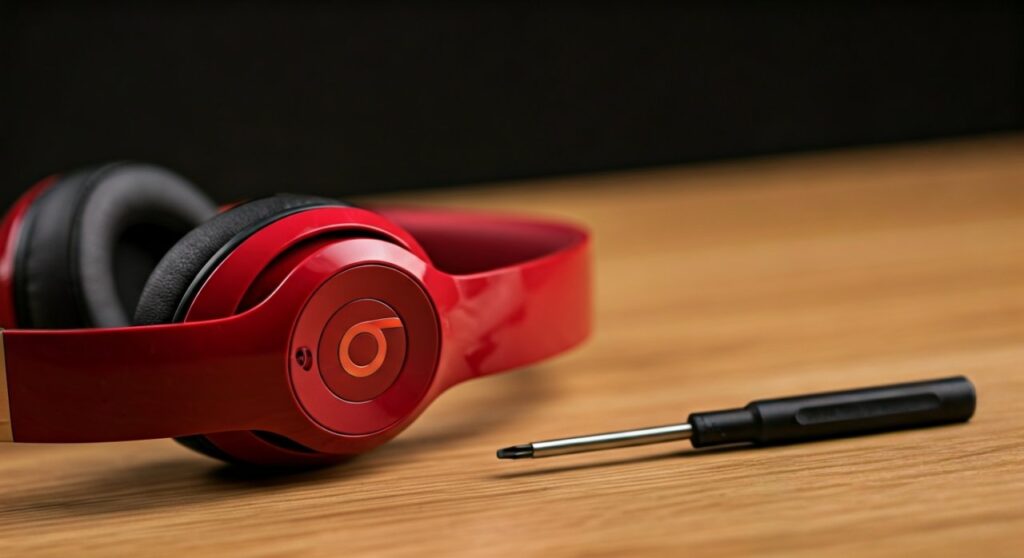
In my years of repairing personal audio gear, I have found that Beats headbands usually fail at the stress points just above the hinges. This happens because the plastic loses its elasticity over time or is subjected to extreme temperature changes.
If you are wondering how to fix beats headphones headband without spending $150 at an official service center, you have three primary paths: the “Band-Aid” fix, the “Adhesive” fix, and the “Total Replacement.”
Key Takeaways: Fixing Your Beats Fast
| Fix Method | Durability | Difficulty | Estimated Cost |
|---|---|---|---|
| Replacement Kit | High (Permanent) | Moderate | $15 – $25 |
| Super Glue / Epoxy | Low (Temporary) | Easy | $5 |
| Reinforcement Tape | Medium | Easy | $2 – $10 |
| Professional Repair | High | None | $100+ |
Essential Tools for a DIY Beats Headband Repair
Before you start, you need the right tools. Using the wrong screwdriver will strip the tiny screws, making the repair nearly impossible.
- T5 Torx Screwdriver: This is the standard size for most Beats Solo and Studio models.
- Replacement Headband Arch: Ensure you buy the specific model (e.g., Beats Studio 3 Wireless).
- Small Prying Tool: A plastic guitar pick or a flathead precision screwdriver works well.
- Tweezers: To handle the tiny screws that hold the interior panel to the headband.
- Microfiber Cloth: To keep the internal wiring clean during the process.
Step-by-Step: How to Fix Beats Headphones Headband by Replacing the Part
Replacing the headband is the “gold standard” fix. It restores the structural integrity of the headphones so they don’t slide off your head.
Step 1: Remove the Screws from the Hinges
Locate the four small screws (two on each side) near the folding hinges. Use your T5 Torx screwdriver to remove them carefully. Place these screws in a magnetic tray or a small bowl, as they are very easy to lose.
Step 2: Pry the Interior Plastic Panel
Underneath the headband cushion, there is a thin plastic liner. Use your prying tool to gently pop this panel away from the broken headband arch. Expert Tip: Be very careful not to snag the thin copper wire that runs through the headband; if you break this wire, you will lose sound in one ear.
Step 3: Detach the Broken Arch
Once the screws are out and the inner liner is loose, the broken plastic arch should slide out of the metal hinges. You may need to wiggle it slightly. If the headband is snapped in the middle, remove both broken halves.
Step 4: Thread the Wire and Install the New Band
Take your new replacement Beats headband and thread the internal wire through the designated groove. Align the ends of the new band with the metal hinges and slide them into place.
Step 5: Reassemble and Test
Snap the interior plastic liner back into place. Reinsert the four T5 screws into the hinges. Before tightening them fully, try folding and unfolding the headphones to ensure the movement is smooth.
Alternative Fix: Using Adhesives for Minor Cracks
If your headband is only cracked but not fully broken, you might try a chemical bond. However, I rarely recommend this for Beats because the “clamping force” required to stay on your head puts too much tension on glue.
If you choose this route, do not use standard school glue. Use a Cyanoacrylate (CA) glue paired with an activator or a two-part epoxy.
- Clean the surface: Use rubbing alcohol to remove oils from your skin.
- Apply Adhesive: Apply a thin layer to the crack.
- Reinforce: Wrap the area with electrical tape or fiberglass mesh while the glue sets to provide extra structural support.
Comparing DIY Repair vs. Apple Support
Many users wonder if they should just send their headphones to Apple/Beats Support. Here is the breakdown of why DIY is often better for older models.
- Warranty Status: If your headphones are under the one-year limited warranty and the break is a “manufacture defect,” Apple may fix it for free.
- Out-of-Warranty Costs: Apple typically charges between $100 and $199 for headband repairs, which often exceeds the value of the headphones.
- Timeframe: A DIY fix takes 20 minutes. Shipping them to a repair center takes 7-14 days.
How to Prevent Your Beats Headband from Breaking Again
Once you have successfully learned how to fix beats headphones headband, you want to ensure it doesn’t happen again.
- Use the Hard Case: Never throw your Beats loosely into a backpack. The pressure from books or laptops is the #1 cause of headband snaps.
- Avoid Extreme Heat: Leaving headphones in a hot car makes the plastic brittle.
- Stretch from the Hinges: When putting the headphones on, pull from the metal hinge area rather than the top of the plastic arch to reduce tension.
Frequently Asked Questions (FAQs)
Can I use Gorilla Glue to fix my Beats headband?
While Gorilla Glue is strong, it expands as it cures, which can look messy and interfere with the internal wiring. A plastic-specific epoxy or a full replacement part is a much better solution for a clean finish.
Does Apple repair broken Beats headbands for free?
Apple only repairs them for free if you have AppleCare+ or if the technician determines it was a factory defect. Most physical snaps are considered “accidental damage” and carry a high repair fee.
How do I know which Beats model I have?
Look at the inside of the hinge or the original box. Solo models have “on-ear” cushions (smaller), while Studio models have “over-ear” cushions (larger). You must buy the headband that matches your specific generation (e.g., Solo 2 vs. Solo 3).
Will fixing the headband affect the sound quality?
No. As long as you do not damage the internal ribbon cable during the repair, the audio quality and Active Noise Cancellation (ANC) will remain exactly the same.