How to Increase Bass on Headphones: The Ultimate Expert Guide
To increase bass on headphones, the most effective method is using a Parametric Equalizer (EQ) to boost frequencies between 20Hz and 250Hz. You can also significantly enhance bass on headphones by ensuring a perfect acoustic seal with memory foam ear tips or upgraded leather ear pads. For high-end audiophile gear, adding a dedicated Headphone Amplifier with a hardware “Bass Boost” circuit provides the cleanest low-end impact without distorting the sound.
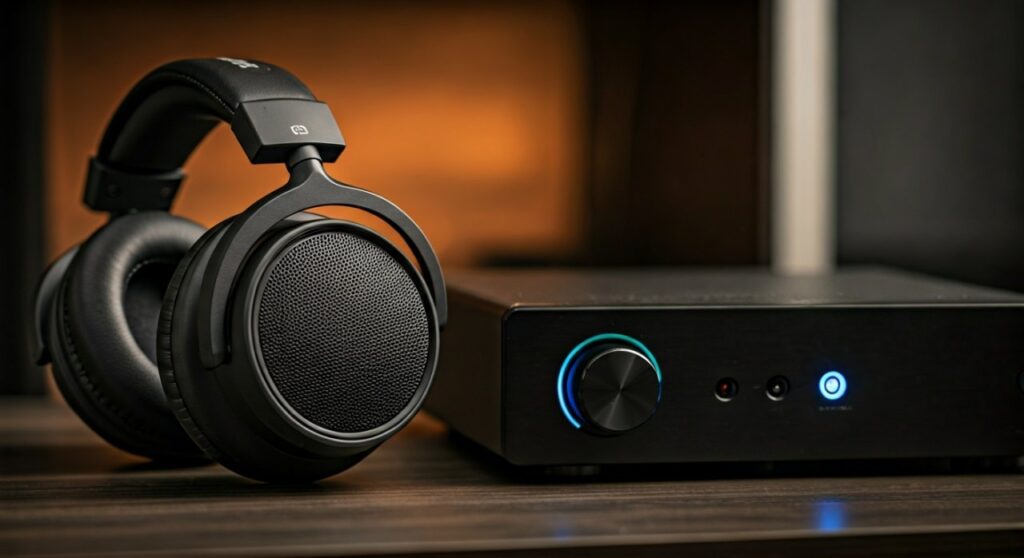
Key Takeaways: How to Boost Sound and Bass
If you are in a hurry, here is the “cheat sheet” to improve the bass on headphones immediately:
- Software is King: Use Equalizer APO (PC) or Wavelet (Android) to apply a Low-Shelf Filter.
- Hardware Check: Ensure your ear pads are not cracked or leaking air; a seal breach kills bass response.
- Power Matters: High-impedance headphones require a DAC/Amp to move the drivers fast enough for deep sub-bass.
- Source Quality: Switch from low-bitrate streaming to Lossless (FLAC/ALAC) to preserve low-frequency data.
- Fitment: For in-ear monitors (IEMs), use Comply Foam tips to create a vacuum-like seal in the ear canal.
Understanding the Frequency Response: What is “Bass”?
Before you learn how to increase headphone bass, you must understand what you are actually adjusting. Bass is not just one sound; it is a spectrum of frequencies measured in Hertz (Hz).
Most “thin-sounding” headphones lack energy in two specific areas. The Sub-bass (20Hz – 60Hz) is the rumble you feel in your chest, while the Mid-bass (60Hz – 250Hz) provides the punch and “thump” of drums.
If you increase sound in headphones incorrectly at the 300Hz+ range, your music will sound “muddy” or “boxy.” To improve sound quality on headphones, focus your boosts below 150Hz.
Method 1: Use a Digital Equalizer (The Best Software Fix)
The most precise way to how to bass boost headphones is through software equalization. This allows you to tell the driver exactly how much harder to vibrate at specific frequencies.
For Windows Users (Peace GUI + Equalizer APO)
This is the “Gold Standard” for PC audio. Equalizer APO is a system-wide EQ, and Peace GUI is the interface that makes it easy to use.
- Download and install Equalizer APO.
- Install Peace GUI as the interface.
- Locate the slider for 31Hz, 62Hz, and 125Hz.
- Increase these by 3dB to 5dB.
- Pro Tip: Lower the “Pre-amplification” slider by the same amount you boosted the bass to prevent clipping (distortion).
For Android Users (Wavelet)
If you want to improve bass in headphones on a smartphone, Wavelet is the best app available. It features an “AutoEQ” function that has pre-calculated profiles for over 3,000 headphone models to normalize their sound.
- Enable the Graphic Equalizer.
- Select the Bass Booster preset or manually lift the low-end bars.
- Use the Bass Tuner (Pro version) to target specific resonance frequencies.
For iOS Users
Apple restricts system-wide EQs. However, you can go to Settings > Music > EQ and select Bass Booster. For Spotify users, go to Settings > Playback > Equalizer within the app to how to increase sound of headphones manually.
Method 2: Physical Modifications and the “Seal”
You can have the most expensive drivers in the world, but if air escapes from the ear cup, the bass will vanish. This is known as acoustic decoupling.
Upgrade Your Ear Pads
Factory ear pads are often made of cheap foam that collapses over time. To how to improve bass on headphones, consider replacing them with protein leather or sheepskin pads from brands like Dekoni Audio or Wicked Cushions.
- Leather/Pleather: Best for trapping air and reflecting bass energy back into the ear.
- Velour/Suede: Usually results in a wider soundstage but “leaks” bass, making it sound leaner.
Memory Foam Tips for IEMs
If you use in-ear headphones, the “seal” is everything. Silicone tips often slide out. Switching to Comply Foam tips allows the tip to expand and grip the ear canal, which is the fastest way to how to enhance bass on headphones without using an app.
Method 3: Investing in a DAC and Headphone Amplifier
Sometimes, your laptop or phone simply doesn’t have the “juice” to move the headphone’s diaphragm effectively. This is common with high-impedance headphones (300 Ohms+).
A Digital-to-Analog Converter (DAC) and an Amplifier ensure that the low-frequency signals are strong and clean.
- iFi Zen DAC V2: Famous for its “TrueBass” button, which is an analog circuit that boosts bass without affecting the rest of the frequency range.
- FiiO E10K: A budget-friendly desktop amp with a dedicated bass toggle switch.
- Schiit Magni: Provides massive power (current) which is necessary for planar magnetic headphones to produce deep, fast bass.
| Method | Cost | Effectiveness | Difficulty |
|---|---|---|---|
| Software EQ | Free | High | Medium |
| New Ear Pads | $20 – $50 | Medium | Easy |
| External Amp | $70 – $200 | Very High | Easy |
| High-Res Files | Subscription | Low | Easy |
| Foam Ear Tips | $15 | High (IEMs only) | Very Easy |
Method 4: Improving Source Material and Bitrate
You cannot how to increase headphone bass if the bass frequencies were deleted during file compression.
- Spotify/YouTube: Often compress audio, cutting off the extremes of the frequency response.
- Tidal/Qobuz/Apple Music: Offer Lossless Audio.
- Expert Insight: Low-bitrate MP3s (128kbps) often have “mushy” bass. Switching to FLAC or ALAC at 24-bit/96kHz provides the “slam” and “impact” that audiophiles crave.
How to Increase Bass on Headphones via Advanced Tuning
If you are an advanced user, you should look into Pre-ringing and Phase shifts. When you boost bass using a standard “Minimum Phase” EQ, it can slightly delay the timing of the low-end.
To how to improve the bass on headphones like a pro:
- Use a Linear Phase EQ for mastering-grade clarity.
- Apply a High-Pass Filter (HPF) at 20Hz. While it sounds counter-intuitive, removing “sub-sonic rumble” that your ears can’t even hear frees up “headroom” for the audible bass (40Hz-100Hz) to sound much louder and cleaner.
Common Mistakes to Avoid
- Over-boosting: Never boost any frequency by more than 10dB. This will cause harmonic distortion, which can permanently damage your headphone drivers at high volumes.
- Ignoring the Mid-range: If you boost the bass too much, you create a “V-shape” sound where vocals sound recessed or “buried.”
- Using Multiple EQs: Never run two equalizers at once (e.g., Windows EQ + Spotify EQ). This creates “phase cancellation” and makes the sound quality on headphones much worse.
Frequently Asked Questions (FAQs)
Why do my headphones have no bass even after boosting?
This is usually due to a power mismatch or an open-back design. Open-back headphones (like the Sennheiser HD600) are designed for a wide soundstage and naturally roll off the sub-bass. No amount of EQ can make an open-back headphone rumble like a closed-back model.
Can I damage my headphones by increasing the bass?
Yes, if you hear a “crackling” or “popping” sound, the driver is hitting its physical limit (clipping). To safely how to increase sound in headphones, always reduce the Pre-amp gain in your EQ software to compensate for the boost.
Does Bluetooth affect bass quality?
Yes. Older Bluetooth codecs (like SBC) compress the low end. To how to increase headphone bass on wireless sets, ensure your devices support LDAC or aptX HD, which have higher data bandwidth for low-frequency signals.
What are the best headphones for bass lovers?
If you want hardware that prioritizes bass, look for Sony WH-1000XM5, Skullcandy Crusher ANC 2 (which has a physical haptic bass slider), or Meze 99 Classics. These are engineered with a “warm” sound signature that emphasizes the low end natively.
Is there a “bass boost” Windows 10/11 setting?
Yes. Right-click the Speaker icon > Sound Settings > More sound settings. Right-click your device > Properties > Enhancements. Check the Bass Boost box. However, this is a “blind” boost and is much less effective than using a dedicated app like Peace GUI.
![What Headphones Does TenZ Use? [2024/2025 Pro Setup]](https://bestcustomerreviews.net/wp-content/uploads/2026/03/what-headphones-does-tenz-use-2024-2025-pro-setup-1774879842-400x250.jpg "What Headphones Does TenZ Use? [2024/2025 Pro Setup]")