What Are USB-C Headphones? An Essential Guide to the Future of Audio
What are USB-C headphones? Simply put, they are audio devices that connect to your electronic devices—such as smartphones, tablets, and laptops—via a USB Type-C port instead of the traditional 3.5mm round headphone jack. Unlike older analog headphones, what is usb c headphones technology often involves transmitting a digital signal that is converted into sound by a chip inside the connector or the headphones themselves.
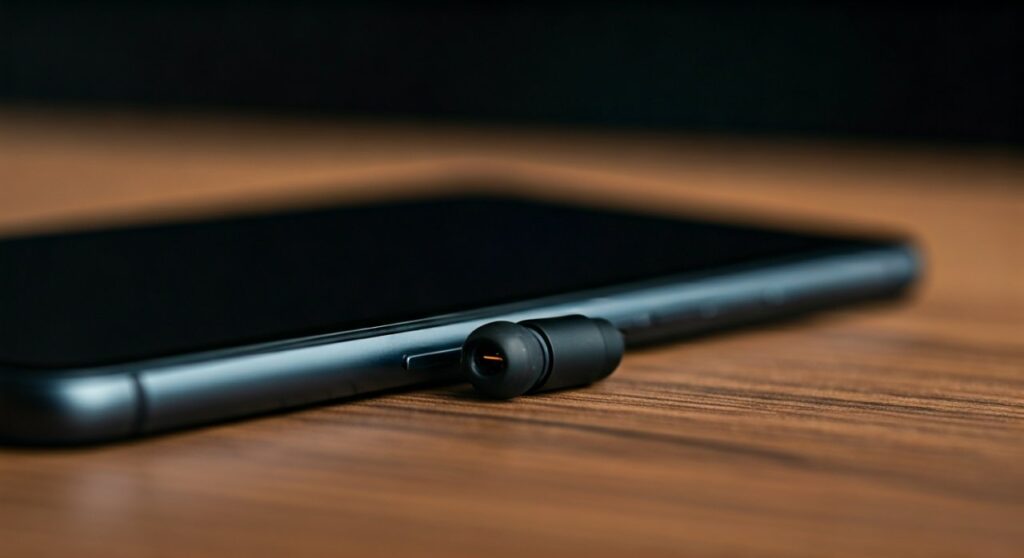
The shift toward USB-C audio gained momentum when major smartphone manufacturers began removing the dedicated headphone jack to save space and improve water resistance. Today, what are usb headphones using the Type-C standard represent a significant portion of the wired audio market, offering features like high-resolution sound and integrated power for noise cancellation.
Key Takeaways: Quick Summary of USB-C Audio
| Feature | Description | Why It Matters |
|---|---|---|
| Connector Type | Oval-shaped, reversible USB-C plug. | Easier to plug in; no “upside down.” |
| Signal Type | Primarily Digital (but can be Analog). | Allows for higher audio fidelity and built-in DACs. |
| Power Supply | Draws power directly from the host device. | Powers features like Active Noise Cancellation (ANC) without batteries. |
| Compatibility | Modern Androids, iPads, and most laptops. | One cable can often work across your entire ecosystem. |
| Audio Quality | Supports Hi-Res Audio (24-bit/96kHz+). | Superior sound quality compared to standard Bluetooth. |
## How USB-C Headphones Work: The Technical Breakdown
To truly understand what are usb c headphones, you need to understand how sound gets from your phone to your ears. Traditionally, your phone used an internal Digital-to-Analog Converter (DAC) to send an electrical signal through the 3.5mm jack.
With USB-C, the process can happen in two different ways: Active or Passive. Understanding this distinction is the most important part of choosing the right pair for your specific device.
### 1. Active USB-C Headphones (Digital)
Most high-quality USB-C headphones are “Active.” This means they contain their own DAC and Amplifier inside the USB connector or the earcups.
- The phone sends a Digital Signal through the port.
- The headphones’ internal chip converts that data into sound.
- Expert Insight: This results in consistent sound quality regardless of how cheap or expensive your phone’s internal audio hardware is.
### 2. Passive USB-C Headphones (Analog)
Passive headphones are much simpler and often cheaper. They do not have an internal DAC.
- They rely on the phone’s Audio Accessory Mode to send an analog signal through the USB-C pins.
- If your phone does not have an internal DAC wired to the USB port (like many newer flagships), passive headphones simply will not work.
- Pro Tip: Always look for “Active” or “Built-in DAC” when shopping to ensure universal compatibility.
## Why The Industry Shifted to USB-C Audio
You might be wondering why companies moved away from the perfectly functional 3.5mm jack. As a tech reviewer who has tracked this transition since 2016, I can tell you the move was driven by three main factors: Space, Functionality, and Quality.
### Saving Internal Real Estate
Smartphone internals are incredibly crowded. Removing the 3.5mm jack allows engineers to include larger batteries, better haptic engines, or more advanced camera sensors. For example, the Samsung Galaxy and Google Pixel lines utilized this extra space to refine their slim designs.
### Integrated Power for Advanced Features
Traditional headphones require a separate battery for Active Noise Cancellation (ANC). However, because what are usb headphones can draw power directly from the device’s charging port, they can run ANC and LED lights without needing a bulky battery pack.
### High-Resolution Sound Support
Standard analog jacks are often limited by the quality of the device’s internal components. USB-C allows for a digital “handshake” that supports Lossless Audio and Hi-Res formats. If you are an audiophile using services like Tidal or Apple Music Lossless, USB-C is objectively superior to standard Bluetooth.
## Comparing USB-C vs. 3.5mm vs. Bluetooth
Choosing the right audio connection depends on your lifestyle. Below is a comparison of how what is usb c headphones technology stacks up against the competition.
| Factor | USB-C Headphones | 3.5mm Jack | Bluetooth (Wireless) |
|---|---|---|---|
| Audio Quality | Excellent (Hi-Res) | Good (Standard) | Compressed (Lossy) |
| Latency | Zero (Great for Gaming) | Zero | Variable (Lag possible) |
| Convenience | Wired (Can’t charge & listen) | Wired (Can charge & listen) | Wireless Freedom |
| Battery Needed? | No | No | Yes (Requires charging) |
| Durability | High | High | Battery degrades over time |
## Step-by-Step: How to Choose the Right USB-C Headphones
Buying the wrong pair can lead to a “device not supported” error. Follow these steps to ensure you get the best experience.
### Step 1: Check for “Active” Status
Ensure the product description mentions a Built-in DAC chip. This guarantees the headphones will work with the iPad Pro, Samsung S24, and MacBooks. Brands like Sennheiser, Audio-Technica, and Sony usually specify this clearly.
### Step 2: Verify “Audio Class” Compatibility
Most modern devices use USB Audio Class 2.0. While almost all new headphones support this, some older “Class 1.0” devices might have trouble with high-bitrate audio. Stick to products released within the last 2-3 years for the best results.
### Step 3: Consider a Dongle vs. Dedicated Headphones
If you already own expensive 3.5mm headphones, you don’t need to throw them away. A USB-C to 3.5mm Adapter (often called a dongle) acts as a bridge.
- The Apple USB-C Dongle is famous in the audiophile community for being incredibly cheap ($9) while having a surprisingly high-quality DAC.
- Expert Recommendation: If you are a casual listener, buy dedicated USB-C buds. If you are a pro, use a high-end DAC dongle like the DragonFly Black.
## Common Challenges and How to Fix Them
While what are usb c headphones offer many benefits, they aren’t without quirks. Here are the most common issues I’ve encountered in the field.
- The “Device Not Supported” Error: This usually happens when you plug passive headphones into a device that requires an active signal. The solution is to switch to an Active DAC cable.
- Charging While Listening: This is the biggest pain point. To fix this, you will need a USB-C Splitter or “Power Delivery (PD) Adapter” that provides one port for charging and one for audio.
- Static or Popping Noises: This is often caused by debris in the charging port. Use a wooden toothpick or compressed air to clean out lint from your phone’s USB-C port.
## The Audiophile Perspective: Is USB-C Actually Better?
From a purely technical standpoint, yes. What are usb headphones doing that Bluetooth can’t? They eliminate compression.
When you listen over Bluetooth, the audio data is “shrunk” to fit through the airwaves, which loses detail. A wired USB-C connection allows for a “Bit-Perfect” stream.
- Sampling Rates: USB-C can handle up to 32-bit/384kHz audio.
- Power Output: Some USB-C headphones can drive larger drivers more effectively than the tiny amplifiers found in wireless earbuds.
If you enjoy the nuances of classical music or the deep layers of a film score, the direct digital-to-ear pipeline of USB-C is the gold standard for mobile listening.
## Frequently Asked Questions (FAQs)
### Will any USB-C headphones work with my phone?
Not necessarily. Most modern smartphones require Active USB-C headphones with a built-in DAC. While “Passive” headphones exist, they only work with a limited number of older devices that output analog audio through the USB port.
### Can I use USB-C headphones on my laptop?
Yes! Almost all laptops with a USB-C or Thunderbolt port support USB-C audio. Windows and macOS will typically recognize them as a “USB Audio Device” instantly without needing extra drivers.
### Do USB-C headphones drain the phone battery faster?
They do draw a small amount of power to run the internal DAC and speakers, but the drain is negligible—usually less than 1-2% per hour of listening. This is often more efficient than maintaining a constant Bluetooth connection.
### Why are my USB-C headphones not being recognized?
This is often due to a poor connection or a compatibility mismatch. Try cleaning your port, or check your phone’s “Developer Options” to ensure “Disable USB Audio Routing” is turned OFF.
![What Headphones Does TenZ Use? [2024/2025 Pro Setup]](https://bestcustomerreviews.net/wp-content/uploads/2026/03/what-headphones-does-tenz-use-2024-2025-pro-setup-1774879842-400x250.jpg "What Headphones Does TenZ Use? [2024/2025 Pro Setup]")