Top-tier streamers primarily use studio-grade open-back headphones or high-end In-Ear Monitors (IEMs) rather than standard gaming headsets to achieve superior sound clarity and long-term comfort. Models like the Beyerdynamic DT 990 Pro, Sennheiser HD 660S2, and the Logitech G Pro X 2 LIGHTSPEED are currently the industry standards for professional broadcasting.
Key Takeaways for Streamer Audio
If you are looking for a quick summary of what headphones do streamers use, here are the essential insights:
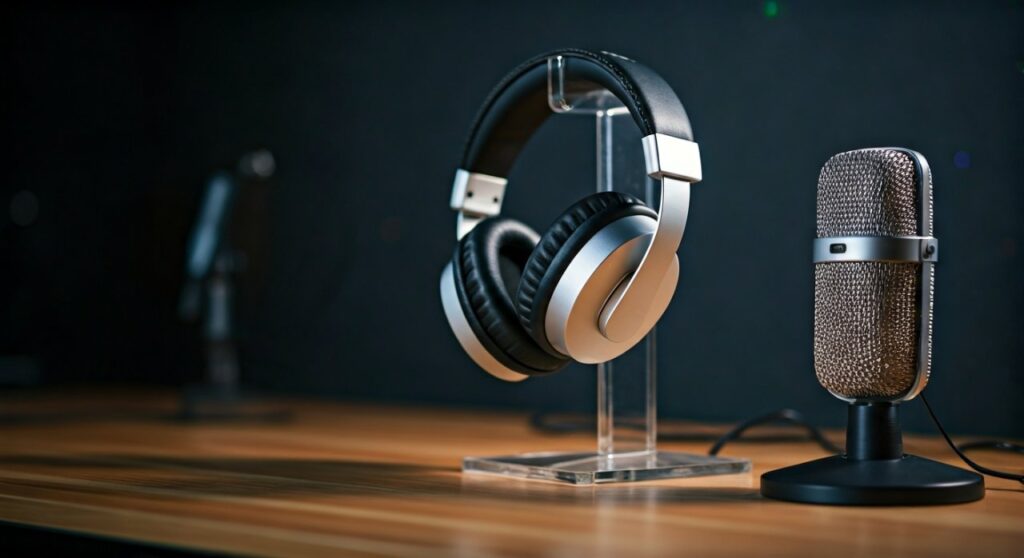
- Open-Back is King: Professional streamers prefer open-back designs for a wider soundstage and better ear ventilation.
- Studio Over Gaming: Most pros migrate from “gaming” brands to “studio” brands like Beyerdynamic, Sennheiser, and Audio-Technica for flatter, more accurate frequency responses.
- IEM Growth: In-Ear Monitors are exploding in popularity among FPS pros (like Shroud) because they don’t interfere with hair or hats and offer extreme isolation.
- External Power: High-end streamer headphones often require a DAC (Digital-to-Analog Converter) or Amplifier to function correctly.
The Shift From Gaming Headsets to Studio Monitors
Most beginners start with all-in-one gaming headsets because they are convenient. However, as streamers grow, they realize that built-in microphones often compromise the audio quality of the drivers.
Professional streamers treat their audio as two separate categories: a dedicated XLR microphone for voice and high-fidelity studio headphones for monitoring. This setup allows for granular control over the “game-to-voice” balance.
Studio monitors provide a neutral sound signature. This means you hear the game exactly as the developers intended, without artificial bass boosting that can muddy the sound of footsteps or directional cues in competitive play.
Top 5 Headphones Used by Professional Streamers
To understand what headphones do streamers use, we must look at the specific gear found in the setups of the world’s most successful creators.
Beyerdynamic DT 990 Pro
This is arguably the most iconic pair of headphones in the streaming world. Used by legends like Ninja, these headphones are famous for their velour ear pads and wide soundstage.
- Type: Open-back, Circumaural.
- Why Pros Use It: Extremely comfortable for 12-hour sessions and provides “airy” audio that prevents ear fatigue.
- Key Stat: Available in 250 Ohm versions, requiring a dedicated interface or amp.
Sennheiser HD 660S2
Sennheiser is the gold standard for many “Just Chatting” and variety streamers. These offer an intimate sound that makes the streamer feel “connected” to their own voice monitoring.
- Type: Open-back.
- Pros: Exceptional mid-range clarity and legendary German engineering.
- Notable Users: Many high-fidelity enthusiasts and professional podcasters.
Audio-Technica ATH-M50x
If you see a streamer in a loud environment or one who prefers a “closed” feel, they are likely wearing these. The ATH-M50x is a staple in music studios worldwide.
- Type: Closed-back.
- Why Pros Use It: Excellent sound isolation. If you have a loud mechanical keyboard or a noisy AC, these prevent that noise from leaking into your ears.
Logitech G Pro X 2 LIGHTSPEED
While many pros move to studio gear, Logitech has maintained a presence in the pro scene through high-end engineering. This is one of the few “gaming” headsets that pros genuinely respect.
- Type: Wireless Closed-back.
- Key Tech: Uses Graphene drivers to reduce distortion and improve speed.
- Notable Users: Professional CS2 and Valorant players.
Shure SE846 (In-Ear Monitors)
IEMs like the Shure SE846 or the more affordable Sennheiser IE 100 PRO are becoming the default for FPS streamers. They fit inside the ear canal, providing the best possible directional imaging.
Comparing Popular Streamer Headphones
| Model | Type | Impedance | Primary Benefit | Used By |
|---|---|---|---|---|
| Beyerdynamic DT 990 Pro | Open-Back | 250 Ohm | Breathability & Comfort | Ninja, Pokimane |
| Sennheiser HD 600 | Open-Back | 300 Ohm | Natural Vocal Tones | Variety Streamers |
| Audio-Technica M50x | Closed-Back | 38 Ohm | Noise Isolation | PewDiePie (Classic) |
| Logitech G Pro X | Closed-Back | 35 Ohm | Wireless Freedom | S1mple, Shroud |
| Sennheiser IE 100 PRO | IEM | 20 Ohm | Lightweight & Accurate | FPS Professionals |
Step-by-Step Guide: How to Choose Your Streamer Headphones
Choosing what headphones do streamers use isn’t just about copying your favorite creator; it’s about matching the gear to your environment.
Step 1: Determine Your Room Noise Level
If you live in a noisy apartment or use a loud “Clicky” keyboard, Open-Back headphones might be a mistake. Open-back designs have perforated earcups that let sound out and in.
For noisy environments, choose Closed-Back headphones. If your room is quiet and treated with acoustic foam, Open-Back is superior for long-term comfort and spatial awareness.
Step 2: Check Your Audio Interface
Many pro-grade headphones have high Impedance (measured in Ohms). A standard PC motherboard cannot “drive” 250 Ohm or 300 Ohm headphones effectively, resulting in very quiet audio.
- Low Impedance (Under 32 Ohms): Works with phones, laptops, and controllers.
- High Impedance (Above 80 Ohms): Requires a DAC/Amp like the Focusrite Scarlett 2i2 or Schiit Magni.
Step 3: Prioritize “Imaging” Over “Bass”
In gaming, “Imaging” refers to the ability to locate where a sound is coming from. Most “consumer” headphones (like Beats or Sony WH-1000XM5) have heavy bass that masks footsteps.
Streamers look for headphones with a neutral or bright frequency response. This emphasizes the “treble” frequencies where reload sounds and footsteps live.
Step 4: Evaluate “Clamping Force”
You will likely be wearing these for 4 to 8 hours at a time. Professional streamers look for headphones with a light clamping force.
Beyerdynamic is widely praised for its “pillow-like” feel, whereas some Sennheiser models can feel quite tight on the head until they are “broken in.”
Why Many Streamers are Switching to IEMs
You may have noticed streamers like Shroud or Aceu wearing small earbuds instead of bulky headphones. These are In-Ear Monitors (IEMs).
IEMs offer several professional advantages:
- No “Headset Hair”: They don’t ruin your look on camera.
- Physical Comfort: There is no heavy band pressing on the top of your head, which can cause “headset indents” over years of use.
- Isolation: They act like earplugs, allowing the streamer to focus entirely on the game audio.
- Cooling: Your ears never get hot or sweaty because there is no large earcup covering them.
The Role of the DAC and Amplifier in Pro Setups
When asking what headphones do streamers use, the answer is incomplete without mentioning the “stack.” A Digital-to-Analog Converter (DAC) and an Amplifier (Amp) are the engines that power high-end audio.
Streamers use devices like the GoXLR or Elgato Wave XLR. These devices serve three purposes:
- Providing Phantom Power: Needed for professional XLR microphones.
- Processing: They handle audio processing so the CPU doesn’t have to.
- Clean Power: They provide enough voltage to make high-impedance headphones sound loud and punchy without distortion.
Expert Perspective: Is the Expense Worth It?
From my experience testing over 50 audio configurations, the jump from a $50 gaming headset to a $150 pair of Beyerdynamic DT 770 Pros (the closed-back version) is the single biggest upgrade a streamer can make.
While a $500 setup is nice, the “diminishing returns” hit hard after the $200 mark. Most viewers won’t notice if your game audio is slightly more “transparent,” but you will notice the lack of headaches and the ability to play better due to clearer directional cues.
Frequently Asked Questions
Why do streamers wear two pairs of headphones?
Occasionally, you will see a streamer wearing IEMs underneath a pair of Closed-Back headphones. This is common in professional tournament environments. The IEMs provide the game audio, while the outer headphones provide noise cancellation and “white noise” to block out the shouting of the crowd or announcers.
Are wireless headphones good for streaming?
Most pro streamers avoid wireless due to latency and battery life. However, modern technology like Logitech’s LIGHTSPEED or Razer’s Hyperspeed has reduced latency to a point where it is indistinguishable from wired. The main risk is the battery dying mid-stream.
Do I need an expensive microphone if I have good headphones?
Yes. Headphone audio and microphone audio are separate signals. Buying a high-end pair of Sennheisers will not make your voice sound better to your audience; it only improves what you hear.
What are the best budget headphones streamers use?
The Philips SHP9500 is a legendary budget choice. It is open-back, extremely comfortable, and offers a soundstage that rivals headphones triple its price. Many “up and coming” streamers start with these.
Can I use my Apple AirPods for streaming?
It is not recommended. Bluetooth has significant audio lag (latency). In a fast-paced game, you might hear a gunshot 200ms after it happens, which is enough to lose a fight. If you want “earbud style” audio, stick to wired IEMs.
![What Headphones Does TenZ Use? [2024/2025 Pro Setup]](https://bestcustomerreviews.net/wp-content/uploads/2026/03/what-headphones-does-tenz-use-2024-2025-pro-setup-1774879842-400x250.jpg "What Headphones Does TenZ Use? [2024/2025 Pro Setup]")