Understanding High-Resolution Wireless Sound: What is LDAC in Headphones?
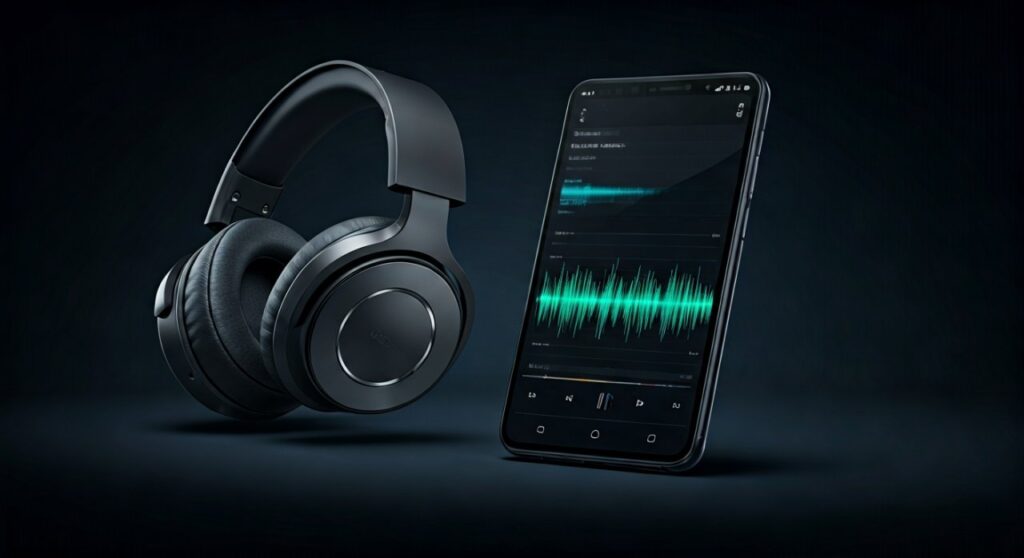
LDAC is a proprietary audio coding technology developed by Sony that allows you to stream High-Resolution (Hi-Res) Audio over Bluetooth connections. Unlike standard codecs that compress audio heavily, LDAC can transmit up to 990 kbps of data, which is approximately three times more information than the standard SBC codec. This results in a much more detailed, richer, and “closer to studio quality” listening experience for wireless headphone users.
Key Takeaways: Why LDAC Matters for You
If you are in a hurry, here are the essential facts you need to know about what is LDAC in headphones and why it has become the gold standard for audiophiles:
- Higher Bitrate: Supports up to 990 kbps, compared to SBC’s 328 kbps.
- Hi-Res Certified: It is one of the few Bluetooth codecs capable of handling 24-bit/96kHz audio.
- Android Friendly: Built into almost every smartphone running Android 8.0 Oreo or later.
- Hardware Dependent: You need both a source (phone/player) and a receiver (headphones) that support the Sony LDAC license.
- Connection Modes: Offers three modes—Quality (990kbps), Balanced (660kbps), and Connection (330kbps).
The Evolution of Bluetooth Audio Quality
For years, music lovers avoided Bluetooth because it “killed” the soul of the music. Standard Bluetooth was designed for phone calls, not for the complex layers of a symphony or the crisp highs of a jazz record.
When you ask what is ldac in headphones, you are looking at the solution to that “compressed” sound. Before LDAC, most headphones relied on SBC (Subband Filtering) or AAC (Advanced Audio Coding). These codecs work by throwing away audio data that the human ear supposedly can’t hear, but the result often feels flat or muffled to a trained ear.
I remember the first time I switched from a standard AAC connection on an iPhone to an LDAC connection on a Sony WH-1000XM4. The difference wasn’t just “louder”—it was “wider.” The soundstage opened up, and I could finally hear the subtle decay of a cymbal crash that was previously lost in the digital noise.
How LDAC Works: The Technical Breakdown
The secret sauce of LDAC lies in its efficiency and its massive “pipeline” for data. Most Bluetooth codecs act like a narrow garden hose, limiting the amount of water (audio data) that can flow through. LDAC acts like a firehose.
Bitrate and Sampling Rates
LDAC supports a maximum sampling frequency of 96 kHz and a bit depth of 24 bits. For context, a CD provides 16-bit/44.1kHz. This means LDAC can technically carry more detail than a physical CD over a wireless signal.
The Three Operation Modes
To maintain a stable connection, LDAC doesn’t always run at full speed. It adapts based on your environment:
- Priority on Sound Quality: Streams at 990 kbps. This is where the magic happens but requires you to be very close to your phone.
- Normal Mode: Streams at 660 kbps. This is a great middle ground for most users.
- Priority on Connection: Streams at 330 kbps. This is similar to SBC and is used when you are in a crowded area with lots of interference.
Comparing LDAC to Other Common Codecs
To truly understand what is ldac headphones technology compared to the competition, we need to look at the numbers.
| Codec | Max Bitrate | Max Sample Rate | Best For |
|---|---|---|---|
| SBC | 328 kbps | 48 kHz / 16-bit | Basic compatibility, all devices. |
| AAC | 250 kbps | 44.1 kHz / 16-bit | iPhone users and YouTube. |
| aptX HD | 576 kbps | 48 kHz / 24-bit | Android users with Qualcomm chips. |
| aptX Adaptive | 420 kbps | 96 kHz / 24-bit | Gaming and low-latency needs. |
| LDAC | 990 kbps | 96 kHz / 24-bit | Maximum Audio Fidelity. |
As you can see, LDAC dominates in terms of raw data throughput. If you are using a high-quality streaming service like Tidal HiFi or Qobuz, LDAC is the only way to ensure that the high-quality file isn’t being bottlenecked by your Bluetooth connection.
Step-by-Step: How to Enable LDAC on Your Device
Simply owning what is ldac headphones compatible isn’t enough. Often, Android phones default to a lower bitrate to save battery or ensure stability. Here is how you “force” the highest quality.
Step 1: Pair Your Headphones
Ensure your LDAC-compatible headphones (like the Sony WH-1000XM5 or Technics EAH-AZ80) are paired and connected to your Android device.
Step 2: Enable Developer Options
- Go to Settings > About Phone.
- Find the Build Number and tap it 7 times until you see “You are now a developer!”
- Go back to Settings > System > Developer Options.
Step 3: Select the Bluetooth Audio Codec
- Scroll down until you see Bluetooth Audio Codec.
- Tap it and select LDAC from the list.
- Find Bluetooth Audio LDAC Codec: Playback Quality.
- Change it from “Best Effort” to Optimized for Audio Quality (990kbps/900kbps).
Note: If you experience stuttering or audio cutouts, go back and change it to 660kbps. The 990kbps mode is very sensitive to physical obstacles like walls or even your own body.
The Pros and Cons of Using LDAC
While LDAC is the king of quality, it isn’t perfect for every situation. My years of testing various what is ldac headphones setups have revealed some practical trade-offs.
The Advantages (Pros)
- Unrivaled Detail: You will hear nuances in vocals and instruments that are invisible on AAC or SBC.
- Wide Availability: Since Sony contributed the LDAC code to the Android Open Source Project (AOSP), it’s free for phone manufacturers to include.
- Future Proof: As high-res streaming becomes the norm, LDAC ensures your hardware can handle it.
The Disadvantages (Cons)
- Battery Drain: Pushing that much data requires more processing power, which can reduce your headphone battery life by 10-20%.
- Connection Stability: In crowded places like train stations or airports, the 990kbps signal can “break up” due to interference.
- No Apple Support: Apple devices (iPhone/iPad) do not support LDAC. They are locked to AAC.
Top Headphones That Support LDAC
If you want to experience what is ldac in headphones, you need the right gear. Here are the top-rated models that currently support the technology:
- Sony WH-1000XM5: The industry leader in noise canceling and LDAC implementation.
- Sony WF-1000XM5: High-end earbuds that prove you don’t need big cans for high-res sound.
- Technics EAH-A800: A fantastic alternative for those who find Sony’s sound signature too bass-heavy.
- Sennheiser Momentum 4: While primarily focused on aptX, newer firmware updates and specific regional versions have leaned into high-res support.
- 1MORE Sonoflow: One of the best budget-friendly options for those who want LDAC without spending $300.
Real-World Advice: Is LDAC Worth It for You?
I often get asked: “Can the average person really tell the difference?” The answer depends on your “Audio Chain.”
To benefit from LDAC, you need three things to align:
- The Source File: If you are listening to a low-quality Spotify stream (320kbps), LDAC won’t help much. You are essentially using a giant pipe to move a tiny bit of water. Use Tidal, Apple Music (on Android), or FLAC files.
- The Environment: If you are walking next to a noisy construction site, the subtle details provided by LDAC will be masked by environmental noise.
- Your Ears: Some people are naturally more sensitive to audio compression. If you value “clarity” and “instrument separation,” you will notice it immediately.
Frequently Asked Questions (FAQs)
Does LDAC work on iPhones?
No. Apple currently only supports SBC and AAC. If you use what is ldac headphones with an iPhone, they will automatically fall back to the AAC codec, meaning you won’t get the high-resolution benefits.
Is LDAC better than aptX HD?
Technically, yes. LDAC has a higher maximum bitrate (990 kbps) compared to aptX HD (576 kbps). This allows LDAC to carry more data, though aptX HD is often praised for having a more stable connection at its peak speed.
Does LDAC cause lag in gaming?
Yes, LDAC can have higher latency (delay) than specialized gaming codecs like aptX Low Latency. If you are playing competitive shooters where every millisecond counts, you might notice a slight delay between the action and the sound.
Is LDAC truly “Lossless”?
Not exactly. While it is very high quality, it is still a “lossy” codec because it uses compression to fit the audio through the Bluetooth bandwidth. However, at 990kbps, it is considered “near-lossless” and is indistinguishable from a wired connection for most people.
Can I use LDAC with Spotify?
You can, but you won’t get the full benefit. Spotify’s highest quality is 320kbps, which is lower than even the mid-tier LDAC setting. To truly hear what LDAC can do, you should use a Hi-Res service like Tidal or Amazon Music HD.
![What Headphones Does TenZ Use? [2024/2025 Pro Setup]](https://bestcustomerreviews.net/wp-content/uploads/2026/03/what-headphones-does-tenz-use-2024-2025-pro-setup-1774879842-400x250.jpg "What Headphones Does TenZ Use? [2024/2025 Pro Setup]")