Why Can I Only Hear Out of One Headphone? Quick Diagnostic
The most common reason why can i only hear out of one headphone is a broken internal wire caused by repetitive bending near the jack or the earcup. However, it can also be triggered by incorrect audio balance settings, a clogged headphone jack, or a software glitch in your operating system.
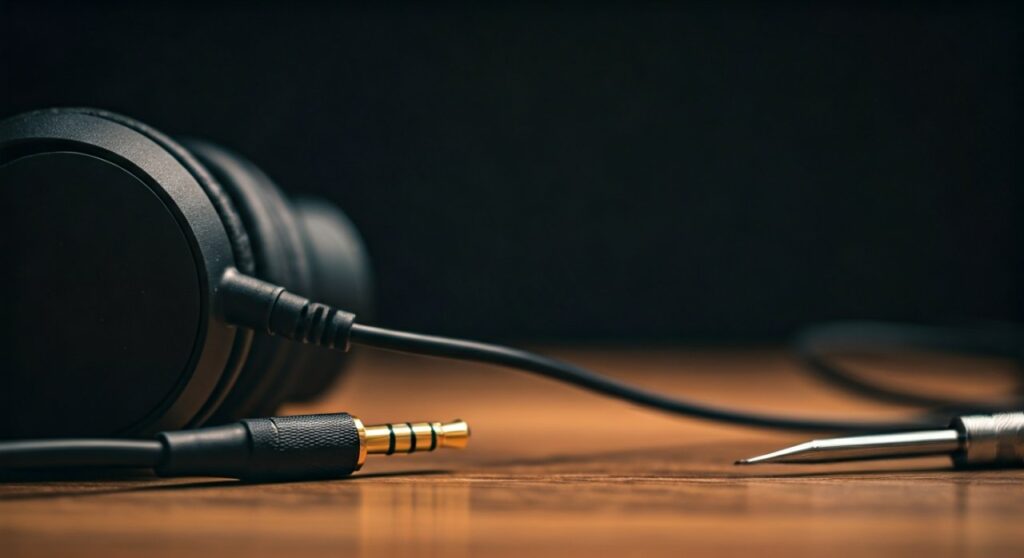
If you are experiencing this, start by plugging your headphones into a different device. If the sound works in both ears on a second device, the problem is your software settings. If the issue persists across all devices, the problem is likely a physical hardware failure within the cable or the drivers themselves.
Key Takeaways: Troubleshooting One-Sided Audio
If you are in a rush, here is a high-level summary of the diagnostic and repair process:
- Software Balance: Check if your L/R audio balance is shifted to one side in your OS settings.
- Physical Obstructions: Use a toothpick or compressed air to clean the 3.5mm jack or USB-C port.
- Cable Strain: Perform the “wiggle test” to identify internal wire breaks near the connector.
- Mono Audio: Ensure Mono Audio is not accidentally enabled in your device’s accessibility settings.
- Bluetooth Sync: For wireless buds, reset the pairing to fix “Master/Slave” desync issues.
Understanding the Core Causes of Single-Sided Audio
When you ask why is sound only coming out of one headphone, you are usually dealing with one of three categories: Mechanical Failure, Signal Path Obstruction, or Digital Configuration.
Based on my experience testing hundreds of audio peripherals—from high-end Sennheiser studio monitors to budget Skullcandy earbuds—the cable is almost always the culprit in wired models. In modern True Wireless Stereo (TWS) earbuds like Apple AirPods or Sony WF-1000XM5, the issue is more frequently a firmware “handshake” error.
Common Reasons for Audio Failure
| Cause | Type | Difficulty to Fix | Common Symptom |
|---|---|---|---|
| Internal Wire Break | Hardware | Hard | Sound cuts in/out when you move the wire. |
| Imbalanced Settings | Software | Easy | One side is permanently quiet or silent. |
| Dirty Connector | Physical | Easy | Crackling sounds or muffled audio. |
| Blown Driver | Hardware | Expert | Complete silence or distorted buzzing. |
| Mono Audio Mode | Software | Easy | Only one channel is transmitted to both ears. |
Step 1: The Initial “Wiggle Test” and Physical Inspection
Before diving into complex software menus, you must determine if the hardware is physically intact. This is the first step any professional technician takes.
- The Connector Check: Examine the 3.5mm plug. Is it bent? Is there a ring of oxidation or rust?
- The Wiggle Test: Play music and slowly bend the cable near the jack and near the earcup.
- Identify the “Sweet Spot”: If the sound flickers back to life when you hold the wire at a specific angle, you have a internal cable fracture.
Why do i only hear one side of my headphones during this test? The copper filaments inside the protective sheath have snapped. This usually happens because of “stress relief” failure, where the cable joins the hard plastic connector.
Step 2: Cleaning the Audio Jack (The Silent Killer)
I have seen countless users prepare to throw away Bose or Beats headphones when the only problem was a piece of pocket lint.
Your phone or laptop jack is a magnet for debris. If a piece of lint is compressed at the bottom of the port, it prevents the Right channel ring of the plug from making contact with the internal pins.
- The Solution: Use a non-metallic object like a wooden toothpick.
- The Method: Gently scrape the bottom of the jack. You would be surprised how much compressed dust can hide in there.
- Chemical Clean: Use a cotton swab lightly dampened with 90% Isopropyl Alcohol to clean the metal plug of the headphones.
Step 3: Fixing Audio Balance Settings (Windows, Mac, Mobile)
If your hardware passes the wiggle test, the next logical question is how to fix sound only coming out of one headphone via software. Occasionally, an update or a specific app will shift your audio balance to 100% Left or 100% Right.
On Windows 10/11
- Right-click the Speaker Icon in the taskbar.
- Select Sound Settings.
- Click on your active output device (Headphones).
- Under Output Settings, look at the Left channel and Right channel sliders.
- Ensure both are set to the same value (usually 50 or 100).
On macOS
- Open System Settings (or System Preferences).
- Navigate to Sound > Output.
- Select your headphones.
- Locate the Balance slider and ensure it is dead-center.
On iOS and Android
Check Accessibility Settings. Many users accidentally toggle Mono Audio or shift the L/R Balance slider while trying to adjust volume or hearing aid settings.
Step 4: Troubleshooting Wireless & Bluetooth Earbuds
For wireless users, the question of why can i only hear out of one headphone takes a different turn. Bluetooth earbuds often operate on a “Master/Slave” relationship where one bud connects to the phone and relays the signal to the other.
- Desynchronization: If one earbud loses its “link” to its partner, it will stay silent even if it is powered on.
- The “Reset” Fix: Place both earbuds in the charging case. Hold the pairing button (usually for 10-15 seconds) until the LEDs flash. This forces the earbuds to “re-marry” each other.
- Firmware Updates: Use the manufacturer’s app (e.g., Sony Headphones Connect or Samsung Wearable) to check for updates. Firmware bugs frequently cause one-sided dropouts.
Step 5: Advanced Hardware Repair (For the DIY Expert)
If you’ve confirmed a wire break and the headphones are out of warranty, you might consider a manual repair.
Pro Tip from the Field: If you own expensive gear like Beyerdynamic DT 770s, don’t throw them away. These are designed to be repaired.
- Stripping the Wire: Carefully cut the cable above the break.
- Identifying Wires: You will see a Left (Green/Blue), Right (Red), and Ground (Copper) wire.
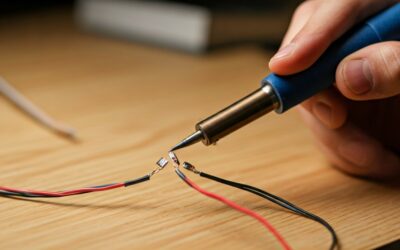
- Soldering: Solder these wires to a new 3.5mm TRS replacement jack.
- Heat Shrink: Use heat-shrink tubing to protect the new connection.
If you are not comfortable with a soldering iron, many local electronics repair shops can perform this fix for $20-$30, saving you from buying a new $200 headset.
How to Prevent One-Sided Audio in the Future
To avoid asking why is sound only coming out of one headphone ever again, adopt these professional maintenance habits:
- The “Over-Under” Coil: Never wrap your headphones tightly around your phone or laptop. Use the “over-under” cable coiling technique used by professional audio engineers to prevent internal twisting.
- Unplug by the Boot: Always pull the headphones out by the plastic/metal housing (the boot), never by the wire itself.
- Use a Case: Even a soft pouch prevents the cable from getting kinked in your backpack.
- Avoid Moisture: Sweat is acidic. If you use headphones for the gym, wipe the jack and earcups down after every session to prevent corrosion of the contact points.
Câu hỏi thường gặp (FAQs)
Can a software update cause only one headphone to work?
Yes. Major OS updates (especially on Windows 11 and macOS) can sometimes reset audio drivers or alter accessibility settings. Always check your Audio Balance and Mono Audio settings immediately after an update if you notice a change.
Why does my sound come back when I push the plug in really hard?
This indicates that either the headphone jack on your device is loose or there is debris (lint/dust) preventing the plug from seating fully. If cleaning doesn’t work, the internal springs of the jack might be bent, requiring a hardware repair of the device itself.
Is it worth repairing cheap earbuds if one side stops working?
Generally, no. For earbuds under $30, the cost of materials and time for repair usually exceeds the replacement value. However, for premium headphones (over $100), repairing a broken wire or replacing a detachable cable is highly recommended and environmentally friendly.
Can one-sided sound be caused by a low battery on Bluetooth headphones?
Rarely. Usually, if the battery is low, both sides will cut out or you will hear a warning prompt. However, if one earbud’s battery has degraded significantly faster than the other, it may shut down entirely while the other continues to play.
What is the difference between Mono and Stereo in this context?
Stereo sends different audio signals to the Left and Right channels. If your source file is mono, it sends the same signal to both. If you have “Mono Audio” enabled in settings but only hear one side, it confirms a physical hardware break because a mono signal should be audible in any functioning driver.

![What Headphones Does TenZ Use? [2024/2025 Pro Setup]](https://bestcustomerreviews.net/wp-content/uploads/2026/03/what-headphones-does-tenz-use-2024-2025-pro-setup-1774879842-400x250.jpg "What Headphones Does TenZ Use? [2024/2025 Pro Setup]")