The Secret Behind the Booth: Why Do DJs Wear Headphones?
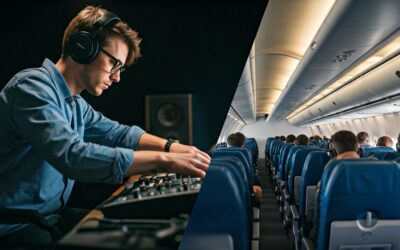
DJs wear headphones primarily to cue up and beatmatch the next track before the audience hears it. By using the Pre-Fader Listen (PFL) function on their mixer, DJs can listen to an incoming song, align its tempo with the current track, and ensure the transition is seamless without interrupting the dance floor’s energy.
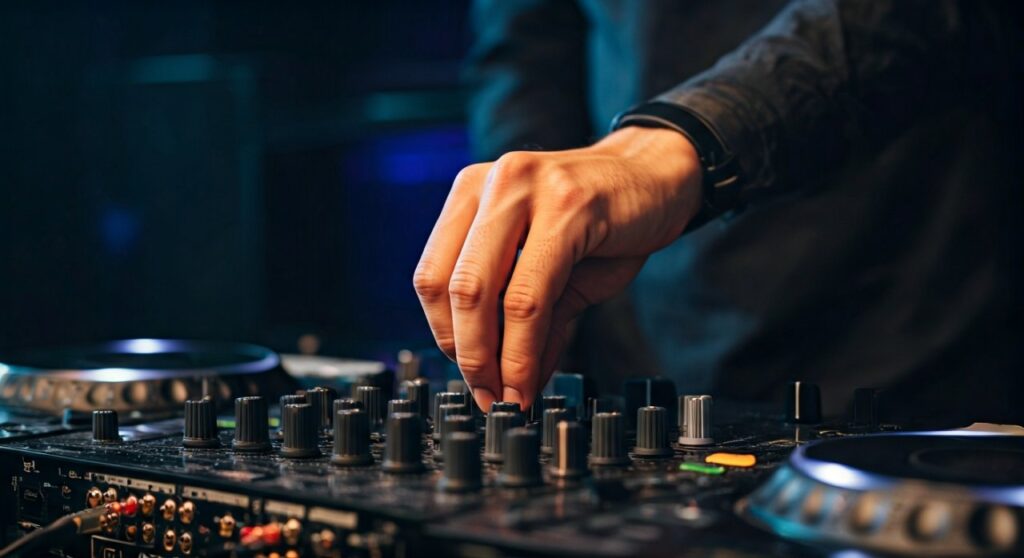
Essentially, headphones act as a private “preview” monitor. They allow the artist to hear the future of the set while the crowd is still enjoying the present. This prevents “train-wrecking”—the clashing of two different beats—which can instantly ruin the vibe of a party.
Key Takeaways for Aspiring DJs
- Primary Purpose: Previewing and aligning the next track’s tempo (BPM) and rhythm.
- The “Secret Mix”: DJs hear the incoming song via the Cue channel, which is silent to the audience.
- One-Ear Technique: Many DJs keep one ear in the headphone and one ear out to hear both the monitor speakers and the cue mix simultaneously.
- Critical Gear: Pro-grade headphones like the Sennheiser HD 25 or Pioneer HDJ-X10 are industry standards for their sound isolation and durability.
- Hearing Protection: Headphones provide a physical barrier against high Sound Pressure Levels (SPL) in loud club environments.
Why Do DJs Wear Headphones? The Technical Breakdown
If you have ever watched a world-class performer like Carl Cox or Charlotte de Witte, you’ll notice they are constantly fiddling with their headphones. This isn’t just for show. The core reason why do djs wear headphones is to perform a task called monitoring.
In a professional club setting, there is often a significant “slapback” or delay between the main speakers (the Front of House) and the DJ booth. Without headphones, a DJ would hear the music bouncing off the back walls of the club, making it impossible to time a transition accurately.
By wearing headphones, the DJ receives the audio signal directly from the mixer with zero latency. This allows them to focus on the mathematical alignment of beats, specifically the kick drums and snares, ensuring that when they slide the crossfader, the transition is invisible to the listeners.
What Do DJs Hear in Their Headphones?
Many fans wonder what do djs hear in their headphones during a high-energy set. Are they just listening to the same music as the crowd? Usually, the answer is no.
Modern DJ mixers, such as the Pioneer DJM-900NXS2 or the Allen & Heath Xone:92, feature a “Cue” button for every channel. When a DJ presses this button, the audio from that specific channel is routed to their headphones, even if the fader is down.
The Components of the Headphone Mix:
- The Cued Track: This is the song the DJ is preparing to play next. They are checking the gain levels, EQ settings, and finding the perfect starting point (the Cue Point).
- The Master Output: Some DJs prefer to hear the “Master” (the song the crowd hears) in one ear and the “Cue” in the other. This is often called a Split Cue.
- The Transition Mix: During the actual blend, the DJ hears both songs layered together in the headphones to ensure the frequencies (like the basslines) aren’t clashing.
How-To Guide: Using Headphones for Seamless Transitions
Learning why djs use headphones is the first step; learning how to use them is where the artistry happens. Follow this step-by-step guide to mastering the headphone mix.
Step 1: Set Your Cue Point
Before the crowd hears anything, you must find the right spot to start the next song. Use your headphones to scroll through the incoming track and set a Hot Cue on the first beat of a new phrase (usually the first kick drum).
Step 2: Match the Tempo (Beatmatching)
Listen to the “Master” track through the booth monitors and the “Cue” track in your headphones. Adjust the Pitch Slider on your CDJ or Turntable until the tempos match perfectly. You are listening for the “drift”—if the new track is too fast, you’ll hear the beats separate like a galloping horse.
Step 3: Gain Staging and EQing
Use your headphones to ensure the incoming track isn’t significantly louder or quieter than the current one. Check the Trim/Gain knobs. You should also use this private listening time to cut the Low EQ (Bass) on the incoming track so the two basslines don’t create a muddy sound when mixed.
Step 4: The “One-Ear” Monitoring Technique
As you prepare to bring the fader up, slide one headphone cup off your ear. Use your “open” ear to hear the “live” sound of the room and your “covered” ear to focus on the precision of the incoming track. This bridges the gap between the technical mix and the acoustic reality of the dance floor.
What Headphones Do DJs Use? Comparison Table
Not all headphones are created equal. Professional DJs require high impedance, extreme durability, and noise isolation. Here is a comparison of the top choices used in 2024.
| Model | Type | Key Strength | Best For |
|---|---|---|---|
| Sennheiser HD 25 | On-Ear | Lightweight & High SPL | Touring Pros / Techno |
| Pioneer HDJ-X10 | Over-Ear | Wide Frequency Range | EDM / Large Stages |
| V-MODA Crossfade 3 | Over-Ear | Tank-like Durability | Club Residencies |
| Audio-Technica M50x | Over-Ear | Flat Response | Studio & Live Hybrid |
| Beyerdynamic DT 1350 | On-Ear | Superior Isolation | Loud Environments |
The Role of Headphones in Hearing Protection
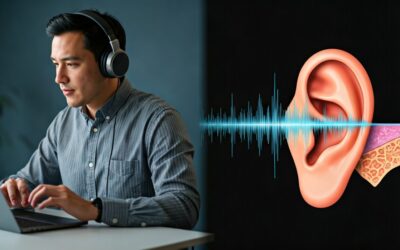
Beyond the music, there is a health-related reason why djs use headphones. The average nightclub operates at 100-105 decibels (dB). Prolonged exposure to these levels leads to Tinnitus and permanent hearing loss.
High-quality DJ headphones are designed with passive noise isolation. By covering the ears, they dampen the external volume of the club. This allows the DJ to keep their headphone volume at a safer level while still hearing the details of the music.
Expert Tip: Many professionals now use In-Ear Monitors (IEMs), similar to what singers use on stage. Brands like 64 Audio or JH Audio create custom-molded monitors that provide up to -26dB of noise reduction, acting as both a high-fidelity speaker and a high-end earplug.
Common Misconceptions About DJs and Headphones
“They are just checking their email”
A common joke is that DJs are just checking social media. In reality, the time spent with headphones on is usually dedicated to Library Management. In the heat of a set, a DJ might be searching for a track with a specific Key or BPM using the browser on their Pioneer CDJ-3000.
“The Sync button makes headphones useless”
Even with Sync technology, headphones are mandatory. Sync can align the beats, but it cannot hear if the vocal phrases are clashing or if the EQ is too sharp. The human ear is still the final judge of a good mix.
“Why do some DJs not wear them?”
You might see some DJs (like Kaytranada or certain vinyl purists) occasionally perform without headphones. This is usually because they are “playing by sight” using waveforms on a laptop, or they are so familiar with their records that they can mix purely by the sound of the booth monitors. However, this is risky and uncommon in professional settings.
Expert Tips for Choosing Your First Pair
If you are just starting, don’t just buy the most expensive pair. Look for these three features:
- Swivel Mechanism: Ensure the earcups can rotate. This is essential for the “one-ear” monitoring style.
- Replaceable Cables: The cable is the first thing to break. Buying a pair like the Sennheiser HD 25 allows you to replace the cord without buying new headphones.
- Closed-Back Design: Never use “open-back” headphones (like those used for classical music) in a DJ booth. They let too much noise in, forcing you to crank the volume to dangerous levels.
Câu hỏi thường gặp (FAQs)
Why do some DJs only put the headphones on one ear?
This allows the DJ to hear the “Master” output from the club’s speakers in their open ear while hearing the “Cue” (the next track) in the headphone ear. It is the best way to ensure the two tracks are perfectly in sync in real-time.
Can I use regular Bluetooth headphones to DJ?
No. Bluetooth headphones have significant latency (delay). When you press “play,” you might hear the sound 100-200 milliseconds later. In DJing, even a 10-millisecond delay makes beatmatching impossible. Always use a wired connection.
Do DJs hear the same thing as the crowd?
Only when they want to. By toggling the Master Cue button, they can hear the final output. Most of the time, they are listening to a mix of the current song and the upcoming song to prepare for the next transition.
Why do DJs sometimes take their headphones off entirely?
Once a transition is finished and the new song is playing successfully, the DJ no longer needs to monitor the “Cue” channel. They take them off to better engage with the crowd and hear the energy of the room.
What happens if a DJ’s headphones break during a set?
It is a nightmare scenario. Experienced DJs often carry a backup pair. If they don’t, they must rely entirely on the visual waveforms on their screen and the booth monitors, which makes for a much more difficult and less precise performance.
![What Headphones Does TenZ Use? [2024/2025 Pro Setup]](https://bestcustomerreviews.net/wp-content/uploads/2026/03/what-headphones-does-tenz-use-2024-2025-pro-setup-1774879842-400x250.jpg "What Headphones Does TenZ Use? [2024/2025 Pro Setup]")