If you are wondering why does my sony headphones keep pausing, the most common culprit is a smart feature called Speak-to-Chat, which uses internal microphones to detect your voice and automatically pause music. Other frequent causes include a sensitive proximity sensor (wear detection) that incorrectly signals you’ve removed the headphones, or Bluetooth interference from multiple connected devices.
Key Takeaways: Quick Fixes for Sony Headphone Pausing
If you are in a rush, here is the “cheat sheet” to resolve the most common issues with the Sony WH-1000XM5, WH-1000XM4, and WF-1000XM4 series.
| Cause | Solution | Expert Tip |
|---|---|---|
| Speak-to-Chat | Disable in the Sony Headphones Connect app | Use two fingers on the right ear cup to toggle it quickly. |
| Wear Detection | Clean the proximity sensor inside the ear cup | Use a dry Q-tip; oils from skin often blur the sensor. |
| Multipoint Connection | Disconnect the secondary device | PC notifications often “steal” audio focus from phones. |
| Touch Panel Ghosting | Disable Touch Sensor Control | Humidity can cause “ghost touches” on the exterior panel. |
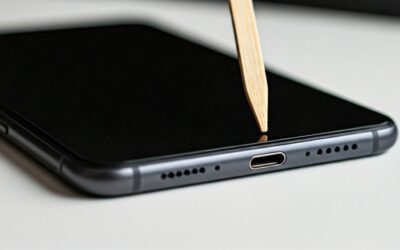
| Wired Connection | Check the 3.5mm jack for debris | Lint in the port mimics a “disconnect” signal to the OS. |
The #1 Reason: Why Do My Sony Headphones Keep Pausing When I Talk?
The most praised and simultaneously hated feature of modern Sony headphones is Speak-to-Chat. While designed for convenience, it is often the primary reason why do my sony headphones keep pausing when i talk or even when you hum or cough.
This feature uses Precise Voice Pickup Technology to recognize your vocal vibrations. If you clear your throat or sing along to your music, the headphones assume you are starting a conversation and immediately pause the audio while activating Ambient Sound Mode.
How to Stop Sony Headphones from Pausing When I Talk
To fix this, you have two primary methods:
- The App Method: Open the Sony Headphones Connect app, navigate to the “Sound” tab, and toggle Speak-to-Chat to OFF.
- The Gesture Method: On the WH-1000XM4 and XM5, place two fingers on the right touch-sensitive housing until you hear the voice prompt say, “Speak-to-chat deactivated.”
Why Does My Sony Headphones Keep Pausing? Understanding Proximity Sensors
Sony’s high-end models, such as the WH-1000XM5, feature a hidden proximity sensor inside the left ear cup. This sensor uses infrared light to detect if the headphones are on your head.
If the sensor is obstructed by hair, glasses, or even a buildup of earwax and skin oils, it may struggle to “see” your skin. When the sensor loses contact, it triggers the “Pauses when headphones are taken off” function, leading to intermittent stops.
Troubleshooting the Proximity Sensor
- Clean the Sensor: Locate the small rectangular glass window inside the left ear cup. Gently wipe it with a soft, dry microfiber cloth.
- Check the Fit: If the headphones are too loose, the sensor might lose contact when you tilt your head. Tighten the headband for a more secure seal.
- Disable via App: If the sensor is malfunctioning, you can turn off “Pauses when headphones are taken off” in the System tab of the app.
Why Do My Headphones Keep Pausing? Bluetooth Multipoint Issues
Many users ask why do my headphones keep pausing when they have two devices connected simultaneously. This is known as Multipoint Connection.
If you have your Sony headphones connected to both your laptop and your smartphone, a notification on your laptop (like a Slack ping or an email alert) will often force the headphones to pause the music on your phone to “listen” to the notification.
How to Manage Multipoint Interruptions
- Mute System Sounds: Ensure your secondary device (usually a PC or Mac) has system sounds muted so they don’t hijack the audio stream.
- Prioritize One Device: If the pausing persists, go into the Headphones Connect app and disable “Connect to 2 devices simultaneously.”
- Firmware Updates: Sony frequently releases patches to improve Bluetooth stability. Ensure your firmware is above version 2.0.0 for the best Multipoint experience.
Why Do My Wired Headphones Keep Pausing My Music?
Even if you aren’t using Bluetooth, you might find yourself asking why do my wired headphones keep pausing. This is rarely a software issue and almost always a mechanical one.
When using a 3.5mm audio cable, the pausing is triggered by the device (phone or laptop) thinking the headphones have been unplugged. This happens when the connection is momentary broken.
Fixes for Wired Connection Pausing
- Inspect the Jack: Check the port on your phone or laptop for pocket lint. A tiny piece of debris can prevent the cable from seating fully.
- Replace the Cable: Sony’s proprietary cables are thin. If the internal wiring is frayed, any movement will trigger a pause.
- The “Trident” Rule: Ensure you are using a 3-pole or 4-pole jack correctly. Some adapters cause signal “ghosting” that mimics the play/pause button signal.
Comparing Pausing Issues: Sony vs. Bose vs. JBL
While Sony is famous for its software-based pausing, other brands suffer from similar issues for different reasons.
Why Do My Bose Headphones Keep Pausing?
Bose QuietComfort series headphones primarily pause due to their In-Ear Detection sensors. Unlike Sony, Bose sensors are often located in both earbuds (for the Buds series), making them twice as likely to trigger a false pause if one earbud fits loosely.
Why Do My JBL Headphones Keep Pausing?
For JBL headphones, the issue is often related to the Power Saving Mode or a sensitive “Smart Ambient” button that gets bumped easily. JBL also has a high incidence of “Auto-off” triggers if the volume on the source device is too low, causing the headphones to think no audio is playing.
Advanced Troubleshooting: Ghost Touches and Environment
If you’ve disabled Speak-to-Chat and cleaned the sensors, but still find why does my headphones keep pausing is an unanswered question, consider your environment.
Touch Sensor Control on Sony headphones is capacitive. This means it reacts to the electrical properties of your skin. However, extreme cold or high humidity can cause “Ghost Touches.”
- In Cold Weather: Moisture can condense on the touch panel, tricking the headphones into thinking you’ve tapped the “Pause” button.
- The Solution: You can disable the Touch Sensor Control panel entirely in the System settings of the Sony app. Many runners do this to prevent sweat from pausing their music.
How to Perform a Factory Reset on Sony Headphones
If all else fails, a total initialization of the settings is required. This wipes the cache and resets the Bluetooth pairing table, which often fixes deep-seated software glitches.
- Turn off the headphones and remove the USB cable.
- Hold the Power and Custom/ANC buttons simultaneously for at least 7 seconds.
- Wait for the Blue Light: The indicator light will flash four times in blue.
- Re-pair: Delete the headphones from your phone’s Bluetooth list and pair them again from scratch.
Frequently Asked Questions (FAQs)
Why do my Sony headphones pause when I clear my throat?
This is caused by the Speak-to-Chat feature. It interprets the vibration of your throat as the start of a conversation. You can disable this in the Sony Headphones Connect app under the “Sound” tab.
Why do my headphones keep pausing when I’m running?
This is likely due to Wear Detection or Touch Sensor interference. As you run, the headphones may bounce slightly, causing the proximity sensor to lose contact with your ear. Alternatively, sweat can trigger the touch-sensitive housing. Try disabling both features in the app.
How do I stop my Sony headphones from pausing when I move my head?
If pausing happens during head movement, the proximity sensor is the culprit. Ensure your ear pads are clean and that no hair is blocking the small sensor window inside the left ear cup. You may also need to tighten the headband for a more stable fit.
Why does my music pause every time I get a notification on my PC?
This happens if you have Multipoint Connection enabled. The headphones prioritize “new” audio signals. To stop this, mute the notification sounds on your computer or disconnect the computer from the headphones while listening to music on your phone.
Can a low battery cause Sony headphones to pause?
While Sony headphones typically give a “Low Battery” voice prompt before shutting down, a critically low battery can cause the Bluetooth chip to stutter, which the playback device interprets as a pause command. Always ensure you have at least 10% charge for a stable connection.