

How to Turn on the Projector in Deadly Content: The Instant Solution
To turn on the projector in Deadly Content, you must first locate the Projector Remote Control, which typically spawns in the Control Booth or on a nearby Cinema Seat. Once you have the remote in your inventory, approach the Projector Lens at the back of the theater and press the ‘E’ key (on PC) or tap the Interact Button (on Mobile) to initiate the startup sequence.
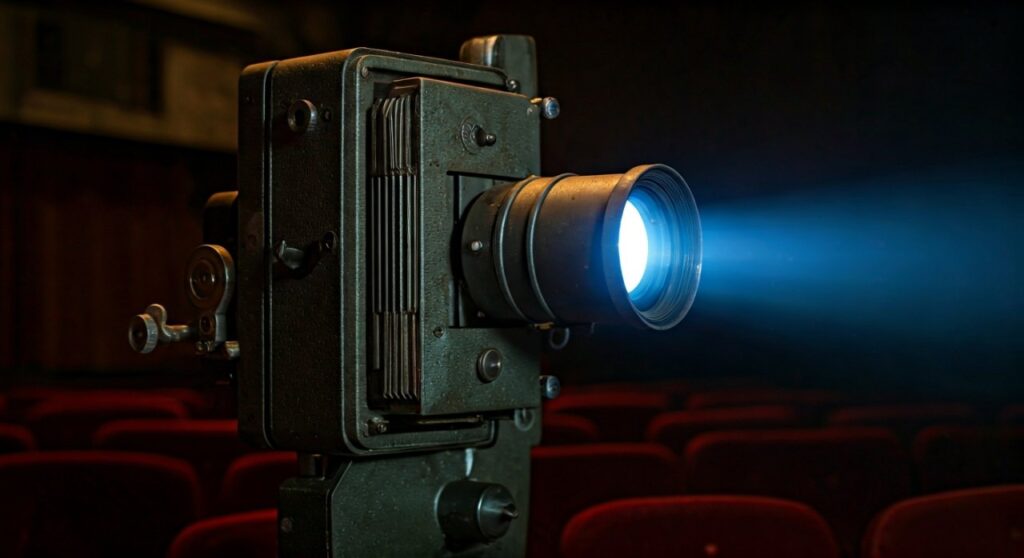
If the power is out, you will need to reset the Circuit Breaker in the Basement before the device will respond to your inputs. Turning on the projector is a critical step for progressing through the Cinema Chapter and revealing the hidden Lore Tapes necessary to escape.
Key Takeaways: Projector Quick-Start Guide
If you are currently being chased or the lights are flickering, here is the high-level summary to get that projector running immediately:
| Requirement | Location/Method | Importance |
|---|---|---|
| Projector Remote | Found in Control Booth or Front Row Seats | Mandatory Item |
| Power Supply | Check the Basement Fuse Box | Required for Activation |
| Interaction Key | ‘E’ for PC / Tap for Mobile | Action Trigger |
| The Result | Triggers Story Cutscene or Exit Unlock | Progression |
Step 1: Finding the Required Items and Power
Before you can even think about turning on the projector, you need to ensure the environment is ready. In Deadly Content, mechanics are rarely as simple as just flipping a switch.
First, verify the Electricity Status. If the theater is pitch black and your flashlight is your only light source, the main power is likely off. You must navigate to the Basement area, avoiding any Anomalies, and flip the Main Power Switch.
Second, search for the Projector Remote. Based on my experience in various runs of Deadly Content Roblox, the remote’s spawn point can be semi-randomized. Check these specific spots:
- The desk inside the elevated Projection Room.
- Underneath the Concession Stand counter.
- Randomly placed on one of the Red Velvet Chairs in the middle aisle.
Step 2: Navigating the Cinema Hall Safely
The Cinema Hall is one of the most dangerous zones in Deadly Content. The open space makes it easy for Entities to spot you from a distance.
When moving toward the Projector, stay crouched by pressing ‘C’ or ‘Ctrl’. This reduces your noise footprint and makes it harder for the Stalker to track your position.
I recommend using the “Wall-Hugging” technique. Move along the perimeter of the room rather than running straight down the center aisle. This gives you quick access to Hiding Spots like lockers or curtains if the music tempo increases, signaling an entity is near.
Step 3: Activating the Projector Mechanism
Once you have reached the back of the theater and have the Remote in hand, follow these precise steps:
- Equip the Projector Remote from your inventory slot.
- Stand directly behind the Projector Unit. Look for the interaction prompt (a white circle or “E” icon).
- Hold the interaction button for approximately 3 seconds.
- Wait for the Lens to start glowing. You will hear a mechanical humming sound.
Note: If the projector starts but then immediately shuts off, it means a Fuse has blown. You will need to find a Spare Fuse (usually found in the Maintenance Closet) and replace it in the side panel of the projector before trying again.
Pro Tips for the Projector Room Puzzle
As someone who has spent dozens of hours mastering Deadly Content, I have found that the projector sequence is often a “trap” designed to lure players into a corner.
Keep your Sanity Meter in mind. The flickering light from the projector provides a small sanity boost, but the loud noise it makes will attract nearby enemies. Always have an Escape Route planned before you hit the ‘On’ switch.
If you are playing in Multiplayer Mode, have one player stand at the Stage Area while another activates the projector. The player at the stage can see the Hidden Code projected on the screen, which often expires or changes if the projector is turned off.
Common Troubleshooting: Why Won’t the Projector Start?
If you are clicking the button and nothing is happening, check this list of common issues:
- Missing Battery: On higher difficulty settings, the Projector Remote may require a 9V Battery. These are found in Toolboxes.
- Entity Interference: Some entities in Deadly Content can “sabotage” equipment. If an entity has recently passed through the room, you may need to “Repair” the machine first.
- Incomplete Objective: Ensure your current objective in the top-left corner says “Activate the Projector.” If it doesn’t, you might have missed a previous story trigger.
Why the Projector is Vital for Progression
In the current meta of Deadly Content, the projector isn’t just a prop. It serves as the primary way to unlock the Cinema Exit.
Once activated, the film reel will play, revealing a 4-digit Keypad Code. This code is randomized for every single game session. You must memorize or write down this code to unlock the Double Doors leading to the next stage of the map.
Without the projector, you are effectively stuck in the theater, and your Sanity will eventually drop to zero, leading to an automatic game over.
Frequently Asked Questions (FAQs)
Where is the Projector Remote in Deadly Content?
The Projector Remote is most commonly found in the Control Booth (accessible by a ladder) or on the Cinema Seats in the third or fourth rows. Its location can shift slightly between matches.
Can I turn on the projector without the remote?
No, the Projector Remote is a required quest item. You cannot interact with the power button on the projector itself until the remote is used to “Unlock” the device.
Does the projector attract monsters?
Yes. The sound and light emitted by the projector will notify any Entities within a large radius. It is best to hide immediately after the film starts playing.
What do I do if the projector screen is blank?
If the projector is on but the screen is blank, you are missing the Film Reel. Look for a circular metal canister labeled “Project 01” in the Storage Room and insert it into the top of the projector.
Is there a way to turn the projector off?
Generally, once started, the projector runs until the film ends. However, you can manually shut it off to hide from enemies, though this will reset your progress on reading the Keypad Code.









