

A standard 120-inch projector screen with a 16:9 aspect ratio has a width of approximately 104.6 inches (266 cm). This measurement refers specifically to the viewable horizontal area; however, when including the frame or bezel, the total physical width typically increases to about 108 to 110 inches depending on the manufacturer.
Finding the perfect fit for your home theater requires more than just knowing the diagonal number. If you are struggling with a cramped basement or a living room wall that seems “just a bit too small,” understanding the exact horizontal footprint is the difference between a professional-looking setup and a costly return shipping fee.
Key Takeaways: 120-Inch Screen Dimensions at a Glance
If you are in a hurry to measure your wall, here is the essential data you need:
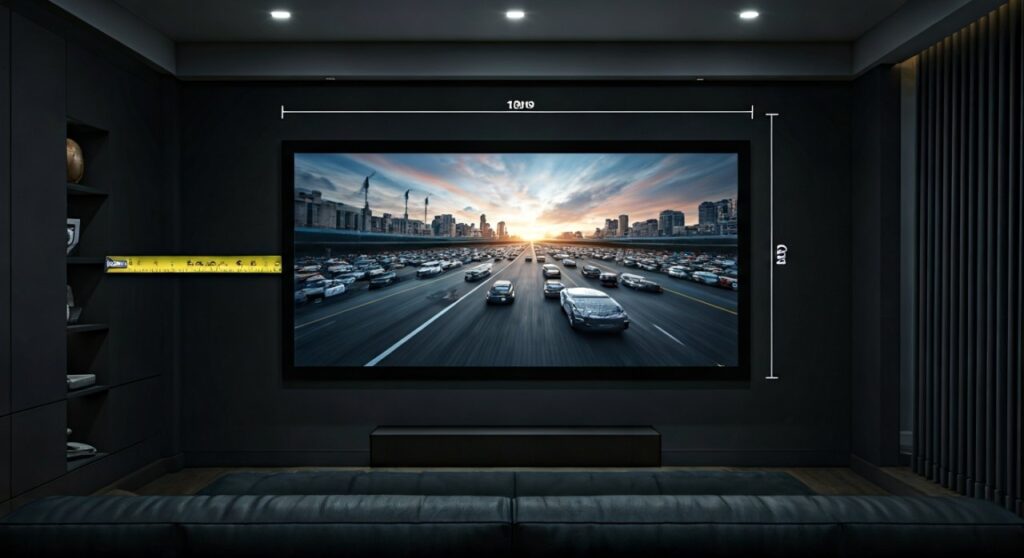
- Viewable Width (16:9 Ratio): 104.6 inches (approx. 8.7 feet).
- Viewable Height (16:9 Ratio): 58.8 inches (approx. 4.9 feet).
- Total Wall Space Required: Plan for at least 110 inches of horizontal clearance to account for the frame and mounting brackets.
- Ideal Viewing Distance: Between 12 and 15 feet for a 4K resolution experience.
- Common Mistake: Forgetting that “120-inch” is a diagonal measurement, not the horizontal width.
Understanding the Math: How Wide is a 120-Inch Projector Screen?
When you see “120 inches” on a product box for brands like Elite Screens or Silver Ticket, it refers to the distance from the top-left corner to the bottom-right corner. To find the actual width, we use the Pythagorean theorem ($a² + b² = c²$) based on the aspect ratio.
The Standard 16:9 Aspect Ratio (Widescreen)
Most modern projectors (HD, 4K, and 8K) use the 16:9 aspect ratio. This is the standard for Netflix, gaming, and sports.
- Width: 104.6″
- Height: 58.8″
- Total Surface Area: Approximately 6,150 square inches.
The Cinematic 2.35:1 Aspect Ratio (CinemaScope)
If you are a dedicated cinephile building a dedicated movie room, you might choose a 2.35:1 aspect ratio screen. For a 120-inch diagonal in this format:
- Width: 110.4″
- Height: 47″
- Note: These screens are wider but shorter than standard 16:9 screens.
The Legacy 4:3 Aspect Ratio
Commonly used in older office presentations or classic TV shows. For a 120-inch diagonal:
- Width: 96″
- Height: 72″
- Note: These screens are much “squarer” and taller.
Inch Screen Dimension Comparison Table
| Aspect Ratio | Viewable Width (Inches) | Viewable Height (Inches) | Best Used For |
|---|---|---|---|
| 16:9 (HDTV) | 104.6″ | 58.8″ | Movies, Gaming, Sports, TV |
| 2.35:1 (Widescreen) | 110.4″ | 47.0″ | Dedicated High-End Cinemas |
| 4:3 (Video) | 96.0″ | 72.0″ | Presentations, Retro Gaming |
| 16:10 (WUXGA) | 101.8″ | 63.6″ | Office & Educational Use |
Factor in the Frame: The “Real World” Width
In my years of installing home theater systems, the most frequent error I see is users measuring only the viewable area. Unless you are using a zero-edge screen, you must account for the bezel.
- Fixed Frame Screens: These usually have a 2-inch to 3.5-inch black velvet border. This adds roughly 4 to 7 inches to the total width.
- Motorized/Drop-Down Screens: The “case” or housing at the top is often significantly wider than the screen itself to accommodate the motor and rolling mechanism.
- Acoustically Transparent Screens: These often require slightly bulkier frames to maintain tension across the woven material.
Expert Pro Tip: Always add a 6-inch buffer to your wall measurements. If your wall is exactly 105 inches wide, a 120-inch screen will not fit. You would need to drop down to a 110-inch or 100-inch model.
How to Measure Your Room for a 120-Inch Screen (Step-by-Step)
Follow this professional workflow to ensure your 120-inch projector screen fits perfectly without obstructing speakers or furniture.
Step 1: Horizontal Wall Clearance
Measure your wall from left to right. Ensure you have at least 112 inches of unobstructed space. Keep an eye out for:
- Light switches.
- Door frames.
- Air conditioning vents.
- Wall-mounted speakers (LR channels).
Step 2: Vertical Clearance and Eye Level
A 120-inch screen is nearly 5 feet tall.
- Bottom of the screen: Should be 24 to 36 inches off the floor.
- Top of the screen: Will reach nearly 8 to 9 feet high.
- Check: If you have 8-foot ceilings, a 120-inch screen plus a 3-foot stand will hit the ceiling. You may need to mount it lower.
Step 3: Throw Distance Check
Before buying the screen, check your projector’s throw ratio.
- Most standard projectors require 12 to 15 feet of distance to project a 120-inch image.
- Short Throw projectors only need 4 to 8 feet.
- Ultra Short Throw (UST) projectors sit directly under the screen (inches away).
Step 4: The “Blue Tape” Method
This is the most effective DIY trick. Use blue painter’s tape to outline a rectangle 105 inches wide and 59 inches tall on your wall. Sit in your primary chair. If you have to move your neck too much to see the corners, the screen is too big for your seating distance.
Viewing Distance: Is 120 Inches Right for You?
According to the THX and SMPTE (Society of Motion Picture and Television Engineers) standards, the viewing angle determines the “immersion” factor.
- For 1080p Projectors: You should sit about 1.5 to 2.5 times the screen width. For a 120-inch screen, that is 13 to 18 feet.
- For 4K Projectors: You can sit much closer without seeing pixels. The “sweet spot” is 1 to 1.5 times the screen width, or 8.7 to 13 feet.
If you sit closer than 8 feet to a 120-inch screen, you may experience “eye fatigue” or the “lawnmower effect,” where you have to physically turn your head to follow the action.
Common Obstacles When Installing a 104-Inch Wide Screen
Center Channel Placement
Because the screen is so wide, placing a center channel speaker becomes tricky.
- Solution A: Place the speaker on a low stand below the screen.
- Solution B: Use an Acoustically Transparent (AT) screen and place the speaker behind the fabric. This provides the most realistic “sound-from-image” experience.
Ambient Light and Screen Gain
Large screens catch more light. If your room isn’t a “black bat cave,” a 120-inch white screen might look washed out.
- Expert Insight: I recommend using an ALR (Ambient Light Rejecting) screen if you have windows.
- Gain: Look for a gain of 1.1 to 1.3 to help maintain brightness over that massive 104-inch horizontal span.
Shipping and Entryway Access
People often forget that a fixed-frame 120-inch screen comes in a box that is over 9 feet long.
- The Problem: It might not fit in a standard elevator or around a tight basement staircase corner.
- The Solution: Most screens come unassembled (the frame comes in pieces). However, the screen material is rolled. Ensure you have a clear path to your cinema room before the delivery truck arrives.
Frequently Asked Questions
Is a 120-inch screen too big for a bedroom?
Generally, yes. Most bedrooms don’t allow for the 10-12 feet of viewing distance required. However, if you have a master suite with a large blank wall and a long throw distance, it can create a stunning “hotel cinema” vibe.
Can I project a 120-inch image onto a white wall?
You can, but the width will be the same (104.6 inches). Be aware that drywall is rarely perfectly flat. Over a 104-inch span, any “waves” in your wall will cause the image to look distorted during panning shots in movies. A dedicated screen provides a much flatter, high-contrast surface.
What is the difference between a 100-inch and 120-inch screen?
A 100-inch screen is about 87 inches wide. A 120-inch screen is about 105 inches wide. While it sounds like a small 20-inch difference, the 120-inch screen actually has 44% more surface area than the 100-inch model, making the visual impact significantly more dramatic.
How much space do I need for a 120-inch motorized screen?
Motorized housings are typically 10 to 15 inches wider than the viewable screen. For a 120-inch screen, look for a mounting area of at least 115 to 120 inches to accommodate the motor and end caps.









