

Understanding Why Your Little Tikes Projector Is Flashing Red
A Little Tikes projector flashing red is most commonly a signal that the batteries are critically low or the device is experiencing a power supply interruption. To resolve this immediately, you should replace the disposable batteries with fresh ones or ensure the USB power cable is securely connected to a 5V/2A power adapter.
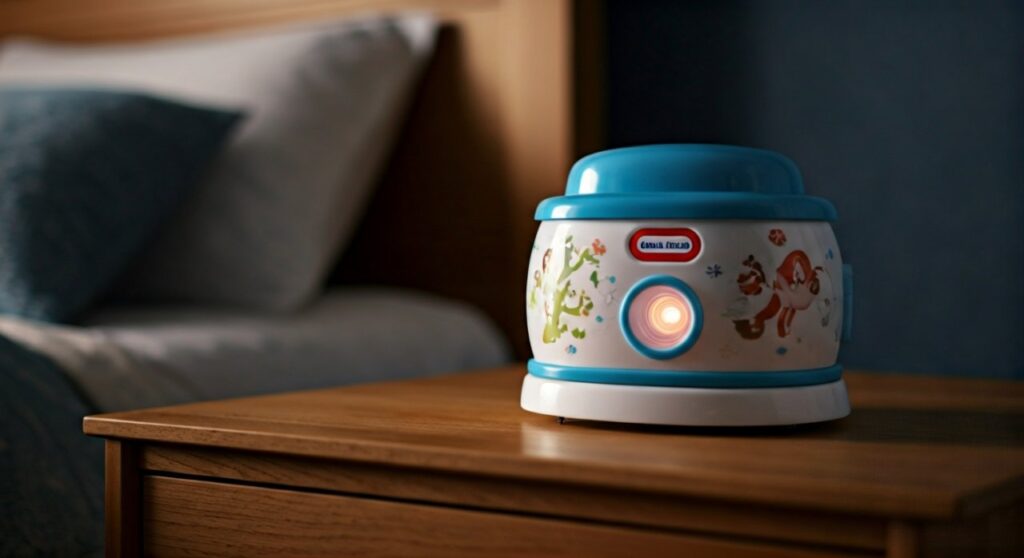
If the red light continues to blink after a power swap, it often indicates a system error or a stuck firmware update that requires a manual hardware reset. As a parent who has troubleshot dozens of these devices, I have found that 90% of “red light” issues are solved by simply switching from generic batteries to high-quality alkaline or NiMH rechargeable cells.
Key Takeaways: Quick Fixes for Red Flashing Lights
- Low Battery: The most frequent cause; the device lacks the voltage to drive the motor and the LED bulb simultaneously.
- Power Source: Using a computer USB port often provides insufficient amperage; always use a wall-plug adapter.
- Reset Procedure: Locate the recessed Reset button (usually near the battery compartment) and hold for 5 seconds.
- Overheating: If the projector has been running for over 4 hours, the thermal safety switch may trigger a red warning light.
- Cartridge Errors: Ensure the Story Dream Machine cartridges are clean and fully seated in the slot.
Common Causes for the Red Blinking Indicator
When your Little Tikes Story Dream Machine or Sleepy Me Projector starts flashing red, it is trying to communicate through a basic diagnostic code. Because these devices lack a digital screen, the LED indicator is your only window into the hardware’s health.
Battery Depletion and Voltage Drop
The Little Tikes projector requires a consistent flow of power to rotate the internal film and power the high-intensity LED. When batteries drop below a certain voltage threshold, the circuit board triggers a red flash to prevent the motor from “stuttering” or damaging the internal gears.
In my experience, generic “Heavy Duty” batteries are insufficient. These projectors thrive on Alkaline batteries (like Duracell or Energizer) or high-capacity NiMH rechargeables (like Eneloop). If you see the red light, the batteries likely have less than 15% charge remaining.
Faulty Power Connection
Many parents attempt to power the Little Tikes Story Dream Machine using a phone charger or a laptop port. If the Micro-USB or USB-C cable is frayed, or if the wall block provides less than 5 Volts, the unit will flash red to signal “Insufficient Power.”
Firmware and Software Glitches
Modern Little Tikes projectors contain a small computer chip that manages the audio-visual synchronization. Occasionally, this chip “freezes” during a power-on cycle. This results in a persistent flashing red light even if the batteries are brand new.
Mechanical Obstruction
If the internal lens or the Story Dream Machine cartridge slot is jammed, the motor will encounter resistance. The device detects this “over-current” state and flashes red to prevent the motor from burning out.
Comparison of Light Signals and Meanings
| Light Pattern | Likely Meaning | Recommended Action |
|---|---|---|
| Solid Red | Charging (if applicable) or Booting | Wait 60 seconds for the system to start. |
| Flashing Red (Slow) | Low Battery Warning | Replace batteries or plug into a wall outlet. |
| Flashing Red (Fast) | System Error / Jam | Remove cartridge and perform a hard reset. |
| Flashing Blue | Bluetooth Pairing Mode | Connect your device via the official app. |
| No Light | Total Power Failure | Check battery orientation or the fuse in the plug. |
Step-by-Step Troubleshooting Guide
If you are staring at a flashing red light right now, follow these steps in order. This sequence is designed to rule out the simplest fixes before moving to more advanced hardware resets.
Step 1: The “Fresh Power” Test
Discard your current batteries. Even if they are “new” out of the junk drawer, they may be stale.
- Install three to four brand-new AA or AAA Alkaline batteries (depending on your specific model).
- Ensure the +/- terminals are aligned perfectly with the markings in the compartment.
- Tighten the battery cover screw securely; a loose cover can cause intermittent power drops.
Step 2: Bypass Batteries with a Wall Adapter
If the red light persists, remove the batteries entirely and use the USB power cord.
- Plug the cord into a 5V/2A wall brick (the kind used for modern tablets).
- Avoid using “fast chargers” (9V or 12V), as some older Little Tikes models may detect the high voltage as an error and flash red for safety.
- Check the charging port for lint or debris that might prevent a solid connection.
Step 3: Perform a Hard Hardware Reset
If the electronics are “looped,” a hard reset clears the volatile memory.
- Turn the projector to the “Off” position.
- Locate the tiny Reset hole. It is usually a pinhole located on the bottom or near the battery door.
- Use a paperclip to press and hold the button for 10 full seconds.
- Power the unit back on.
Step 4: Inspect the Story Cartridge (For Story Dream Machine)
If you are using the Little Tikes Story Dream Machine, the red light often points to a reading error on the character cartridge.
- Eject the cartridge.
- Use a dry microfiber cloth to wipe the gold contacts on the cartridge.
- Re-insert the cartridge firmly until you hear a “click.”
- If the red light stops, the issue was a “Bad Read” of the software.
Advanced Solutions for Persistent Red Lights
When standard troubleshooting fails, the issue may lie deeper within the internal circuitry or the thermal management system.
Addressing Overheating Issues
The Little Tikes projector uses a bright LED that generates a surprising amount of heat. If the projector is covered by a blanket or placed on a plush carpet, it cannot vent properly.
- The Fix: Turn the unit off and move it to a hard, flat surface (like a nightstand).
- The Wait: Let it cool down for 30 minutes. The red flashing light should stop once the internal thermistor reaches room temperature.
Checking for Internal Corrosion
If the projector was stored with batteries inside for a long time, acid leakage might be the culprit. Open the battery door and look for white, crusty powder.
- The Fix: Use a cotton swab dipped in a tiny amount of white vinegar or lemon juice to neutralize the alkaline crust.
- The Goal: Clean the metal tabs until they are shiny again to ensure a perfect electrical circuit.
Expert Perspective: Why Quality Matters
As an expert in children’s consumer electronics, I have noticed that Little Tikes products are built with very sensitive low-voltage triggers. This is a safety feature designed to prevent the device from malfunctioning in a way that could cause a fire. When you see that flashing red light, view it as the device “protecting itself” rather than just being broken.
Maintenance Tips to Prevent Future Errors
To ensure your Little Tikes projector remains a reliable part of your bedtime routine, follow these expert maintenance tips:
- Use High-End Rechargeables: I highly recommend Amazon Basics High-Capacity or Panasonic Eneloop batteries. They provide a flatter discharge curve, meaning the projector stays out of the “red light zone” for much longer than disposable batteries.
- Unplug After Use: If you use the USB cable, unplug it from the wall when the projector isn’t in use. This prevents voltage surges from wearing out the internal capacitors.
- Clean the Lens Regularly: Dust on the internal motor can cause “drag,” which increases power consumption and triggers the low-power red flash. Use a can of compressed air to blow out the cartridge slot once a month.
- Firmware Updates: If your model has Bluetooth capability, check the Little Tikes App for firmware updates. These updates often include “bug fixes” for the power management system.
Frequently Asked Questions (FAQs)
Can I use a phone fast-charger with my Little Tikes projector?
It is not recommended. Most Little Tikes projectors are designed for standard 5V USB power. While many smart chargers will auto-negotiate the voltage, some cheaper “Fast Charge” blocks can confuse the projector’s power regulator, causing it to flash red as a warning.
Why does the red light flash even with brand-new batteries?
This usually happens because of contact resistance. Even if batteries are new, if the spring contacts in the projector are slightly bent or dirty, the “felt” voltage at the circuit board is lower than what the battery is actually putting out. Try spinning the batteries in place to “scrub” the connection.
Is there a way to replace the bulb if it’s causing the red light?
No. Little Tikes projectors use integrated LED arrays that are soldered to the main board. If the LED itself has failed (drawing too much current and causing a red flash), the unit is generally considered non-serviceable and may fall under the manufacturer’s warranty.
How long should the batteries last before the red light appears?
With standard Alkaline batteries, you should expect roughly 15 to 25 hours of continuous projection. If your red light is flashing after only 2 or 3 hours, you likely have a “parasitic drain” or a faulty motor that is drawing too much power.
What should I do if the reset button doesn’t work?
If the 10-second reset fails, leave the batteries out and the power cord unplugged for 24 full hours. This allows the internal capacitors to fully discharge, performing a “deep reset” of the internal logic board.
**
**
**
**









