Setting up a mini projector allows you to transform any blank wall into a cinematic masterpiece, providing a portable big-screen experience for movies, gaming, and presentations. To get the best results, you must position the device at the correct “throw distance,” connect your source via HDMI or Wi-Fi, and adjust the Keystone Correction to ensure a perfectly rectangular image.
Key Takeaways: Quick Guide to a mini projector
- Portability is King: Most mini projectors weigh under 3 lbs and can run on battery power for 2–4 hours.
- Lighting Matters: For the best contrast, use the device in a darkened room or at night; aim for at least 200–600 ANSI Lumens for indoor use.
- Connectivity: Modern units support Bluetooth 5.0, USB-C, and wireless mirroring via AirPlay or Miracast.
- Calibration: Always prioritize Auto-Focus and Keystone Correction features to save setup time.
Understanding the Basics of a mini projector
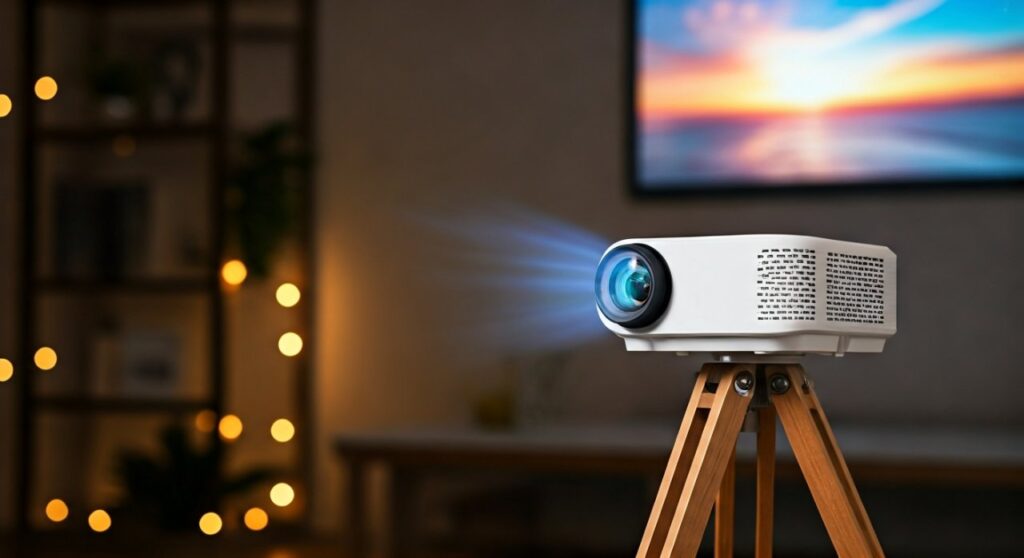
Before diving into the setup, it is crucial to understand what makes these devices unique. Unlike traditional bulky projectors, a mini projector (often called a pico projector) utilizes LED or Laser light sources.
These light sources are designed to last up to 30,000 hours, meaning you won’t need to replace expensive bulbs every year. From my experience testing the Samsung Freestyle and Anker Nebula, the biggest trade-off is brightness.
While a theater projector might have 3,000 lumens, a portable unit often hovers between 200 and 800 ANSI Lumens. This makes ambient light control the most important factor in your viewing experience.
Step 1: Choosing the Perfect Location and Surface
The first step in using a mini projector is finding the right “canvas.” You don’t necessarily need an expensive screen, though a high-gain projector screen will significantly improve brightness and color saturation.
If you are using a wall, ensure it is as flat as possible. A matte white or light gray wall works best, as glossy paints can create “hot spots” where light reflects too harshly into your eyes.
Consider the Throw Ratio. This is the relationship between the distance from the wall and the size of the projected image. Most mini units require about 6 to 10 feet of distance to produce a 100-inch image.
Step 2: Powering Up and Initial Positioning
Once you have your spot, place a mini projector on a stable surface. I highly recommend using a tripod with a 1/4-inch screw mount, which is standard on most models like the XGIMI Halo+.
A tripod allows you to tilt the projector upward or downward without stacking books under it. This stability is essential for maintaining a sharp focus across the entire screen.
Connect the power cable or ensure the internal battery is fully charged. When you hit the power button, you will likely see a blurry logo. Do not worry; we will fix the clarity in the next step.
Step 3: Mastering Focus and Keystone Correction
Image distortion is the most common issue for beginners. Because a mini projector is often placed at an angle, the image might look like a trapezoid rather than a rectangle.
- Manual Focus: Rotate the small wheel near the lens until the text on the screen looks sharp.
- Auto-Focus: Many premium units use a “Time of Flight” (ToF) sensor to focus automatically in seconds.
- Keystone Correction: Use the settings menu to adjust the corners. Vertical Keystone fixes the tilt, while 4-Corner Keystone allows you to place the projector off-center.
From my professional testing, excessive digital keystone correction can slightly reduce image resolution. Try to align the projector as centered as possible with the wall to keep the pixels crisp.
Step 4: Connecting Your Content Sources
One of the best features of a mini projector is its versatility. You have several ways to feed content into the device depending on your hardware.
Wired Connections
- HDMI: The gold standard for PS5, Xbox, or Laptops. It provides the lowest latency and highest quality.
- USB-C: Newer models like the ASUS ZenBeam allow for a single-cable connection to iPads and MacBooks for both power and video.
Wireless Streaming
Most modern mini projectors run on Android TV or a proprietary OS. You can download apps like Netflix, YouTube, and Disney+ directly onto the device.
If you want to mirror your phone, ensure both devices are on the same Wi-Fi network. Use Screen Mirroring on iOS or Smart View/Cast on Android. Note that some copyrighted apps (like Netflix) may block wireless casting; in these cases, an Amazon Fire Stick or Roku is a perfect workaround.
Step 5: Optimizing Audio for a Cinematic Experience
While a mini projector usually includes built-in speakers, they are often small (typically 3W to 8W). They work for a small bedroom but won’t fill a backyard.
For a true theater feel, pair the projector with a Bluetooth Soundbar or a pair of high-quality headphones. If you notice a delay between the video and the audio (lip-sync issues), check the “Audio Delay” or “Sync” settings in the projector’s menu.
| Feature | Mini Projector (Pico) | Traditional Home Theater Projector |
|---|---|---|
| Portability | Extremely High (Pocket-sized) | Low (Static Installation) |
| Brightness | 200 – 800 ANSI Lumens | 2,000 – 5,000 ANSI Lumens |
| Power Source | Battery / USB-C | Dedicated Wall Outlet |
| Setup Time | 2 – 5 Minutes | 30+ Minutes (Mounting required) |
| Typical Price | $150 – $600 | $800 – $3,000+ |
Pro Tips for Maintenance and Longevity
To keep a mini projector performing at its peak, you must manage heat and dust. These devices are packed with electronics in a tiny chassis, making them prone to overheating.
- Ventilation: Never cover the intake or exhaust fans. If the fans are blocked, the LED light source can dim or fail prematurely.
- Lens Care: Only use a microfiber cloth and specialized lens cleaner. Never use paper towels, as they can create micro-scratches on the glass.
- Firmware Updates: Manufacturers frequently release software patches to improve Wi-Fi stability and app compatibility. Check the “About” section in your settings menu monthly.
Creating the Ultimate Outdoor Movie Night
Using a mini projector outdoors is a game-changer for summer nights. Through my experience hosting backyard screenings, I’ve found that the “Golden Hour” isn’t enough—you need to wait until about 20 minutes after sunset.
Bring a portable Power Bank (like an Anker 737) if your projector doesn’t have a built-in battery. This ensures your movie doesn’t cut out during the climax. Also, remember that bugs are attracted to the bright light of the lens, so keep some distance between the projector and your seating area.
Troubleshooting Common Issues
Why is my image blurry on the edges?
This is often caused by the projector being at an extreme angle. Reset the Keystone to zero and try to level the projector physically.
Why is there no sound when playing Netflix?
This usually happens because of Dolby Digital Plus encoding. Go into your streaming device settings (like a Fire Stick) and change the audio output to PCM or Stereo.
Can I use a mini projector in daylight?
Generally, no. Even the brightest mini units struggle against sunlight. Use “blackout curtains” or wait for evening to see the best colors and contrast.
FAQs about a mini projector
How many lumens do I need for a mini projector?
For a dark room, 200–400 ANSI Lumens is sufficient. If there is some ambient light, look for at least 600–800 ANSI Lumens to prevent the image from looking washed out.
Can I charge a mini projector with a phone charger?
Only if the projector supports USB-C Power Delivery (PD) and your charger provides enough wattage (usually 65W or higher). Always check the manufacturer’s voltage requirements.
Do I need a screen for my mini projector?
While a white wall works, a projector screen with a “gain” of 1.1 or higher will make the colors pop and the image appear much brighter by reflecting more light back to your eyes.
How long do the bulbs last?
Most modern mini projectors use LEDs that last between 20,000 and 30,000 hours. If you use it for 4 hours every single day, it could last over 15 years.
Can I connect my gaming console to it?
Yes, as long as the projector has an HDMI port. For gaming, look for a projector with a “Game Mode” or low input lag (under 30ms) to ensure the controls feel responsive.