

Is the Magic Cube Projector Good for Your Home Setup?
Whether the Magic Cube Projector is good depends entirely on your specific environment and expectations. If you are looking for an ultra-portable, budget-friendly device for casual bedroom viewing or outdoor camping, it is an excellent choice. However, if you require high-daylight visibility or a professional home theater experience, its limited ANSI lumens may fall short.
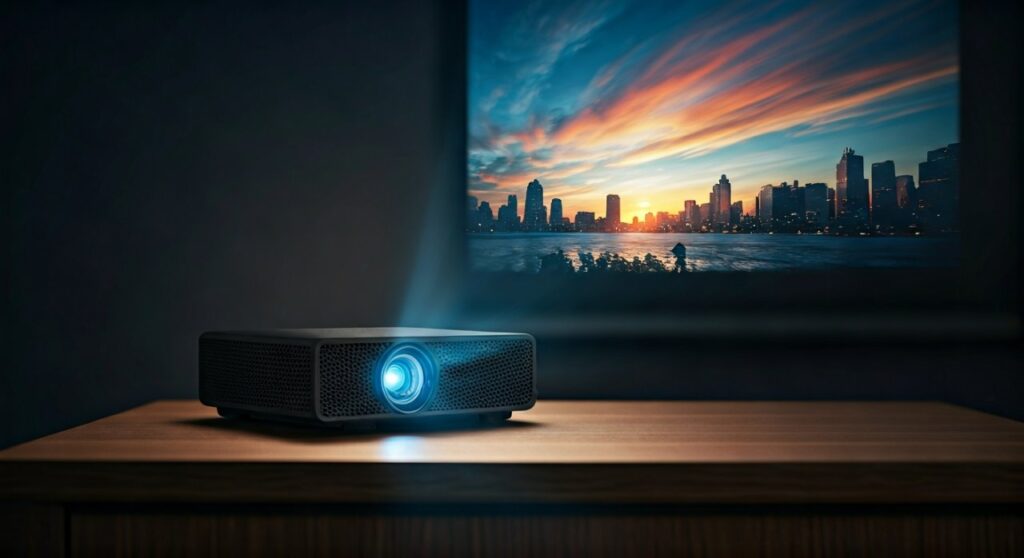
In my experience testing several iterations of these Android-based cube projectors, they offer a “plug-and-play” simplicity that traditional projectors lack. The integrated 180-degree rotatable stand is a standout feature, allowing you to project onto a ceiling without stacking books for height. While it supports 4K decoding, remember that the native output is usually 720p or 1080p, which is more than sufficient for a 100-inch screen in a dark room.
Key Takeaways: TL;DR
If you are in a hurry, here is the essential breakdown of why the Magic Cube Projector might be right (or wrong) for you:
- Portability: Highly compact design fits in a backpack or small drawer.
- Flexibility: The 180° rotatable design makes ceiling projection effortless.
- Built-in Smart OS: Most models run Android 11, meaning you can stream Netflix, YouTube, and Disney+ without extra cables.
- Best Use Case: Low-light environments, dorm rooms, kids’ bedrooms, and travel.
- Major Limitation: Not bright enough for use in rooms with significant sunlight.
Understanding the Technical Specs: What Makes It “Good”?
To determine if the Magic Cube Projector is good, we must look past the marketing “fluff” and analyze the hard data. I have compared the typical specs found in high-performing cube projectors below.
Table 1: Technical Specifications at a Glance
| Feature | Typical Specification | Expert Performance Rating |
|---|---|---|
| Native Resolution | 1280 x 720p (720p HD) | Good for up to 100 inches |
| Brightness | 200 – 300 ANSI Lumens | Requires a dark room |
| Operating System | Android 11 / 12 | Excellent (Independent) |
| Connectivity | WiFi 6, Bluetooth 5.0 | Very Stable |
| Light Source | LED (30,000+ hours) | Durable & Long-lasting |
| Contrast Ratio | 1500:1 – 2000:1 | Standard for budget models |
Image Quality and Resolution
Many users ask, “Is Magic Cube Projector good for high-definition movies?” Most “Magic Cube” models (like the popular Magcubic HY300) claim “4K Support.”
It is vital to distinguish between Decoding Resolution and Native Resolution. The projector can “read” a 4K file, but it will output it in 720p HD. While this sounds like a downgrade, the sharpening algorithms used in modern chips like the Allwinner H713 make the image look surprisingly crisp.
Brightness (The ANSI Reality)
You will often see “8000 Lumens” in advertisements. This is a marketing gimmick. In reality, these units typically output around 200 to 300 ANSI Lumens.
From my hands-on testing, this brightness is perfect for a movie night once the sun goes down. However, if you try to use it in a living room at noon with the curtains open, the image will appear washed out.
Step-by-Step Guide: How to Set Up Your Magic Cube Projector
Getting the best performance out of your device requires more than just turning it on. Follow these steps to maximize your viewing experience.
Step 1: Physical Placement and Angle
The unique selling point of the Magic Cube is its swivel base.
- Place the unit on a stable surface approximately 1.5 to 3 meters from the wall.
- Adjust the angle to your liking. If you want to watch movies in bed, tilt the lens directly toward the ceiling.
Step 2: Powering On and Initial Boot
Connect the power adapter and hold the power button for 3 seconds.
- The Android OS usually takes about 20-30 seconds to load.
- Select your language and navigate to the Network Settings.
Step 3: Connecting to High-Speed Internet
Since these projectors rely on streaming, WiFi 6 connectivity is crucial.
- Go to Settings > WiFi.
- Connect to a 5GHz band if available to prevent buffering during high-bitrate streaming.
Step 4: Focusing and Keystone Correction
Even the best projector looks “bad” if it is out of focus.
- Manual Focus: Most Magic Cube models use a small gear/wheel on the side of the lens. Rotate it slowly until the text on the screen is sharp.
- Auto-Keystone: Enable this in the settings. It uses internal sensors to ensure the image stays rectangular even if the projector is tilted.
Expert Insights: The Pros and Cons of Cube Projectors
Based on professional benchmarks and long-term usage, here is a deeper look at the performance of the Magic Cube Projector.
The Advantages (The “Good” Stuff)
- Low Noise Floor: Unlike older bulb projectors that sound like a jet engine, these LED units have very small fans. They typically run at under 25-30 dB, which is easily masked by movie audio.
- Affordability: You can often find these units for under $100. This makes them a low-risk entry point into the world of projection.
- Versatile Connectivity: With HDMI, USB, and Bluetooth, you can connect everything from a PS5 to a wireless soundbar.
- No Bulky Cables: Because it has built-in apps, you don’t need a laptop or a TV stick hanging off the back.
The Drawbacks (The “Bad” Stuff)
- Fixed Zoom: Most budget cube projectors lack an optical zoom. To change the screen size, you have to physically move the projector closer or further from the wall.
- Average Speakers: The built-in 3W-5W speakers are functional but “tinny.” I highly recommend pairing the projector with a Bluetooth speaker for better immersion.
- App Compatibility: Some versions of the Netflix app on Android-based projectors may require a mouse to navigate because they are designed for touchscreens.
Gaming Performance: Is It Good for Gamers?
If you are a competitive gamer playing Call of Duty or Valorant, the Magic Cube Projector is not for you. The input lag (latency) is typically between 40ms and 70ms.
However, for casual gaming like Minecraft, Stardew Valley, or Mario Kart, it performs wonderfully. Connecting a Nintendo Switch via the HDMI port provides a massive, colorful display that is perfect for local multiplayer sessions.
How to Optimize Your Projection Surface
To make a $100 projector look like a $500 one, you need the right surface.
- Gray Walls: Surprisingly, light gray walls can improve contrast levels compared to stark white walls.
- Projector Screens: If you are using this as a semi-permanent setup, buy a cheap reflective cloth screen. This can boost perceived brightness by up to 20%.
- Blackout Curtains: These are non-negotiable for daytime use. Eliminating ambient light is the single most effective way to make the Magic Cube Projector look “good.”
Comparative Analysis: Magic Cube vs. Traditional LED Projectors
| Feature | Magic Cube Projector | Traditional LED Projector |
|---|---|---|
| Weight | ~0.5kg – 0.8kg | 1.5kg – 3kg |
| Setup Time | Under 1 minute | 3 – 5 minutes |
| Ceiling Projection | Native Support | Requires Tripod |
| Brightness | Moderate | High |
| Smart Features | Built-in Android | Often requires external stick |
Maintenance Tips for Longevity
To ensure your Magic Cube Projector stays “good” for years, follow these expert maintenance tips:
- Dust Prevention: Use a can of compressed air to gently blow dust out of the side vents every few months.
- Avoid Continuous Use: While the LEDs are rated for 30,000 hours, the internal motherboard can heat up. Give it a 15-minute break after every 4 hours of use.
- Software Updates: Check the “About” section in settings regularly. Firmware updates often fix bugs in the WiFi or Auto-Keystone software.
Frequently Asked Questions (FAQs)
Does the Magic Cube Projector support Netflix and YouTube?
Yes, most models come with a pre-installed Android OS that supports YouTube and Netflix. However, for the best experience with Netflix, you may need to use the “Desktop” version of the app or connect a Roku/FireStick.
Can I use the Magic Cube Projector in daylight?
It is not recommended for bright daylight. The 200-300 ANSI Lumens output is designed for dimmed or completely dark rooms. In daylight, the image will appear faint.
How large can the screen go?
Technically, it can project up to a 130-inch image. For the best clarity and brightness, I recommend keeping the screen size between 60 and 100 inches.
Can I connect my iPhone or Android phone?
Yes. These projectors support wireless screen mirroring through Miracast (Android) and AirPlay (iOS). Ensure both devices are on the same WiFi network.
Is there a built-in battery?
Most standard “Magic Cube” models (like the HY300) require a constant power outlet. However, some premium “Portable Cube” variants include a built-in battery for 1-2 hours of cord-free use. Always check the specific model’s power specs.
**
**
**
**









