

What is Projector Sewing? The Modern Way to Cut Fabric
What is projector sewing? It is an innovative method where a digital projector is used to cast a sewing pattern directly onto fabric, completely bypassing the need for paper patterns. Instead of printing, taping, and cutting hundreds of sheets of paper, sewists use digital PDF patterns and a mounted projector to visualize lines on their cutting table, allowing for immediate and high-precision cutting.
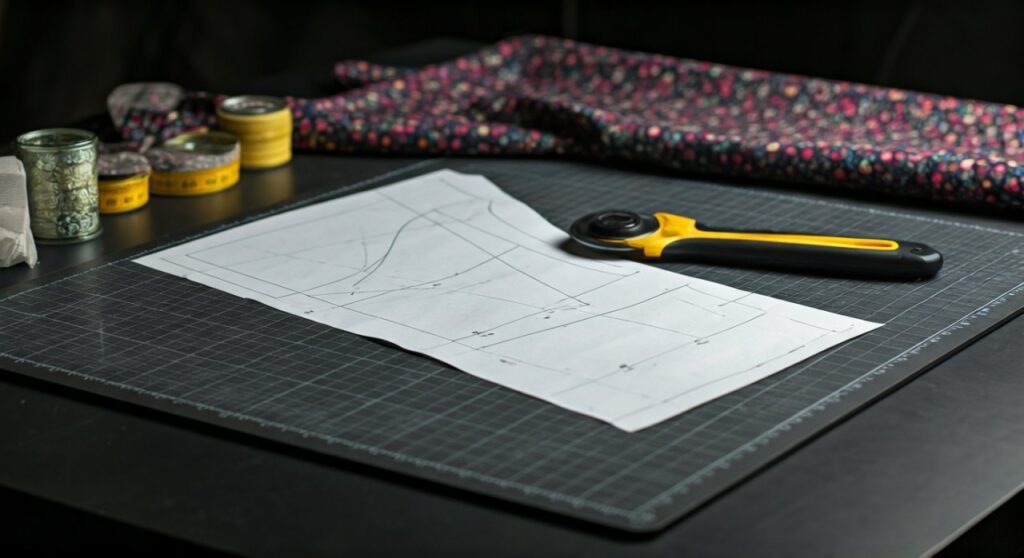
For many hobbyists and professionals, this transition represents the single biggest productivity boost since the invention of the rotary cutter. By removing the physical barrier of paper, you can move from choosing a design to sewing the first seam in under ten minutes.
Key Takeaways: Why Switch to Projector Sewing?
If you are short on time, here are the essential facts about the projector sewing revolution:
- Zero Paper Waste: No more recycling bins full of discarded pattern scraps or spending money on printer ink.
- Massive Time Savings: Skip the “print, tape, and cut” phase, which usually takes 1-2 hours per garment.
- Perfect Accuracy: Digital files don’t warp or stretch like paper patterns do over time.
- Storage Solution: Thousands of patterns can live on a hard drive or cloud storage instead of taking up physical shelf space.
- Ease of Alterations: Digital grading and height adjustments can be done on the fly using software like Adobe Acrobat or Affinity Designer.
Understanding the Components of a Projector Sewing Setup
To understand what is projector sewing in a practical sense, you need to look at the hardware and software ecosystem. This isn’t just about pointing a movie projector at a table; it requires specific configurations to ensure the pattern is “true to scale.”
The Projector (The Heart of the System)
Not all projectors are created equal. In the sewing community, two main types dominate the market:
- Mini Projectors: These are affordable (usually $70 – $150) and are typically mounted to the ceiling or a high shelf. Popular models include the Vivimage Explore 2 or various Apeman models.
- Ultra Short Throw (UST) Projectors: These sit directly on your cutting table or a small stand very close to the wall. They are more expensive but ideal for rooms with low ceilings. Brands like Epson and Optoma are leaders here.
The Mounting System
Stability is crucial. If your projector wobbles, your calibration will fail. Most sewists use heavy-duty ceiling mounts or custom-built wooden brackets to keep the lens perfectly parallel to the cutting surface.
The Software
You don’t need fancy CAD software to get started. Most digital sewing patterns are sold as PDFs. To project them accurately, you will use:
- Adobe Acrobat Reader: The industry standard for managing pattern layers.
- PDF Stitcher: A free tool used to combine A4/Letter pages into a large format or to add “thick lines” for better visibility on dark fabrics.
How Projector Sewing Works: A Step-by-Step Guide
Transitioning to this method involves a learning curve, primarily centered around calibration. Once the system is calibrated, the workflow becomes incredibly streamlined.
Step 1: Choosing the Right Projector File
When you buy a digital pattern today, most designers (like Love Notions, Patterns for Pirates, or Made for Mermaids) include a specific “Projector File.”
These files differ from standard print-at-home files because they feature:
- Large Margins: Extra white space so the pattern doesn’t get cut off at the edge of the projection.
- Thick Lines: High-contrast lines (often in specific colors) that show up clearly on patterned fabric.
- Unfolded Pieces: Patterns are often mirrored so you can cut on a single layer of fabric without “cutting on the fold.”
Step 2: Calibration (The “Make or Break” Step)
Calibration ensures that a 1-inch square on your computer screen translates to exactly 1 inch on your cutting mat.
- Open a calibration grid (a PDF with measured squares).
- Adjust the Zoom percentage in Adobe Acrobat until the projected lines match your physical A1 cutting mat.
- Adjust the Keystone and Focus to ensure the lines are sharp and square across the entire table.
Step 3: Managing Layers
One of the best parts of what is projector sewing is the “Layers” feature. If you are sewing a Size Large, you can “uncheck” all other sizes in the PDF. The projector will only display the Size Large lines, eliminating the confusion of nesting lines found on traditional paper patterns.
Step 4: The Cutting Process
Once the image is projected:
- Place your fabric flat on the self-healing cutting mat.
- Use pattern weights to keep the fabric from shifting (do not use pins, as they can distort the fabric under the projection).
- Follow the projected lines with a rotary cutter.
Comparing Traditional Paper vs. Projector Sewing
| Feature | Traditional Paper Patterns | Projector Sewing |
|---|---|---|
| Preparation Time | 60 – 120 minutes | 2 – 5 minutes |
| Setup Cost | Low ($5 for tape/paper) | Moderate ($100 – $500) |
| Storage | Physical folders/drawers | Digital folders (Cloud/HD) |
| Eco-Friendliness | Low (High paper/ink waste) | High (Zero waste) |
| Accuracy | Prone to human error/warping | Highly precise (Digitally scaled) |
| Accessibility | Hard to see fine lines | Adjustable brightness/zoom |
Hardware Recommendations for Every Budget
When people ask what is projector sewing, they usually follow up with “Which one should I buy?” Based on extensive community feedback and expert testing, here are the top picks:
The Budget King: Vivimage Explore 2
This is the most common entry-point projector. It is lightweight, easy to mount, and offers a clear enough image for most garment sewing. It requires about 60-70 inches of “throw distance” (distance from lens to table).
The Small Space Solution: Epson PowerLite (Used)
If you have low ceilings, look for a used Epson Ultra Short Throw on eBay. These units can project a full-sized adult dress pattern from just 15 inches away. They are bulky but offer incredible brightness, even in daylight.
The Portable Option: Nebula Capsule
A “pico” projector that is roughly the size of a soda can. It is battery-powered and features Auto-Keystone correction, making it great for sewists who don’t have a dedicated craft room and need to set up/tear down frequently.
Expert Tips for a Flawless Projector Setup
I have spent dozens of hours helping sewists calibrate their systems. Here is the expert advice you won’t find in the basic manuals:
- Check Your Aspect Ratio: Ensure your computer’s display settings match the projector’s native resolution. If your computer is 16:9 and your projector is 4:3, your circles will look like ovals, and your clothes won’t fit!
- Invest in a Black Cutting Mat: Most projectors struggle to show white lines on a light green or translucent mat. A dark grey or black cutting mat makes the projected lines “pop” with much higher contrast.
- Color Inversion: If you are cutting dark navy or black fabric, use the “Invert Colors” accessibility setting in your OS. This turns the white background black and the black pattern lines white (or neon green), making them visible on dark textiles.
- Mat Calibration over Ruler Calibration: Always calibrate to your cutting mat. Rulers can vary slightly between brands. Since you are cutting on the mat, that is your “ground truth.”
The Environmental and Financial Impact
Beyond the convenience, what is projector sewing doing for the planet? A typical indie sewing pattern is 30-50 pages. If you sew two garments a month, that is nearly 1,200 sheets of paper per year.
Financially, the system pays for itself.
- Printer Ink: $40 – $100/year.
- Paper: $20/year.
- Time Value: If you value your time at $20/hour, you save over $800 worth of labor annually by skipping the taping process.
Common Challenges and How to Overcome Them
No technology is perfect. Here are the hurdles you might face:
- Shadowing: If you lean over the table, you might block the light. Solution: Mount the projector slightly in front of where you stand, or use a UST projector that sits under the “shadow zone.”
- Heat and Noise: Projectors have fans. Solution: Look for “LED” projectors; they run cooler and quieter than older bulb-based models.
- Ambient Light: Projectors look washed out in bright sunlight. Solution: Install blackout curtains in your sewing room or choose a high-lumen (3000+) projector.
Frequently Asked Questions (FAQs)
Can I use any projector for sewing?
Not exactly. While most projectors can work, you need one with a high native resolution (at least 720p, preferably 1080p) and a lens that allows for a clear focus at short distances. “Office” projectors often have a minimum focus distance that is too long for a standard ceiling height.
Do I need a special computer?
No. Any laptop or desktop that can run Adobe Acrobat Reader and has an HDMI port (or can use a Chromecast/Apple TV for wireless) will work. Many sewists use a dedicated cheap laptop or even a tablet for their setup.
Is it hard to calibrate the projector?
The first time can be frustrating (it usually takes 1-2 hours). However, once you find your “Magic Zoom Number,” you simply type that number into Adobe every time you open a new pattern, and you are ready to cut in seconds.
Will projector sewing work for quilting?
Yes! It is becoming increasingly popular for fussy cutting fabric and for laying out English Paper Piecing (EPP) templates. It ensures that your fabric motifs are perfectly centered in every block.
Do I still need to buy patterns?
Yes. Projector sewing is just a delivery method for the pattern. You still purchase PDF sewing patterns from designers. The only difference is you no longer need to print them.









