

To fix headphones, you must first identify the point of failure, which is typically the internal wiring, the 3.5mm jack, or the drivers. Most common issues, such as sound only coming from one side or static noises, can be repaired by stripping the wires, reconnecting them with a soldering iron, and sealing the connection with heat shrink tubing. For structural damage like a broken hinge, high-strength epoxy or specialized replacement parts are required to restore functionality.
Key Takeaways: How to Fix Your Headphones Quickly
If you are in a rush, here is a summary of the most effective ways to repair headphones based on the specific symptom you are experiencing:
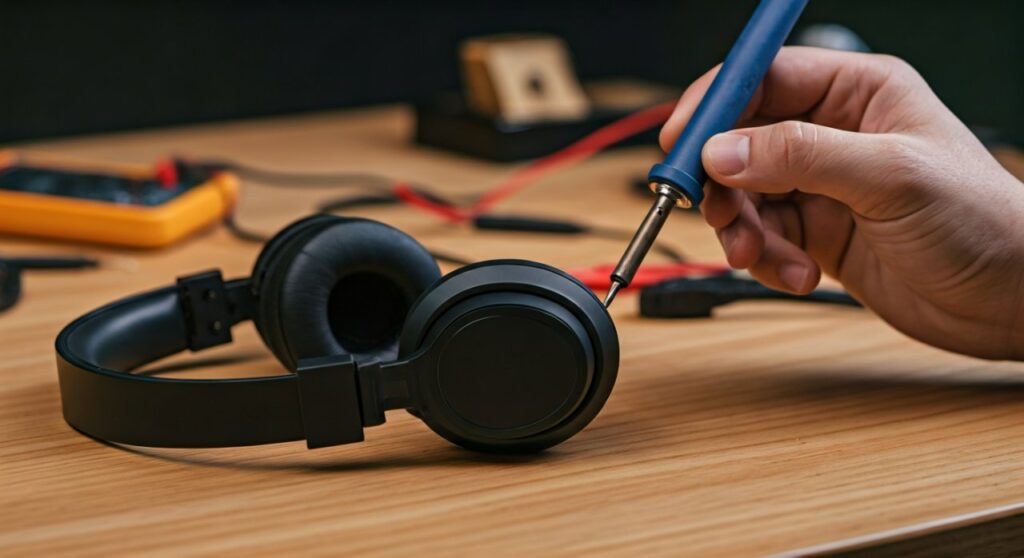
- One side doesn’t work: Usually a “short” in the wire near the jack or the earbud. Requires stripping and reconnecting internal copper strands.
- Crackling/Static sound: Often caused by dirt in the headphone jack or a loose connection. Clean the port with compressed air first.
- Broken plastic/hinge: Use cyanoacrylate (Super Glue) mixed with baking soda for a reinforced structural bond.
- Bent or broken plug: Requires cutting off the old plug and soldering on a new TRS (Tip-Ring-Sleeve) replacement connector.
Step 1: Diagnose the Failure Point
Before you can determine how to repair headphones, you must find exactly where the connection is failing.
Start by plugging your headphones into a known working device. Put on a song and slowly bend the cable every half-inch from one end to the other. When the sound flickers or returns, you have found the short circuit.
If the sound only returns when you wiggle the plug, the problem is the jack. If the sound is dead regardless of cable movement, the driver (the speaker inside the cup) may be blown or disconnected.
Step 2: Essential Tools for Headphone Repair
Having the right equipment is the difference between a permanent fix and a messy failure. Based on my experience in electronics repair, I recommend the following kit:
| Tool | Purpose | Importance |
|---|---|---|
| Soldering Iron (25W-40W) | Joining broken wires permanently | Essential |
| Solder (Rosin Core) | The “glue” for electrical connections | Essential |
| Wire Strippers | Removing the plastic insulation | High |
| Heat Shrink Tubing | Insulating and reinforcing the repair | High |
| Multimeter | Testing for continuity and shorts | Recommended |
| Epoxy or Sugru | Fixing broken headphones hinges | Optional |
## How to Fix Headphones If One Side Doesn’t Work
This is the most frequent query for users asking how can you fix your headphones. When one side is silent, the internal copper wire has usually snapped inside the protective rubber casing.
Strip the Cable
Use wire strippers or a sharp blade to carefully remove about 1 inch of the outer rubber insulation at the point where you found the short. You will see several smaller wires inside (usually red, green, and copper/gold).
Prepare the Internal Wires
Most modern headphones use enameled wires. This means each strand is coated in a thin layer of paint to prevent shorts. You cannot just twist these together; the paint must go. Use a lighter to briefly singe the tips of the wires, then wipe off the soot with your fingers.
Solder the Connections
Slide a piece of heat shrink tubing onto the main cable first. Match the wire colors (Red to Red, Green to Green, Copper to Copper). Twist the bare ends together and apply a small amount of solder to create a solid bridge.
Insulate and Seal
Slide the heat shrink tubing over your soldered joints. Use a heat gun or the side of your lighter to shrink the tube until it fits snugly. This provides strain relief, ensuring you won’t have to ask how do I fix my headphones again next week.
## How to Repair a Broken Headphone Jack (Plug)
If your headphones only work when you hold the plug at a certain angle, the internal pins are likely fatigued. How do you fix headphones in this state? You replace the jack entirely.
- Cut the old plug off: Use wire cutters to snip the cable about an inch above the existing jack.
- Strip the wires: Expose the red (Right), green/blue (Left), and copper (Ground) wires.
- Identify the pins: Buy a replacement 3.5mm TRS connector. The shortest pin is the Left channel, the medium pin is the Right channel, and the long sleeve is the Ground.
- Solder to the new jack: Thread the wires through the jack’s housing first. Solder the wires to their respective pins.
- Test and Close: Plug it into a phone to verify stereo sound before screwing the housing back on.
## How to Repair Beats Headphones and High-End Brands
Many users ask specifically how to repair beats headphones or how to fix dr dre beats headphones. These models have unique failure points, particularly the folding hinges and proprietary drivers.
Fixing a Broken Hinge on Beats
The Beats Solo and Studio series often suffer from snapped plastic hinges. How to fix broken headphones hinge issues effectively involves:
- Replacement Parts: Because Beats are so popular, you can buy “Hinge Replacement Kits” on Amazon or eBay.
- The Baking Soda Trick: If you can’t get a part, apply Super Glue to the crack and immediately sprinkle baking soda on it. This creates an instant, rock-hard plastic weld that is much stronger than glue alone.
Addressing Driver Issues
If you are wondering how to fix a beats headphone that has no sound even after a cable repair, the voice coil inside the driver may be stuck. Sometimes, a “tapped” force on the ear cup can dislodge it, but often the driver must be replaced entirely by desoldering it from the ear cup housing.
## How to Fix a Headphone Bad When Sound Still Works
“Bad” sound usually refers to static, crackling, or a “hollow” sound where you can’t hear vocals. This is often a grounding issue.
- Check the Ground Wire: If the copper/gold wire is loose or touching the red/green wires, the sound will lose its “center” (vocals).
- Cleaning the Port: Use a toothpick or a small needle to gently scrape out pocket lint from your phone or laptop’s headphone jack. You would be surprised how often this is the “fix” for busted headphones.
Advanced Troubleshooting: Using a Multimeter
If you want to know how can I fix my headphones with professional precision, use a multimeter set to the Continuity (Beep) setting.
- Touch one probe to the tip of the headphone plug.
- Touch the other probe to the soldered wire inside the ear cup.
- If it beeps, the wire is intact. If it doesn’t, there is a break somewhere in between.
- This method allows you to find “invisible” breaks without cutting the entire cable open.
Troubleshooting Guide: Common Headphone Issues
| Symptom | Likely Cause | Recommended Fix |
|---|---|---|
| Sound is quiet and distant | Loose Ground wire | Resolder the copper/shield wire |
| One side works only when bent | Frayed internal wire | Splice and solder the cable |
| Loud buzzing/humming | Interference or poor shield | Wrap cable in EMF shielding tape |
| Hinge won’t stay open | Worn plastic “teeth” | Apply a small drop of hot glue for friction |
| Buttons/Remote not working | 4th wire (MIC) shorting | Inspect the TRRS (4-pole) connector |
Frequently Asked Questions (FAQs)
How do I fix my headphones if I don’t have a soldering iron?
While soldering is the “gold standard,” you can use the Western Union Splice method. Twist the wires tightly together and wrap each individual wire in electrical tape to prevent them from touching. Use a cable tie (zip tie) over the repair to act as a strain relief so the wires don’t pull apart.
How to fix headphones not working on one side without cutting the wire?
Check your device’s Balance settings first. In Windows or iOS, the audio balance can sometimes accidentally shift to 100% Left or Right. If settings are fine, try cleaning the jack with isopropyl alcohol (90%+) on a cotton swab.
How do you fix broken headphones that are Bluetooth?
Bluetooth headphones usually fail due to battery degradation or a loose micro-USB/USB-C port. If the battery is dead, you can often find replacements online, but this requires delicate soldering on a PCB (Printed Circuit Board). If they won’t charge, inspect the port for bent pins.
How to repair dre beats headphones that won’t turn on?
For wireless Beats, this is often a firmware crash. Perform a “Hard Reset” by holding the Power and Volume Down buttons for 10 seconds. If that fails, the internal lithium-ion battery has likely reached its end-of-life and needs replacement.
Can you fix a snapped headband?
Yes. The best way to repair your headphones with a snapped headband is to use a metal splint (like a piece of a ruler or a thick wire) and wrap it tightly with self-fusing silicone tape (like Tommy Tape). This provides the flexibility and strength needed for the headband to expand and contract.









