

How to Make Headphones Louder: The Ultimate Guide to Boosting Volume Safely
To make headphones louder, you should first check for software volume limiters in your device settings, such as “Headphone Safety” on iOS or “Absolute Volume” on Android. If software tweaks aren’t enough, adding a dedicated headphone amplifier or a USB DAC provides the necessary power boost for high-impedance gear. Cleaning earwax from the mesh and ensuring a tight seal with ear tips can also significantly increase perceived loudness and clarity.
Key Takeaways: Quick Fixes for Low Volume
| Method | Best For | Difficulty | Impact |
|---|---|---|---|
| Check Settings | iPhone, Android, Windows | Very Easy | Moderate |
| Disable Limiters | iPhones (EU/US regulations) | Easy | High |
| Use an External Amp | Wired, High-Impedance Headphones | Medium | Maximum |
| Clean Your Gear | All Earbuds and Headphones | Easy | Low-Moderate |
| Third-Party Apps | PC and Android users | Easy | High |
Understanding Why Your Headphones Are Too Quiet
Before learning how to make my headphones louder, it is crucial to understand the “why” behind the low volume. Most modern devices have built-in safety features to prevent hearing loss, often capping output at 85 decibels.
Another common factor is impedance matching. High-end studio headphones, like the Beyerdynamic DT 990 Pro, require more voltage than a standard smartphone or laptop can provide. If you are using professional gear with a consumer device, the volume will naturally be lower.
Finally, hardware degradation or dirt accumulation can muffle the sound. If you are wondering how can I make my headphones louder without buying new gear, a deep clean is often the most effective starting point.
How to Make Headphones Louder on iPhone and iPad
Apple devices are known for strict volume regulations, especially in the European Union. If you need to know how to make headphones louder on iphone, follow these specific steps.
Disable Headphone Safety Limits
iOS has a feature that automatically lowers the volume if it exceeds a certain threshold.
- Open the Settings app.
- Tap on Sounds & Haptics.
- Select Headphone Safety.
- Toggle off Reduce Loud Sounds or slide the decibel bar to 100 Decibels.
Use the “Late Night” EQ Setting
This is a pro-tip for how to make iphone headphones louder naturally. The “Late Night” equalizer setting compresses the dynamic range, making the quietest parts of a song much louder.
- Go to Settings > Music.
- Tap on EQ.
- Select Late Night. You will notice an immediate jump in perceived volume.
Check Individual App Settings
Apps like Spotify or Apple Music have their own internal volume normalization. For how to make your headphones louder on iphone while streaming, go to Spotify Settings > Playback and set “Volume Level” to Loud.
How to Make Bluetooth Headphones Louder on Android
Android users often face an issue called “Absolute Volume,” where the phone’s volume and the Bluetooth device’s volume are not synced. Here is how to make bluetooth headphones louder on Android devices.
Enable Developer Options
To unlock the hidden volume potential of your Sony, JBL, or Bose headphones, you need to access developer settings:
- Go to Settings > About Phone.
- Tap Build Number seven times until it says “You are now a developer.”
- Go back to System > Developer Options.
- Find Disable Absolute Volume and toggle it ON.
This allows you to control the headphone’s internal volume independently from the phone’s software volume. It is the most effective way for how can you make bluetooth headphones louder if they feel capped.
How to Make Headphones Louder on PC (Windows 10 & 11)
If you are wondering how to make headphones louder on pc, Windows offers several built-in “enhancements” that can push your drivers to their limit.
Enable Loudness Equalization
This is the fastest method for how to make my headphones louder on pc.
- Right-click the Speaker Icon in the taskbar and select Sound Settings.
- Go to More Sound Settings (Control Panel style).
- Right-click your headphones and select Properties.
- Navigate to the Enhancements tab.
- Check the box for Loudness Equalization and click Apply.
Use Equalizer APO and Peace GUI
For those who want to know how to make pc headphones louder with precision, Equalizer APO is the gold standard. It allows you to add a “Pre-amplification” gain to your system.
- Download and install Equalizer APO.
- Install the Peace GUI for a user-friendly interface.
- Increase the Pre-amp slider to +5dB or +10dB.
Warning:* Be careful not to push this too high, as it can cause digital clipping and distortion.
How to Increase Headphone Volume with Hardware
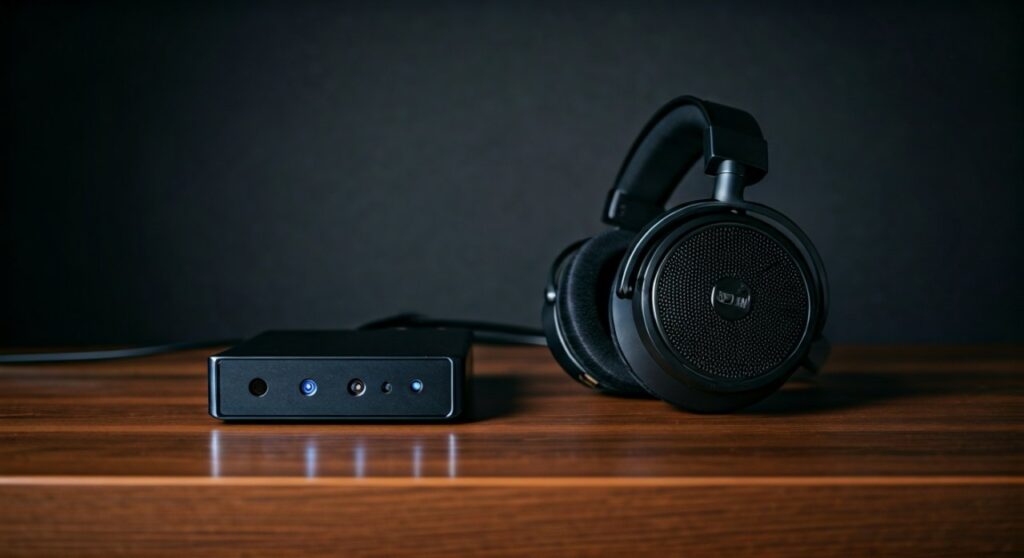
Sometimes software isn’t enough. If you have wired headphones, the most reliable way for how to increase headphone volume is to use an external amplifier.
Dedicated Headphone Amplifiers
Devices like the Schiit Magni or the JDS Labs Atom provide clean, high-voltage power. This is essential for how to make beyerdynamic headphones louder, especially the 250-ohm or 600-ohm versions.
Portable USB DAC/Amps
If you are on the go, a portable DAC like the AudioQuest DragonFly or the FiiO BTR7 is the best solution for how to make wired headphones louder. These bypass your phone’s cheap internal sound chip and provide a significantly louder, cleaner signal.
Brand-Specific Guides: JBL, Sony, Bose, and More
Different brands have proprietary software that might be limiting your experience. Here is how do I make my headphones louder for specific popular brands.
How to Make JBL Headphones Louder
JBL headphones often use the JBL Headphones App. Ensure that the “Smart Audio & Video” mode is set to “Audio Mode” for the best signal strength. Also, check if a “Volume Limiter” is active within the app’s settings.
How to Make Sony Headphones Louder
For Sony WH-1000XM5 or WF-1000XM4, use the Sony Headphones Connect app. Ensure the “Sound Quality Mode” is set to “Priority on Sound Quality.” Use the in-app Equalizer to boost all frequencies manually to find how to make sony headphones louder.
How to Make Bose Headphones Louder
Bose headphones (like the QuietComfort Ultra) focus on noise cancellation, which can sometimes make the audio feel quieter. Ensure your firmware is updated via the Bose Music App, as updates often fix volume output bugs.
How to Make Beats Headphones Louder
If you are using Beats, they integrate deeply with iOS. Use the Control Center on your iPhone, long-press the volume bar, and ensure that Spatial Audio is not dampening the core volume levels.
The Secret of Cleaning: How to Make Headphones Sound Better
If your headphones used to be loud but have gotten quieter over time, the issue isn’t software—it’s debris. Learning how to make headphones sound better often involves basic maintenance.
- Remove Earwax: For earbuds, use a small toothpick or a specialized cleaning tool to gently remove wax from the mesh.
- Replace Ear Tips: Over time, silicone tips lose their seal. A poor seal leads to “leaking” sound, making the volume feel lower.
- Clean the Jack: For wired users, lint in the 3.5mm jack can prevent a full connection. Use compressed air to clear it out.
Safety Warning: Protecting Your Hearing
While you want to know how to make your headphone louder, remember that long-term exposure to sounds above 85 dB can cause permanent hearing damage.
- The 60/60 Rule: Listen at 60% volume for no more than 60 minutes at a time.
- Avoid Distortion: If your headphones start to crackle or “clip,” turn the volume down immediately. This is a sign that the driver is being pushed beyond its physical limit.
Frequently Asked Questions (FAQs)
Can I make my headphones louder with an app?
Yes, there are many “Volume Booster” apps available on the Google Play Store. However, use them with caution as they can cause digital distortion and potentially blow out small headphone drivers if pushed too far.
How to make apple headphones louder if they are wired?
If you are using the classic wired EarPods, the best way to increase volume is through the Settings > Music > EQ > Late Night trick on iOS, or by using a Lightning-to-3.5mm adapter that has a built-in DAC.
Why are my Bluetooth headphones so quiet on my laptop?
This is often due to a driver mismatch. Go to the Device Manager on Windows, find your Bluetooth headphones, right-click, and select “Update Driver.” Alternatively, check the “Communication” tab in Sound Settings to ensure Windows isn’t lowering volume for “calls.”
How to make skullcandy headphones louder?
Skullcandy headphones often have built-in EQ modes (Music, Movie, Podcast). Ensure your headphones are in “Music Mode” by pressing the specific button combination listed in your manual, as “Podcast Mode” significantly reduces bass and overall volume.
How do you make your headphones louder without an amp?
Focus on software tweaks: disable all volume limits in your OS, use a “Loudness Equalization” setting in Windows, and ensure your audio files are of high quality (320kbps or Lossless), as low-bitrate files often sound quieter.









