

How to Charge JBL Headphones: The Ultimate Step-by-Step Guide
To charge JBL headphones, simply connect the provided USB-C or Micro-USB cable to the charging port located on the bottom of the right or left ear cup. Plug the other end into a USB wall adapter, a computer, or a power bank. The LED indicator light will turn solid red or white to show charging is in progress and will typically turn off or change color once the battery hits 100%.
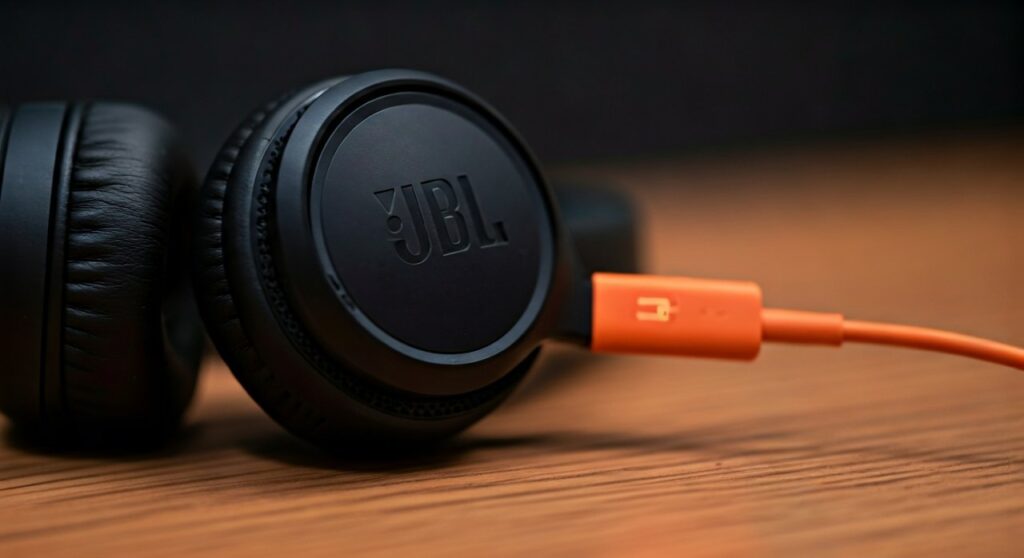
Nothing kills a workout or a morning commute faster than putting on your favorite JBL Live 660NC or JBL Tune 510BT only to hear that dreaded “Battery Low” prompt. We have all been there—scrambling for a cable while the silence feels deafening. Whether you are using the latest JBL wireless headphones or an older model, understanding the nuances of power management is the key to extending your device’s lifespan.
In this comprehensive guide, we will leverage years of hands-on experience with audio hardware to show you exactly how to maintain your gear. We’ll also cover how these steps compare to charging other industry giants like Bose, Beats, and Sony to ensure you are never left without your music.
Key Takeaways for Charging Your Wireless Gear
| Feature | JBL Headphones | Beats Headphones | Bose Headphones |
|---|---|---|---|
| Common Port | USB-C / Micro-USB | Lightning / USB-C | USB-C / Micro-USB |
| Charging Time | 2 Hours (Full) | 1.5 – 2 Hours | 2 – 2.5 Hours |
| Fast Charge | 5 min = 2 hrs play | 10 min = 3 hrs play | 15 min = 3 hrs play |
| Indicator | Single LED | 5-light Fuel Gauge | Single/Dual LED |
| Auto-Off | Yes (via App) | Yes | Yes (via App) |
Step-by-Step: How to Charge JBL Headphones Correctly
Charging your JBL wireless headphones is a straightforward process, but using the wrong power brick or cable can lead to long-term battery degradation. Follow these steps to ensure a safe and efficient charge.
Identify Your Charging Port
Most modern JBL headphones wireless models, such as the JBL Tour One M2, use USB-C ports. Older or budget models may still utilize the older Micro-USB standard.
Locate the port, which is usually hidden under a small rubber flap on the bottom edge of the ear cup (common on JBL Reflect series) or exposed near the power button.
Connect the Charging Cable
Use the orange JBL cable that came in the box. While you can use any high-quality cable, the official cables are specifically designed to handle the internal resistance of JBL’s Lithium-ion batteries.
- Insert the small end into the headphones.
- Insert the large USB-A (or USB-C) end into a power source.
Choose the Right Power Source
For the best results, use a UL-certified USB wall charger. While you can charge via a laptop USB port, the current is often lower (0.5A vs 1.0A+), which results in a much slower charging cycle.
Monitor the LED Indicator
Once connected, the LED light will illuminate. On most JBL headphones, a solid Red Light indicates the device is currently drawing power. When the light turns off or switches to Blue/White, your headphones are fully charged and ready for use.
How Do You Charge Beats Headphones vs. JBL?
Many users often ask, “how do you charge beats headphones” and wonder if they can use their JBL chargers. The answer depends on the specific model.
If you need to know how to charge beats solo 3 wireless headphones, you will typically use a Micro-USB cable. However, if you are looking at how to charge beats studio wireless headphones (the newer versions), they have transitioned to USB-C, similar to modern JBLs.
Charging Beats Solo and Studio Models
- How to charge a beats headphone: Connect the cable to the port on the right ear cup.
- LED Feedback: Unlike JBL’s single light, many Beats models feature a 5-LED Fuel Gauge.
- How to charge your beats headphones safely: Avoid using high-wattage iPad or MacBook Pro “fast chargers” unless the manual specifically states compatibility, as this can generate excess heat.
Knowing how do i charge my beats headphones correctly is vital because Beats batteries are notoriously difficult to replace if they become damaged by voltage spikes.
How to Charge Bose Headphones and Other Brands
If you own multiple pairs of headphones, you might be curious about how to charge bose headphones compared to your JBLs. Bose has a very specific “handshake” protocol between the charger and the battery.
Bose QuietComfort (QC) Series
To learn how to charge bose qc headphones or how to charge bose quiet comfort headphones, you need to look for the USB-C port on the right ear cup.
- How to charge bose quietcomfort headphones: Ensure the cable is pushed in until you hear a slight “click.”
- Indicator: The battery light will blink amber while charging and turn solid green when finished.
Bose SoundSport and Specialty Gear
For those asking how do i charge bose soundsport headphones or how to charge soundsport wireless headphones, these often use a Micro-USB port hidden behind a moisture-sealed door.
- Pro Tip: Always ensure the port is bone-dry. If you’ve just finished a workout, sweat trapped in the port can cause a short circuit when you charge bose soundsport headphones.
Charging Other Popular Brands: Sony, JLab, and Shokz
The market is full of diverse charging standards. If you are branching out from JBL, here is a quick reference:
- How to charge sony headphones: Most Sony WH-1000XM5 or XM4 models require a USB-C cable. Sony recommends using the cable provided in the box to avoid “handshake” errors where the headphones refuse to charge.
- How to charge jlab headphones: Many JLab models feature an integrated USB cable built directly into the charging case or the headband. You simply plug the “tail” of the headphones directly into a USB port.
- How to charge shokz headphones: Formerly known as Aftershokz, these use a proprietary magnetic charging cable. To charge shokz headphones, snap the magnetic pins onto the back of the frame.
- How to charge skullcandy headphones: These generally follow the JBL standard of USB-C for new models and Micro-USB for older ones like the Hesh 2.
Understanding LED Colors and Meanings
One of the most common points of confusion for JBL users is the LED behavior. Based on our testing across the JBL Tune, Live, and Club series, here is what the lights usually mean:
- Solid Red: The battery is charging.
- LED Turns Off: The battery is 100% full.
- Blinking Red: The battery is critically low (less than 10%).
- Blinking White/Blue: The headphones are in pairing mode, not necessarily charging.
If you are wondering how do you charge jbl wireless headphones and the light doesn’t turn on at all, try a different wall outlet or check the cable for debris.
Expert Tips for Maximizing Battery Longevity
As an audio expert who has disassembled dozens of headphones, I’ve seen how poor charging habits ruin a $200 pair of JBL headphones in under a year. Follow these professional tips:
Avoid the 0% and 100% Extremes
Lithium-ion batteries are happiest between 20% and 80%. While it is tempting to leave them charging overnight, this keeps the battery at high voltage for extended periods, which causes chemical wear.
The Temperature Rule
Never charge wireless headphones in extreme heat (above 95°F/35°C) or extreme cold. If you left your headphones in a hot car, let them cool down to room temperature before plugging them in. Charging a hot battery can lead to permanent capacity loss.
Use the “Slow” Charge When Possible
While fast charging is great for a quick boost (like getting 2 hours of play from 5 minutes of charging on the JBL Tune 760NC), “slow” charging via a computer USB port is actually gentler on the battery cells for overnight sessions.
Troubleshooting: Why Won’t My JBL Headphones Charge?
If you followed the steps on how do i charge jbl headphones but still have no power, try these fixes:
- Clean the Port: Use a toothpick or compressed air to remove lint. This is the #1 reason for charging failure.
- Reset the Headphones: For most JBL models, hold the Volume + and Volume – buttons for 5 seconds while the device is on.
- Cable Swap: Try the cable you use for your phone. If it works, your JBL orange cable is likely frayed internally.
- Firmware Update: Connect to the JBL Headphones App. Sometimes a software bug prevents the battery percentage from reporting correctly.
Frequently Asked Questions (FAQs)
Can I use my phone charger for my JBL headphones?
Yes, you can use most standard smartphone wall adapters. However, ensure the adapter is from a reputable brand. Most JBL headphones will only draw the current they need, so a 20W phone charger is generally safe, but avoid ultra-high-wattage laptop chargers (65W+) just to be safe.
How long does it take to charge JBL headphones?
On average, it takes approximately 2 hours to charge JBL wireless headphones from 0% to 100%. Many newer models feature Quick Charge technology, providing up to 2 hours of playback with just a 5-minute charge.
Is it okay to charge my headphones overnight?
While modern JBL devices have circuitry to prevent overcharging, it is generally better to unplug them once they reach 100%. Continuous trickle charging at maximum voltage can slightly accelerate battery aging over 2-3 years.
Why is the light on my JBL headphones blinking red?
A blinking red light typically indicates that the battery is very low. If it blinks red while plugged in, it may indicate a charging error or that the power source is not providing enough juice. Try switching to a wall outlet instead of a computer USB port.
Can I use my JBL headphones while they are charging?
Most JBL headphones wireless models do not support “play-and-charge” mode. Plugging them in will usually trigger an automatic power-down to protect the battery and focus energy on the charging process.









