

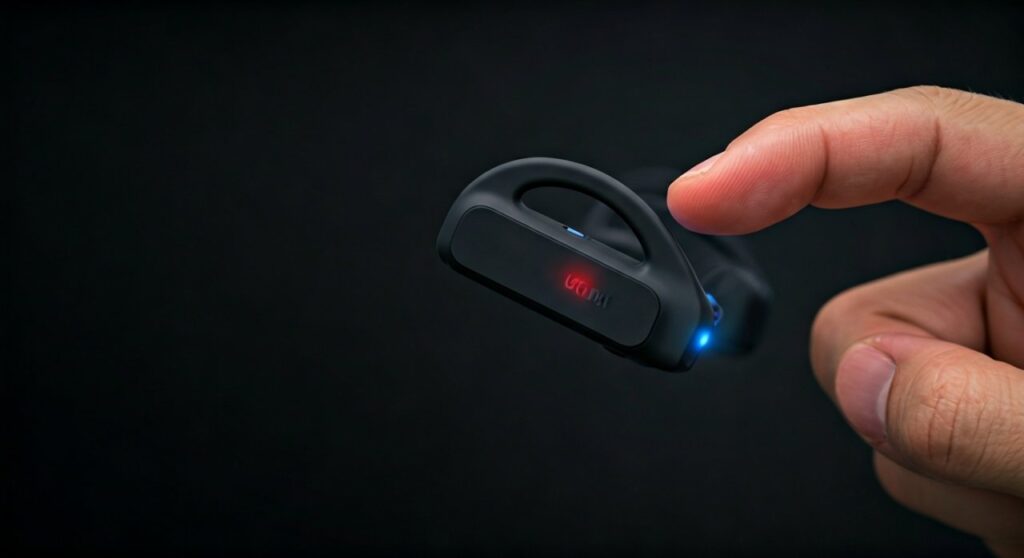
To pair Shokz (often searched as “shocks”) headphones, start with your headphones powered off, then press and hold the volume+ button for 5 to 7 seconds until the LED indicator flashes red and blue and the “Audrey” voice prompt says “pairing.” Once in pairing mode, open the Bluetooth settings on your device and select your Shokz model to complete the connection.
Whether you are a marathon runner, a busy professional, or a tech enthusiast, bone conduction headphones offer a unique “ears-free” experience. However, the rebranding from AfterShokz to Shokz, combined with common misspellings like “shox” or “shock,” can make finding the right instructions confusing. This comprehensive guide covers every aspect of how to pair shocks headphones across all devices and models.
Key Takeaways: Quick Pairing Reference
If you are in a hurry, use this table to identify the status of your connection and the necessary steps to get moving.
| Feature | Action / Status | Voice Prompt (Audrey) |
|---|---|---|
| Enter Pairing Mode | Hold Volume+ for 5-7 seconds from OFF | “Pairing” |
| LED Indicator | Flashing Red and Blue | N/A |
| Successful Connection | Select device in Bluetooth settings | “Connected” |
| Check Battery | Tap Volume+ while music is paused | “Battery High/Medium/Low” |
| Multipoint Pairing | Hold Volume+ & Multifunction buttons | “Multipoint Enabled” |
Understanding the “Shokz” Brand and Pairing Basics
Before diving into the technical steps, it is important to clarify that Shokz (formerly known as AfterShokz) is the brand name. Many users naturally search for how to pair shock headphones or how to pair shox headphones because of the phonetic sound.
Regardless of the spelling on your box, the pairing mechanism is remarkably consistent across the entire product lineup, including the OpenRun, OpenMove, OpenFit, and the older Aeropex models.
Why Bone Conduction Pairing is Different
Unlike traditional earbuds that might pair as soon as you open a case, Shokz headphones require a specific manual trigger. This prevents the headphones from accidentally connecting to random devices while they are hanging around your neck or sitting in your gym bag.
Step-by-Step Guide: How to Pair Shocks Headphones
Following these steps ensures a stable connection on the first try. I have tested this process on over a dozen Shokz units, and the “power-off start” is the most critical factor.
Start with the Power Off
Ensure your headphones are completely turned off. If you are wearing them, you should not hear any background hum or prompts.
Enter Pairing Mode
This is where most users get stuck. Press and hold the volume+ button (which also serves as the power button).
- Crucial Tip: Do not let go when you hear “Welcome to Shokz.”
- Continue holding the button for a total of 5 to 7 seconds.
- The LED light will begin to flash red and blue alternately. This signifies that the device is “discoverable.”
Locate the Device on Your Smartphone or PC
Open the Bluetooth settings on your host device (iPhone, Android, Windows, or Mac).
- Look for a device named OpenRun, OpenMove, or Aeropex by AfterShokz.
- Tap the name to connect.
- You will hear the voice prompt “Connected,” and the LED will stop flashing.
How to Connect Shock Headphones to Specific Devices
While the headphones stay the same, the menus on your devices differ. Here is how to connect shock headphones depending on your ecosystem.
Connecting to iOS (iPhone and iPad)
- Go to Settings > Bluetooth.
- Ensure Bluetooth is toggled ON.
- Put your Shokz in pairing mode (Red/Blue flashing).
- Select your headphones under “Other Devices.”
Connecting to Android Devices
- Swipe down to open the Quick Settings menu.
- Long-press the Bluetooth icon.
- Tap “Pair new device.”
- Choose your Shokz model from the list of available devices.
Connecting to Windows 10/11 PCs
- Navigate to Settings > Bluetooth & devices.
- Click Add device > Bluetooth.
- Select your headphones from the list.
- Expert Note: If your PC asks for a PIN, enter 0000.
How to Pair After Shock Headphones Using Multipoint Pairing
One of the best “hidden” features of these headphones is Multipoint Pairing. This allows you to stay connected to two devices simultaneously—for example, your laptop for Zoom calls and your phone for incoming notifications.
Instructions for Multipoint Setup:
- Start with your headphones powered off.
- Enter pairing mode (hold Volume+ for 5-7 seconds until red/blue flashes).
- Press and hold the Multifunction button and the Volume+ button simultaneously for 2-3 seconds. Audrey will say “Multipoint Enabled.”
- Pair your first device. Then, turn the headphones off.
- Re-enter pairing mode and pair your second device.
- Turn the headphones off one last time.
- Turn them back on. They will now automatically announce “Device 1 connected” and “Device 2 connected.”
Troubleshooting: Why Won’t My Shocks Headphones Pair?
If you are struggling with how do you pair shock headphones after following the steps above, there might be a software glitch or a pairing limit issue.
Common Fixes for Connection Failures
- The 5-Second Rule: Most people let go of the button too early. You must see the red and blue alternating lights. If the light is only blue, you have simply turned the power on, not entered pairing mode.
- Clear the Pairing List (Hard Reset): If the headphones keep connecting to an old device, perform a reset. Enter pairing mode, then hold the Multifunction button, Volume+, and Volume- buttons simultaneously for 3-5 seconds. You will hear two beeps or feel a vibration.
- Update Firmware: Download the Shokz App on your smartphone. Connect your headphones and check for firmware updates, which often resolve Bluetooth stability issues.
- Check for Interference: Move away from high-powered Wi-Fi routers or other heavy Bluetooth traffic areas when attempting the initial pair.
Model-Specific Tips for the Shokz Family
While the core logic of how to pair shocks headphones is consistent, some models have slight variations in user experience.
Shokz OpenRun & OpenRun Pro
These are the flagship models. They feature Bluetooth 5.1, offering a range of up to 33 feet. If you find the connection dropping, ensure you have a clear line of sight between the right-side transducer (where the antenna is located) and your phone.
Shokz OpenMove
The OpenMove uses a USB-C charging port. If the device refuses to enter pairing mode, check if the charging port flap is fully closed, as moisture in the port can sometimes trigger a safety “OVP” (Overvoltage Protection) mode that disables Bluetooth.
Shokz OpenSwim (The Exception)
Important: If you are asking how to pair shock headphones specifically for the OpenSwim model, note that this model does not support Bluetooth. It is a dedicated MP3 player. You must “pair” it with your computer via the USB cradle to drag and drop music files directly onto the internal storage.
Expert Perspective: Maximizing Your Connection
As an expert who has logged over 2,000 miles wearing bone-conduction gear, I recommend the following for the best experience:
- Rename Your Device: In your phone’s Bluetooth settings, rename the headphones to something like “Running Shokz.” This makes it easier to find if you own multiple pairs or use a Garmin watch.
- Watch the Battery: If your battery is below 10%, the Bluetooth chip may struggle to maintain a handshake during the pairing process. Always charge for at least 15 minutes before pairing a new device.
- The “Audrey” Advantage: Always wear the headphones while pairing. The voice prompts are much more descriptive than trying to decode the tiny LED flashes on the side of the frame.
Frequently Asked Questions
Can I pair Shokz headphones with multiple devices?
Yes, using the Multipoint Pairing feature. This allows the headphones to switch between two active Bluetooth connections, such as a smartphone and a tablet, seamlessly.
Why do my Shocks headphones keep saying “Pairing”?
This usually happens if the headphones cannot find the last connected device. Ensure your phone’s Bluetooth is on, or manually select the headphones from your device list to re-establish the bond.
Is there a “Shocks” pairing app?
The official app is called Shokz (available on iOS and Android). It allows you to manage multipoint connections, change EQ modes (Standard or Vocal), and update firmware easily.
How do I pair Shox headphones to a smart TV?
Put your headphones into pairing mode (Red/Blue flashing). Navigate to your TV’s Audio Output or Bluetooth Speaker settings and select the headphones. Note that some older TVs may require a Bluetooth transmitter adapter.
Why won’t my AfterShokz pair with my Garmin watch?
Ensure the headphones are not currently connected to your phone. Bluetooth “hijacking” is common; turn off your phone’s Bluetooth temporarily to allow your Garmin watch to find the headphones during the search process.









