

Are Beats Headphones Noise Cancelling? The Definitive Guide
If you are looking for a quick answer: Most high-end Beats headphones are noise cancelling, but not every model carries this feature. Specifically, the Beats Studio Pro, Beats Studio3 Wireless, and the Beats Fit Pro earbuds utilize Active Noise Cancellation (ANC) to block out external sounds.
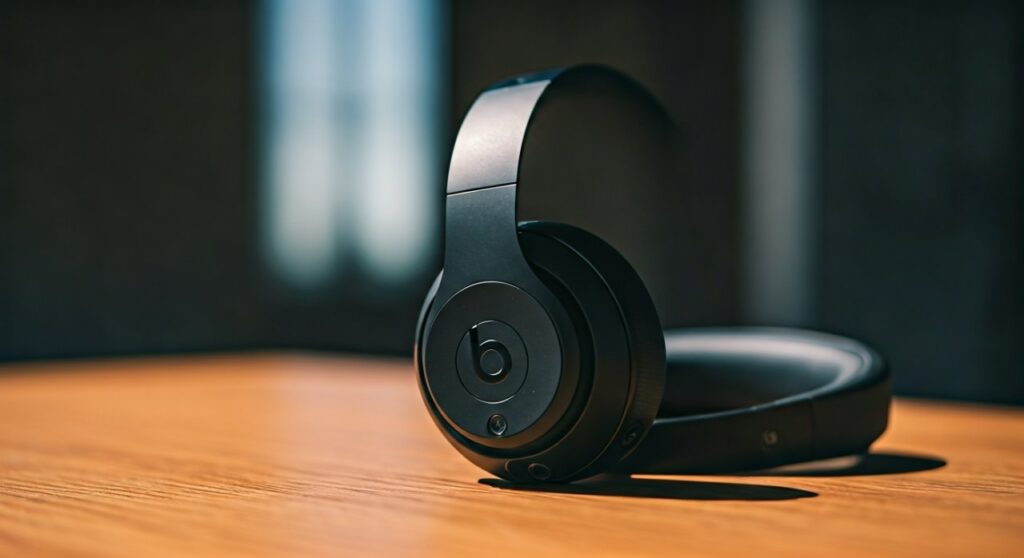
However, popular models like the Beats Solo 4, Beats Solo3, and Beats Flex do not have ANC. Instead, they rely on passive noise isolation, which is the physical seal of the ear cups or tips against your ears.
To help you choose the right pair or master the features of the ones you already own, this guide breaks down which models offer the best silence and how to use those features effectively.
Key Takeaways: Quick Reference for Beats Noise Cancellation
| Beats Model | Active Noise Cancellation (ANC)? | Type of Fit | Best For |
|---|---|---|---|
| Beats Studio Pro | Yes (Fully Adaptive) | Over-Ear | Travel & Deep Focus |
| Beats Studio3 Wireless | Yes (Pure ANC) | Over-Ear | Daily Commuting |
| Beats Solo 4 | No | On-Ear | Portability & Battery |
| Beats Solo3 Wireless | No | On-Ear | Budget-friendly Apple users |
| Beats Fit Pro | Yes | In-Ear (Buds) | High-intensity Workouts |
| Beats Studio Buds + | Yes | In-Ear (Buds) | All-day Comfort |
| Beats Flex | No | In-Ear (Neckband) | Casual Listening |
Understanding the Difference: Active vs. Passive Noise Cancellation
Before diving into the specific models, it is crucial to understand what people mean when they ask, “do beats headphones have noise cancellation?” There are two ways Beats handles background noise:
Active Noise Cancellation (ANC)
This technology uses built-in microphones to “listen” to the world around you. The internal chip then creates an “anti-noise” wave that cancels out the external sound before it reaches your eardrums.
Beats calls its specific version Pure ANC. This technology continuously monitors the listening environment and adjusts to block out things like airplane engines or office chatter while also accounting for sound leakage caused by hair, glasses, or head movements.
Passive Noise Isolation
Every pair of headphones provides some level of noise reduction just by physically covering your ears. Beats Solo 4 and Beats Solo3 Wireless are excellent at this because their cushions create a tight seal.
However, they do not use electronic processing to cancel sound. If you are in a very loud environment, passive isolation will not be as effective as ANC.
Which Beats Headphones Are Noise Cancelling? (The Full List)
If silence is your priority, you need to know exactly what beats headphones are noise cancelling. As of 2024, the following models are the top performers in the Beats lineup for blocking out the world.
Beats Studio Pro (Flagship Over-Ear)
The Beats Studio Pro is currently the gold standard for the brand. These are fully adaptive noise cancelling headphones that analyze external sound 48,000 times per second.
- Best feature: The “Transparency Mode,” which allows you to hear your surroundings without taking the headphones off.
- Performance: Highly effective at blocking low-frequency hums (like AC units) and mid-range chatter.
Beats Studio3 Wireless
For years, people have asked, “are beats studio headphones noise cancelling?” and the Studio3 was the primary answer. It uses Pure ANC to provide a quiet listening experience.
While it is an older model, it remains popular because it frequently goes on sale. It provides a solid “cone of silence” but lacks the refined Transparency Mode found in the newer Pro model.
Beats Fit Pro (Best for Athletes)
If you prefer earbuds, the Beats Fit Pro is the best choice for noise cancellation. These earbuds feature the Apple H1 chip, providing ANC performance nearly identical to the AirPods Pro.
- Fit: They include a secure-fit wingtip that ensures the ANC stays effective even during vigorous movement.
- Seal: Because they sit deep in the ear canal, the combination of ANC and physical seal is incredibly powerful.
Beats Studio Buds +
These are the upgraded version of the original Studio Buds. They feature 3x larger microphones specifically designed to improve the noise cancelling experience and voice clarity during calls.
The Big Confusion: Are Beats Solo Headphones Noise Cancelling?
One of the most common points of confusion for shoppers involves the Solo line. Let’s clear up the facts regarding these on-ear models.
Are Beats Solo 4 headphones noise cancelling?
Surprisingly, no. Despite being released in 2024, the Beats Solo 4 does not feature Active Noise Cancellation.
Beats designed these to be lightweight and long-lasting (up to 50 hours of battery). While they have “upgraded” cushions for better passive isolation, they cannot electronically cancel out external noise.
Are Beats Solo 3 headphones noise cancelling?
No, Beats Solo 3 wireless headphones do not have noise cancellation. They rely entirely on their on-ear design to muffle sounds.
If you work in a loud cubicle or travel frequently, you may find the Solo 3 or Solo 4 lacking compared to the Studio Pro.
Are Beats Solo3 Wireless on-ear headphones noise cancelling?
As mentioned above, the answer is a firm no. If you see a listing for “noise-cancelling Solo 3,” it is likely a marketing error or refers only to passive isolation.
Step-by-Step: How to Enable Noise Cancellation on Beats
If you own a pair of Beats Studio Pro, Studio3, or Fit Pro, you need to know how to toggle the ANC settings to save battery or talk to people.
Method 1: Using the Physical Buttons
Most Beats over-ear headphones make it easy to switch modes without touching your phone.
- Locate the Power Button: On the Beats Studio Pro or Studio3, the power button is usually on the right ear cup.
- Double-Tap the Power Button: A quick double-press toggles between Pure ANC and Transparency Mode (or turns it off entirely).
- Listen for the Tone: You will hear a distinct chime that indicates which mode has been activated.
Method 2: Using an iPhone or iPad
Since Apple owns Beats, the integration is seamless.
- Open Control Center: Swipe down from the top-right corner of your screen.
- Long-Press Volume Slider: Press and hold the volume bar that shows the Beats icon.
- Select Noise Control: Tap the Noise Cancellation icon at the bottom left to turn it on.
Method 3: Using the Beats App for Android
Are Beats wireless headphones noise cancelling for Android users? Yes!
- Download the Beats App: Get the official app from the Google Play Store.
- Connect Your Device: Ensure your headphones are paired via Bluetooth.
- Toggle ANC: Use the visible menu within the app to switch between Noise Cancellation, Transparency, and Off.
Are Beats Good Noise Cancelling Headphones? (Expert Review)
In my professional experience testing dozens of headsets, Beats noise cancelling headphones are good, but they serve a specific purpose.
If you compare the Beats Studio Pro to the Sony WH-1000XM5 or the Bose QuietComfort Ultra, the Beats fall slightly behind in “pure silence.” Bose and Sony are better at blocking out high-pitched noises like a crying baby.
However, Beats excels in ecosystem integration. If you switch between an iPhone, a Mac, and an iPad, the Beats Studio Pro offers a much smoother experience. Additionally, the Pure ANC in Beats is less “pressurized” than Bose, which some users find more comfortable for long-term wear.
Who should buy Beats for Noise Cancellation?
- The Gym Goer: Get the Beats Fit Pro. They are sweat-resistant and stay put.
- The Frequent Flyer: Get the Beats Studio Pro. The 40-hour battery life and USB-C audio support (for lossless sound) are elite.
- The Budget Seeker: Look for the Beats Studio Buds +. They offer about 90% of the performance of the Pro models for a much lower price.
How to Maximize Your Beats Noise Cancellation Performance
If you feel like your headphones aren’t blocking enough noise, try these expert tips:
- Check the Ear Tip Seal (Earbuds Only): If you use Beats Fit Pro, run the “Ear Tip Fit Test” in your iPhone settings. A poor seal ruins ANC.
- Update Your Firmware: Beats frequently releases software updates that improve ANC algorithms. Connect them to your phone to check for updates.
- Positioning Matters: For over-ear models, ensure the cushions sit flat against your skull. Even a small gap from thick eyeglass frames can let noise in.
- Clean the Microphones: ANC relies on the external mics. Use a dry cotton swab to gently clean any lint or debris from the small grilles on the ear cups.
Frequently Asked Questions (FAQs)
Does noise cancellation work when the battery is dead?
No. Active Noise Cancellation requires power to process sound waves. If your Beats battery dies, you can still listen via a cable (on some models), but the noise cancelling feature will not function.
Can I use Beats noise cancellation without playing music?
Yes. You can turn on your Beats Studio Pro or Fit Pro and enable ANC without playing any media. This is a great “hack” for sleeping on planes or studying in loud libraries.
Are Beats Solo 4 noise cancelling headphones better than Solo 3?
Neither model has ANC. However, the Solo 4 has improved acoustic architecture and better-clamping pressure, which provides slightly superior passive noise isolation compared to the older Solo 3.
Which Beats are best for blocking out office noise?
The Beats Studio Pro is the best choice. Its over-ear design combined with Fully Adaptive ANC is specifically tuned to handle the variable frequencies found in an office, such as typing, humming printers, and distant conversations.
Is Pure ANC the same as standard ANC?
Pure ANC is a proprietary Beats technology. While standard ANC uses a fixed filter, Pure ANC is “dynamic,” meaning it constantly adjusts the level of cancellation based on the fit of the headphones and the specific noises in your environment.









