

How to Find My Headphones: The Ultimate Recovery Guide
To find your headphones, the fastest method is to use the Find My app (on iOS) or Find My Device (on Android) to view their last known location on a map. If your headphones are currently powered on and within range, you can use a Bluetooth signal scanner app to track their signal strength or trigger a “Play Sound” command to locate them by ear.
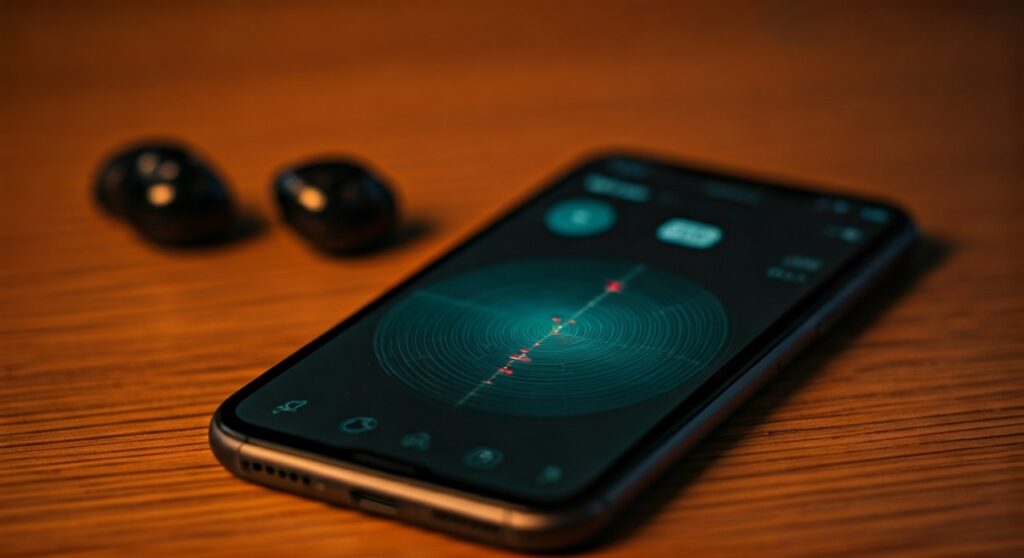
Losing your headphones is a uniquely frustrating experience that usually happens at the worst possible time—right before a flight, at the gym, or during your morning commute. Whether you are dealing with tiny AirPods, rugged Beats, or premium Sony over-ears, the panic is the same. I have spent years testing wearable tech, and I have learned that “losing” them usually means they are hiding just out of sight, still broadcasting a faint signal.
This guide provides a comprehensive, expert-backed framework to help you how to find my headphones regardless of the brand or whether the battery is dead.
Key Takeaways: Quick Search Checklist
If you are in a rush, follow these high-priority steps immediately:
- Check the App: Open Find My (Apple), Find My Device (Google), or SmartThings Find (Samsung) to see the last GPS ping.
- Don’t Unpair: Never “Forget This Device” in Bluetooth settings, as this kills your ability to track the signal.
- Listen for the Ping: Use the “Play Sound” feature if the earbuds are out of the case.
- Signal Strength: Download a Bluetooth Radar app to see if you are getting “warmer” or “cooler” as you move.
- Check Common Pits: 90% of lost headphones are in jacket pockets, between couch cushions, or inside gym bags.
Step 1: Use Built-in Tracking Software
Most modern wireless headphones are integrated into massive tracking networks. This is your most powerful tool for how to find lost headphones when they are far away.
How to Find My Headphones on iPhone (iOS)
Apple’s Find My network is the gold standard. It uses hundreds of millions of Apple devices to anonymously report the location of your lost gear.
- Open the Find My app on your iPhone or iPad.
- Tap on the Devices tab.
- Select your headphones (e.g., AirPods Pro or Powerbeats Pro) from the list.
- If they are nearby, tap Find Nearby to use the precision finding (available on newer models).
- If they are far away, tap Directions to see their last reported location on a map.
How to Find My Headphones Samsung (Android)
Samsung users have access to SmartThings Find, which is exceptionally accurate for Galaxy Buds.
- Open the Galaxy Wearable app.
- Tap on Find My Earbuds.
- This will launch SmartThings Find.
- You can see the location and even use Offline Finding if other Samsung users have passed near your lost buds.
Google Find My Device for Other Android Users
For Pixel Buds and other supported brands like Sony or JBL, Google’s Find My Device is the primary tool.
- Go to the Find My Device website or app.
- Sign in with your Google account.
- Select your headphones to see the last known location and the time it was last recorded.
Step 2: Track the Bluetooth Signal (The “Hot or Cold” Method)
If your tracking app shows the headphones are “In the House” but you still can’t see them, you need to use Bluetooth telemetry. This is the most effective way how to find your headphones on bluetooth when they are buried under laundry or hidden in a drawer.
Using Bluetooth Scanner Apps
Download a dedicated signal meter like Wunderfind, LightBlue, or Bluetooth Smart Scanner. These apps measure the RSSI (Received Signal Strength Indicator).
- The dBm Scale: These apps show a number in decibels (e.g., -40 dBm to -90 dBm).
- Getting Closer: A number closer to zero (like -40 dBm) means you are inches away.
- Getting Farther: A number like -90 dBm means you are at the edge of the range.
The Walk-Around Technique
Move slowly through each room. Hold your phone out in front of you. When the signal strength bar jumps to “Excellent” or “100%,” stop moving. Start looking under objects at waist height first, then move to the floor.
Step 3: Trigger an Acoustic Page (Play a Sound)
If the battery isn’t dead and the headphones are out of their charging case, you can force them to emit a high-pitched chirping sound. This is essential for how to find my bluetooth headphones when they have slipped into a crevice.
| Brand | App to Use | Sound Type |
|---|---|---|
| Apple/Beats | Find My | High-pitched chirp (gradual volume increase) |
| Samsung | SmartThings Find | Consistent beeping |
| Sony | Sony Headphones Connect | Constant tone (if supported) |
| Bose | Bose Music App | High-frequency pulse |
Expert Tip: If your headphones do not have a built-in “Play Sound” feature, turn your phone volume to 100% and play a “High Frequency Sine Wave” video from YouTube. The sharp, piercing noise can often be heard through fabric or cushions.
Step 4: How to Find My Beats Headphones Specifically
Beats are unique because they use Apple’s W1/H1/H2 chips but are also popular with Android users.
On Android
If you use Beats with an Android phone, you must have the Beats App for Android installed.
- Open the Beats App.
- Locate the Locate My Beats feature.
- If you haven’t set this up, you may need to rely on the Google Find My Device history if you previously linked them to your Google account.
On iOS
Beats function exactly like AirPods. They will appear in the Find My app automatically. If you are trying to how to locate beats headphones that are powered off, the app will only show the location where they were last connected to your phone.
Step 5: Physical Search Strategies (The Expert Framework)
When technology fails—perhaps the battery is dead—you must rely on systematic physical searching. As someone who has recovered dozens of test units, I recommend the “Three-Zone” search method.
Zone 1: The “Last Used” Radius
Most people lose their headphones within 5 feet of where they last remember using them.
- The Couch: Check deep inside the “crevice” where the backrest meets the seat.
- Bedding: Strip the sheets. Headphones often get tangled in pillowcases.
- The Car: Check between the seat and the center console (the “Black Hole”).
Zone 2: Transit Paths
Walk the path you took from your car to your front door. Look for “snag points”—places where a headphone cable or a loose earbud could have caught on a door handle or a coat rack.
Zone 3: Clothing and Bags
Check every pocket of the jacket you were wearing. Check the small “coin pockets” in jeans. Empty your gym bag completely; earbuds often settle at the very bottom under heavy gear.
Preventive Measures: Never Lose Them Again
Finding headphones once is a relief; never losing them again is a strategy.
- Enable “Notify When Left Behind”: On iPhone, go to Find My > Devices > [Your Headphones] > Notify When Left Behind. Your phone will alert you the moment you walk away without them.
- Use an AirTag Case: For expensive headphones like Bose or Sony, many users now attach an Apple AirTag or Tile Tracker to the carrying case.
- Rename Your Device: Give your headphones a unique name in Bluetooth settings so they are easier to identify in a crowded signal list.
Câu hỏi thường gặp (FAQs)
Can I find my headphones if the battery is dead?
You cannot track a live signal or play a sound if the battery is dead. However, you can use the Find My or Find My Device apps to see the last known location where the headphones were last connected to your phone. This narrows your search area significantly.
How to find my headphones if they are inside the case?
This is more difficult because many headphones “sleep” when in the case to save battery. However, AirPods Pro (2nd Gen) and some Samsung Buds have “Find My” compatible cases that can be tracked and even play a sound independently of the earbuds.
What if my headphones were stolen?
If the map shows your headphones are at an unfamiliar residential address, do not attempt to recover them yourself. Provide the tracking information to local authorities. Most “Find My” data is accurate enough for police to assist in recovery.
Can I find my headphones using a laptop?
Yes. You can log into iCloud.com/find (for Apple/Beats) or google.com/android/find (for Android/Sony/JBL) from any web browser to see your device’s location on a map.
Why are my headphones not showing up in the Find My app?
This usually happens if the “Find My” network was not enabled on your phone before the headphones were lost, or if the headphones have been factory reset by someone else. Ensure you always sign into your brand’s proprietary app (Sony, Bose, Sennheiser) to register the device for future tracking.









