

To identify which Bose headphones you have, look for the 4-digit serial number or product name printed on the inner headband or inside the ear cup (underneath the cloth scrim). Alternatively, you can connect them to the Bose Music or Bose Connect app, where the exact model name will be displayed on the home screen.
It is surprisingly easy to lose track of which specific model you own, especially since Bose often maintains a consistent design language across generations. Whether you need to buy replacement ear pads, check warranty status, or update firmware, knowing your exact model is the first critical step.
Key Takeaways: How to Identify Your Bose Model
- Quickest Method: Check the Bluetooth settings on your smartphone while the headphones are connected.
- Most Accurate Method: Locate the 17-digit serial number (containing a 4-digit product code) on the hardware or packaging.
- Physical Cues: Look for the charging port type; USB-C usually indicates a newer model (QC45, QC Ultra, NC 700), while Micro-USB indicates older models (QC35, SoundLink II).
- App Verification: Use the Bose Music App for modern sets or the Bose Connect App for legacy products.
## Physical Inspection: Where to Find the Model Name and Serial Number
The most reliable way to determine what Bose headphones do I have is to perform a physical inspection of the hardware. Bose hides the technical details in specific locations to maintain their sleek aesthetic.
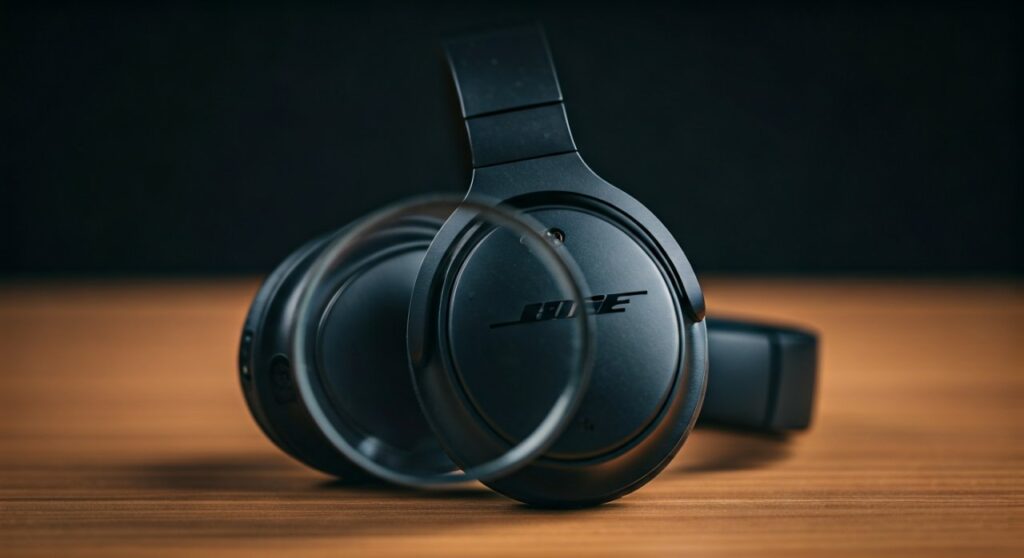
Inside the Ear Cup (The Scrim)
On most QuietComfort and SoundLink over-ear models, the model information is hidden behind the “scrim”—the thin fabric mat that protects the speakers. Gently pull back the edge of the ear cushion or look closely at the fabric. You will often see the model name (e.g., QuietComfort 35) or a serial number printed directly on the plastic housing.
The Inner Headband
For many older on-ear models and some newer designs, check the underside of the headband. Bose often lasers the model name in very small, light-grey text near the hinge. If the text has worn off due to sweat or friction, you may need to use a flashlight to see the indentation.
The Charging Port Area
Take a close look at the charging port. This is a massive clue for how to tell what model bose headphones i have.
- Micro-USB: This trapezoid-shaped port is found on the QC35 I & II, SoundLink II, and QC25 (which uses batteries but has a specific port for the cable).
- USB-C: This rounded, symmetrical port is found on the Bose Noise Cancelling Headphones 700, QC45, QuietComfort Headphones (2023), and QC Ultra.
## Using Digital Tools to Identify Your Bose Model
If the physical labels are scratched or missing, your digital footprint will provide the answer. This is often the easiest way for users asking how do i know which bose headphones i have.
The Bose App Ecosystem
Bose uses two primary apps. Which one your headphones connect to tells you a lot about their age.
- Bose Music App: This is for the newest generation. If your headphones appear here, you likely own the Bose 700, QC45, QC Ultra, or the Bose QuietComfort Earbuds.
- Bose Connect App: This supports the legendary “legacy” lineup. If your device connects here, you own a QC35, QC30, SoundSport, or SoundLink model.
Bluetooth Settings Trick
Navigate to the Bluetooth menu on your iPhone or Android. Look at the list of “Connected Devices.” Most Bose products broadcast their actual model name as the default Bluetooth ID. If you see “Bose QC35 II” or “Bose NC 700,” your search is over.
## Model Comparison: Identification by Features
If you are still wondering how to know what bose headphones i have, use this comparison table. I have compiled the distinct physical characteristics of the most popular models currently in circulation.
| Model Name | Launch Year | Charging Port | Key Identifying Feature |
|---|---|---|---|
| Bose QC Ultra | 2023 | USB-C | Foldable, “Immersive Audio” mode, metallic accents. |
| Bose QC45 | 2021 | USB-C | Physical buttons, looks identical to QC35 but has USB-C. |
| Bose NC 700 | 2019 | USB-C | Non-folding, sleek stainless-steel headband, touch controls. |
| Bose QC35 II | 2017 | Micro-USB | Dedicated Google Assistant/Action button on left ear cup. |
| Bose QC35 I | 2016 | Micro-USB | No “Action” button on the left ear cup; only power/pairing switch. |
| SoundLink AE II | 2015 | Micro-USB | No Active Noise Cancelling (ANC) switch; lighter build. |
## Decoding the Bose Serial Number
Every pair of Bose headphones has a unique 17-digit serial number. This is the “DNA” of your device. If you are struggling with how to identify bose headphone model, finding this number is the foolproof solution.
- Find the 17-digit string: It is usually located on the original box (near the barcode) or inside the ear cup.
- Locate the 4-digit product code: The first four digits of the serial number (or the four digits following the first four, depending on the manufacture date) correspond to the specific model.
- Use the Bose Website: Go to the official Bose “Product Registration” or “Support” page. Enter the serial number, and the system will automatically display your model name and colorway.
## Detailed Breakdown: Specific Model Identifiers
The QuietComfort (QC) Series
The QuietComfort line is the most common. To distinguish between them, look at the buttons.
- The QC35 II has a prominent button on the bottom of the left ear cup.
- The QC45 has a small “Action” button but also features four visible microphone holes on the outside of the ear cups, whereas the QC35 has fewer.
- The Bose QuietComfort (2023 version) is often confused with the QC45. Check the headband—the 2023 version has “Bose” printed in a slightly different font and often comes in “Cypress Green” or “Moonstone Blue.”
The Noise Cancelling (NC) 700
This model is the easiest to identify because it looks nothing like the others. It features a continuous, sleek headband that slides up and down the outside of the ear cups rather than folding inward. It also uses a touch-sensitive surface on the right ear cup for volume and track control.
Bose Earbuds (In-Ear)
If you are asking what bose headphones do i have regarding in-ear models:
- QC Ultra Earbuds: Small, metallic finish, includes “stability fins.”
- QuietComfort Earbuds II: Slightly larger than the Ultra, matte finish.
- Sport Earbuds: No noise cancellation, usually bright colors (Blue, Yellow).
- SoundSport Wireless: These have a cable connecting the two buds.
## Expert Tips for Identifying “Mystery” Bose Headphones
As someone who has handled hundreds of audio devices, I’ve found that the “Product Label” is often the first thing to go. If your headphones are so old that the serial number is unreadable, try these expert steps:
- Check the Carrying Case: Bose cases are model-specific. A QC35 case is deep and rectangular, while a Bose 700 case is tapered and much slimmer.
- Firmware Update Tool: Plug your headphones into a PC or Mac using a data-sync USB cable. Go to the Bose Updater website (btu.bose.com). The website will “handshake” with the hardware and tell you exactly what model is plugged in.
- Weight Test: The Bose 700 weighs approximately 254 grams, while the QC35 II is lighter at about 235 grams. If you have a kitchen scale, this is a surprisingly effective way to differentiate models.
## Frequently Asked Questions
How do I tell which Bose headphones I have if I lost the box?
The most effective way is to connect them to your phone and check the Bose Music App or your Bluetooth device settings. If you cannot power them on, look for the 4-digit code printed inside the ear cup behind the fabric scrim.
Are there different versions of the Bose QuietComfort 35?
Yes, there are two versions. The Series I and Series II. You can tell them apart by the “Action Button” on the left ear cup. The Series II has this button (used for Alexa or Google Assistant), while the Series I does not.
Can I find my Bose model name by the serial number?
Yes. You can enter your 17-digit serial number on the Bose Support website. The system will identify the product name, manufacture date, and warranty status.
Where is the serial number on Bose earbuds?
For truly wireless earbuds, the serial number is usually printed on the inside of the charging case lid or on the bottom of the case. It is rarely printed on the earbuds themselves due to their small size.
Why does my phone say “Bose LE” in Bluetooth?
“LE” stands for Low Energy. This is not your model name; it is the Bluetooth protocol used for communication with the Bose app. Look for a second Bluetooth entry without “LE” to see the actual model name.









