What Is Transparency Mode on Headphones?
Transparency mode is a software-driven feature that uses external microphones to pick up ambient sounds and play them directly into your ears, allowing you to hear your surroundings while wearing headphones. It essentially reverses the effect of Active Noise Cancellation (ANC), ensuring you remain aware of traffic, announcements, or conversations without removing your device.
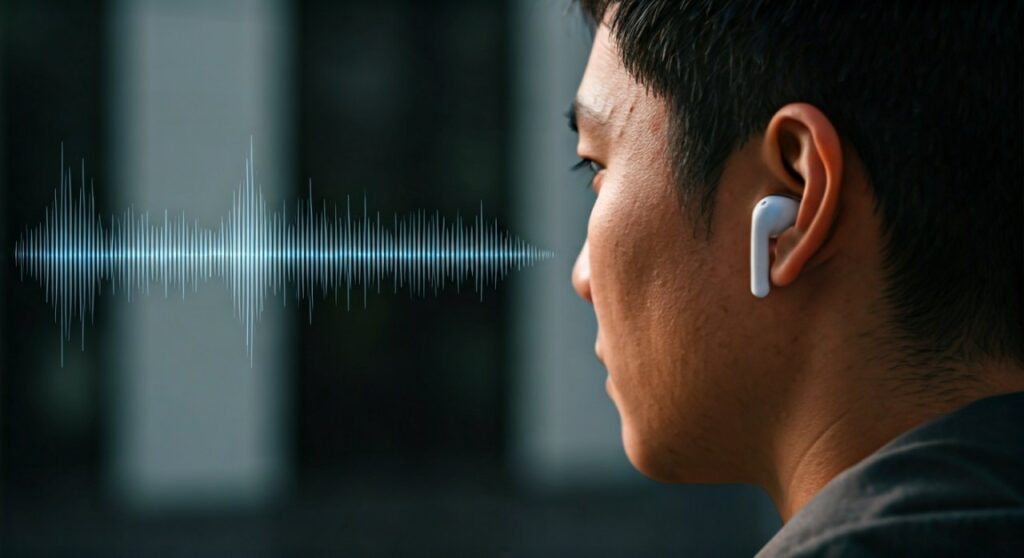
Whether you are navigating a busy city street or waiting for a flight gate change, this technology bridges the gap between your digital audio and the physical world. Most modern premium headphones from Apple, Sony, Bose, and Samsung now include this as a standard safety and convenience feature.
Key Takeaways: Understanding Transparency Mode
If you are in a hurry, here is a quick breakdown of what transparency mode means on headphones:
- Function: Uses built-in microphones to “pass through” external audio.
- Primary Benefit: Increases situational awareness and allows for natural conversations.
- Alternative Names: Ambient Sound, Aware Mode, or HearThrough.
- Best Use Cases: Running outdoors, commuting, office work, and ordering coffee.
- Battery Impact: Generally uses slightly more battery than passive listening but less than heavy ANC.
| Feature | Active Noise Cancellation (ANC) | Transparency Mode | Passive Isolation |
|---|---|---|---|
| Goal | Block out all external noise | Let external noise in naturally | Physical barrier to sound |
| Technology | Phase-inverted sound waves | Microphone pass-through | Eartip/Earcup seal |
| Best For | Planes, loud offices, focus | Running, safety, talking | Casual listening |
| Awareness | Zero to Low | High | Medium to Low |
What Does Transparency Mode Mean on Headphones Technically?
To understand what is transparency mode headphones technology, we have to look at how sound is processed. When you put on silicone eartips or over-ear cushions, you create a physical seal. This is called passive isolation, which naturally muffles the world.
Transparency mode uses Micro-Electro-Mechanical Systems (MEMS) microphones located on the outside of the earcups. These mics capture incoming sound waves and feed them into a Digital Signal Processor (DSP).
The DSP then mixes that external audio with your music or podcast in real-time. This process must happen with near-zero latency (less than 10-15 milliseconds). If there were a delay, you would hear a disorienting echo or “comb filtering” effect.
Why You Need Headphone Transparency Mode
After testing dozens of flagship models like the AirPods Pro 2 and the Sony WH-1000XM5, I’ve found that transparency mode is often more useful than ANC in daily life. It solves the “occlusion effect”—that annoying sensation where your own voice sounds like it’s booming inside your head.
Safety During Outdoor Activities
If you are a runner or cyclist, wearing noise-canceling headphones is dangerous. What is transparency mode for headphones if not a life-saving tool? It allows you to hear car engines, bike bells, and sirens while still enjoying your workout playlist.
Seamless Conversations
Modern features like Apple’s Conversation Awareness or Sony’s Speak-to-Chat automatically trigger transparency mode when you start talking. This means you can order a latte at a café without fumbling to take your earbuds out.
Natural Voice Feedback
When you take a phone call, transparency mode helps you hear your own voice. This prevents you from shouting at your colleagues because you can actually gauge your own volume.
How to Turn on Transparency Mode: Step-by-Step
While the specific buttons vary, most brands follow a similar logic to activate this feature. Here is how to do it across major platforms.
On Apple AirPods (Pro & Max)
- Physical Control: Press and hold the Force Sensor on the stem of either AirPod until you hear a chime.
- Control Center: Swipe down from the top right of your iPhone, long-press the volume slider, and tap Noise Control.
- Voice Command: Say “Hey Siri, turn on Transparency Mode.”
On Sony Headphones (XM4 & XM5)
- Quick Attention: Place your entire palm over the right earcup to instantly pipe in sound (temporary).
- Ambient Sound Button: Tap the NC/AMB button on the left earcup to toggle between modes.
- Sony Headphones Connect App: Use the slider to adjust the “Ambient Sound Level” from 1 to 20.
On Bose QuietComfort Series
- Action Button: Press the button on the left earcup to cycle through “Quiet” (ANC) and “Aware” (Transparency).
- Bose Music App: You can create custom modes with varying levels of transparency.
What’s Transparency Mode on Headphones vs. Adaptive Transparency?
The industry is moving toward Adaptive Transparency. Standard transparency mode amplifies everything equally, which can be painful if a loud truck passes by or a siren blares.
Adaptive Transparency (found in the H2 chip of the AirPods Pro 2) scans the environment 48,000 times per second. It lets in voices and ambient hums but instantly reduces the volume of sounds over 85 decibels. This gives you the best of both worlds: total awareness without the ear-piercing shocks.
Common Problems with Transparency Mode
Despite the high-end tech, what does transparency mode do on headphones that might be negative? My experience with testing these reveals a few common “pain points”:
- Wind Noise: Because the external mics are exposed, wind can cause a “whooshing” sound. High-end models like the Sennheiser Momentum 4 use software algorithms to mitigate this.
- Artificial Hiss: Lower-quality headphones often have a slight “white noise” or static floor when transparency is active.
- Directionality Issues: Cheap headphones might let you hear a car, but they won’t help you tell if it’s coming from the left or right.
Choosing the Best Headphones for Transparency
If what is transparency mode on headphones is your primary concern, not all hardware is created equal. Based on professional benchmarks, here are the leaders:
- Best Natural Sound: Apple AirPods Pro (2nd Gen). The sound is so clear it feels like you aren’t wearing headphones at all.
- Most Customizable: Sony WH-1000XM5. You can specifically choose to “Focus on Voice” while blocking other noises.
- Best for Exercise: Beats Fit Pro. They offer a very stable transparency mode with a secure wing-tip design.
- Best High-Fidelity: Focal Bathys. For those who want audiophile grade sound with functional awareness.
Practical Advice for New Users
If you just bought a pair of headphones with this feature, here is how to get the most out of it:
- Check the Fit: If your eartips are too small, the transparency mode will sound “tinny.” Ensure a proper seal for the best frequency response.
- Update Firmware: Manufacturers often release “tuning” updates that improve the naturalness of the ambient sound.
- Clean the Mics: If your transparency mode starts sounding muffled, use a soft brush to clean the external microphone grilles. Dirt and earwax are the #1 killers of this feature.
Frequently Asked Questions (FAQs)
Does transparency mode drain more battery?
Yes, it typically drains more battery than having all features off because the microphones and DSP are constantly active. However, it usually consumes slightly less power than Active Noise Cancellation.
Can other people hear my music in transparency mode?
No. Transparency mode affects what you hear from the outside; it doesn’t change the sound leakage from your headphones to others. If your music is loud, people will hear it regardless of the mode.
Is transparency mode safe for your hearing?
Yes, it is generally safe. However, avoid using it in extremely loud environments (like a construction site) for long periods, as it is amplifying the noise around you. In those cases, use ANC or earplugs.
What is the difference between Transparency and Ambient Mode?
There is no difference in function. Transparency Mode is the term popularized by Apple, while Samsung, Sony, and Google typically refer to it as Ambient Sound or Ambient Mode.
Can I use transparency mode with only one earbud?
Yes, most modern earbuds allow you to use transparency mode in one ear while the other is out. This is a favorite “pro-tip” for office workers who need to be reachable by colleagues.
**
**
**
**