

Yes, Apple Headphones Work With Android
Yes, do apple headphones work with android? The short answer is yes. Since Apple uses industry-standard Bluetooth technology for its wireless lineup, you can connect AirPods, AirPods Pro, AirPods Max, and Beats to any Android smartphone or tablet just like any other pair of wireless earbuds.
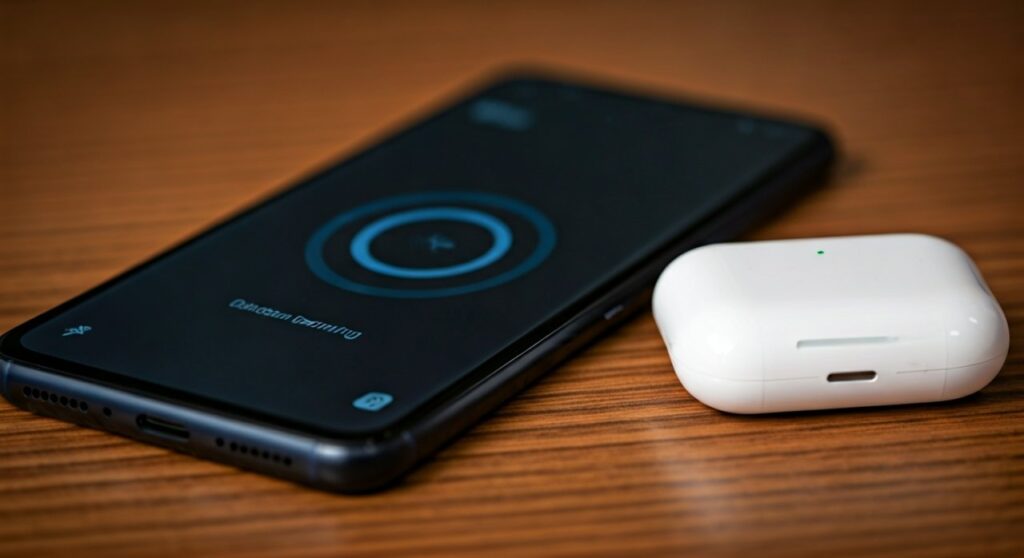
While the “Apple Magic” features like Instant Pairing and Automatic Device Switching are missing, the core experience—listening to high-quality audio and taking phone calls—works perfectly. If you are using wired EarPods with a USB-C or 3.5mm jack, they are also fully compatible with most Android hardware.
Key Takeaways: Connecting Apple Audio to Android
Before diving into the setup, here is a quick summary of what to expect when you bridge the gap between iOS and Android.
| Feature | Compatibility Status | Notes |
|---|---|---|
| Basic Audio & Calls | ✅ Fully Supported | Works via standard Bluetooth pairing. |
| Active Noise Cancellation | ✅ Supported | Toggled via physical buttons on the headphones. |
| Transparency Mode | ✅ Supported | Controlled via the stems or buttons on the headset. |
| Automatic Ear Detection | ❌ Not Supported | Music won’t pause automatically when removed. |
| Siri Voice Assistant | ❌ Not Supported | You cannot trigger Siri on an Android device. |
| Battery Life Indicator | ⚠️ Limited | Requires third-party apps like AndroPods. |
| Customizable Controls | ❌ Not Supported | Requires an iOS device to change button layouts. |
Step-by-Step: How to Connect Apple AirPods to Android
If you want to know if can apple headphones connect to android, the process is identical to pairing any other Bluetooth accessory. Follow these steps to get connected in under 60 seconds.
Step 1: Prepare Your Android Device
Open the Settings app on your Android phone. Navigate to Connected Devices or Bluetooth and ensure that Bluetooth is toggled On. Keep this screen open so your phone can scan for new devices.
Step 2: Put Apple Headphones into Pairing Mode
The method for entering pairing mode varies depending on the specific model of Apple headphones you own:
- AirPods & AirPods Pro: Place both earbuds in the charging case and keep the lid open. Press and hold the setup button on the back of the case until the status light flashes white.
- AirPods Max: Press and hold the noise control button until the status light on the bottom of the right ear cup flashes white.
- Beats Headphones: Most Beats models have a dedicated power/pairing button. Hold it down until the “fuel gauge” lights or indicator starts pulsing.
Step 3: Complete the Connection
On your Android phone, look under the Available Devices list. You should see your AirPods or Beats appear. Tap the device name and confirm the pairing request. Once connected, your Apple headphones are ready for use.
Limitations: What Happens to “Apple Magic” on Android?
While will apple headphones work with android, the experience isn’t quite as seamless as it is on an iPhone 15 or iPad. Based on our hands-on testing with a Samsung Galaxy S24 Ultra, several proprietary features are disabled by default.
Loss of Spatial Audio and Head Tracking
Apple’s Spatial Audio with dynamic head tracking is tied to the iOS ecosystem. When connected to Android, you will receive standard stereo sound. While some Android phones offer their own “Dolby Atmos” settings, they won’t perfectly replicate the Apple-tuned experience.
No “Hey Siri”
You cannot wake the Google Assistant by saying “Hey Siri.” Furthermore, the double-tap or squeeze gestures that usually trigger Siri on iPhone will likely do nothing on Android unless you use a workaround app.
Firmware Updates
This is perhaps the biggest drawback. Apple headphones only receive firmware updates when connected to an Apple device. If you only own Android hardware, your headphones will never receive the latest stability patches or sound improvements.
How to Get Apple Features on Android via Third-Party Apps
If you are determined to use AirPods with your Google Pixel or OnePlus, you can bridge the feature gap using specialized apps from the Google Play Store.
- AndroPods: This is a fan favorite. it brings back the battery level pop-up and Ear Detection (which pauses music when you take an earbud out).
- Assistant Trigger: This app allows you to trigger Google Assistant using the same gestures you would use for Siri. It also displays battery levels in the notification tray.
- MaterialPods: If you want a clean, aesthetic UI that matches Android’s “Material You” design, this app provides excellent battery animations.
Beats: The Better Choice for Android Users?
If you are asking “can apple headphones work on android” because you want the Apple-engineered sound quality, consider Beats. Since Apple acquired Beats, they have made a concerted effort to support the Android ecosystem.
Unlike AirPods, there is an official Beats App for Android available on the Play Store. This app provides:
- One-touch pairing.
- Battery status displays.
- Firmware updates directly through your Android phone.
- Customizable button controls.
Models like the Beats Studio Pro and Beats Fit Pro offer a much more “native” feel on Android than the standard AirPods lineup.
Wired Apple EarPods: Will They Work?
Many users still prefer the reliability of a wire. Do apple headphones work on android if they are the wired variety?
- USB-C EarPods: These are highly compatible. If your Android phone has a USB-C port (which almost all modern phones do), these work for both audio and microphone functions immediately.
- 3.5mm EarPods: These work with any Android phone that still has a headphone jack. However, the volume buttons on the wire may not work on all Android models due to different wiring standards (CTIA vs. OMTP).
- Lightning EarPods: These will not work on Android unless you use a very specific (and often expensive) Lightning-to-USB-C adapter. It is usually cheaper to just buy a new pair of USB-C headphones.
Audio Quality: Understanding the AAC Codec
When you use Apple headphones on Android, you might notice a slight difference in sound quality or a tiny bit of lag. This is because Apple primarily uses the AAC (Advanced Audio Coding) codec.
While Android supports AAC, its implementation varies across manufacturers. Some phones handle AAC beautifully, while others might default to SBC (Subband Filtering Codec), which has a lower bit rate. If you are a high-fidelity audio enthusiast, you may find that Android-native buds (like Sony WF-1000XM5) sound better on Android than AirPods do.
Troubleshooting Common Connection Issues
Sometimes, even though are apple headphones compatible with android, things don’t go smoothly. Here is how to fix the most common bugs:
Low Volume Issues
On some Android devices, the Bluetooth volume and the system volume are not synced.
- Fix: Go to Settings > About Phone and tap the Build Number 7 times to enable Developer Options. Search for “Disable Absolute Volume” and toggle it. This often fixes the quiet audio issue.
Frequent Disconnection
If your AirPods keep dropping the connection:
- Fix: Reset the AirPods. Hold the setup button for 15 seconds until the light flashes amber, then white. Re-pair them with your phone.
Microphone Not Working
If people can’t hear you on calls:
- Fix: Ensure the “Phone Calls” toggle is enabled in the Bluetooth settings for your headphones on your Android device.
Frequently Asked Questions
Can I use Active Noise Cancellation (ANC) with AirPods on Android?
Yes. On AirPods Pro and AirPods Max, you can cycle between ANC and Transparency Mode by long-pressing the stems or the noise control button. This is a hardware-level feature and does not require an iPhone.
Can I check the battery life of my AirPods on a Samsung phone?
Not natively. You will need to download a third-party app like AndroPods or MaterialPods to see the battery percentage of the earbuds and the case.
Will the double-tap gesture work on Android?
By default, the double-tap (on older AirPods) or squeeze (on Pro models) usually defaults to Play/Pause. You cannot change what these gestures do without connecting them to an iPhone or iPad first to save the settings to the headphones’ onboard memory.
Is the sound quality worse on Android?
For the average listener, no. However, because Android’s AAC processing is sometimes less efficient than iOS, audiophiles might notice a slight decrease in dynamic range or a slight increase in latency during gaming.
Should I buy AirPods if I have an Android phone?
If you already own them, they are great. However, if you are buying new, you might get more value from Beats (which have an Android app) or Samsung Galaxy Buds, which offer features like “Find My Earbuds” and seamless switching within the Android ecosystem.









