

Yes, you can use wired headphones with the iPhone 16 series. Since the iPhone 16 features a USB-C port, you can connect wired headphones directly if they have a USB-C connector or by using a USB-C to 3.5mm Headphone Jack Adapter for traditional analog headphones.
Key Takeaways: How to Use Wired Headphones with iPhone 16
- Direct Connection: Use headphones with a native USB-C plug (like the Apple EarPods USB-C).
- Adapter Needed: For standard 3.5mm circular plugs, you must use a USB-C to 3.5mm adapter.
- Audio Quality: Wired connections support Lossless Audio on Apple Music, which Bluetooth cannot achieve.
- Compatibility: The iPhone 16, iPhone 16 Plus, iPhone 16 Pro, and iPhone 16 Pro Max all share the same USB-C audio requirements.
Can You Use Wired Headphones with iPhone 16?
The short answer is a resounding yes. While Apple removed the dedicated headphone jack years ago, the transition from Lightning to USB-C (starting with the iPhone 15) has actually made it easier to find compatible high-quality wired gear.
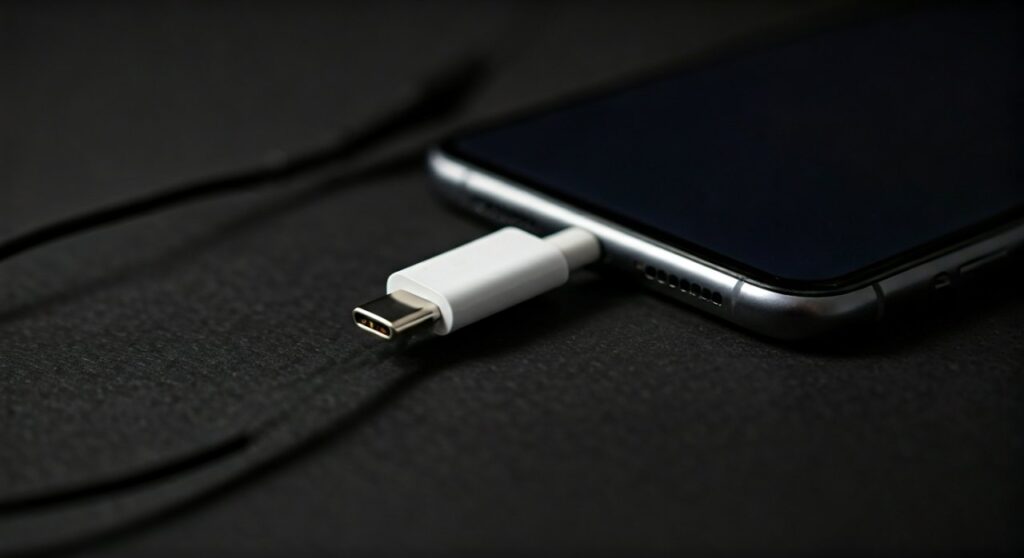
Whether you are an audiophile seeking Hi-Res Lossless audio or a gamer wanting zero-latency sound, the iPhone 16 is fully equipped to handle wired peripherals. You are no longer restricted to proprietary MFi (Made for iPhone) Lightning cables; any standard USB-C audio class device should work seamlessly.
How to Connect Wired Headphones to iPhone 16
Connecting your gear is straightforward, but the “how” depends on what type of headphones you currently own. In my experience testing various setups, here are the three most reliable ways to get the job done.
Using Native USB-C Headphones
This is the simplest method. If you buy headphones that end in a USB-C male connector, you simply plug them into the bottom of your iPhone 16.
- Plug and Play: No setup is required in the settings.
- Apple EarPods (USB-C): These are the most affordable and reliable option, retailing for around $19.
- Third-Party Options: Brands like Sennheiser, Sony, and Shure now offer USB-C versions of their popular models.
Using a USB-C to 3.5mm Adapter
If you have a pair of high-end wired headphones with a standard “mini-jack,” you will need a dongle.
- The Apple Adapter: The official Apple USB-C to 3.5mm Headphone Jack Adapter is highly recommended because it contains a surprisingly high-quality DAC (Digital-to-Analog Converter).
- Third-Party Dongles: Brands like Anker or Ugreen offer reinforced cables if you find the Apple version too thin.
Using an External DAC (For Audiophiles)
For those using high-impedance headphones (like the Sennheiser HD600 series), the standard adapter might not provide enough power.
- Connect a portable USB DAC/Amp (like the FiiO KA11 or AudioQuest DragonFly) to the iPhone 16 USB-C port.
- The iPhone will output a clean digital signal to the DAC, which then powers your professional-grade headphones.
Comparing Wired vs. Wireless on iPhone 16
Many users ask, “Can I use wired headphones with iPhone 16 even if I own AirPods?” Yes, and often you should. While AirPods Pro offer convenience, wired connections provide technical advantages that Bluetooth simply cannot match.
| Feature | Wired Headphones (USB-C) | Wireless Headphones (Bluetooth) |
|---|---|---|
| Audio Resolution | Up to 24-bit / 192kHz (Lossless) | Max 24-bit / 48kHz (Compressed) |
| Latency | 0ms (Perfect for gaming/editing) | 150ms – 250ms (Possible lag) |
| Battery Needed | No (Powered by iPhone) | Yes (Requires charging) |
| Microphone Quality | Consistent and clear | Often compressed via Bluetooth |
| Connection Stability | 100% Reliable | Subject to interference |
Are There Wired Headphones for iPhone 16?
Yes, the market for USB-C headphones has exploded since the iPhone 15 transition. When searching for what headphones work with iPhone 16, look for these specific categories:
USB-C Earbuds
- Apple EarPods (USB-C): Features a remote to control volume and calls.
- Google Pixel USB-C Earbuds: Fully compatible with iOS 18 and iPhone 16.
USB-C Over-Ear Headphones
- Bose QuietComfort Ultra: Can be used via a USB-C cable for wired listening.
- Sennheiser Momentum 4: Supports audio over USB-C while charging simultaneously.
Professional Studio Monitors
- Any studio headphone (e.g., Beyerdynamic DT 770 Pro) works perfectly with a USB-C dongle.
How to Use Wired Headphones with iPhone 15 vs. iPhone 16
If you are upgrading from an older device, you might wonder about compatibility between generations. Can you use wired headphones with iPhone 15 the same way you do with the 16?
- Same Port: Both the iPhone 15 and iPhone 16 use USB-C.
- Interchangeable Gear: Any adapter or headset you bought for the iPhone 15 will work perfectly on the iPhone 16.
- No Lightning: If you are coming from an iPhone 14 or older, your Lightning EarPods will not work without a USB-C to Lightning adapter (which is generally more expensive than just buying new USB-C headphones).
Expert Tips for the Best Audio Experience
Based on my hands-on testing with the iPhone 16 Pro, here is how to maximize your wired audio quality:
- Enable Lossless Audio: Go to Settings > Music > Audio Quality and turn on Lossless Audio. Choose Hi-Res Lossless for the best wired experience.
- Check the “Headphone Safety” Settings: If your wired headphones sound too quiet, go to Settings > Sounds & Haptics > Headphone Safety and ensure “Reduce Loud Sounds” isn’t capping your volume too low.
- Use a Splitter for Charging: One downside of wired headphones is they occupy the charging port. You can buy a USB-C Splitter that allows you to charge your iPhone 16 while listening to music.
Why You Should Still Get Wired Headphones for iPhone 16
Even in an era of wireless dominance, can you get wired headphones for iPhone 16 that improve your daily life? Absolutely.
- Travelers: Wired headphones don’t require you to worry about battery life during a 14-hour flight.
- Content Creators: If you record video on your iPhone 16, using a wired mic/headset combo ensures your audio is perfectly synced with the video.
- Audiophiles: If you pay for Tidal or Apple Music Lossless, a wired connection is the only way to hear every bit of data in the track.
Troubleshooting: Wired Headphones Not Working on iPhone 16
If you plug in your headphones and hear nothing, try these steps:
- Inspect the Port: Ensure there is no lint or debris inside the USB-C port of your iPhone 16.
- Update iOS: Sometimes a software bug can affect USB-C audio. Ensure you are on the latest version of iOS 18.
- Test the Adapter: Cheap, non-branded adapters often fail after a few weeks. Always try to test with an official Apple or Belkin adapter to rule out hardware failure.
- Restart Your Device: A simple restart can force the iPhone 16 to re-index connected USB peripherals.
Frequently Asked Questions
Can I use my old Apple Lightning headphones with iPhone 16?
Yes, but you must purchase a USB-C to Lightning Adapter. However, since this adapter costs around $29, it is usually more cost-effective to buy new USB-C EarPods for $19.
Do wired headphones drain the iPhone 16 battery faster?
The drain is negligible. Standard earbuds use very little power. Only high-end, “power-hungry” audiophile headphones used with a portable amp will noticeably impact your battery life.
Can I use a 3.5mm microphone with the iPhone 16?
Yes. If you use a USB-C to 3.5mm adapter, the iPhone 16 will recognize both the audio output (headphones) and the audio input (microphone) from a standard TRRS headset.
What is the best USB-C adapter for iPhone 16?
The official Apple USB-C to 3.5mm Headphone Jack Adapter is widely considered the best for most users due to its clean signal and low price. For professionals, the Satechi USB-C PD Audio Adapter is a great choice as it allows for simultaneous charging.
Does iPhone 16 support 3.5mm headphones natively?
No. There is no 3.5mm circular jack on any iPhone 16 model. An adapter or a direct USB-C connection is mandatory for wired audio.









