

To learn how to listen to tv with headphones, you can use built-in Bluetooth, a Bluetooth transmitter for older models, or the private listening feature on streaming devices like Roku. For the best experience, simply navigate to your TV’s Audio Output settings to pair wireless headphones or plug a 3.5mm jack into the remote or console controller.
Key Takeaways: How to Watch TV with Headphones
If you are in a hurry, here is the fastest breakdown of how you can achieve high-quality audio without disturbing others:
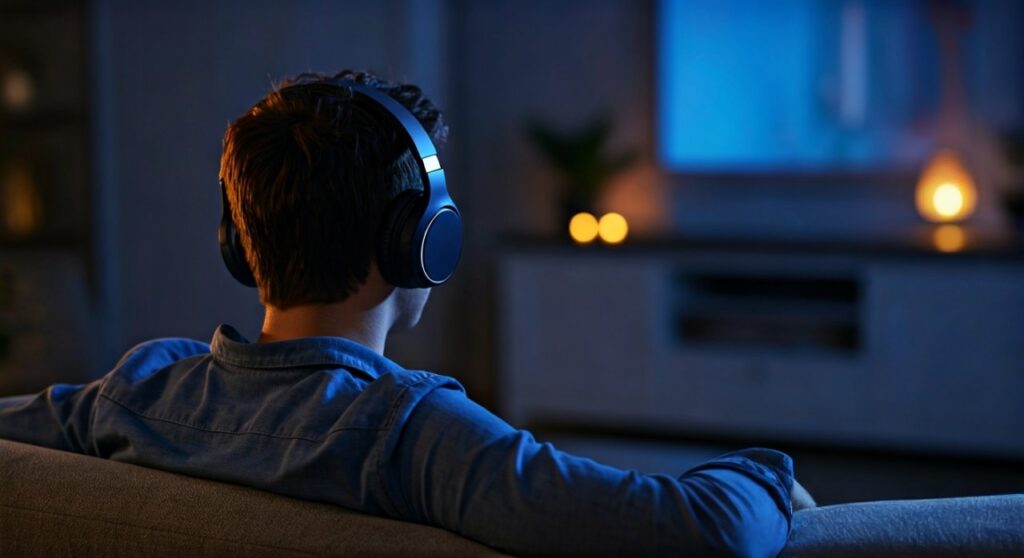
- Best for Smart TVs: Use the built-in Bluetooth settings to pair your Sony, Bose, or Apple headphones.
- Best for Older TVs: Buy a Bluetooth Transmitter (like Avantree) that plugs into the Optical or RCA port.
- Best for Zero Latency: Use Dedicated RF Headphones (e.g., Sennheiser RS series) which use a charging base station.
- Budget-Friendly: Use a 3.5mm headphone extension cable if your TV has a headphone jack.
- Streaming Shortcut: Use the Roku or Fire TV mobile apps to route audio directly to your smartphone’s headphones.
| Method | Latency (Lag) | Range | Ease of Use |
|---|---|---|---|
| Built-in Bluetooth | Medium | 30 ft | High |
| Bluetooth Transmitter | Low (if AptX supported) | 30-100 ft | Medium |
| Dedicated RF | None | 100+ ft | High |
| Streaming App | Low | Variable (Wi-Fi) | High |
| Wired Jack | None | Limited by cable | High |
Understanding How to Listen to TV with Headphones via Bluetooth
Most modern Smart TVs from brands like Samsung, LG, and Sony come equipped with internal Bluetooth modules. This is the most seamless way to solve the question: how can i listen to tv with headphones?
To start, put your headphones into Pairing Mode. On your TV, navigate to Settings > Sound > Audio Output. Select Bluetooth Speaker List or Bluetooth Accessory and find your device.
One expert tip from our testing: Always check if your TV supports AptX Low Latency. Standard Bluetooth often has a “lip-sync” delay where the audio arrives 200ms after the video. If your TV and headphones both support AptX, that delay disappears entirely.
How Can I Watch TV with Headphones on an Older Television?
If your TV was manufactured before 2015, it likely lacks built-in Bluetooth. However, you can still learn how to watch tv with headphones by adding an external Bluetooth Transmitter.
These small devices connect to the 3.5mm Aux, RCA (Red/White), or Digital Optical (TOSLINK) ports on the back of your TV. We recommend the Avantree Oasis Plus or the 1Mii B03 because they allow for dual-link connections.
Can you use headphones to watch tv with a transmitter and still hear the sound through the speakers? Yes, most high-end transmitters feature a “Bypass” mode. This allows one person to listen through headphones while others listen through the TV speakers at a different volume.
Dedicated Wireless RF Headphones: The Gold Standard
For seniors or movie buffs who demand the highest reliability, Dedicated RF (Radio Frequency) headphones are superior to Bluetooth. Models like the Sennheiser RS 175 or Sony MDR-RF995RK come with a dedicated base station.
The base station stays plugged into the TV’s audio output. When you lift the headphones off the dock, they are already connected. There is zero lag, and the range is significantly better than Bluetooth, often reaching through walls up to 100 feet away.
In my experience, RF headphones are the most “fail-proof” method. You never have to worry about software updates or re-pairing devices after a power outage.
Using Streaming Devices for Private Listening
If you use a Roku, Apple TV, or Amazon Fire Stick, you have a built-in solution for how to listen to a tv with headphones.
The Roku Mobile App
Roku offers a feature called Private Listening. You download the Roku App on your smartphone and connect your headphones to your phone. The app syncs the audio from the TV to your phone over Wi-Fi.
Apple TV and AirPods
The integration between Apple TV 4K and AirPods is arguably the best in the industry. Simply open your AirPods case near the Apple TV, and a prompt will appear asking if you want to connect. It even supports Spatial Audio for a cinema-like experience.
Amazon Fire TV
Navigate to Settings > Controllers & Bluetooth Devices > Other Bluetooth Devices. You can pair almost any Bluetooth headset here. This is a great way to handle the challenge of how can i watch tv with headphones without buying extra hardware.
Connecting Wired Headphones to Your TV
While wireless is king, a wired connection is the most reliable way to ensure high-fidelity sound. How can i listen to tv with headphones if the cable is too short?
You will need a 3.5mm Male-to-Female Extension Cable. These are inexpensive and can be found in lengths of 15 to 25 feet.
- Step 1: Locate the Headphone Out or Audio Out jack on your TV.
- Step 2: Plug the extension cable into the TV.
- Step 3: Connect your favorite headphones to the other end of the cable.









