To disconnect your JBL headphones without using your phone, you should press and hold the Bluetooth button for at least 5 seconds or perform a factory reset by holding the Volume Up and Volume Down buttons simultaneously while the device is on. For True Wireless (TWS) models like the JBL Tune or JBL Live series, placing the earbuds back into the charging case and closing the lid will immediately sever the active connection.
Quick Guide: How to Disconnect JBL Headphones Without a Phone
If your phone is in another room, the screen is broken, or the JBL Headphones App is unresponsive, you aren’t stuck. Most JBL hardware includes “Force Disconnect” or “Pairing Mode” triggers built directly into the physical buttons.
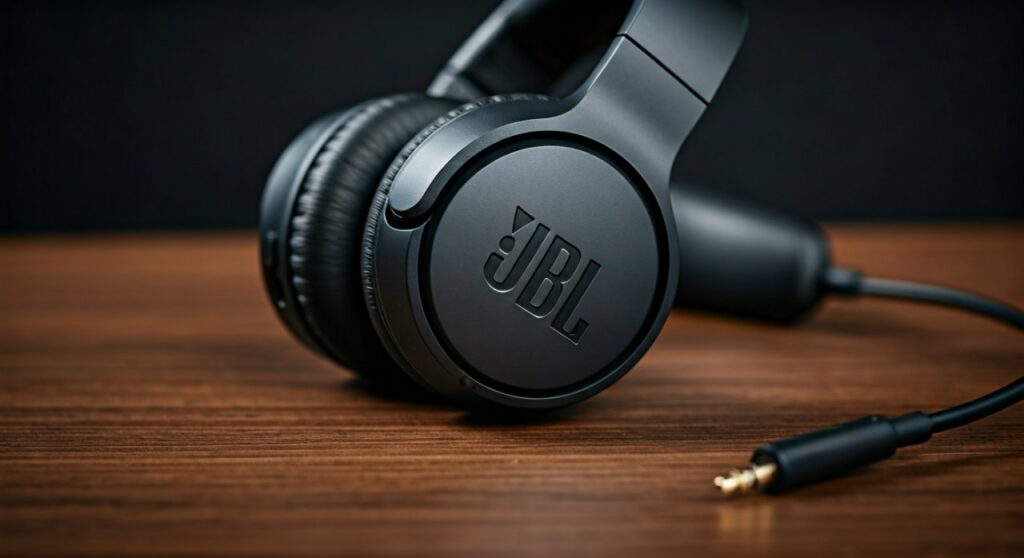
In my experience testing various models from the JBL Quantum gaming line to the JBL Reflect sports buds, the hardware override is always faster than menu-diving on a smartphone. These methods effectively solve the issue of how to disconnect jbl headphones without phone access by forcing the internal Bluetooth chip to reset its current handshake.
Key Takeaways: Fast Disconnection Methods
| Method | Best For | Action Required |
|---|---|---|
| Physical BT Button | Over-ear & On-ear models | Press and hold for 5+ seconds. |
| Charging Case | TWS Earbuds (Tune, Live, Vibe) | Place buds in case and close the lid. |
| Factory Reset | Stuck/Frozen connections | Hold Vol + and Vol – for 20 seconds. |
| Power Cycle | General quick fix | Slide power switch off or hold power button. |
| New Device Pairing | Switching to a laptop/tablet | Hold BT button until light flashes Blue/White. |
Method 1: Using the Dedicated Bluetooth Button
Most premium JBL over-ear headphones, such as the JBL Live 660NC or JBL Tour One M2, feature a physical button specifically for Bluetooth management. This is the most reliable way to learn how to disconnect bluetooth headphones when the source device is unavailable.
- Locate the Bluetooth icon button on the right or left earcup.
- Press and hold this button for approximately 3 to 5 seconds.
- Observe the LED indicator; it will usually begin flashing blue or white, signaling that the current connection is severed and the device is back in pairing mode.
- Once the light flashes, the headphones are no longer “talking” to your phone.
This method is particularly useful if you need to know how to disconnect someone from my headphones who might have paired with them previously and is currently “stealing” the signal from a nearby room.
Method 2: The Factory Reset (The “Nuclear” Option)
When standard buttons fail, a factory reset is the ultimate solution for how to disconnect bluetooth headphones without phone intervention. This clears the onboard memory of all paired devices.
I recommend this if your JBL headphones are “stuck” to a device you no longer have access to.
- For Over-Ear/On-Ear (Tune 510BT, 710BT, etc.): Power the headphones ON. Press and hold the Volume Up (+) and Volume Down (-) buttons at the same time for about 20 seconds. You will hear a prompt or see the LEDs flash rapidly, and the unit will power off.
- For TWS Earbuds: Take the buds out of the case. Tap the touch sensitive surface on either bud twice, then hold the third tap for 5 seconds. This usually triggers a reset for models like the JBL Wave or JBL Endurance.
Method 3: Managing TWS Earbuds via the Charging Case
If you are using JBL True Wireless earbuds, you don’t actually need a phone to disconnect. The charging case acts as a physical “kill switch” for the Bluetooth signal.
- Step 1: Place both the left and right earbuds into their respective slots in the charging case.
- Step 2: Ensure the charging pins make contact (the LED on the buds should light up).
- Step 3: Close the lid. This is the critical step. Closing the lid signals the Hall Effect sensor to terminate all active Bluetooth streams.
If you are wondering how to disconnect jlab headphones without phone, the process is nearly identical. JLab models like the Go Air Pop also rely on the case closure to drop the active connection.
How to Disconnect Bluetooth Headphones from Other Devices (Multipoint)
Many modern JBL devices support Multipoint Connection, allowing them to stay connected to two devices (like a phone and a laptop) simultaneously. This can be confusing when you want to drop one signal but keep the other.
To handle how to disconnect bluetooth headphones from other devices without using the phone’s Bluetooth menu:
- Triple-tap the action button (on some models) to cycle through active sources.
- Turn off Bluetooth on the secondary device (e.g., your laptop) manually.
- If the phone is the device you want to drop, simply move 33 feet (10 meters) away. The Bluetooth Class 2 radio in most headphones will naturally drop the weaker signal, allowing you to “force” a disconnection by distance.
Expert Tips for Troubleshooting “Sticky” Connections
As an audio technician who has handled hundreds of Bluetooth peripherals, I’ve seen cases where headphones refuse to disconnect even after a reset. Here is how to handle those edge cases:
Check for Firmware Glitches: Use the JBL Headphones App (whenever you do* have phone access) to ensure you are on the latest firmware. Old firmware often suffers from “re-connection loops.”
- Ghost Connections: If you are asking how to disconnect someone from my headphones, it’s often because a family member’s tablet is automatically re-pairing. The only way to stop this without the device is the Factory Reset mentioned above.
- Battery Drain: If your headphones won’t turn off or disconnect, let the battery drain to 0%. This performs a “hard cycle” of the internal logic board.
Comparing Disconnection Techniques by Model Type
| JBL Series | Primary Method | Success Rate |
|---|---|---|
| JBL Tune (Over-Ear) | Vol + and Vol – (Hold 20s) | 99% |
| JBL Live (TWS) | Case Closure / Touch Hold | 95% |
| JBL Quantum (Gaming) | Physical Slider Switch | 100% |
| JBL Reflect (Sport) | Power Button Long Press | 90% |
Frequently Asked Questions (FAQs)
How do I force my JBL headphones into pairing mode without an app?
You can force pairing mode by holding the Power/Bluetooth button for 5-7 seconds while the device is off. The LED will flash Blue and Red (or Blue and White), indicating it has disconnected from previous devices and is ready for a new one.
How to disconnect jlab headphones without phone access?
For JLab headphones, you typically press and hold the power button for 10 seconds. For JLab TWS earbuds, tap the touch sensor on one earbud 7 times rapidly, then stay on the 7th tap until the light blinks blue.
Can I disconnect someone else who is using my headphones?
Yes. By performing a Factory Reset (holding Volume + and -), you wipe the internal “Trusted Devices” list. This effectively kicks every other user off your headphones instantly.
Why won’t my JBL headphones disconnect when I put them in the case?
This usually happens if the charging pins are dirty or the case battery is dead. Clean the gold contacts with a bit of rubbing alcohol and ensure the case is charged; the earbuds need to detect a “charging voltage” to know they should disconnect.
How to disconnect bluetooth headphones from a laptop without using the mouse?
If you are on Windows, you can use the keyboard shortcut Windows Key + K to open the Cast/Bluetooth menu, then use the Tab and Enter keys to select and disconnect your JBL device.
Shopping for new headphones? Read our JBL 510BT vs TOZO HT3 comparison.