

Why Do Headphones Sound Differently on PC and Phones?
Yes, headphones sound differently on PC and phones because of three critical factors: the quality of the internal Digital-to-Analog Converter (DAC), the power output of the Amplifier, and the background software processing or drivers. While the headphones themselves don’t change, the hardware “driving” them determines how much detail, volume, and bass impact you actually hear.
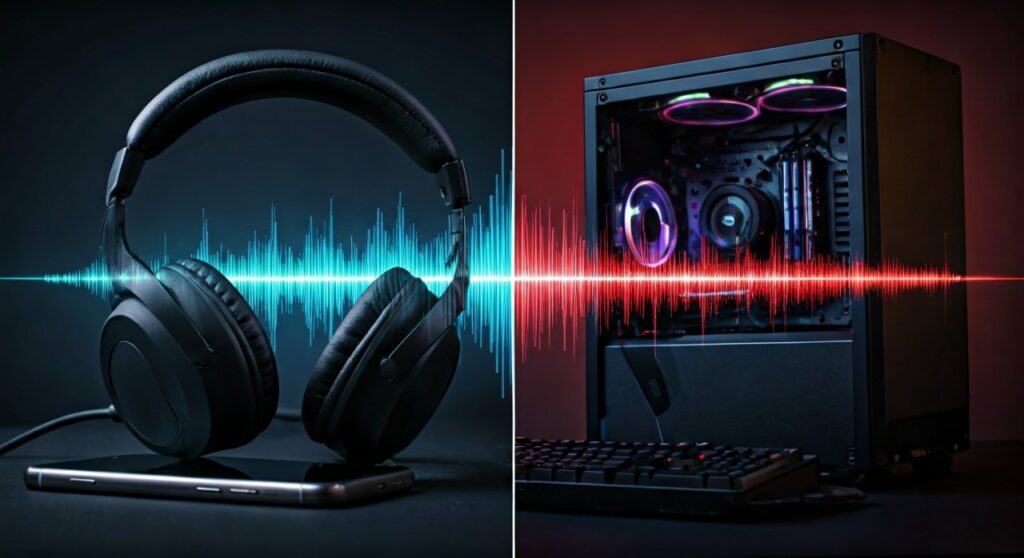
If you plug a high-end pair of Sennheiser or Beyerdynamic headphones into a budget smartphone, they may sound “thin” or quiet. Conversely, a PC motherboard might provide more power but introduce electrical “hiss” or static that a phone avoids. Understanding these variables is the key to unlocking the full potential of your audio gear.
Key Takeaways: Why Audio Quality Varies
If you are in a hurry, here is the essential breakdown of why your listening experience shifts between devices:
- Amplification Power: PCs generally have more electrical current available to drive “heavy” headphones, leading to better bass and dynamic range.
- DAC Quality: The chip that converts 0s and 1s into sound varies. High-end PCs or specialized music phones (like the LG V series) have superior DACs compared to standard devices.
- Output Impedance: Differences in electrical resistance between the device and the headphones can “color” the sound, making it warmer or brighter.
- Software Interference: Windows Audio Enhancements or mobile Dolby Atmos settings often change the frequency response without the user realizing it.
- Electrical Noise: PCs are crowded with components that cause Electromagnetic Interference (EMI), which can lead to a faint buzzing sound not usually found on phones.
The Hardware Factor: DACs and Amplifiers
To understand why do headphones sound differently on pc and phones, we have to look at the “guts” of your devices. Every device with a headphone jack or a USB-C/Lightning port has two main components: a DAC and an Amplifier.
The Role of the DAC
A Digital-to-Analog Converter (DAC) takes the digital file (like an MP3 or Spotify stream) and turns it into an analog electrical signal. Not all DACs are created equal.
Budget smartphones often use tiny, integrated DACs that prioritize battery life over audio fidelity. This can result in a loss of “transparency” or a narrower soundstage. In contrast, a modern gaming motherboard might use a dedicated Realtek or ESS Sabre chip designed to handle high-resolution audio files.
The Power of the Amplifier
The Amplifier (Amp) takes the weak signal from the DAC and boosts it so it can move the drivers in your headphones. This is where the biggest difference usually lies.
High-impedance headphones (measured in Ohms) require more voltage to reach a decent volume. Phones often lack the “swing” to push these drivers effectively. When underpowered, your headphones won’t just be quiet—they will lose their “punch.” The bass will feel loose, and the highs may sound recessed.
Comparison: PC vs. Phone Audio Output
| Feature | Desktop/Laptop PC | Modern Smartphone |
|---|---|---|
| Power Output | High (Can drive high-impedance gear) | Low (Optimized for IEMs/Earbuds) |
| Noise Floor | Moderate (Prone to EMI/Hiss) | Very Low (Cleaner background) |
| Software Control | Extensive (Equalizers, Drivers) | Limited (System-level DSP) |
| Portability | Stationary | Highly Portable |
| DAC Resolution | Usually up to 24-bit/192kHz | Often capped at 16-bit/44.1kHz |
Software Processing: The “Hidden” Sound Shifter
Even if the hardware was identical, your headphones sound differently on pc and phones because of the software layer.
Windows Audio Engine
On a PC, the Windows Audio Engine often resamples all audio to a specific sample rate. If your settings are wrong, this can introduce “artifacts” or slightly degrade the sound. Additionally, many laptops come with pre-installed software like Waves MaxxAudio or Dolby Access that applies a “V-shaped” EQ (boosted bass and treble) by default.
Mobile DSP (Digital Signal Processing)
Phones use DSP to protect their tiny internal speakers, and sometimes these settings “leak” into the headphone output. Android also has a notorious “resampling” issue where it forces all audio to 48kHz, which can slightly alter the timing and clarity of high-fidelity music tracks.
Step-by-Step: How to Test the Difference Yourself
If you want to hear exactly how do headphones sound differently on pc and phones, follow this testing protocol. This helps isolate the hardware from your psychological bias.
Step 1: Use Lossless Source Material
Don’t use a low-quality YouTube video. Use a lossless (FLAC) file or a high-quality streaming service like Tidal HiFi, Apple Music, or Amazon Music HD. This ensures the source isn’t the bottleneck.
Step 2: Disable All “Enhancements”
- On PC: Go to Sound Settings > Properties > Enhancements > Disable all enhancements.
- On Phone: Turn off Dolby Atmos, Beats Audio, or any “Sound Adapt” features in the settings menu.
Step 3: Volume Matching
Our brains naturally think “louder equals better.” To truly test quality, you must match the volume levels. Use a decibel meter app on a second phone to ensure both the PC and the phone are playing at roughly 75dB.
Step 4: The Critical Listening Test
Listen for these three things:
- Bass Tightness: Is the kick drum a sharp “thump” (Good) or a muddy “womp” (Bad)?
- Imaging: Can you point to exactly where the singer is standing?
- Noise Floor: During silent parts of the song, do you hear a faint “hiss”? (Common on PCs).
How to Fix Poor Sound on Either Device
If you find that your headphones sound differently on pc and phones and you aren’t happy with one of them, you don’t need to buy new headphones. You just need better “source” gear.
Use an External USB DAC/Amp
For both PC and Phone, an external device is the gold standard.
- For Phones: Use a “Dongle DAC” like the Apple USB-C to 3.5mm Adapter (which is surprisingly high quality) or the HIDIZS S9 Pro.
- For PC: Use a desktop stack like the Schiit Magni/Modi or a Fiio K5 Pro.
These devices bypass the cheap internal circuitry of your computer or phone, providing a clean, powerful signal that ensures your headphones sound identical (and amazing) on any platform.
Update Your Drivers
On PC, ensure you are using the official drivers from your motherboard manufacturer (e.g., Realtek Audio Drivers) rather than the generic Microsoft ones. Generic drivers often lack the power management features needed to drive headphones to their full volume.
The Impedance Factor: Why It Matters
A major reason do headphones sound differently on pc and phones is impedance matching. There is a technical rule called the “1/8th Rule.”
To maintain a flat frequency response, the output impedance of your device should be at least 8 times lower than the impedance of your headphones.
- If your PC has a high output impedance (common in older motherboards), and you plug in low-impedance earbuds, the bass might become “boomy” and uncontrolled.
- Phones usually have very low output impedance to accommodate earbuds, which is why sensitive In-Ear Monitors (IEMs) often sound “cleaner” on a phone than on a noisy desktop PC.
FAQs: Expert Insights into Audio Differences
Why do my headphones sound louder on my PC than my phone?
PCs have a much larger power supply (connected to a wall outlet) compared to the small battery in a phone. This allows the PC’s internal amplifier to output higher voltage, which translates directly to higher volume levels, especially for high-impedance headphones.
Can a software update change how my headphones sound?
Yes. Manufacturers frequently update DSP profiles or audio drivers to “optimize” sound. On Android or iOS, a system update might change the default EQ curve, while on Windows, a driver update might reset your sample rate settings.
Does using Bluetooth make the PC and Phone sound the same?
Usually, yes. When using Bluetooth, the DAC and Amp inside the phone or PC are bypassed. Instead, the DAC and Amp inside the headphones do the work. The only difference would be the Codec used (like aptX on PC vs. AAC on iPhone).
Is the Apple Dongle really better than my PC’s motherboard audio?
In many cases, yes. The Apple USB-C Dongle has an incredibly low noise floor and very accurate digital-to-analog conversion. Many expert audiophiles use it on their PCs to bypass noisy internal components.
Why is there a buzzing sound on my PC but not my phone?
This is likely EMI (Electromagnetic Interference). Your PC’s GPU and CPU draw a lot of power and create electrical noise. If the audio traces on the motherboard aren’t well-shielded, that noise leaks into your headphones. Phones are much more tightly integrated and shielded to prevent this.









