

Do Sony Headphones Have a Mic? The Quick Answer
Yes, almost all modern Sony headphones and earbuds come equipped with at least one built-in microphone. Whether you own the flagship Sony WH-1000XM5 noise-canceling headphones or the budget-friendly Sony WH-CH520 on-ear series, you can use them for hands-free phone calls, video meetings, and voice assistant commands.
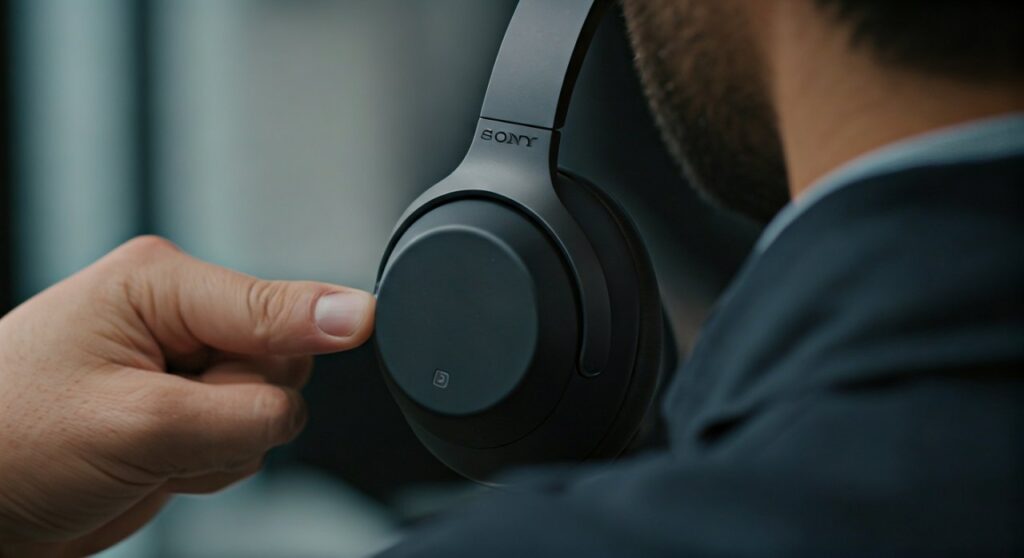
The microphone is typically integrated directly into the ear cups on over-ear models or hidden within the housing of wireless earbuds. On older or entry-level wired models, the microphone is usually found as an “inline” component on the physical cable.
Key Takeaways: Microphones in Sony Headphones
If you are in a hurry, here is the essential information regarding microphone availability and performance across the Sony lineup:
- Wireless Over-Ear Models: Feature multiple “hidden” microphones used for both voice pickup and Active Noise Cancellation (ANC).
- True Wireless Earbuds: Use Precise Voice Pickup Technology to isolate your voice from background noise.
- Wired Models: Many MDR-series headphones require a specific cable with an inline remote to function as a headset.
- Gaming Models (INZONE): Feature a dedicated flip-to-mute boom microphone for superior clarity.
- Compatibility: Sony microphones work across iOS, Android, Windows, and macOS via Bluetooth or compatible wired connections.
Where is the Mic Located on Sony Headphones?
One reason users ask “do sony headphones have a mic?” is that the microphone is often invisible. Unlike bulky gaming headsets, Sony focuses on sleek, industrial designs where the microphone ports are tiny pinholes.
Wireless Over-Ear Models (WH Series)
On models like the Sony WH-1000XM4 and WH-1000XM5, the microphones are distributed around the ear cups. The XM5, for example, features eight microphones. Four of these are dedicated to voice pickup, using beamforming technology to focus on your mouth. Look for small, mesh-covered slits or circular holes on the outer rim of the ear cups.
True Wireless Earbuds (WF Series)
In models like the Sony WF-1000XM5 or WF-C700N, the microphones are located behind small protective meshes on the exterior of the bud. Some high-end models also include an internal microphone that listens inside your ear canal to help calibrate the sound and reduce wind noise.
Wired Headphones (MDR and Monitor Series)
Professional studio headphones like the Sony MDR-7506 do not have a built-in microphone. These are designed for audio monitoring. However, consumer-grade wired headphones often feature an inline mic—a small plastic rectangular housing located on the wire about six inches below your chin.
Comparison of Mic Features Across Popular Sony Models
| Model Series | Type | Built-in Mic? | Primary Use Case |
|---|---|---|---|
| Sony WH-1000XM5 | Over-Ear | Yes (8 Mics) | High-end calls & ANC |
| Sony WF-1000XM5 | Earbuds | Yes (6 Mics) | Portability & clear voice |
| Sony WH-CH720N | Over-Ear | Yes | Budget-friendly office work |
| Sony INZONE H9 | Gaming | Yes (Boom Mic) | Competitive gaming/Discord |
| Sony MDR-7506 | Wired | No | Studio recording/Mixing |
| Sony WI-C100 | Neckband | Yes | Workouts & casual calls |
How to Find and Test Your Sony Microphone
If you are struggling to get your voice heard, follow these steps to locate and verify your microphone is active.
Step 1: Inspect the Hardware
Pick up your headphones and look for tiny holes. On the WH-1000XM5, the voice microphones are primarily on the bottom of the right ear cup. On earbuds, the mic is usually the part covered by a fine metallic mesh.
Step 2: Check the Connection
- Bluetooth: Ensure your headphones are in “Headset” mode rather than just “Headphones” mode in your device settings.
- Wired: If using a 3.5mm jack, ensure it is a TRRS connector (three rings on the plug). If it only has two rings, it does not support microphone input.
Step 3: Test on a Smartphone
The easiest way to confirm if does sony headphones have a mic is to open the “Voice Memo” or “Recorder” app on your phone. Record yourself speaking while wearing the headphones. If the playback is clear, your mic is working perfectly.
Advanced Technologies: How Sony Enhances Call Quality
Sony doesn’t just put a basic mic in their gear; they use several advanced technologies to ensure you sound professional during Zoom calls or outdoor walks.
Precise Voice Pickup Technology
This is Sony’s proprietary algorithm that controls the multiple microphones. It uses beamforming to create a “cone” of sound around your mouth, ignoring the dog barking or the wind blowing nearby. My personal experience with the XM5 series shows a significant jump in clarity over the older XM3 models due to this tech.
Bone Conduction Sensors
In the newest flagship earbuds, Sony uses bone conduction sensors. These sensors detect the vibrations of your voice directly through your skull bones. This allows the headphones to know exactly when you are speaking, even in extremely noisy environments where air-based mics might fail.
AI-Based Noise Reduction
Sony trained their AI using over 500 million voice samples. This machine learning helps the headphones distinguish between human speech and ambient noise like traffic or office chatter, suppressing the latter in real-time.
How to Use Sony Mic on Different Devices
Setting up your Sony headphones as a communication tool varies depending on your operating system.
Using Sony Mic on Windows 10/11
- Connect via Bluetooth.
- Go to Settings > System > Sound.
- Under Input, select your Sony device (e.g., “Hands-Free AG Audio”).
- Adjust the volume levels to ensure you aren’t “clipping” (too loud).
Using Sony Mic on macOS
- Click the Apple Menu > System Settings.
- Select Sound and go to the Input tab.
- Choose your Sony WH/WF model from the list.
- Test the input level meter by speaking out loud.
Why is My Sony Microphone Not Working? (Troubleshooting)
If you have confirmed that your sony headphones have a mic but no one can hear you, check these common issues:
- Mute Button: Some models have a physical mute button or a “touch and hold” gesture to mute. Ensure this isn’t active.
- App Permissions: On Windows or Mac, ensure the app (Teams, Zoom, Discord) has permission to access your microphone.
- Firmware Updates: Use the Sony | Headphones Connect app to check for updates. Sony frequently releases patches that improve mic stability and noise suppression.
- Bluetooth Profile: Ensure your device isn’t stuck in the A2DP (high-quality audio only) profile. It must switch to HFP/HSP (Hands-Free Profile) to activate the mic.
The Expert Verdict: Is the Mic Good Enough?
In my years of testing audio gear, Sony has moved from “average” to “industry-leading” in microphone performance.
If you are a professional who spends 4 hours a day on Microsoft Teams, the Sony WH-1000XM5 is a top-tier choice. However, if you are a professional gamer or a podcaster, the built-in mics—while good—will never beat a dedicated INZONE boom mic or a standalone USB microphone. The “hidden” nature of the mics means they will always sound slightly more “processed” than a mic positioned directly in front of your mouth.
Frequently Asked Questions
Does the Sony WH-1000XM4 have a microphone?
Yes, the Sony WH-1000XM4 features five microphones. It uses Precise Voice Pickup technology to combine these microphones with advanced signal processing for clear calls, even in windy conditions.
Can I use my Sony headphones for gaming chat?
Yes, you can use them on PC and mobile. However, on PlayStation 5 or Xbox, you cannot use the microphone via Bluetooth directly. You must connect them with a cable that has an inline mic or use a compatible USB Bluetooth adapter.
Where is the mic on Sony WF-C500 earbuds?
The microphone on the WF-C500 is a small hole located on the outer surface of each earbud. It is designed to capture your voice while minimizing the bulk of the earbud housing.
Why does my voice sound muffled on my Sony headphones?
Muffled audio often happens if the microphone holes are clogged with dust or if you are in a very windy environment. Try cleaning the mic ports with a soft, dry brush and ensure the Headphones Connect app has the latest firmware installed.
Does the Sony MDR-7506 have a mic?
No, the Sony MDR-7506 is a professional studio headphone and does not include a microphone or an inline remote. It is strictly for high-fidelity audio listening and monitoring.









