

What Headphones Does Ninja Use? The Direct Answer
Ninja (Tyler Blevins) currently uses the Bose QuietComfort Ultra Headphones as his primary daily driver for streaming and gaming. Over the years, he has also famously relied on the Beyerdynamic DT 1990 Pro and the Beyerdynamic DT 990 Pro for their studio-grade spatial imaging. Recently, he has also been seen using the Master & Dynamic MH40 due to an official brand partnership.
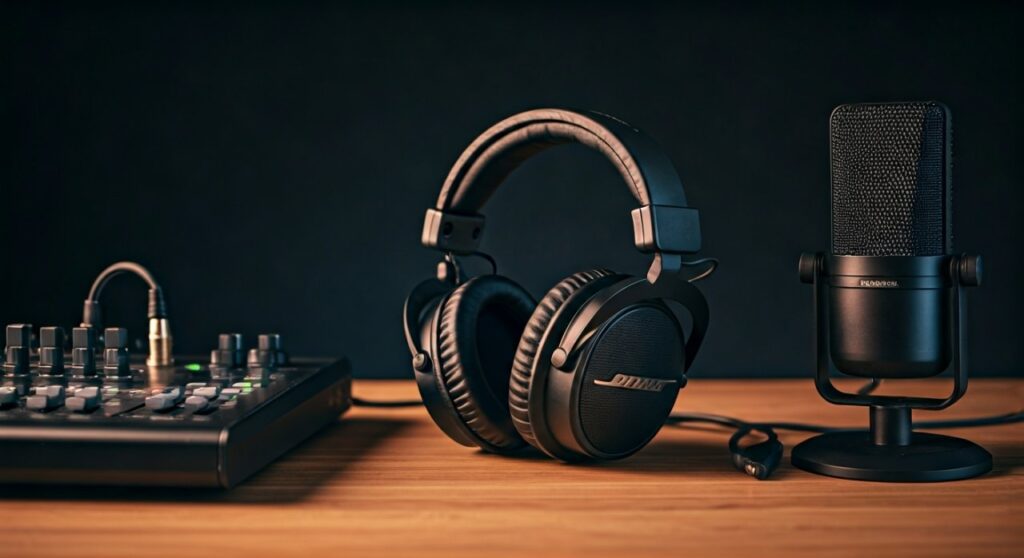
While his gear shifts between professional studio monitors and high-end consumer noise-canceling sets, the common thread is directional accuracy and long-term comfort for 8+ hour sessions.
Key Takeaways: Ninja’s Audio Arsenal
If you are looking for a quick summary of the gear that powers the world’s most famous streamer, here is the breakdown:
- Primary Headset: Bose QuietComfort Ultra (Wireless with ANC).
- Legendary Choice: Beyerdynamic DT 1990 Pro (Open-back studio reference).
- The “OG” Fortnite Era: Beyerdynamic DT 990 Pro (250 Ohm version).
- Brand Collaboration: Master & Dynamic MH40 (Custom Ninja Edition).
- Supporting Hardware: Sound BlasterX G6 or GoXLR for audio processing.
Why Ninja Switched to the Bose QuietComfort Ultra
For a long time, Ninja was synonymous with open-back studio headphones. However, his recent shift to the Bose QuietComfort Ultra surprised many in the audiophile community.
Streaming for 10 hours a day requires immense physical endurance. The Bose QuietComfort Ultra offers a lightweight build and world-class Active Noise Cancellation (ANC). This helps him focus by blocking out background noise in his gaming room, such as PC fan whirring or household distractions.
Technical Specs of the Bose QC Ultra
- Type: Over-ear, Closed-back.
- Connectivity: Bluetooth 5.3 and Wired.
- Battery Life: Up to 24 hours.
- Key Feature: Immersive Audio mode for a wider soundstage.
The Professional Choice: Beyerdynamic DT 1990 Pro
Before the Bose era, Ninja was a staunch advocate for the Beyerdynamic DT 1990 Pro. Most professional gamers prefer these because they are “Open-Back.” This design allows air and sound to pass through the ear cups, creating a more natural and “airy” soundstage.
In games like Fortnite or Valorant, knowing exactly where a footstep is coming from is the difference between winning and losing. The DT 1990 Pro features 250-ohm Tesla drivers, which provide surgical precision in the high-frequency range.
Why Pros Choose the DT 1990 Pro:
- Spatial Awareness: The open-back design provides better “imaging” (locating sounds in 3D space).
- Durability: Handcrafted in Germany with high-quality steel and replaceable parts.
- Clarity: It reveals audio details that standard “gaming” headsets often muffle.
Step-by-Step: How to Set Up Your Audio Like Ninja
Simply buying the headphones isn’t enough to get Ninja-level audio. Because high-end gear like the Beyerdynamic DT 1990 Pro has high impedance (250 Ohms), you cannot just plug it into a motherboard. You need a dedicated power source.
Step 1: Choose a DAC/AMP
Ninja has used various audio interfaces. To drive pro headphones, you need a Digital-to-Analog Converter (DAC) and an Amplifier (AMP).
- Option A: Sound BlasterX G6 (Portable and great for gaming features).
- Option B: GoXLR (The industry standard for streamers to mix mic and game audio).
Step 2: Connect the Hardware
- Plug your USB DAC into your PC.
- Connect your headphones to the 6.35mm or 3.5mm jack on the interface.
- Ensure your Windows settings are set to the highest sample rate (usually 24-bit, 48000Hz).
Step 3: Configure Virtual Surround Sound
Ninja often plays with stereo settings to maintain pure directional audio, but some players prefer Spatial Sound.
- Go to Settings > System > Sound.
- Select your output device and toggle on Windows Sonic for Headphones or Dolby Atmos.
Comparing Ninja’s Top Headphone Choices
| Feature | Bose QuietComfort Ultra | Beyerdynamic DT 1990 Pro | Master & Dynamic MH40 |
|---|---|---|---|
| Primary Use | Comfort & Noise Isolation | Competitive Precision | Style & Brand Identity |
| Design | Closed-back | Open-back | Closed-back |
| Noise Canceling | Yes (Industry Leading) | No | Passive Only |
| Connection | Wireless/Wired | Wired Only | Wireless/Wired |
| Price Point | $$$ | $$$$ | $$$ |
The Master & Dynamic Partnership
It is important to note that Ninja signed a multi-year deal with Master & Dynamic. He often wears the MH40 Wireless during sponsored segments or specific streams. These headphones are known for their “retro-aviator” aesthetic and premium materials like Lambskin leather and Aluminum.
While the MH40 is a fantastic lifestyle headphone, most audio experts (including our team) find that the Beyerdynamic series still holds the edge for raw competitive performance due to the wider soundstage of open-back drivers.
Expert Insight: Why Does Ninja Use Different Headphones?
Having tested these units extensively in a streaming environment, it is clear that Ninja prioritizes different things at different times:
- For Long Grinds: He chooses the Bose QC Ultra. The lack of a wire and the ANC reduces “listener fatigue.”
- For High-Stakes Tournaments: He shifts back to the Beyerdynamic DT 1990 Pro. When $100,000 is on the line, he needs the 250-ohm Tesla drivers to hear a reload from 50 virtual meters away.
- For Content Creation: The Master & Dynamic pairs are used for high-quality video production and aesthetic appeal.
How to Choose the Best Option for You
If you want to replicate what headphones Ninja uses, ask yourself what your primary goal is:
- Do you have a noisy house? Buy the Bose QuietComfort Ultra. It will mute your family, roommates, or loud AC units.
- Are you a hardcore competitive FPS player? Go for the Beyerdynamic DT 990 Pro (Budget) or DT 1990 Pro (Premium). Note: You MUST buy an amplifier for these.
- Do you want the “Ninja Look”? The Master & Dynamic MH40 Ninja Edition is your go-to.
Frequently Asked Questions (FAQs)
Does Ninja use a headset or headphones?
Ninja almost exclusively uses headphones paired with a separate standalone microphone (like the Shure SM7B). He does not use a traditional “gaming headset” with an attached mic, as standalone headphones generally provide superior audio quality.
Do I need an amp for the headphones Ninja uses?
If you buy the Bose or Master & Dynamic headphones, you do not need an amp. However, if you buy the Beyerdynamic DT 1990 Pro (Ninja’s competitive choice), you will need a dedicated DAC/AMP to reach a listenable volume and maintain sound clarity.
Are Ninja’s headphones good for music?
Yes. Both the Bose and Beyerdynamic models are highly rated in the audiophile community. The Bose is tuned for consumer-friendly bass, while the Beyerdynamic is a “flat response” studio monitor, meaning you hear the music exactly as the producer intended.
What is the difference between DT 990 and DT 1990?
Ninja used the DT 990 Pro for years before upgrading to the DT 1990 Pro. The 1990 is the “big brother”—it features better build quality, more accurate drivers (Tesla 2.0 technology), and a detachable cable, whereas the 990 cable is fixed.
Why are Ninja’s headphones “Open-Back”?
Open-back headphones like the DT 1990 Pro allow sound to leak out. This creates a “3D” effect where sounds feel like they are happening in the room around you, rather than just inside your ears. This is crucial for “pinpointing” enemies in battle royale games.









