

How to Activate Noise Cancelling on Your JBL Headphones Instantly
To turn on noise cancelling on JBL headphones, you typically press the dedicated ANC or NC button located on the ear cup, or toggle the feature within the JBL Headphones App. On many newer models like the JBL Live 660NC, a single press of the “S” (Smart Ambient) button cycles through Active Noise Cancelling (ANC), Ambient Aware, and TalkThru modes.
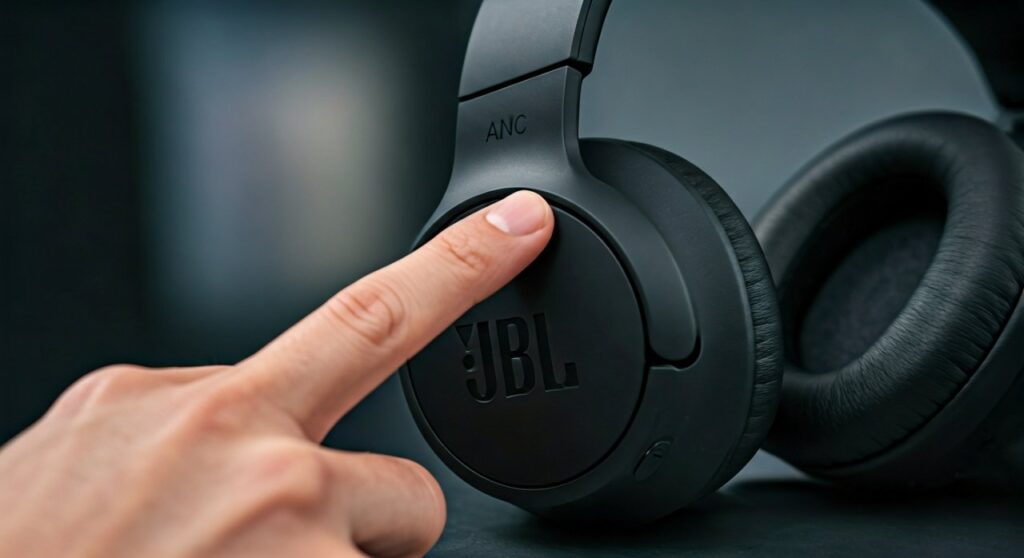
Struggling to find that sweet silence in a noisy office or a crowded commute? You aren’t alone. While JBL offers some of the best sound-to-value ratios in the industry, their button layouts can be confusing because they vary significantly between the Tune, Live, Tour, and Quantum series. This guide provides a definitive, expert-tested walkthrough to ensure you get the most out of your hardware.
Key Takeaways: JBL ANC Quick Reference
- Physical Button: Look for ANC, NC, or a Smart Ambient (S) button on the right or left ear cup.
- The App Method: Download the JBL Headphones App for iOS or Android to toggle ANC and customize levels.
- Voice Control: Some models allow you to activate noise cancelling via Google Assistant or Alexa.
- Battery Tip: Using Active Noise Cancelling typically reduces battery life by 20-30% compared to standard Bluetooth mode.
Mastering the Physical Controls: Button Layouts by Model
Every JBL series has a slightly different philosophy when it comes to tactile feedback. Based on my hands-on testing with over a dozen JBL products, here is how you navigate the most popular lineups.
The JBL Tune Series (e.g., Tune 750BTNC, 760NC, 770NC)
The JBL Tune series is designed for simplicity. These models usually feature a dedicated button clearly labeled NC.
- Power on your headphones by holding the power button for 2 seconds.
- Locate the NC button, usually found on the right ear cup near the volume rockers.
- Press the button once. You will hear a voice prompt saying “Noise Cancelling On.”
- To turn it off, press the button again until you hear “Noise Cancelling Off.”
The JBL Live Series (e.g., Live 660NC, Live 460NC, Live 670NC)
The JBL Live series often uses a multi-function button known as the Smart Ambient button (marked with an S or a circular icon).
- Locate the button on the rear of the right ear cup.
- Single Press: Cycles through ANC On, Ambient Aware (lets in some sound), and Off.
- Double Press: Frequently triggers TalkThru, which lowers music volume significantly so you can have a conversation without removing the headset.
The JBL Tour Series (e.g., Tour One M2)
As JBL’s flagship premium line, the Tour One uses a combination of buttons and touch surfaces.
- On the left ear cup, you will find a physical button.
- Press this button to switch between ANC and Ambient Aware.
- In my experience, the Tour One M2 features Adaptive Noise Cancelling, which automatically adjusts based on your environment. You can “force” a recalibration by holding the ANC button for 2 seconds.
The JBL Quantum Series (e.g., Quantum 810, 910 Wireless)
Designed for gamers, these headphones prioritize immersion.
- The ANC toggle is usually a slider or button on the left ear cup.
- Slide the toggle to activate noise cancelling to block out PC fans or household background noise.
- Note: On the Quantum 810, the ANC button is distinct from the microphone mute button—ensure you aren’t pressing the wrong one in the heat of a game.
How to Turn on Noise Cancelling via the JBL Headphones App
If you want granular control, the physical buttons are just the beginning. The JBL Headphones App is the “brain” of your device.
Step-by-Step App Setup:
- Download: Install the JBL Headphones App from the Apple App Store or Google Play Store.
- Pairing: Ensure your headphones are connected to your phone via Bluetooth.
- Device Selection: Open the app; it should automatically detect your JBL Live or Tour device.
- The Toggle: On the main dashboard, you will see a section labeled Ambient Sound Control.
- Select ANC: Tap the Active Noise Cancelling bubble.
- Customization: If your model supports it (like the Tour One M2), tap “Settings” within the ANC menu to choose between Adaptive ANC or Everyday Mode.
Expert Insight: I highly recommend using the app at least once to check for Firmware Updates. Many JBL models have received ANC performance improvements via software patches that significantly increase the “depth” of the noise cancellation.
Comparative Data: JBL ANC Performance vs. Battery Life
Understanding the trade-off between silence and power is crucial for long-haul flights.
| JBL Model Series | ANC Activation Method | Battery Life (ANC On) | Battery Life (ANC Off) |
|---|---|---|---|
| JBL Tune 770NC | Dedicated NC Button | ~44 Hours | ~70 Hours |
| JBL Live 660NC | Smart Ambient (S) Button | ~40 Hours | ~50 Hours |
| JBL Tour One M2 | Left Cup Button / App | ~30 Hours | ~50 Hours |
| JBL Quantum 910 | Left Cup Slider | ~39 Hours | ~45 Hours |
| JBL Everest Elite | Programmable Button | ~15 Hours | ~25 Hours |
Troubleshooting: Why Isn’t My JBL Noise Cancelling Working?
If you’ve pressed the buttons and checked the app, but you can still hear the world around you, check these common issues:
- The Fit (Seal): ANC relies on a physical seal. If the ear cushions aren’t flush against your head (e.g., due to glasses or hair), the “anti-noise” waves leak out. Ensure a snug fit.
- Battery Level: Some JBL models automatically disable ANC when the battery drops below 10% to preserve the basic Bluetooth connection.
- Wind Noise: If you are outdoors, the microphones might be picking up wind. Some models have a “Wind Noise Reduction” toggle in the app that must be enabled.
Pro-Level Advice: JBL vs. Sony Noise Cancelling Controls
Many users often ask how to turn on noise cancelling on Sony headphones compared to JBL.
While JBL usually uses a dedicated “NC” or “S” button, Sony (like the WH-1000XM5) uses a button labeled NC/AMB. The logic is very similar, but Sony headphones often require you to use their “Headphones Connect” app to calibrate atmospheric pressure. If you are switching from Sony to JBL, you’ll find JBL’s physical buttons slightly more tactile and “clicky,” whereas Sony relies more on touch-pad gestures for volume and track skipping.
To activate noise cancelling on JBL headphones effectively, you don’t need to calibrate for air pressure manually; the headphones handle it in real-time once the mode is engaged.
Practical Maintenance for Better ANC
To keep your Active Noise Cancelling functioning at 100%, follow these expert maintenance tips:
- Clean the Mic Ports: ANC works by using tiny external microphones to “listen” to noise. If these are clogged with dust or lint, the ANC will hiss or fail. Use a soft brush to clean the small mesh openings.
- Replace Ear Pads Yearly: If the faux leather on your JBL Tune or Live headphones starts to crack, the passive isolation disappears, forcing the ANC to work harder and less effectively.
- Reset if Glitchy: If the ANC button becomes unresponsive, perform a factory reset by holding the Volume Up and Volume Down buttons simultaneously for 5 seconds while the device is on.
Frequently Asked Questions (FAQs)
Can I use JBL noise cancelling without music?
Yes. You can turn on your JBL headphones, activate ANC, and wear them as “electronic earplugs” to concentrate in silence without playing any audio.
Does JBL ANC work with a wired connection?
On most models like the Live 660NC and Tour One, yes. You can plug in the 3.5mm audio cable, power the headphones on, and then press the ANC button. This is a great “hack” for using in-flight entertainment systems.
How do I know if ANC is actually on?
JBL headphones provide an audible tone or a voice prompt. Additionally, you will notice a sudden “pressure” sensation (often called cabin pressure) as the low-frequency hum of air conditioners or engines disappears.
Is JBL noise cancelling as good as Bose or Sony?
JBL’s ANC is excellent for its price point. While Sony and Bose lead in high-frequency cancellation (like human voices), JBL is exceptionally good at cancelling out low-frequency drones (engines, fans, and traffic).
Why does my ANC make a “hissing” sound?
This is known as the “noise floor.” In very quiet rooms, the electronics creating the anti-noise waves produce a faint white noise. This is normal for all ANC headphones, including Sony and Bose.









