

To replace jack on headphones, you must cut off the damaged connector, strip the insulation from the internal wires, and solder them onto a new 3.5mm TRS or TRRS replacement jack. This repair requires a soldering iron, solder wire, and a basic understanding of your headphone’s wiring color code to restore full stereo sound and microphone functionality.
Why Learning How to Replace Jack on Headphones is Essential
High-end headphones from brands like Sennheiser, Beyerdynamic, or Audio-Technica often outlive their cables. The most common point of failure is the 3.5mm audio jack, where constant bending causes internal wire fatigue. Instead of discarding a $300 investment, learning how to change a headphone jack allows you to restore your gear for less than $10.
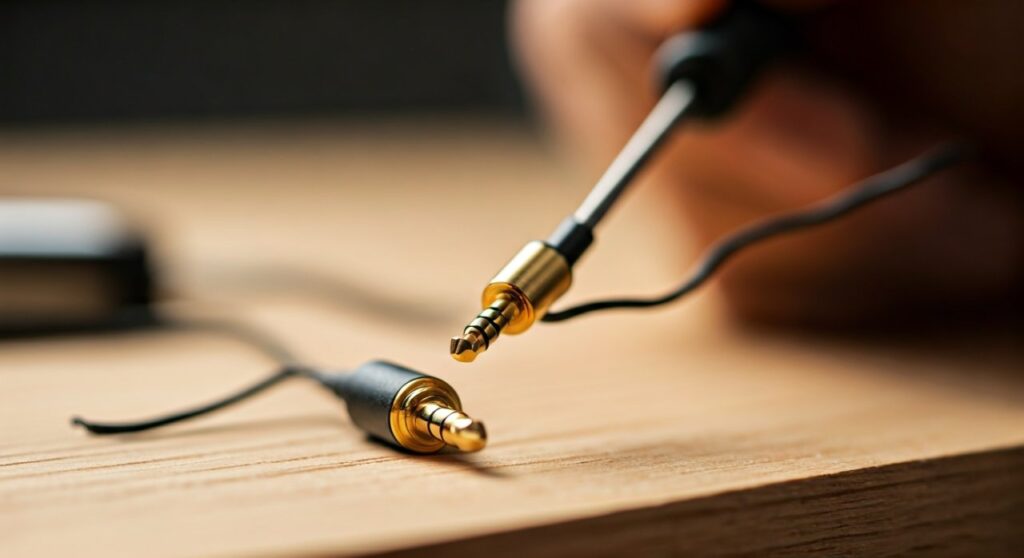
By performing this repair yourself, you ensure a solid connection that often exceeds the quality of the original factory plug. This guide covers everything from identifying wire types to the final soldering techniques used by professional audio technicians.
Key Takeaways: Quick Repair Overview
| Feature | Details |
|---|---|
| Difficulty Level | Intermediate (Requires basic soldering skills) |
| Time Required | 20–45 Minutes |
| Primary Tools | Soldering Iron, Wire Strippers, Multimeter |
| Common Wire Colors | Red (Right), Blue/Green (Left), Copper (Ground) |
| Result | Restored audio quality and increased cable longevity |
Essential Tools and Materials for the Job
Before you begin learning how to replace a jack on headphones, gather these professional-grade tools. Using the right equipment prevents damage to the delicate internal copper filaments.
- Replacement 3.5mm Jack: Choose a high-quality metal housing connector (like Neutrik or Amphenol) for durability.
- Soldering Iron: A 25W to 40W iron with a fine “pencil” tip is ideal for small audio joints.
- Solder: Use 60/40 Lead-Resin core solder or a high-quality lead-free alternative with a thin diameter (0.5mm – 0.8mm).
- Wire Strippers: Precision strippers or a sharp utility knife/razor blade.
- Heat Shrink Tubing: To provide strain relief and protect the new connection.
- Helping Hands Tool: Highly recommended to hold the small jack in place while you solder.
- Multimeter: Essential for “continuity testing” to ensure your wires are mapped correctly.
Step 1: Diagnosing the Connection Failure
Before you change headphone jack components, confirm the break is actually at the plug. Plug the headphones into a source and gently wiggle the cable near the jack. If the sound cuts in and out or crackles, the internal wires have snapped inside the molded plastic housing.
If wiggling the cable near the earcups causes the cutout, the issue is likely at the driver connection, not the jack. This guide specifically addresses repairs for the 3.5mm male plug end.
Step 2: Preparing the Headphone Cable
Start by cutting the cable approximately one inch above the existing jack. This ensures you are working with fresh, uncompromised copper.
- Slide the New Jack Housing On: This is the most common mistake—sliding the metal cover and any heat shrink tubing onto the cable before you start soldering.
- Strip the Outer Insulation: Carefully remove about 0.5 to 1 inch of the main outer rubber jacket. Be extremely careful not to nick the thin wires inside.
- Separate the Internal Wires: You will typically find three or four wires.
Step 3: Identifying the Wiring Color Code
To successfully replace audio jack on headphones, you must match the colored wires to the correct terminals on the new plug. While brands vary, the industry standard is generally:
- Red Wire: Right Channel (Connects to the Ring in TRS).
- Green or Blue Wire: Left Channel (Connects to the Tip in TRS).
- Copper/Gold Wire: Ground (Connects to the Sleeve or largest tab).
- White or Striped Wire: Microphone (Only in TRRS jacks).
Pro Tip: Use a multimeter on the “Continuity” setting. Touch one probe to the headphone speaker driver and the other to the wire end to confirm which color controls which side.
Step 4: Removing the Enamel Coating
Most modern headphone wires use Litz wire, which is coated in a thin layer of transparent enamel insulation. Solder will not stick to this enamel. To replace jack plug on headphones effectively, you must remove this coating.
- The Burn Method: Briefly pass a lighter flame over the ends of the colored wires (1-2 seconds) to burn off the enamel.
- The Sanding Method: Use very fine-grit sandpaper to gently scuff the ends until the bright copper is visible.
- The Solder Pot Method: My preferred professional method. Put a blob of molten solder on your iron tip and run the wire through it. The heat will melt the enamel while simultaneously “tinning” the wire.
Step 5: Tinning the Wires and Terminals
“Tinning” is the process of applying a thin layer of solder to both the wires and the jack terminals before joining them. This makes the final connection nearly instantaneous and prevents “cold solder joints.”
- Apply a small amount of flux to the stripped wire ends.
- Touch the iron and solder to the wire until it absorbs the silver coating.
- Repeat this for the small metal tabs on the new 3.5mm jack.
Step 6: Soldering the New Jack (The Step-by-Step Guide)
Now it is time to perform the actual repair. Secure the new jack in your “helping hands” or a small vice.
- Connect the Ground: Solder the copper/shield wire to the largest, longest metal tab (the Sleeve). This provides mechanical strength to the cable.
- Connect the Right Channel: Solder the Red wire to the shorter “Ring” terminal.
- Connect the Left Channel: Solder the Blue/Green wire to the center “Tip” terminal.
- Heat Management: Only touch the iron to the joint for 1-2 seconds. Excessive heat can melt the plastic insulators inside the new jack, ruining the component.
Step 7: Testing and Final Assembly
Before screwing the housing back on, you must test the repair.
- Plug into an Audio Source: Play a “Stereo Test” video from YouTube. Ensure “Left” only plays in the left earcup and “Right” in the right.
- Check for Shorts: Ensure no stray copper strands are touching adjacent terminals.
- Strain Relief: Most jacks have a metal crimp. Use pliers to gently squeeze this crimp around the outer rubber insulation of the cable (not the thin colored wires).
- Closing Up: Slide the metal housing up and screw it onto the jack. If you used heat shrink tubing, slide it over the joint and use a heat gun (or lighter) to shrink it for a professional, durable finish.
How to Replace Jack on Headphones: Common Troubleshooting
Even for experts, things can go wrong. If your headphones don’t sound right after you change a headphone jack, check the following:
- Sound is “Thin” or Vocal-less: This usually means the Ground wire is not connected properly or is touching a signal wire.
- Mono Sound: You likely swapped the Left/Right wires or bridged them together with too much solder.
- Static when Moving: This indicates a “Cold Joint.” The solder looks dull and grainy. Re-heat the joint and add a tiny bit of fresh solder.
Maintaining Your New Headphone Jack
To prevent having to replace a jack on headphones again, follow these maintenance tips:
- Always pull from the connector housing, never the cable.
- Use a 90-degree adapter if you frequently use your headphones in a pocketed mobile device.
- Apply a small piece of spring reinforcement from a ballpoint pen to the base of the jack to prevent sharp bends.
Frequently Asked Questions (FAQs)
Can I replace a headphone jack without soldering?
While “solderless” replacement jacks exist (using small screw terminals), they are significantly bulkier and less reliable for daily use. Soldering remains the gold standard for a permanent, high-fidelity repair.
Why does my new jack have four poles but my headphones only have three wires?
You can use a TRRS (4-pole) jack for TRS (3-pole) headphones. Simply solder the ground wire to both the Sleeve and the second Ring, or just the Sleeve, depending on the jack’s internal bridge.
Is it worth replacing the jack on cheap headphones?
If the headphones cost less than $20, the cost of a high-quality replacement jack ($5-$8) and the time involved might not be economical. However, for any headphones over $50, it is a highly sustainable and cost-effective repair.
How do I know if I need a 2.5mm or 3.5mm jack?
The standard size for almost all smartphones, laptops, and controllers is 3.5mm. 2.5mm jacks are much smaller and are typically reserved for specific communication headsets or older mobile phones.
What happens if I swap the Left and Right wires?
The headphones will work perfectly, but the stereo image will be reversed. This is mostly an issue for gaming (where directional audio matters) or watching movies. If you notice this, simply swap the Red and Green/Blue wires on the terminals.









