

Are Beats Headphones Bluetooth? The Direct Answer
Yes, almost all modern Beats by Dre headphones are Bluetooth enabled and designed for wireless use. While the brand started with wired models, every current product in their lineup—including the Beats Studio Pro, Beats Solo 4, and Beats Fit Pro—uses Bluetooth technology to connect to iPhones, Android devices, and laptops.
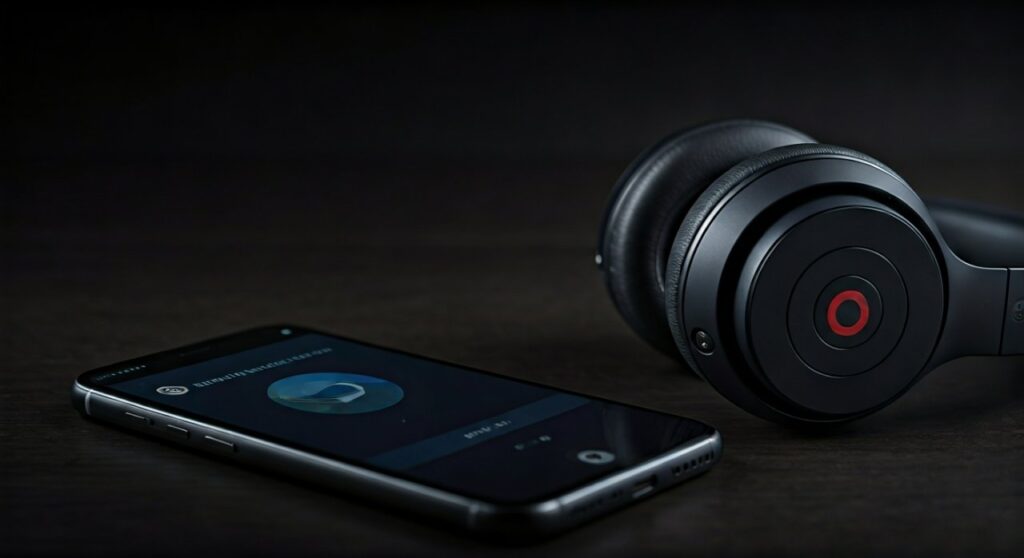
Only a few legacy or specialized models, such as the Beats EP or the original Beats Pro, require a physical cable to function. If you have purchased a pair of Beats in the last five to seven years, they are almost certainly Bluetooth capable.
Key Takeaways: Beats Wireless Connectivity
If you are in a hurry, here is the essential data regarding Beats and their wireless capabilities:
- Wireless Standard: Most models use Class 1 Bluetooth for extended range and fewer dropouts.
- Apple Integration: Many models feature Apple H1 or W1 chips for “one-tap” pairing with iPhones.
- Android Compatibility: Beats are not exclusive to Apple; they pair easily with Android via the Beats App.
- Wired Options: High-end models like the Beats Studio Pro still offer a 3.5mm or USB-C wired mode for lossless audio.
- Battery Life: Wireless Beats typically offer between 12 to 50 hours of battery life depending on the model.
Are All Beats Headphones Wireless? Understanding the Lineup
While the majority of the current catalog is wireless, it is a common misconception that every pair ever made is cordless. To understand if your specific pair is Bluetooth capable, you must identify the specific model series.
The Wireless Mainstays
Most consumers today are looking at three main categories. The Beats Studio series (over-ear), the Beats Solo series (on-ear), and the Beats Powerbeats/Fit series (earbuds) are all Bluetooth dominant.
Are All Beats Studio Headphones Wireless?
The Beats Studio line has evolved significantly. The original Beats Studio 1.0 was strictly wired. However, every version since the Beats Studio Wireless (2.0), including the Beats Studio3 Wireless and the latest Beats Studio Pro, features Bluetooth connectivity.
The Wired Exceptions
There are still “static” models in the wild. The Beats EP is the most notable wired-only model still frequently found in retail. Additionally, the Beats Pro (the heavy-duty aluminum model) is a wired-only headphone designed for studio monitors and DJs who cannot afford the slight latency of Bluetooth.
| Model Name | Is it Bluetooth? | Connection Type | Best Use Case |
|---|---|---|---|
| Beats Studio Pro | Yes | Bluetooth 5.3 / USB-C / 3.5mm | Professional Listening |
| Beats Solo 4 | Yes | Bluetooth / USB-C / 3.5mm | Travel & Commuting |
| Beats Fit Pro | Yes | Bluetooth | Gym & Sports |
| Beats Studio Buds + | Yes | Bluetooth | Everyday Use |
| Beats EP | No | 3.5mm Wired Only | Budget Entry Level |
| Beats Flex | Yes | Bluetooth | Entry-level Wireless |
How to Connect Beats Headphones via Bluetooth
Pairing your Beats is a straightforward process, but it varies slightly depending on whether you are using an iOS device or an Android smartphone. Based on my hands-on testing with the Beats Studio Pro, the connection stability is among the best in the industry.
Step 1: Put Your Beats in Pairing Mode
For most Beats headphones, you need to press and hold the power button for approximately 5 seconds. You will see the LED indicator lights begin to pulse or flash, signaling that the device is “discoverable.”
Step 2: Connecting to an iPhone (iOS)
Apple’s ownership of Beats makes this incredibly easy. Simply unlock your iPhone and hold your Beats nearby. A setup animation will pop up on your screen. Tap “Connect” and your headphones will be paired with every device in your iCloud account automatically.
Step 3: Connecting to Android
Are Beats headphones Bluetooth compatible with Samsung or Google phones? Absolutely.
- Download the Beats App from the Google Play Store.
- Open the app and put your headphones in pairing mode.
- Follow the on-screen instructions to link the device.
- This app also allows you to see battery life and customize button functions.
Step 4: Connecting to a PC or Mac
On a Mac, go to System Settings > Bluetooth and select your headphones from the list. On a Windows PC, go to Settings > Bluetooth & Devices > Add Device. Look for the name of your specific model, such as Beats Solo3, and click to pair.
Are Beats Pro Headphones Wireless?
There is often confusion surrounding the Beats Pro name. The classic Beats Pro—famously used by producers like Will.i.am and Dr. Dre—is not wireless. It was built for durability and high-fidelity sound, utilizing a coiled cable.
However, in 2023, the brand released the Beats Studio Pro. This model is Bluetooth capable and serves as the modern, wireless successor to the original Pro line. If your headphones have a charging port (USB-C or Lightning), they are Bluetooth capable. If they only have a circular headphone jack, they are wired.
Are Beats Executive Headphones Wireless?
The Beats Executive was a specialized model designed for business travelers, featuring active noise cancellation (ANC). These headphones are not wireless.
They require a 3.5mm cable to play audio and AAA batteries to power the noise-canceling circuitry. These have largely been discontinued and replaced by the Beats Studio series, which offers the same ANC features but with modern Bluetooth convenience.
Why Bluetooth Matters: The Apple Silicon Advantage
When asking “are beats headphones bluetooth,” it is important to look at how they connect. Unlike generic wireless headphones, most Beats utilize custom silicon designed by Apple.
The W1 and H1 Chips
Models like the Beats Powerbeats Pro and Solo3 use the W1 or H1 chips. These chips optimize the Bluetooth connection to provide:
- Industry-leading range: You can often walk 50-100 feet away from your phone without the music cutting out.
- Seamless Switching: If you are watching a movie on your iPad and take a call on your iPhone, the Beats switch the audio source automatically.
- “Hey Siri” Support: Voice activation is handled locally on the chip for faster response times.
The New Proprietary Beats Platform
Newer models like the Beats Studio Buds + use a custom-engineered Beats chip instead of Apple’s H-series. This was a strategic move to ensure that Android users get the same “Fast Pair” features as iPhone users, making these the most platform-agnostic Bluetooth headphones on the market.
Charging and Battery Life for Wireless Beats
Since they rely on Bluetooth, these headphones require internal batteries. One of the standout features of modern Beats is Fast Fuel.
In my experience, if your Beats Solo 4 are dead, a quick 10-minute charge provides roughly 3 hours of playback. This effectively eliminates the “dead battery” anxiety that used to plague early Bluetooth users.
Are Beats Headphones Wireless Charging Compatible?
Currently, most Beats over-ear headphones do not support Qi wireless charging; they require a USB-C or Lightning cable. However, several earbud models, such as the Beats Wireless Charging Case for specific iterations, do support pad charging. Always check the specific specs of your Beats Fit Pro or Studio Buds to see if your case supports wireless induction.
Troubleshooting: Why Won’t My Beats Connect to Bluetooth?
Even the best Bluetooth tech can have hiccups. If your Beats are wireless but won’t pair, try these expert-verified steps:
- Reset the Headphones: For most models, hold the Power and Volume Down buttons for 10 seconds until the LED flashes.
- Toggle Bluetooth: Turn your phone’s Bluetooth off and back on again.
- Check for Updates: Connect your Beats to a computer or use the Beats App on Android to ensure you have the latest firmware.
- Forget Device: Go into your phone’s Bluetooth settings, “Forget” the Beats, and pair them from scratch.
- Distance and Interference: Ensure you aren’t standing next to a microwave or a high-powered Wi-Fi router, as these can interfere with the 2.4GHz Bluetooth frequency.
Expert Perspective: Are Bluetooth Beats Worth It?
As a long-time audio tech reviewer, I have watched Beats transition from a “fashion-first” wired brand to a “tech-first” wireless powerhouse. The question isn’t just “are beats headphones bluetooth,” but rather, is the wireless implementation good?
The answer is a resounding yes. Since the acquisition by Apple, the Bluetooth stability in Beats products has surpassed many competitors in the same price bracket. If you value a stable connection, fast charging, and the ability to move freely without wires, the wireless Beats lineup is a top-tier choice for both casual listeners and athletes.
Frequently Asked Questions (FAQs)
Are all Beats headphones Bluetooth?
No, not all of them. While almost all modern models are Bluetooth, older models like the Beats EP, Beats Executive, and the original Beats Pro are wired-only.
How do I know if my Beats are wireless?
Look for a power button and a charging port (USB-C, Lightning, or Micro-USB). If your headphones have these and an LED status light, they are Bluetooth capable. Wired-only models do not have power buttons or charging ports.
Can I use Bluetooth Beats with a wire?
Yes, several models like the Beats Studio Pro and Beats Solo 4 feature a “dual-mode.” You can use them via Bluetooth for convenience or plug in a 3.5mm RemoteTalk cable for wired listening when the battery is low or you want higher audio quality.
Do Beats Bluetooth headphones work with Android?
Yes. Beats are fully compatible with Android. You can pair them through the standard Bluetooth menu or use the Beats App for enhanced features like one-touch pairing and battery monitoring.
Is there a lag when using Beats via Bluetooth for gaming?
Standard Bluetooth has a small amount of latency. While fine for casual mobile gaming, professional gamers might notice a slight delay. For competitive gaming, using the Beats Studio Pro in its wired USB-C mode is recommended to eliminate lag.









