

Yes, all Beats headphones and products come with a one-year limited warranty against manufacturing defects from the date of original purchase. This coverage is provided by Apple, as they acquired Beats by Dre in 2014, ensuring that your audio gear is backed by one of the most robust service infrastructures in the world.
Whether you are using the Beats Studio Pro, Beats Solo 4, or Beats Fit Pro, you are protected against hardware failures and workmanship issues for 12 months. However, it is vital to understand that this standard warranty does not cover accidental damage, such as water exposure or cracked hinges from drops.
Key Takeaways: Beats Warranty at a Glance
If you are looking for a quick summary of your coverage, refer to the table below to see what is included in the standard Beats headphones warranty versus premium protection.
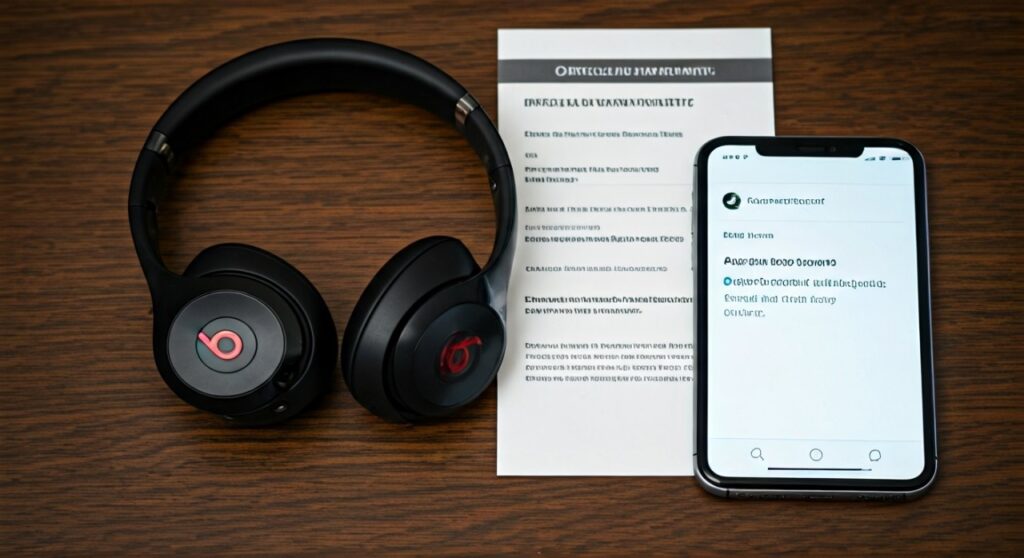
| Feature | Standard One-Year Warranty | AppleCare+ for Beats |
|---|---|---|
| Duration | 1 Year | 2 Years |
| Manufacturing Defects | Covered (Free) | Covered (Free) |
| Accidental Damage | Not Covered | Covered (With small service fee) |
| Battery Service | Covered (if health < 80%) | Covered (if health < 80%) |
| 24/7 Priority Support | No | Yes |
| Service Fee | $0 for defects | $29 per incident |
Do Beats Headphones Have a Warranty? Understanding the Basics
The short answer is a resounding yes. Do Beats headphones have a warranty? Every new pair of Beats purchased from an authorized retailer includes the Apple One-Year Limited Warranty.
This warranty is a voluntary manufacturer’s warranty. It provides rights separate to rights provided by consumer law, including but not limited to those relating to non-conforming goods.
When you unbox a new pair of Beats Solo Buds or Powerbeats Pro, the protection begins the moment the device is registered or the receipt is dated. This ensures that if the internal Bluetooth chip fails or a driver stops producing sound, you won’t be left with an expensive paperweight.
What is Covered Under the Beats Limited Warranty?
It is a common misconception that a warranty covers every type of damage. To avoid frustration at the Apple Store, you must distinguish between “defects” and “damage.”
Manufacturing Defects
The warranty specifically targets issues that occurred during the production of the headphones. This includes:
- Battery failures: If the battery does not hold a charge or degrades significantly faster than expected within the first year.
- Connectivity issues: Constant dropping of the Apple H1 or W1 chip connection.
- Audio imbalance: One ear cup playing louder than the other without physical trauma.
- Charging port failure: A USB-C or Lightning port that stops accepting power despite no debris or physical damage.
Materials and Workmanship
If the stitching on your Beats Studio ear cushions begins to unravel without excessive friction, or if the plastic headband snaps during normal expansion, these are often considered workmanship issues. Apple technicians will inspect the stress points to ensure the break wasn’t caused by a “forced” incident.
What is NOT Covered? (The Fine Print)
Understanding the limitations is just as important as knowing does Beats headphones have a warranty. The following scenarios will generally result in a “void” status or an out-of-warranty repair fee:
- Accidental Damage: If you drop your Beats in a pool or sit on them, the limited warranty will not help you.
- Unauthorized Modifications: Attempting to “mod” your headphones or having them repaired by a non-authorized third-party shop voids the warranty.
- Cosmetic Wear and Tear: Scratches, dents, or fading paint are considered normal usage and are not covered.
- Consumable Parts: While the battery is covered for defects, the natural depletion of battery capacity over years is not a “defect” unless it happens prematurely.
How to Check Your Beats Warranty Status (Step-by-Step)
Before you head to a service center, you should verify your coverage online. You will need your serial number, which can be found on the original packaging, the receipt, or printed on the device itself.
Step 1: Locate Your Serial Number
On Beats Studio and Solo models, look at the inside of the slider. On Powerbeats Pro and Beats Fit Pro, the serial number is printed on the inside of the charging case lid.
Step 2: Visit the Apple Support Website
Navigate to the [Apple Check Coverage](https://checkcoverage.apple.com/) page. This is the official portal for all Apple and Beats products.
Step 3: Enter Your Details
Type in your serial number and the CAPTCHA code. Click “Continue.”
Step 4: Review Your Coverage
The site will display your “Repairs and Service Coverage.” If it says “Active,” you are still within your one-year window. If it says “Expired,” you will likely have to pay for any repairs.
How to Claim Your Beats Warranty
If your headphones are malfunctioning, follow this process to get them repaired or replaced. As an expert who has handled numerous Apple service claims, I recommend the “Mail-In” option for the fastest turnaround.
- Contact Apple Support: Use the Apple Support app or the website to start a chat or phone call.
- Run Diagnostics: The technician may ask you to reset your headphones (usually by holding the power and volume down buttons) to rule out software glitches.
- Choose Service Method:
- Prepare for Shipping: Remove any third-party accessories or ear tips. Only send the item that is broken.
- Receive Your Replacement: Apple usually repairs or replaces the unit within 3–5 business days.
Is AppleCare+ Worth It for Beats?
If you are worried about the limitations of the standard warranty, AppleCare+ is a significant upgrade. For a small upfront fee (usually around $29–$39 depending on the model), you extend your coverage to two years.
The biggest advantage is the inclusion of Accidental Damage Protection. Instead of paying $199 for a replacement Beats Studio Pro after a liquid spill, you would only pay a $29 service fee. For athletes using Powerbeats in high-intensity environments, this is almost a mandatory investment.
Pro Tips for Maintaining Your Warranty
To ensure your claim is never denied, follow these expert-vetted tips:
- Keep Your Receipt: Even though the serial number usually suffices, a proof of purchase is required if there is a discrepancy in the purchase date in Apple’s system.
- Use the Beats App: If you are on Android, use the Beats App to keep your firmware updated. Sometimes, what looks like a hardware defect is actually a software bug fixed in a recent update.
- Avoid “Grey Market” Sellers: If you buy Beats from an unauthorized eBay seller, the warranty might have already started months ago, or the product could be counterfeit.
Frequently Asked Questions
Do Beats headphones come with a warranty if I buy them from Amazon?
Yes, as long as you purchase them from the official Beats storefront or “Ships from and Sold by Amazon,” the one-year Apple warranty applies. Be careful with “Marketplace” sellers.
Can I transfer my Beats warranty to a new owner?
Yes. The Apple Limited Warranty is tied to the device, not the owner. If you sell your headphones, the remaining warranty period follows the product.
What happens if my Beats break after the warranty expires?
You can still get them repaired by Apple, but you will be charged an “Out-of-Warranty” fee. For high-end models, this can cost between $99 and $199.
Does the warranty cover the charging cable?
Yes, the USB-C or Lightning cable included in the box is also covered under the one-year warranty if it fails due to a manufacturing defect.
How do I know if my Beats are fake?
If the serial number does not show up on the Apple Check Coverage website, or if the headphones do not automatically pair with an iPhone using the “one-tap” setup, they are likely counterfeit and have no warranty.









