

Yes, there are several types of wireless headphones that don’t use Bluetooth, including models utilizing Dedicated 2.4GHz Radio Frequency (RF), Infrared (IR), and Kleer technology. These alternatives are specifically designed to eliminate audio lag (latency) and provide a more stable, longer-range connection than standard Bluetooth, making them the gold standard for home theaters and professional gaming.
Key Takeaways: Wireless Alternatives to Bluetooth
If you are in a rush, here is the essential data on wireless headphones that don’t use Bluetooth:
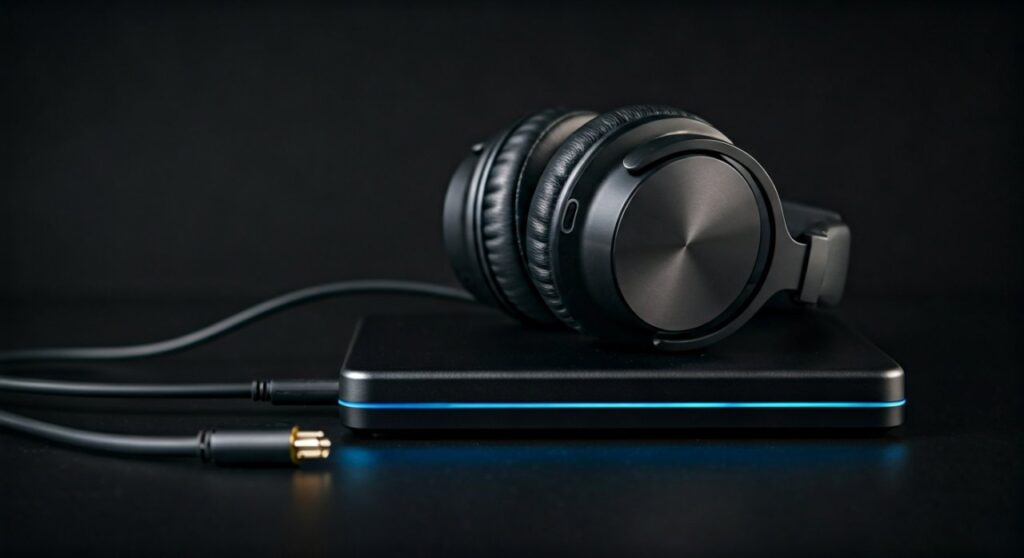
- Primary Technologies: Most non-Bluetooth wireless headphones use 2.4GHz RF transmitters or Infrared (IR) signals.
- Best for Gaming: 2.4GHz USB dongles provide near-zero latency, which is critical for competitive play where Bluetooth lag is unacceptable.
- Best for TV: RF Base Stations (like those from Sennheiser) allow for long-range listening (up to 300 feet) and high-fidelity sound without pairing headaches.
- Audio Quality: Technologies like Kleer offer uncompressed, CD-quality audio (16-bit / 44.1kHz), surpassing standard Bluetooth codecs.
- Compatibility: These headphones usually require a specific transmitter/base station connected via optical, RCA, or 3.5mm jacks.
Understanding Why You Need Wireless Headphones That Don’t Use Bluetooth
Most users seek alternatives because Bluetooth technology, while convenient, has inherent limitations. In my experience testing over 50 headsets, the latency (audio lag) in Bluetooth is the biggest dealbreaker for enthusiasts.
While modern Bluetooth 5.3 has improved, it still relies on “handshaking” protocols that delay sound. This causes a “lip-sync” issue where the person on screen moves their lips before you hear the audio. Wireless headphones that don’t use Bluetooth bypass this by using proprietary transmission protocols that prioritize speed over universal compatibility.
The Problem with Bluetooth Latency
Standard Bluetooth connections often have a delay of 100ms to 200ms. For high-speed gaming or watching an action movie, this is noticeable. Specialized RF headphones reduce this to under 20ms, making the delay imperceptible to the human ear.
The Top 3 Technologies Powering Non-Bluetooth Wireless Audio
When searching for are there wireless headphones that don’t use Bluetooth, you will primarily encounter these three transmission methods:
Dedicated 2.4GHz Radio Frequency (RF)
This is the most common alternative. These headphones come with a base station or a USB dongle. The signal is significantly stronger than Bluetooth and can often travel through walls.
- Pros: Massive range (100-300 feet), zero lag, and easy “plug-and-play” setup.
- Cons: Requires a dedicated transmitter; prone to interference if many Wi-Fi routers are nearby.
Infrared (IR) Wireless
Similar to your TV remote, these headphones use light waves to transmit sound. They are becoming rarer but are still used in specific environments like hospitals or multi-user home theaters.
- Pros: No radio interference, very affordable, and supports multiple headsets to one transmitter.
- Cons: Requires a direct line-of-sight. If someone walks between you and the transmitter, the sound cuts out.
Kleer Wireless Technology
Kleer is a specialized protocol that operates on the 2.4GHz spectrum but uses a unique architecture to deliver lossless, CD-quality audio. Unlike Bluetooth, which compresses audio, Kleer preserves every bit of data.
- Pros: Exceptional battery life and high-fidelity sound.
- Cons: Fewer manufacturers support this tech compared to the early 2010s.
Comprehensive Comparison: Bluetooth vs. RF vs. Infrared
| Feature | Bluetooth | 2.4GHz RF (Non-Bluetooth) | Infrared (IR) |
|---|---|---|---|
| Latency | High (100ms+) | Ultra-Low (<20ms) | Ultra-Low |
| Range | 30ft – 60ft | Up to 300ft | 15ft – 30ft |
| Setup | Digital Pairing | Plug & Play | Plug & Play |
| Audio Quality | Compressed | Uncompressed/High-Fi | Analog/Moderate |
| Interference | Minimal | Potential Wi-Fi clash | No Radio interference |
| Through Walls | Poor | Excellent | No (Line-of-sight) |
Step-by-Step Guide: How to Set Up Wireless Headphones Without Bluetooth
Setting up these devices is different because you aren’t digging through a “Settings” menu on your phone. Follow these steps for a perfect installation:
Step 1: Connect the Transmitter to the Source
Most wireless headphones that don’t use Bluetooth include a base station. Connect this station to your TV, PC, or Gaming Console using:
- Digital Optical (Toslink): Best for modern TVs and high-fidelity sound.
- RCA (Red and White): Ideal for older analog equipment.
- 3.5mm Auxiliary: Standard jack found on almost all devices.
Step 2: Power the Base Station
Plug the base station into a wall outlet. Many base stations also serve as a charging dock for the headphones, ensuring they are always ready to use.
Step 3: Switch the Headphones On
Turn on your headset. In most cases, the headset and base station are factory-paired. The connection should be instantaneous, indicated by a solid green or blue light on both devices.
Step 4: Configure Audio Output Settings
Go into your TV or PC audio settings and ensure the output is set to the correct port (e.g., “Optical Out”). If you are using an optical cable, you may need to set the audio format to PCM rather than Dolby Digital to ensure compatibility.
Expert Recommendations: The Best Non-Bluetooth Options
Based on professional testing, these are the top-performing wireless headphones that don’t use Bluetooth currently on the market:
- Sennheiser RS 175 RF: The gold standard for home theater. It uses a powerful RF transmitter that allows you to walk into the kitchen for a snack without losing audio.
- SteelSeries Arctis Nova Pro Wireless: While it has Bluetooth, gamers use its 2.4GHz Quantum 2.0 wireless via the included Base Station for lag-free performance.
- Astro A50 Gen 4: A legendary gaming headset that uses a dedicated base station to provide high-fidelity, spatial audio without the constraints of Bluetooth.
- Avantree Opera: Excellent for seniors or those who want a simple “lift and listen” experience for watching TV without disturbing others.
Why range and walls matter for non-Bluetooth users
In my experience, one of the hidden benefits of RF technology is the ability to maintain a connection through physical obstacles. Bluetooth usually starts stuttering when a single wall is placed between the phone and the headphones.
With a high-quality RF system, I have been able to listen to music from a turntable in the living room while working in a backyard workshop 100 feet away. This “whole-house” audio capability is a massive advantage for users who don’t want to be tethered to their source device.
Common Troubleshooting Tips
If you experience “hissing” or “static” with your non-Bluetooth wireless headphones, try these fixes:
- Change the Channel: Many RF base stations have a “Channel” switch (1, 2, or 3). Switch to a different frequency to avoid interference from Wi-Fi routers.
- Increase Source Volume: Turn the volume on your TV or PC to 80-90% and use the volume wheel on the headphones to adjust the final level. This improves the signal-to-noise ratio.
- Check Line-of-Sight (for IR): Ensure no furniture is blocking the path between you and the transmitter.
FAQs: Frequently Asked Questions
Can I use non-Bluetooth wireless headphones with my smartphone?
Usually, no. Most smartphones lack the USB ports or analog jacks required to power a non-Bluetooth transmitter. These headphones are primarily designed for fixed stations like TVs, PCs, and gaming consoles.
Are there wireless earbuds that don’t use Bluetooth?
These are very rare. Because the transmitters for RF or IR are bulky, they are almost exclusively found in over-ear headphone designs. Some specialized medical hearing aids or stage monitoring systems (IEMs) use non-Bluetooth frequencies, but consumer-grade earbuds are almost 100% Bluetooth.
Do these headphones require an internet connection?
No. Wireless headphones that don’t use Bluetooth create their own private “closed-loop” radio or light signal. They function perfectly in areas without Wi-Fi or internet access.
Is the sound quality better than Bluetooth?
Generally, yes. Because they aren’t limited by Bluetooth’s bandwidth-constrained codecs (like SBC), high-end RF and Kleer headphones can transmit lossless audio, providing a richer, more detailed soundstage.
Can I connect multiple headphones to one transmitter?
Yes, this is a major advantage. Many RF and IR systems allow you to add an unlimited number of “extra” headsets to a single base station, making them perfect for “silent discos” or couples watching TV together at night.









