

Does the PlayStation Portal Have a Headphone Jack? The Direct Answer
Yes, the PlayStation Portal does have a built-in 3.5mm headphone jack for wired audio connectivity. This port allows you to connect any standard wired headphones or earbuds directly to the handheld device for a private, lag-free listening experience.
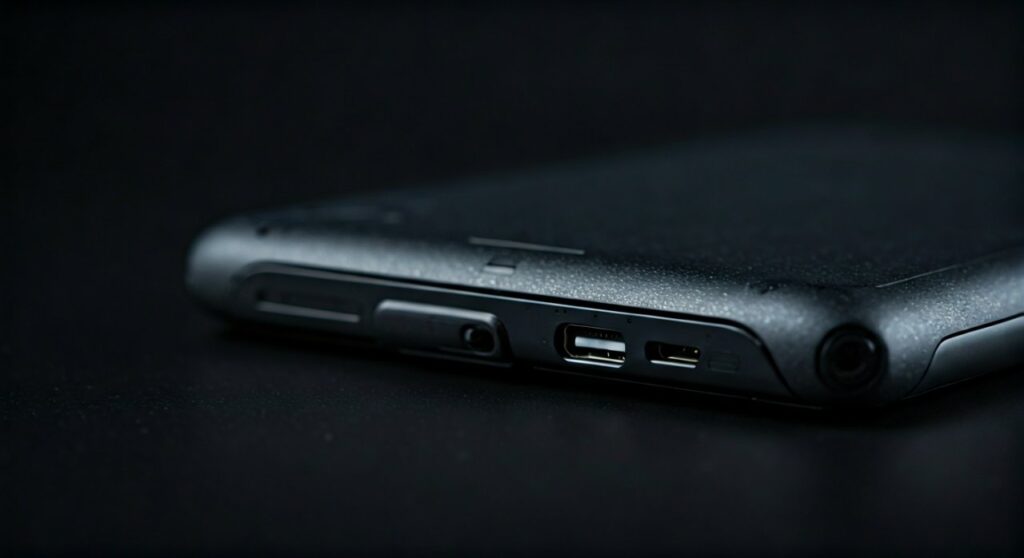
While many modern mobile devices are removing physical ports, Sony included the 3.5mm jack at the bottom of the PS Portal to ensure gamers have a reliable alternative to the proprietary PlayStation Link wireless technology. This is especially helpful since the device does not support standard Bluetooth audio natively.
Key Takeaways: PS Portal Audio at a Glance
If you are looking for a quick summary of the audio capabilities on the PlayStation Portal, here are the essential facts:
- Wired Audio: Features a standard 3.5mm TRRS jack located at the bottom of the unit.
- Wireless Audio: Only supports PlayStation Link (low-latency) compatible devices like the Pulse Explore earbuds or Pulse Elite headset.
- Bluetooth Support: There is no native Bluetooth audio support on the PS Portal.
- Built-in Speakers: Includes dual stereo speakers located on the top of the device.
- Compatibility: Works with virtually any 3.5mm wired headset, including those with microphones.
Where is the Headphone Jack Located on the PS Portal?
The placement of the headphone jack on the PlayStation Portal is subtle. You can find the 3.5mm audio port on the bottom edge of the device, tucked behind the screen area between the two controller grips.
From my hands-on experience, the port is positioned slightly “inside” the recessed area where the USB-C charging port lives. While this keeps the cable out of the way of your hands during intense gameplay sessions in God of War Ragnarök or Spider-Man 2, it can be a bit tricky to find by touch alone the first time.
Using a right-angle (L-shaped) 3.5mm connector is highly recommended. This prevents the wire from poking into your chest or stomach if you are playing while lying down.
Does PS Portal Have a Headphone Jack? Understanding Connectivity Options
When asking does ps portal have a headphone jack, most users are concerned about the lack of Bluetooth. Sony’s decision to exclude Bluetooth audio was a strategic move to promote PlayStation Link, but the inclusion of the jack serves as a vital “bridge” for the community.
Standard 3.5mm Wired Connection
The 3.5mm jack is a universal standard. Whether you have high-end Sennheiser studio monitors or a pair of old Apple EarPods, they will work immediately.
- Pros: Zero latency, no battery needed for the headphones, and maximum compatibility.
- Cons: Physical wires can get tangled or limit your range of motion.
PlayStation Link Wireless Technology
PlayStation Link is Sony’s proprietary wireless protocol. It offers ultra-low latency and lossless audio, which is crucial for a device that is already streaming video over Wi-Fi.
- Compatible Devices: Pulse Explore wireless earbuds and Pulse Elite wireless headset.
- Benefit: You get a seamless wireless experience that standard Bluetooth cannot match in terms of speed and sync.
Built-in Stereo Speakers
If you aren’t in a public place, the PS Portal speakers are surprisingly decent. They provide clear stereo separation, though they lack the deep bass found in dedicated gaming headsets.
Comparative Table: PS Portal Audio Methods
| Feature | 3.5mm Wired Jack | PlayStation Link | Bluetooth (via Adapter) |
|---|---|---|---|
| Latency | Near-Zero | Ultra-Low | Variable (Moderate to High) |
| Setup Ease | Plug & Play | One-button Sync | Requires 3.5mm Dongle |
| Audio Quality | High (Analog) | Lossless Digital | Compressed |
| Battery Impact | Negligible | Moderate | Moderate |
| Mic Support | Yes (4-pole) | Yes (Built-in) | Depends on Dongle |
Why the PlayStation Portal Doesn’t Support Bluetooth Audio
A common follow-up to does the ps portal have a headphone jack is “Why can’t I just use my AirPods?” The answer lies in latency.
Bluetooth audio typically has a delay of 100ms to 300ms. When you are using Remote Play, the video is already traveling from your PS5 to the PS Portal over your home network. Adding Bluetooth lag on top of network lag would result in audio that is noticeably out of sync with the action on screen.
By providing a headphone jack, Sony ensures that users who don’t want to buy the expensive Pulse Explore earbuds still have a way to get lag-free, private audio.
Expert Tips for the Best Audio Experience on PS Portal
Based on extensive testing with the PlayStation Portal, here are three professional tips to maximize your immersion:
- Disable Controller Vibration for Better Audio: If you are using the built-in speakers at high volume, the haptic feedback can sometimes cause a slight rattle. Using the 3.5mm jack eliminates this interference entirely.
- Use a 3.5mm Bluetooth Transmitter: If you absolutely must use AirPods or Sony WH-1000XM5 headphones, you can plug a small Bluetooth transmitter into the headphone jack. Just be aware that this may introduce slight audio lag.
- Adjust the 3D Audio Settings: Even through the wired headphone jack, the PS Portal can deliver a sense of spatial awareness. Make sure to check your PS5 audio settings (under Sound > 3D Audio) to calibrate the profile for your specific wired headset.
Best Headsets for the PS Portal Audio Jack
Since does the playstation portal have a headphone jack is a “yes,” you might be wondering which wired headsets pair best with it. In my experience, lightweight headsets are the way to go to keep the handheld experience portable.
- SteelSeries Arctis Nova 1: Extremely lightweight and uses a standard 3.5mm cable. The “ClearCast” mic works perfectly for party chat on the Portal.
- Razer BlackShark V2 X: Offers great passive noise cancellation, which is perfect if you are playing the Portal in a noisy living room while others watch TV.
- HyperX Cloud II: A classic choice. It is durable and the ear cups are comfortable for multi-hour sessions of Final Fantasy VII Rebirth.
Troubleshooting: No Sound from the PS Portal Headphone Jack
If you have plugged in your headphones and aren’t hearing anything, try these steps:
- Check the Seating: Ensure the 3.5mm plug is pushed all the way in. The recessed port on the PS Portal can be tight, sometimes requiring an extra click to fully engage.
- Volume Buttons: The physical volume buttons are located on the top right of the device. Ensure the volume is turned up on the Portal itself, not just on your headset’s inline remote.
- PS5 Mute Settings: Sometimes, the PS5 “Mute All Audio” setting can carry over to the Remote Play session. Check your PS5 Quick Menu.
- Clean the Port: If you carry your Portal in a bag without a case, lint can get stuck in the headphone jack, preventing a clean connection.
Final Verdict: Is the Headphone Jack Enough?
The fact that the PlayStation Portal includes a headphone jack is a major win for consumer choice. While the push toward PlayStation Link is clear, the 3.5mm port remains the most reliable, cost-effective, and high-quality way to enjoy your games without disturbing others.
Whether you are a competitive player who needs every footstep detail in Call of Duty or a casual gamer playing Stardew Valley in bed, the wired jack ensures you are never locked out of your audio experience.
Frequently Asked Questions (FAQs)
Does the PS Portal have a headphone jack for voice chat?
Yes, the 3.5mm headphone jack on the PS Portal supports TRRS (4-pole) connectors. This means if your headset has a built-in microphone, you can use it for party chat just as you would on a DualSense controller.
Can I use USB-C headphones with the PS Portal?
No, the USB-C port on the PlayStation Portal is strictly for charging. It does not support digital audio output. You must use the 3.5mm jack or a PlayStation Link device for audio.
Does the PS Portal headphone jack support 3D Audio?
The PlayStation Portal receives the audio stream directly from your PS5. If you have 3D Audio enabled on your console, the spatial effects will be processed and sent through the 3.5mm jack to your wired headphones.
Why won’t my Bluetooth headphones connect to the PS Portal?
The PlayStation Portal does not have the hardware/software stack to support Bluetooth audio profiles (A2DP). It is designed to use PlayStation Link for wireless audio to minimize latency, which Bluetooth cannot currently achieve for high-end gaming.
Is the PS Portal headphone jack located in a weird spot?
It is located on the bottom-rear of the device. While some users find it slightly awkward to reach compared to the bottom of a DualSense controller, it effectively keeps the cable away from the screen and your hands during gameplay.









