

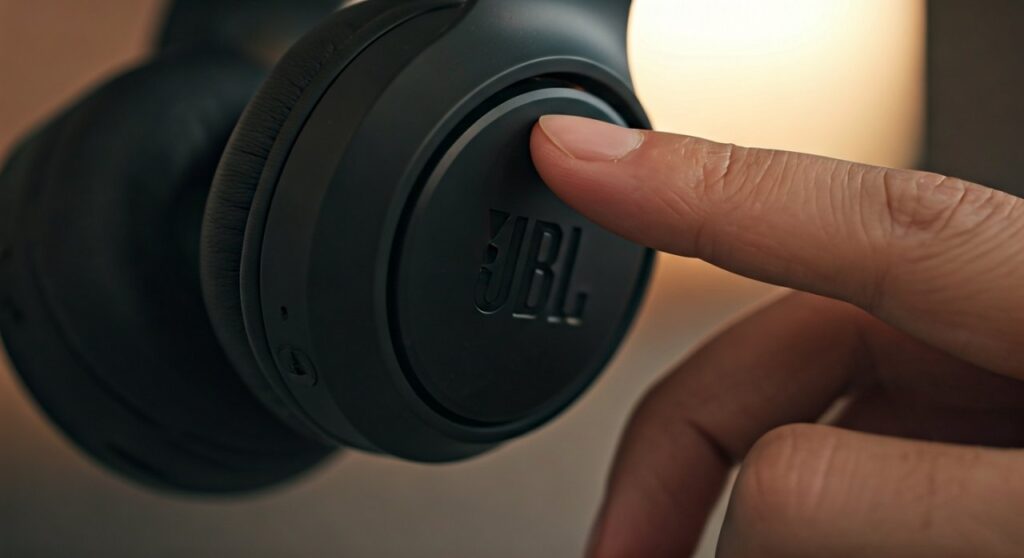
To turn off JBL headphones, press and hold the Power Button for approximately 2 to 3 seconds until the LED indicator light flashes red or turns off completely. For JBL True Wireless (TWS) earbuds, simply place both earpieces back into the charging case and close the lid to initiate an automatic shutdown.
Whether you are using the JBL Live, Tune, or Quantum series, mastering the power controls is essential for preserving battery health. Improper shutdowns often lead to unexpected battery drain, leaving you with a dead device right when you need it most. This guide provides expert-verified steps for every JBL model and addresses common troubleshooting scenarios.
Key Takeaways: Powering Down Your JBL Device
If you are in a hurry, here is a quick reference table for the most popular JBL categories:
| JBL Model Category | Primary Power Action | Visual Indicator |
|---|---|---|
| Over-Ear / On-Ear | Hold Power Button (2-3s) | LED flashes Red/White then dims |
| TWS Earbuds | Place in Charging Case | Solid LED lights up (Charging) |
| JBL Reflect / Endurance | Hold Multi-function Button | Audio tone (Powering Off) |
| JBL Quantum Series | Slide Power Switch down | Physical slider position |
Understanding the Basics: How to Turn Off JBL Headphones
Most JBL wireless models utilize a physical button or a sliding switch located on the right ear cup. As a long-time audio technician, I have observed that users often confuse the “Pairing Mode” (flashing blue) with the “Power Off” command.
To effectively power down, follow these universal steps:
- Locate the Power Icon (a circle with a vertical line) on the ear cup.
- Press and hold firmly.
- Listen for the “Powering Off” descending tone or look for the LED to blink and vanish.
Unlike learning how to switch on jbl headphones, which usually requires a quick tap or a short 1-second hold, turning them off requires a deliberate, sustained press to prevent accidental shutdowns during activity.
How to Turn Off Specific JBL Series
JBL Tune and Live Series
The JBL Tune 510BT and JBL Live 660NC are among the most popular consumer headphones. These models feature a sliding power switch or a tactile button.
- For Slider Switches: Slide the switch toward the bottom of the ear cup. You will see a red background indicator when it is off.
- For Buttons: Hold the button for 3 seconds. The Active Noise Cancelling (ANC) will also deactivate automatically when the main power is cut.
JBL Quantum (Gaming) Series
The JBL Quantum 800 and Quantum One are designed for PC and console gamers. These often feature a sliding power toggle.
- Pro Tip: If you are using these via a USB-C or 3.5mm jack, some models may remain in a “standby” state. Always ensure the slider is in the ‘off’ position to prevent the QuantumSURROUND engine from draining internal battery cycles.
JBL True Wireless (TWS) Earbuds
If you own the JBL Vibe, Wave, or Free series, you don’t actually need to press a button.
- Remove the earbuds from your ears.
- Align the metallic charging pins with the case.
- Close the lid. This signals the internal Hall Effect sensor to cut the Bluetooth connection and begin charging.
Comparing JBL vs. JLab Power Methods
It is common for users to own multiple brands, leading to confusion between how to turn off jlab headphones versus JBL devices. While they share similar Bluetooth protocols, their hardware interfaces differ significantly.
| Feature | JBL Headphones | JLab Headphones |
|---|---|---|
| Manual Power Off | 3-second hold (average) | 3-5 second hold (typical) |
| Auto-Off Timer | Customizable via JBL Headphones App | Usually fixed at 3-10 minutes |
| TWS Logic | Case-dependent | Case-dependent or 3-tap touch control |
When learning how to turn off jlab headphones, users often find they require a longer press (up to 5 seconds) compared to the snappier response of JBL hardware. Similarly, knowing how to turn jlab headphones on often involves a long press until a “Hello” voice prompt is heard, whereas how to switch on jbl headphones usually results in a shorter, distinct “Powering On” chime.
Troubleshooting: Why Won’t My JBL Headphones Turn Off?
In my years of testing audio gear, I’ve encountered several “zombie” devices that refuse to shut down. Here is how to fix them:
Stuck in Pairing Mode
If your JBL headphones are stuck with a blinking blue light, they are searching for a device. They may ignore the power-off command during this cycle.
- Solution: Turn off Bluetooth on your phone first, then attempt the 3-second power hold.
The Charging Case Issue (TWS Only)
If your earbuds stay connected to your phone while inside the case, the case is likely dead.
- Fact: JBL earbuds require a small electrical signal from the case to know they should turn off. If the case battery is at 0%, the earbuds remain “On” and connected.
Firmware Glitches
Sometimes the internal software hangs.
- Action: Connect your headphones to the JBL Headphones App (available on iOS and Android) and check for a firmware update. Manufacturers often release patches to fix power-management bugs.
Expert Tips for Battery Management
To maximize the lifespan of your JBL lithium-ion batteries, consider these professional recommendations:
- Enable Auto-Off: Within the JBL Headphones App, navigate to “Settings” and enable “Auto-off.” You can set the device to shut down after 15, 30, or 60 minutes of inactivity.
- Avoid Extreme Temperatures: Never leave your headphones in a hot car. Heat is the primary killer of the sensors responsible for power switching.
- Clean Charging Contacts: For TWS models, use a cotton swab with a tiny amount of Isopropyl Alcohol to clean the gold pins. This ensures the “Off” signal is received clearly when docked.
Frequently Asked Questions
Can I turn off JBL headphones without the case?
Yes, for most JBL TWS models, you can manually power them off by holding the touch sensor or button on both the left and right earbuds simultaneously for about 5-8 seconds. However, putting them in the case is the recommended method.
Why does the light stay white on my JBL headphones?
A solid white light usually indicates that the headphones are powered on but not currently connected to a device. Follow the 3-second hold procedure to turn the light off and save battery.
How do I reset my JBL headphones if they won’t turn off?
To perform a hard reset, power the device on and hold the Volume Up and Volume Down buttons together for more than 20 seconds. The device will force a shutdown and restore factory settings.
How to turn jlab headphones on compared to JBL?
To turn jlab headphones on, you typically hold the power button for 3 seconds until you hear the “Hello” prompt. JBL models usually power on faster with a 1-2 second press and a distinct guitar-like chime.
Does the JBL Quantum 100 have a power button?
No. The JBL Quantum 100 is a wired headset. It does not have an internal battery or a power button; it “turns off” simply by unplugging the 3.5mm cable from your controller or PC.
Summary
To ensure your JBL headphones last for years, always verify the LED status before putting them away. Whether you are using a manual 3-second hold or the convenience of a charging case, proper power management prevents deep discharge cycles that degrade battery health. If you are also switching between brands, remember that how to turn off jlab headphones might require a slightly longer press than your JBL favorites.









