

To adjust noise cancelling on Bose headphones, you can either use the physical Action button on the left earcup to toggle between preset modes or use the Bose Music app (or Bose Connect for older models) for granular control. In the app, you can move a slider from 0 (Transparency) to 10 (Full Cancellation) to find your perfect balance of isolation.
Mastering these settings is essential because “Full ANC” isn’t always the best choice. Whether you are navigating a busy street and need Aware Mode or trying to focus in a loud office with Quiet Mode, knowing how to adjust noise cancelling on Bose headphones ensures you get the most out of your premium hardware.
Key Takeaways: Mastering Bose ANC Settings
If you are in a hurry, here is the essential breakdown for managing your noise cancellation levels:
| Method | Best For | Compatibility |
|---|---|---|
| Action Button | Quick toggling between 2-3 presets while on the move. | QC35 II, QC45, QC Ultra, NC 700 |
| Bose Music App | Fine-tuning levels (0-10) and creating custom Modes. | QC Series, NC 700, QC Earbuds |
| Touch Control | Adjusting transparency quickly on newer models. | NC 700, QC Ultra |
| Voice Assistant | Hands-free adjustments via Alexa or Google. | Most Bluetooth models |
How to Adjust Noise Cancelling on Bose Headphones Using Physical Buttons
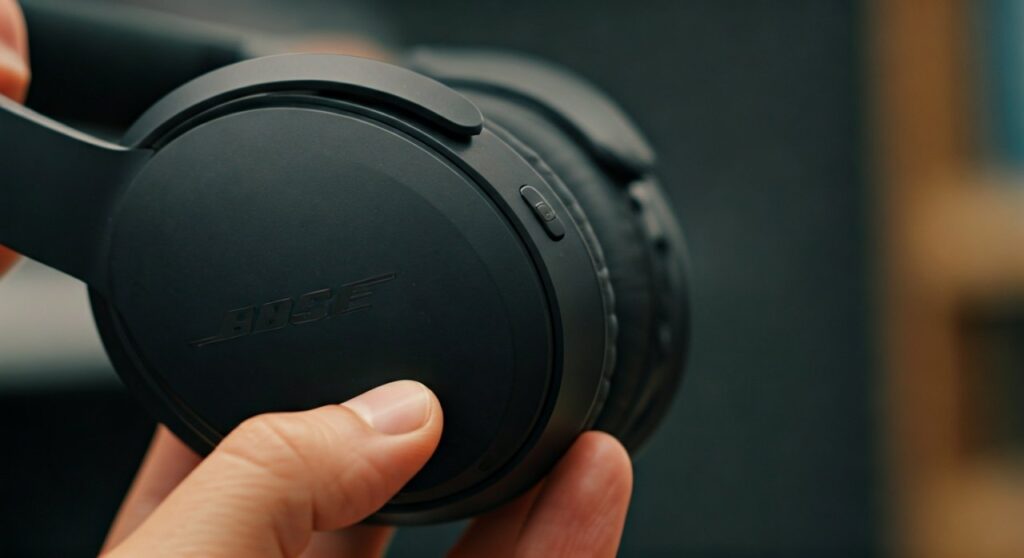
Most users prefer the tactile feel of physical buttons, especially when wearing gloves or exercising. Bose has standardized the “Action” button location on the back of the left earcup for most QuietComfort models.
To change noise cancelling on bose headphones via the button:
- Locate the Action button on the back of the left earcup.
- Press and release the button to cycle through your presets.
- By default, these are usually Quiet Mode (max cancellation) and Aware Mode (transparency).
In my experience testing the Bose QC45 and QC Ultra, the button feedback is instantaneous. However, if you have a Bose Noise Cancelling 700 model, you can actually program this button via the app to cycle between three different levels (e.g., 0, 5, and 10).
Using the Bose Music App for Granular Control
If you want to know how to set up bose noise cancelling headphones for maximum precision, the Bose Music app is your best friend. While the physical buttons offer “All or Nothing,” the app provides a sliding scale.
Download and Sync
First, ensure your headphones are paired with your smartphone. Download the Bose Music app from the App Store or Google Play. Once opened, the app should automatically detect your Bose QuietComfort or NC 700 series.
The Noise Cancellation Slider
Once you tap on your product, you will see a slider on the main dashboard.
- Level 10: This is the “Cone of Silence.” It uses the full power of the internal and external microphones to cancel out low-frequency hums like airplane engines.
- Level 5-6: This is the sweet spot for office environments. It dulls the hum of the AC but allows you to hear if someone calls your name nearby.
- Level 0: This is often called Transparency Mode. It actively pumps in outside sound so you can have a conversation without removing your headphones.
Creating Custom “Modes”
On newer models like the Bose QuietComfort Ultra, you can create “Modes.” I personally have a “Commute” mode set to level 8 with Wind Block enabled, and a “Focus” mode set to level 10 with Immersive Audio turned off to save battery.
How to Turn Off Noise Cancellation on Bose Headphones Completely
A common question among audiophiles is how to turn off noise cancellation on bose headphones to save battery or achieve a more natural sound profile.
It is important to note that on newer models like the QC45 and QC Ultra, you cannot “turn off” the processing entirely while the headphones are powered on. You can only switch to Aware Mode (Level 0).
To turn off noise cancelling on bose headphones (or minimize it):
- For NC 700: Slide the in-app toggle all the way to 0.
- For QC35 II: Use the Bose Connect app (the older version) to select “Off” in the noise cancellation settings.
- Passive Listening: If you want zero electronic noise cancellation, power the headphones off and use the included 2.5mm to 3.5mm audio cable. This relies purely on the physical seal of the earcups.
Adjusting ANC for Specific Bose Models
Bose has evolved its interface over the years. Depending on which pair you own, the steps to use bose noise cancelling headphones effectively will vary slightly.
Bose QuietComfort Ultra (The Flagship)
The QC Ultra introduces Immersive Audio. When you adjust ANC on this model, you can also toggle between “Still” and “Motion” audio modes.
- Custom Modes: You can save up to 10 custom modes.
- Wind Block: This is a specific software feature within the app that prevents the “whistling” sound often heard when walking outside on a gusty day.
Bose Noise Cancelling 700
The NC 700 features a touch-sensitive surface on the right earcup.
- Tap and Hold: You can set a shortcut to “Conversation Mode,” which instantly drops the ANC to 0 and pauses your music.
- Three-Level Toggle: The physical button on the left earcup can be customized to jump between your three favorite numbers (e.g., 2, 6, and 10).
Bose QuietComfort Earbuds II and Ultra
For the earbuds, the controls are touch-based.
- Long Press: By default, a long press on either earbud cycles through your noise cancelling presets.
- ActiveSense: In the app, ensure ActiveSense is on. This automatically increases noise cancellation if a sudden loud sound (like a bus honking) occurs while you are in Aware Mode.
Expert Tips for the Best ANC Experience
After years of using Bose products in diverse environments—from cross-continental flights to screaming subway cars—I’ve gathered a few expert insights to help you optimize your settings:
- Check Your Seal: No amount of digital noise cancelling can fix a bad physical fit. Ensure the earcups fully surround your ears without gaps caused by glasses or thick hair.
- Firmware Updates: Always check the Bose Music app for updates. Bose frequently releases “tuning” updates that improve how the microphones handle wind or high-pitched voices.
- Battery Management: Full noise cancellation (Level 10) drains the battery faster than Level 0. If you are on a long flight and low on juice, dropping to Level 5 can squeeze out an extra hour of playtime.
- Self-Voice Settings: If you feel like you are shouting during phone calls, go into the app and adjust the Self-Voice (Sidetone) setting. This lets you hear your own voice through the mics so you can speak at a normal volume.
Troubleshooting: Why Won’t My ANC Adjust?
If you are struggling with how to change noise cancelling on bose headphones, check these common failure points:
- Mono Mode: If you are using only one earbud, some Bose models disable ANC by default.
- Cable Connection: When using the wired cable, some app features may be disabled depending on the model.
- Software Glitch: If the button stops responding, perform a “Soft Reset.” Plug the headphones into a power source for 5 seconds, then unplug and restart.
Frequently Asked Questions
Can I turn off noise cancelling to save battery?
On newer models like the QC45, you cannot fully turn off the microphones while the unit is on; you can only switch to Aware Mode. On older models like the QC35 II, you can turn it completely off via the Bose Connect app.
Does Bose noise cancelling work without music?
Yes. You can use bose noise cancelling headphones simply to enjoy silence. This is often called “silent disco” mode. It is highly effective for sleeping on planes or studying in loud cafes.
Why do I hear a “hissing” sound at level 10?
This is known as a “noise floor.” High-end ANC creates anti-noise frequencies that can sometimes be heard as a very faint static or hiss in a completely silent room. If it bothers you, lower the ANC level to 6 or 7.
How do I adjust noise cancelling on Bose headphones without the app?
You must use the Action button on the left earcup. If your model doesn’t have this button (like the very early versions), you are restricted to the default “High” setting unless you use a source device with built-in EQ.
Is Bose noise cancelling safe for my ears?
Absolutely. ANC does not add harmful pressure to your eardrums. The “pressure” sensation some users feel is actually your brain reacting to the lack of low-frequency sound it usually expects to hear.









