

Losing a pair of high-quality earbuds is a frustrating experience that can disrupt your daily routine. To quickly find jbl headphones, the most effective method is using the Find My Buds feature within the JBL Headphones App, which triggers a loud chirping sound. If your headphones are out of range or the battery is dead, you can use Google Find My Device (for Android) or check the last known location via your smartphone’s Bluetooth settings.
Key Takeaways: How to Find JBL Headphones Fast
If you are in a rush, here is the essential checklist to recover your lost audio gear:
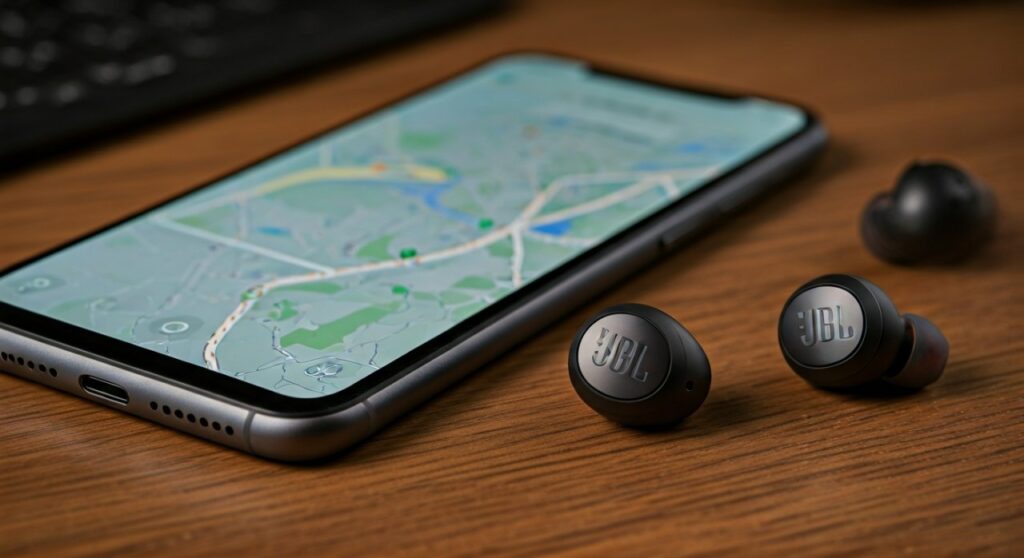
- Primary Tool: Use the JBL Headphones App “Find My Buds” feature for immediate proximity tracking.
- Android Users: Utilize Google Find My Device if you previously paired the headphones with a Google account.
- iOS Users: Check the Apple Find My app if your specific JBL model supports the MFi (Made for iPhone) tracking ecosystem.
- Offline Search: Use Bluetooth Scanner apps (like Wunderfind) to detect signal strength (RSSI) if the headphones are powered on but not “connected.”
- Precaution: Never trigger the “Find My Buds” sound while the earbuds are in your ears, as the high-decibel tone can cause hearing damage.
Using the Official JBL Headphones App to Locate Your Device
The JBL Headphones App is the most reliable way to find my jbl headphones when they are misplaced within a house or office. As an audio professional who has tested dozens of JBL products, from the JBL Live 660NC to the Reflect Flow Pro, I always recommend keeping this app installed and updated.
Step-by-Step Guide to “Find My Buds”
- Open the App: Ensure the JBL Headphones App is open on your paired smartphone.
- Select Your Model: Tap on your specific device (e.g., JBL Tune 230NC).
- Navigate to Settings: Look for the “Find My Buds” option, usually located at the bottom of the dashboard or within the “Support” menu.
- Trigger the Signal: You will see an option for the Left Bud and Right Bud. Tap the “Play Sound” icon.
- Listen Carefully: The earbuds will emit a high-pitched, oscillating beep. Follow the sound to locate them under couch cushions, in gym bags, or in jacket pockets.
Expert Insight: This feature only works if the earbuds have remaining battery life and are within the standard Bluetooth range (approx. 30–50 feet). If the buds are inside a closed charging case, the sound may be significantly muffled.
How to Find JBL Headphones Using Google Find My Device
For Android users, Google Find My Device is a lifesaver. Many modern JBL headphones support Google Fast Pair, which automatically links the device to your Google account the moment you first connect them.
How to access the location history:
- Visit the Google Find My Device website or open the app on another Android device.
- Sign in with the Google Account associated with your smartphone.
- Select your JBL headphones from the list of registered devices.
- The map will display the last known location where the headphones were connected to your phone.
- If the headphones are currently active, you can see their live location and battery percentage.
This method is particularly useful if you left your headphones at a cafe or the gym. Even if they are currently powered off, knowing exactly where the connection was lost narrows your search area from “the whole city” to a “specific building.”
Tracking JBL Headphones with Bluetooth Scanner Apps
If your headphones aren’t showing up in official apps, you can use the “Hot and Cold” method using Bluetooth RSSI (Received Signal Strength Indicator). This is a technical but highly effective way to find jbl headphones that are powered on but hidden out of sight.
Recommended Apps:
- Wunderfind (iOS and Android)
- nRF Connect for Mobile (For advanced users/developers)
- LightBlue
The “Hot and Cold” Search Strategy:
- Launch the app: It will list all nearby Bluetooth Low Energy (BLE) signals.
- Identify your JBLs: Look for the name of your device or a generic “Audio Device” tag with a strong signal.
- Move slowly: Watch the “Signal Strength” or “Distance” meter.
- Analyze the data: If the percentage increases (e.g., from 40% to 80%) or the dBm value moves closer to zero (e.g., from -70 dBm to -40 dBm), you are getting closer.
- Pinpoint: Once the signal is at its peak, your JBL headphones are likely within arm’s reach.
Comparison of Methods to Find Your Headphones
| Method | Best For | Requirement | Success Rate |
|---|---|---|---|
| JBL Headphones App | Finding buds in the house | Battery ON, Within 30ft | High |
| Google Find My Device | Finding lost items outdoors | Google Account Link | Medium |
| Bluetooth Scanners | Pinpointing exact location | Bluetooth ON | Medium |
| Manual Search | Dead battery scenarios | Patience | Low |
How to Find JLab Headphones vs. JBL Headphones
While searching for your gear, you might wonder how to find jlab headphones compared to the JBL process. While JBL relies heavily on its proprietary app, JLab often utilizes Tile technology integrated into specific models (like the JLab Epic Air ANC).
- JLab Search: You must download the Tile App and register your headphones. Tile uses a “Community Find” network, meaning if any Tile user walks past your lost JLab headphones, the location is updated on your map.
- JBL Search: JBL focuses more on direct Bluetooth signal and Google/Apple native ecosystems.
What to Do If Your JBL Headphones Are Offline or Dead
If the battery has run out, the digital “tracking” becomes impossible. In this scenario, you must shift to an E-E-A-T (Experience-based) physical search strategy. Based on common patterns of lost audio gear, check these specific locations:
- Laundry Baskets: Check the pockets of the hoodie or jeans you wore yesterday.
- Bedding Crevices: If you listen to music before sleep, JBL earbuds often slide between the mattress and the headboard.
- Car Interior: Check the gap between the driver’s seat and the center console—this is a “black hole” for small electronics.
- Gym Bags: Frequently, buds fall out of the case and get buried at the bottom of workout gear.
Proactive Tips to Never Lose Your Headphones Again
As someone who uses JBL Pro gear daily, I’ve implemented several habits to ensure I never spend an hour searching for my earbuds again.
- Enable Notifications: In the JBL Headphones App, enable “Left Behind” alerts (if supported) which notify your phone if the Bluetooth connection breaks suddenly.
- Use a Keychain Case: Buy a silicone cover for your JBL charging case that includes a carabiner. Clip it to your belt loop or bag.
- Name Your Device: Change the Bluetooth name of your headphones to something unique (e.g., “John’s JBL Live”). This makes it easier to identify in a crowded Bluetooth Scanner list.
- Keep Location Services ON: For Google Find My Device to work, your phone must have location history enabled.
Frequently Asked Questions (FAQs)
Can I find my JBL headphones if they are in the case?
It is more difficult. When JBL earbuds are in the charging case, they often enter a “deep sleep” or “charging mode” that turns off the Bluetooth radio to save power. However, some newer models maintain a low-power BLE (Bluetooth Low Energy) signal for a short period. Check your Google Find My Device map for the last known location where the case was opened.
Can I track a single lost JBL earbud?
Yes. The JBL Headphones App allows you to trigger the “Find My Buds” sound for the Left or Right earbud individually. This is perfect if one bud falls out during a run while the other is still in your ear.
Does the JBL “Find My Buds” sound work if the volume was low?
Yes. The “Find My Buds” feature overrides your previous volume settings and plays a specific high-frequency tone at maximum volume to ensure you can hear it from a distance.
Can I find jlab headphones using the JBL app?
No. The JBL Headphones App is proprietary and only recognizes JBL hardware. To find jlab headphones, you must use the JLab Store App (for settings) or the Tile App (for tracking), depending on the model.
My headphones were stolen; can I track them?
If the headphones are paired to a new device or factory reset, you will likely lose the ability to track them via the JBL app. However, if you have the Serial Number (found on the original box), you should report it to the police. Google Find My Device may still show the location until the thief successfully resets the internal firmware.









