

Understanding the Danger Zone: How Loud Is Too Loud for Headphones?
If you are wondering how loud is too loud for headphones, the short answer is any volume exceeding 85 decibels (dB) for more than eight hours. At 100 decibels, your hearing can sustain permanent damage in as little as 15 minutes.
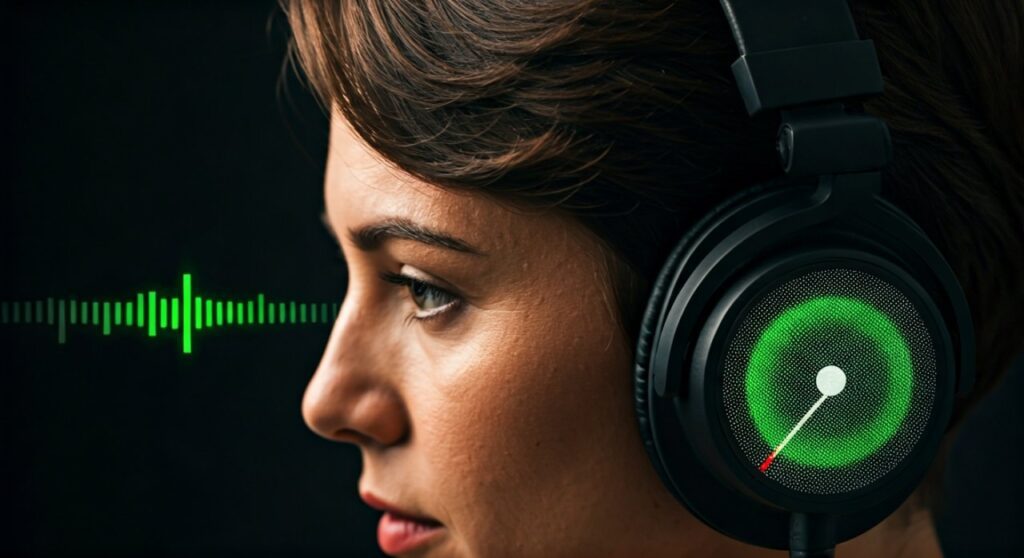
To protect your ears, follow the 60/60 rule: listen at no more than 60% volume for a maximum of 60 minutes at a time. This simple habit prevents Noise-Induced Hearing Loss (NIHL) and long-term issues like tinnitus.
Key Takeaways: Safe Listening at a Glance
If you’re in a hurry, here are the essential facts about headphone safety and volume limits:
- The Golden Rule: Keep your volume at or below 85 dB.
- The 60/60 Guideline: Limit usage to 60% volume for 60 minutes.
- Warning Signs: Ringing in ears (Tinnitus) or muffled sounds after listening.
- Technology Tip: Use Active Noise Cancellation (ANC) to block background noise so you don’t feel the need to crank up the volume.
- Device Limits: Most modern smartphones have built-in Volume Limiters in the settings menu.
The Science of Sound: Why 85 Decibels Matters
Understanding how loud is too loud for headphones requires a quick look at how we measure sound. Sound intensity is measured in decibels (dB), which is a logarithmic scale.
This means that an increase of just 3 dB actually doubles the sound energy reaching your eardrums. While 80 dB might feel safe, 83 dB is twice as powerful, and 86 dB is four times as powerful.
The World Health Organization (WHO) and the National Institute for Occupational Safety and Health (NIOSH) agree that 85 dB is the threshold where “safe” sound becomes potentially “hazardous” over long periods.
Comparing Common Sound Levels
| Sound Source | Decibel Level (dB) | Risk Level |
|---|---|---|
| Normal Conversation | 60 dB | Completely Safe |
| City Traffic (Inside Car) | 80 – 85 dB | Safe for 8 hours |
| Max Volume on Headphones | 105 – 110 dB | Dangerous in minutes |
| Shout in Ear | 110 dB | Immediate Risk |
| Siren / Jet Takeoff | 120 – 140 dB | Pain Threshold / Instant Damage |
How Loud Should Headphones Be for Daily Use?
When asking how loud should headphones be, the ideal level is between 50 dB and 70 dB. This is roughly the volume of a normal conversation or a quiet office environment.
If you are in a noisy environment, like a subway or a busy cafe, you might instinctively turn your music up to drown out the world. This is where the danger lies. You may reach 95 dB or 100 dB without realizing it because your brain is focusing on the music, not the total sound pressure.
Expert Insight: As someone who has reviewed hundreds of audio products, I’ve noticed that Open-back headphones often tempt users to increase volume more than Closed-back models because they let in ambient noise. If you commute, Noise-Canceling (ANC) headphones are the safest choice because they allow you to keep the volume low while still hearing your music clearly.
Step-by-Step Guide: How to Check Your Headphone Volume
Most people have no idea exactly how many decibels they are hitting. Here is how you can measure and control your levels on various devices.
Step 1: Use the “Arm’s Length” Test
This is a quick, analog way to check if your headphones are too loud.
- Hold your headphones at arm’s length while the music is playing.
- If you can clearly hear the lyrics or the melody, the volume is too high.
- Lower the volume until the sound is just a faint whisper from that distance.
Step 2: Check Levels on iOS (iPhone/iPad)
Apple has excellent built-in tools for monitoring ear health.
- Go to Settings > Sounds & Haptics.
- Tap on Headphone Safety.
- Toggle on Reduce Loud Sounds. You can set a specific decibel limit (e.g., 80 dB or 85 dB).
- You can also add the Hearing icon to your Control Center to see live decibel levels while you listen.
Step 3: Check Levels on Android
While Android varies by manufacturer (Samsung, Pixel, etc.), most have a safety warning.
- Go to Settings > Sounds and Vibration.
- Look for Volume or Media Volume Limit.
- On Samsung devices, tap the three dots in the corner of the Volume menu and select Media Volume Limit to set a custom PIN-protected cap.
Step 4: Use a Decibel Meter App
If you want to be precise, download a Decibel Meter app.
- Place your headphones on a flat surface.
- Place your phone’s microphone directly against the earcup.
- Play your music at your usual setting and check the reading. Note that this isn’t 100% accurate because it doesn’t account for the seal of your ear, but it provides a solid baseline.
The Biological Impact: What Happens to Your Ears?
Inside your inner ear (the Cochlea), there are thousands of tiny hair cells called Stereocilia. These cells convert sound vibrations into electrical signals that your brain interprets as music or speech.
When you play music too loud, these hair cells are overworked and bent. If the sound is brief, they can recover (which is why your ears feel “clogged” after a concert but get better the next day).
However, if you consistently listen at high volumes, these cells eventually die. Unlike skin or bone, these hair cells do not regenerate. Once they are gone, that part of your hearing spectrum is lost forever. This is why how loud is too loud for headphones is a question of lifelong health, not just temporary comfort.
Warning Signs You Are Overdoing It
You should lower the volume immediately if you experience any of the following:
- Tinnitus: A persistent ringing, buzzing, or hissing sound in your ears after you take your headphones off.
- Muffled Hearing: Feeling like you have cotton balls in your ears or that people are mumbling.
- Volume Creep: Noticing that the volume you used yesterday now feels “too quiet.” This is a sign of temporary threshold shift, meaning your ears are becoming desensitized.
- Physical Pain: Sharp stabs or a dull ache inside the ear canal.
Practical Strategies for Safer Listening
Protecting your hearing doesn’t mean you have to stop enjoying music. It’s about being intentional with your gear and habits.
Invest in Active Noise Cancellation (ANC)
The primary reason we turn up the volume is to overcome Masking. This is when external noise (like a plane engine) overlaps with the frequencies of your music. ANC headphones, like the Sony WH-1000XM5 or Bose QuietComfort Ultra, use microphones to cancel that external noise, allowing you to hear every detail of your music at a safe 65 dB.
Choose Over-Ear vs. In-Ear
In-ear monitors (IEMs) or earbuds sit closer to the eardrum. Because they seal the ear canal, they can create higher sound pressure levels more easily. Over-ear headphones generally provide a more natural soundstage and keep the driver further from the delicate structures of the inner ear.
Take Mandatory “Ear Breaks”
Every hour of listening should be followed by 5 to 10 minutes of silence. This allows the hair cells in your cochlea to “rest” and recover from the constant vibration.
Expert Perspective: The “Safe” Exposure Time Table
The relationship between volume and time is crucial. You can listen to louder music, but only for a very short duration.
| Volume Level (dB) | Maximum Safe Exposure Duration |
|---|---|
| 85 dB | 8 Hours |
| 88 dB | 4 Hours |
| 91 dB | 2 Hours |
| 94 dB | 1 Hour |
| 97 dB | 30 Minutes |
| 100 dB | 15 Minutes |
| 103 dB | 7.5 Minutes |
Pro Tip: If you are a gamer, be especially careful. Intense bursts of sound (explosions, gunfire) can easily spike to 110 dB. Use “Night Mode” or “Dynamic Range Compression” in your game settings to flatten these peaks and protect your ears during long sessions.
Frequently Asked Questions (FAQs)
Is 70% volume too loud for headphones?
On most modern smartphones, 70% volume usually sits around 85-90 dB. If you listen at this level for more than two hours, it is considered too loud. It is safer to stay at or below 60% volume.
Can noise-canceling headphones damage your ears?
No, Active Noise Cancellation (ANC) itself does not damage your ears. In fact, it helps protect them by reducing the need to turn up the volume in noisy environments. However, if you turn the volume to 100% while using ANC, the risk of damage remains the same.
Why do my ears ring after using headphones?
Ringing in the ears, or tinnitus, is a sign that the hair cells in your inner ear have been overstimulated and potentially damaged. It is your body’s “smoke alarm” for hearing loss. If this happens, you should rest your ears in total silence for at least 24 hours.
How can I tell if my child’s headphones are too loud?
If you are standing three feet away from your child and can hear the sound leaking from their headphones, it is definitely too loud. Look for kids-safe headphones that have a built-in hardware governor limiting the output to 85 dB.
Does the type of music matter for hearing loss?
Yes. Music with a high dynamic range (like Classical) is generally safer because it has quiet moments. Music with a low dynamic range (like heavily compressed EDM or Modern Pop) maintains a constant high-pressure level, which is more fatiguing and dangerous for your ears at high volumes.









