

The frustration of unboxing a brand-new, premium smartphone only to find a missing accessory is a common experience for modern tech buyers. If you are wondering does the samsung s22 come with headphones, the short answer is no. Since the launch of the Galaxy S21 series, Samsung has followed an industry-wide trend of slimming down the retail packaging by removing both the power adapter and the wired earphones.
This shift means that when you open your Samsung Galaxy S22, S22+, or S22 Ultra box, you will find the handset, a USB-C to USB-C cable, and a SIM ejection tool, but the iconic AKG-tuned wired earbuds are officially a thing of the past. For users transitioning from older models like the Galaxy S10, this requires a new strategy for personal audio, whether that involves purchasing a USB-C dongle or investing in wireless Bluetooth earbuds.
Key Takeaways: Samsung Galaxy S22 Audio Basics
If you are in a hurry, here is the essential information regarding the audio capabilities and out-of-the-box experience for the Samsung Galaxy S22 series:
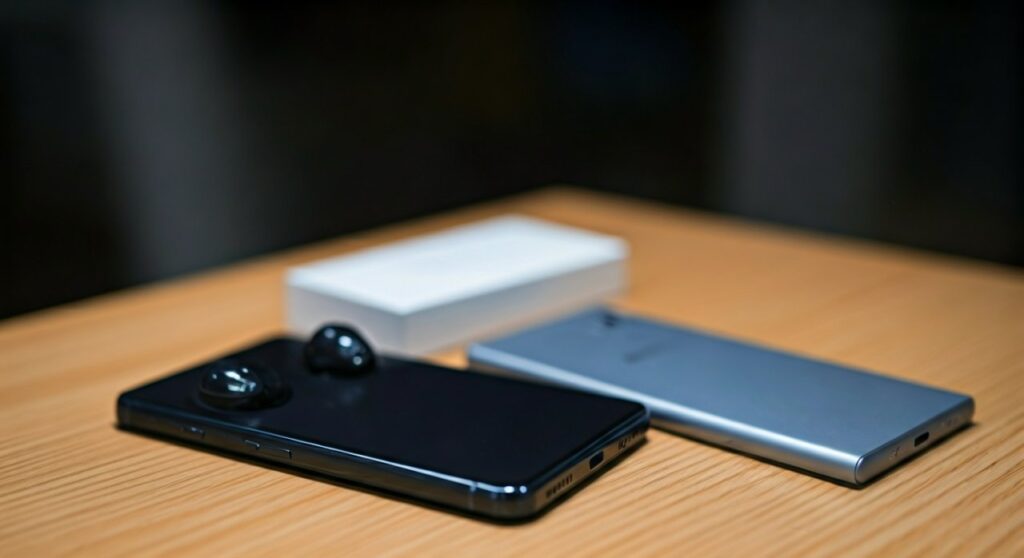
- No Headphones Included: None of the S22 models include wired earbuds or a USB-C to 3.5mm adapter.
- No Headphone Jack: The Samsung S22 does not have a 3.5mm audio port; it relies entirely on the USB-C port or Bluetooth 5.2.
- Recommended Audio: Galaxy Buds2 Pro or Galaxy Buds FE provide the most seamless ecosystem experience.
- Wired Workaround: You must use USB-C headphones or an active DAC adapter to use traditional wired gear.
- Charging Compatibility: The included cable is USB-C to USB-C, requiring a USB-C Power Delivery (PD) wall plug.
| Feature | Samsung Galaxy S22 Specification |
|---|---|
| Headphones in Box? | No |
| 3.5mm Jack? | No (Removed since S20 series) |
| Bluetooth Version | 5.2 (Supports LE Audio) |
| Audio Codecs | SBC, AAC, aptX, LDAC, Samsung Seamless Codec |
| Included Accessories | USB-C Cable, SIM Tool, Documentation |
Why Doesn’t the Samsung S22 Come with Headphones?
The decision to exclude headphones was not unique to the Samsung Galaxy S22. It follows a strategic pivot that Samsung initiated in 2021. According to the company, there are three primary reasons for this “minimalist” packaging approach.
Environmental Sustainability and E-Waste
Samsung claims that many users already own compatible headphones from previous devices. By removing the earbuds and the wall brick, the company can use smaller packaging, which fits more units onto a single shipping pallet. This reduces the carbon footprint associated with logistics and keeps millions of unused plastic components out of landfills.
The Rise of Wireless Audio
The global market has shifted heavily toward True Wireless Stereo (TWS) earbuds. Most flagship users prefer the convenience of Bluetooth over tangled wires. By not including a cheap pair of wired buds, Samsung encourages users to upgrade to higher-quality wireless options like the Galaxy Buds lineup.
Cost Management
Manufacturing high-end 5G components and advanced camera sensors like those in the S22 Ultra is expensive. Removing accessories allows Samsung to keep the base price of the device more competitive while offsetting the rising costs of raw materials and shipping.
How to Listen to Music on the Samsung S22
Since the Samsung S22 lacks a dedicated headphone jack, you have three primary ways to enjoy audio. Based on my hands-on testing with the S22 Ultra, here is how to navigate each option.
Option 1: Using Bluetooth Wireless Earbuds
This is the intended experience for S22 users. Samsung’s ecosystem is designed to recognize Galaxy Buds the moment you open the case near the phone.
- Galaxy Buds2 Pro: Offers 24-bit Hi-Fi audio and excellent Active Noise Cancellation (ANC).
- Galaxy Buds FE: A more budget-friendly option that still provides the “Auto Switch” feature between your Samsung tablet and phone.
- Third-Party Buds: The S22 supports Bluetooth 5.2, meaning it works perfectly with Apple AirPods, Sony WF-1000XM5, or Bose QuietComfort buds.
Option 2: Using USB-C Wired Headphones
If you prefer a wired connection for zero latency (great for gaming) or better audio fidelity, you can plug USB-C headphones directly into the charging port.
Expert Tip: Not all USB-C headphones are created equal. Look for pairs that explicitly mention a built-in Digital-to-Analog Converter (DAC). Some cheaper, passive cables may not be compatible with the S22’s digital output.
Option 3: Using a USB-C to 3.5mm Adapter
For those who own expensive high-end headphones or “audiophile” gear, you will need a “dongle.”
- Official Samsung Adapter: Highly recommended for compatibility.
- Third-Party DACs: Brands like Anker or Ugreen offer reliable adapters.
- High-Res DACs: If you use Tidal or Apple Music Lossless, a portable DAC like the iFi Go Link will significantly improve the S22’s output quality.
Step-by-Step: Connecting Your Audio Gear to the S22
If you are setting up your Samsung Galaxy S22 for the first time, follow these steps to ensure the best sound quality.
Connecting Wireless Earbuds
- Go to Settings > Connections > Bluetooth.
- Ensure Bluetooth is toggled On.
- Put your earbuds in Pairing Mode (usually by holding the touch sensors or a button on the case).
- Select your device from the Available Devices list.
- Pro Tip: Download the Galaxy Wearable app from the Google Play Store to customize EQ settings and update firmware.
Optimizing Audio Settings (Dolby Atmos)
The Samsung S22 series features Stereo Speakers tuned by AKG, but you can make them sound even better:
- Open Settings.
- Tap on Sounds and vibration.
- Scroll down to Sound quality and effects.
- Toggle Dolby Atmos to On.
- Set it to Auto or Movie for a wider soundstage.
- Use the Adapt Sound feature to take a hearing test; the phone will calibrate the frequency response specifically for your ears.
Recommended Headphones for the Samsung S22 Series
Since the Samsung S22 does not come with headphones, you will likely need to purchase a pair. Based on performance, battery life, and value, here are the top recommendations.
Galaxy Buds2 Pro (Best Overall)
These are the gold standard for S22 owners. They support the Samsung Seamless Codec, which allows for high-bitrate audio that other Android phones can’t access. The integration with SmartThings Find ensures you won’t lose them.
Sony WH-1000XM5 (Best Over-Ear)
If you travel frequently, these offer the best noise cancellation in the industry. They support the LDAC codec, which the S22 handles perfectly for near-lossless wireless audio.
Samsung USB-C Earphones (Best Budget Wired)
If you want the classic “wired” feel without spending much, Samsung sells a standalone pair of Type-C Earphones. They are tuned by AKG and provide a plug-and-play experience without needing an adapter.
Comparison: S22 Box Contents vs. Previous Generations
It is helpful to see how much the retail experience has changed over the years. This table illustrates the gradual removal of accessories from the Galaxy flagship line.
| Model | Headphones Included? | Charger Included? | Jack Type |
|---|---|---|---|
| Galaxy S9 | Yes (AKG 3.5mm) | Yes (15W) | 3.5mm Jack |
| Galaxy S10 | Yes (AKG 3.5mm) | Yes (15W) | 3.5mm Jack |
| Galaxy S20 | Yes (AKG USB-C) | Yes (25W) | USB-C Only |
| Galaxy S21 | No | No | USB-C Only |
| Galaxy S22 | No | No | USB-C Only |
Troubleshooting Common Audio Issues on S22
Even with high-end gear, you might encounter issues. Here is how to fix them quickly.
- No Sound from USB-C Adapter: Ensure the adapter is pushed all the way in. If it still doesn’t work, go to Developer Options and ensure “Disable USB audio routing” is toggled Off.
- Bluetooth Audio Stuttering: This often happens due to interference. Try unpairing the device and clearing the Bluetooth Cache in Settings > Apps > Show System Apps > Bluetooth > Storage > Clear Cache.
- Low Volume on Wired Buds: Samsung has a “Media Volume Limit” feature. Check Settings > Sounds and vibration > Volume > Three dots (top right) > Media volume limit to ensure it isn’t restricting your output.
Frequently Asked Questions (FAQs)
Does the Samsung S22 Ultra come with a stylus and headphones?
The Samsung S22 Ultra comes with a built-in S Pen (stylus), but it does not come with headphones. The stylus is housed inside the chassis, while the audio accessories must be purchased separately.
Can I use my old 3.5mm Apple EarPods with the S22?
Yes, but only if you use a USB-C to 3.5mm female adapter. Note that the volume buttons on older Apple-specific wired EarPods often do not work on Android devices due to different wiring standards, though the center button and mic usually function.
Does the Samsung S22 support LDAC for high-resolution audio?
Yes, the Samsung S22 supports LDAC, aptX, AAC, and SBC. To enable LDAC, you must go into Developer Options while your compatible headphones are connected and manually select the codec.
Is there a workaround to get free headphones with an S22?
While they aren’t in the box, many carriers (like Verizon, AT&T, or T-Mobile) and retailers often bundle Galaxy Buds as a promotional gift. Always check for “Gift with Purchase” offers before buying.
Does the S22 have a microSD slot if I want to store high-res music?
No, the Samsung S22 series does not have a microSD card slot. If you have a large library of FLAC or high-res audio files, you will need to rely on internal storage (128GB, 256GB, or 512GB) or cloud services.









