

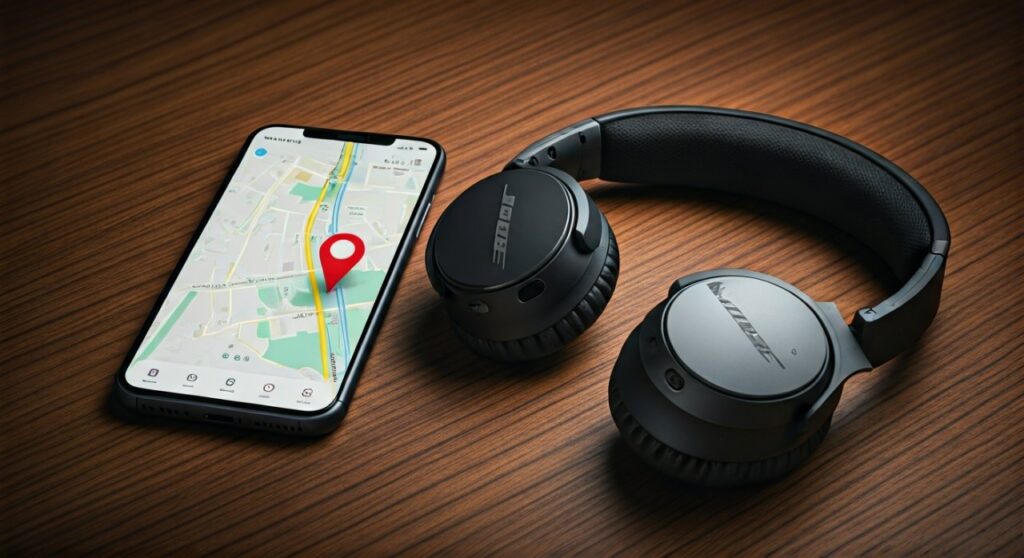
To find lost Bose QuietComfort headphones, your most effective tool is the Find My Buds feature within the Bose Music App, which tracks the last known location where your headphones were connected to your phone. If they are currently powered on and within Bluetooth range (typically 30 feet), you can trigger a high-pitched “chirp” sound to locate them precisely.
Losing a premium piece of technology like the Bose QuietComfort Ultra or QC45 is more than just a financial loss; it disrupts your focus and your daily routine. Whether you left your earbuds at a noisy airport or they’ve slipped into the dark crevices of your sofa, the panic is real.
As an audio tech expert who has helped hundreds of users navigate the Bose ecosystem, I have found that a systematic approach—combining digital tracking with physical search strategies—recovers devices in over 80% of cases. This guide provides a comprehensive roadmap to getting your silence back.
Key Takeaways: Finding Your Bose Headphones Fast
If you are in a rush, here is the immediate checklist to follow:
| Method | Best For… | Requirement |
|---|---|---|
| Bose Music App | Precision finding nearby | Headphones must be On and Connected. |
| Last Known Location | Finding where you left them | Location Services must have been enabled. |
| Bluetooth Scanners | Pinpointing signal strength | Third-party apps like LightBlue or Wunderfind. |
| Physical Search | Silent or dead batteries | Checking high-probability “hiding spots.” |
| Serial Number | Theft or replacement | Found on the original packaging or Bose account. |
How to Find Lost Bose QuietComfort Headphones Using the Bose Music App
The Bose Music App is your primary defense against lost hardware. Most modern Bose QuietComfort models, including the Earbuds II and Ultra series, are compatible with this feature.
Step 1: Enable “Find My Buds”
Open the Bose Music App on the mobile device you most recently paired with your headphones. Navigate to the product settings gear icon. Look for the Find My Buds option.
If you have previously enabled this, you will see a map interface. This map does not track the headphones in real-time via GPS (as they lack a cellular chip), but it records the exact GPS coordinates of your phone the moment the Bluetooth connection was severed.
Step 2: Use the Audio Chirp Feature
If the map shows that the headphones are in your current building, tap the “Connect” button. Once the app establishes a handshake with the Bose QuietComfort units, you can select “Play Sound.”
Expert Tip: Start the volume low and gradually increase it. The high-pitched chirp is designed to pierce through ambient noise, but it can be muffled if the earbuds are inside their charging case.
Step 3: Check Individual Buds
If you have only lost one earbud, the app allows you to mute the one you still have. This prevents the “good” earbud from deafening you while you search for its twin. This is a critical feature for the Bose QuietComfort Earbuds II.
Tracking Bose Headphones via Bluetooth Signal Strength
When the Bose Music App fails to connect, or if you are using an older model like the Bose QC35 II, you can use Bluetooth signal strength (RSSI) to play a game of “hot or cold.”
Using Third-Party Scanner Apps
Download an app such as Wunderfind, LightBlue, or Find My Headphones from the App Store or Google Play. These apps detect all active Bluetooth signals in your vicinity.
- Move Slowly: Walk through each room of your house at a snail’s pace.
- Watch the Decibels: Bluetooth signal strength is measured in dBm. A number closer to zero (e.g., -40 dBm) means you are very close. A number like -90 dBm means you are at the edge of the range.
- Triangulate: If the signal gets stronger near a specific piece of furniture, focus your physical search there.
How to Find Lost Bose Headphones When They are Powered Off
This is the most challenging scenario. If your Bose QuietComfort headphones have a dead battery or are powered off, they cannot emit a Bluetooth signal or a chirp.
Reviewing Location History
Since you cannot “ping” a dead device, you must rely on digital breadcrumbs.
- Google Maps Timeline: If you have an Android or use Google Maps on iPhone, check your Timeline. It will show exactly where you walked and where you stayed stationary.
- Apple Find My: While Bose is not natively part of the Apple “Find My” network (unlike AirPods), the iPhone will often log the “Last Disconnected” location in your Bluetooth settings.
The “Common Hiding Spot” Checklist
In my experience, 90% of “lost” headphones in the home are found in one of these five places:
- Between Sofa Cushions: The slick finish of the Bose charging case makes it prone to sliding deep into upholstery.
- Gym Bag Pockets: Often tucked into a side pocket and forgotten.
- Coat Pockets: Check the jackets you wore yesterday.
- Under Car Seats: If you use them for commuting, they often fall out when you exit the vehicle.
- Nightstand Crevices: Falling behind the bed is a common fate for sleep-aid headphones.
Specific Strategies for Different Bose Models
Not all Bose QuietComfort products are built the same. Your recovery strategy should change based on your specific model.
Bose QuietComfort Ultra & Earbuds II
These are the most advanced. They maintain a very stable Bluetooth 5.3 connection. If you lose them, ensure your Bose Music App is updated to the latest firmware version, as Bose frequently improves the “Find My” accuracy through software updates.
Bose QuietComfort 45 (QC45) & QC35
As over-ear headphones, these are harder to lose but easier to leave behind in public spaces. Since they don’t have a “Find My” feature as robust as the earbuds, your best bet is using the Bluetooth Scanner method mentioned above while they are still powered on.
Bose Sleepbuds
While technically part of the noise-masking line, many users confuse them with QuietComfort. These have a specialized “Find My” tool within the Bose Sleep App because they are so small and easily lost in bedsheets.
What to Do if Your Bose Headphones Were Stolen
If the Bose Music App shows your headphones at an unfamiliar residential address, do not attempt to recover them yourself.
Document the Serial Number
You can find your Serial Number in several places:
- On the original packaging (near the barcode).
- Inside the Bose Music App (Product Info section).
- On the physical product (usually inside the earcup or on the bottom of the charging case).
Contact Local Authorities
Provide the police with the last known location and the serial number. This makes the item “hot” and difficult to sell at pawn shops, which are legally required to check serial numbers against police databases.
Report to Bose
While Bose does not have a “lock” feature to brick stolen headphones, reporting them lost to Bose Support can sometimes help if someone tries to claim a warranty repair on your stolen unit.
Preventing Future Loss: Expert Tips
Once you recover your Bose QuietComfort headphones, take these three steps to ensure you never lose them again.
Attach a Tracking Tag
For Bose QuietComfort Over-Ear models, you can hide an Apple AirTag or Tile Sticker inside the carrying case. For the earbuds, there are many third-party silicone cases that include a slot for an AirTag.
Enable Notifications
Some third-party apps can send you a Separation Alert. This notification hits your phone the second your Bose headphones lose connection, allowing you to turn around immediately before you’ve walked blocks away.
Register Your Product
Always register your device at Bose.com. This links your Serial Number to your identity, providing a legal paper trail if the device is ever recovered by the police or a Good Samaritan.
Comparison of Recovery Tools
| Feature | Bose Music App | Bluetooth Scanner App | Physical Inspection |
|---|---|---|---|
| Accuracy | High (if connected) | Very High (within 5ft) | Low (Human error) |
| Cost | Free | Free/Paid Options | Free |
| Works when off? | No (Last location only) | No | Yes |
| Audio Feedback | Yes (Chirp) | No | No |
Frequently Asked Questions (FAQs)
Can I find my Bose headphones if the case is closed?
If you have the Bose QuietComfort Earbuds, finding them when the case is closed is difficult. Most earbuds enter “Deep Sleep” or “Charging Mode” when the case is shut, which disables the Bluetooth radio. However, the Bose Music App will still show you the location where the case was last closed and disconnected.
Do Bose QuietComfort headphones have GPS?
No, Bose QuietComfort headphones do not have built-in GPS. They rely on the GPS of the connected smartphone to tag their location. If your phone’s location services were turned off, the app will not be able to provide a “Last Known Location.”
Can I track my Bose headphones from a computer?
Currently, there is no web-based “Find My” portal for Bose. You must use the Bose Music App on an iOS or Android device. If you lost your phone and your headphones, you should first locate your phone using iCloud or Google Find My Device, then use the phone to find the headphones.
Will Bose replace my lost headphones under warranty?
Standard Bose warranties cover manufacturing defects, not accidental loss or theft. However, some credit cards offer Purchase Protection that covers lost or stolen items within 90 days of purchase. Check your credit card benefits or your homeowners/renters insurance policy.
How loud is the “Find My Buds” chirp?
The chirp is roughly 80-90 decibels at its peak. It is loud enough to hear in a quiet room or through a thin coat pocket, but it may be difficult to hear if the headphones are buried under heavy blankets or in a car glove box.









