

While open-ear headphones are designed to keep you aware of your surroundings, they do naturally leak some sound into the environment. Yes, other people can hear your open-ear headphones, especially if you are in a quiet room and have the volume set above 50%. However, the degree of “sound leakage” depends heavily on whether you are using bone conduction or air conduction technology and the level of ambient noise around you.
Key Takeaways: Can Others Hear Your Audio?
If you are looking for a quick summary of how much privacy you can expect, here are the essential facts:
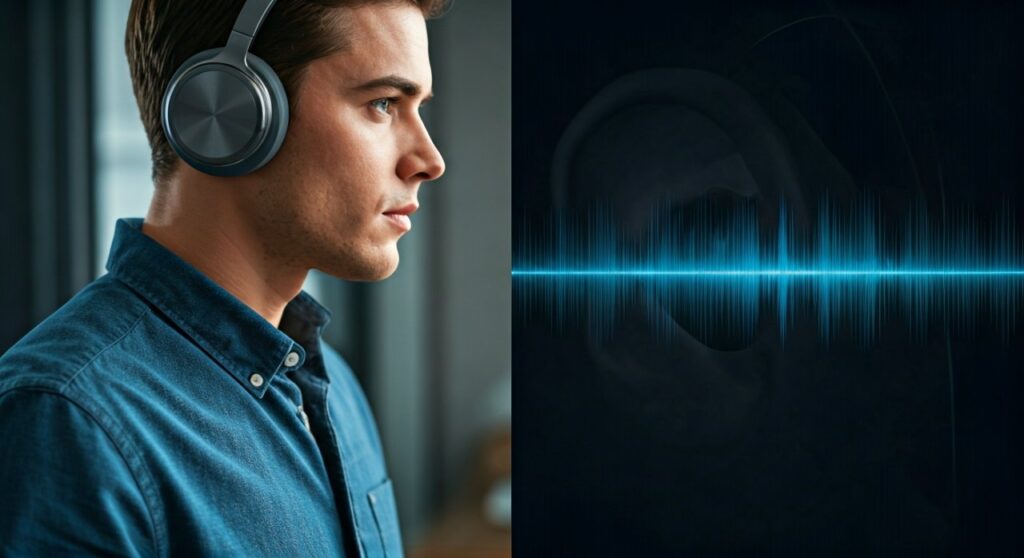
- Sound Leakage is Inevitable: Because the ear canal is not sealed, sound waves can travel outward.
- Distance Matters: In most cases, someone needs to be within 2 feet (0.6 meters) to hear your audio clearly.
- Technology Type: Bone conduction headphones (like the Shokz OpenRun) generally leak less sound than air conduction models (like Bose Ultra Open Earbuds) at high volumes.
- Environment is Key: In a noisy office or outdoors, leakage is usually masked by background noise. In a library, it will be noticeable.
- The 50% Rule: Keeping your volume at or below 50% typically makes your audio inaudible to those around you.
Understanding Why Open-Ear Headphones Leak Sound
To understand why people can hear your music, we have to look at how these devices function. Unlike traditional earbuds that sit inside your ear canal and create a physical seal, open-ear designs leave the canal open to the air.
Air Conduction vs. Bone Conduction
There are two primary ways these headphones deliver sound, and each has a different “leakage profile.”
- Air Conduction: These devices use directional speakers to aim sound waves toward your ear canal. While brands like Sony and Bose use “phase cancellation” to minimize escaping sound, some waves inevitably bounce off your outer ear and travel outward.
- Bone Conduction: These devices use vibrations sent through your cheekbones directly to your inner ear (cochlea). Because they don’t use traditional speakers, they are much quieter to outsiders, though they may “buzz” or leak high-pitched frequencies at maximum volume.
The Role of Acoustic Privacy Technology
Many modern premium models, such as the Oladance OWS series, utilize Reverse Sound Waves. This technology generates a second sound wave that is 180 degrees out of phase with the leaked sound, effectively cancelling it out for anyone standing nearby.
How to Test If People Can Hear Your Headphones
If you are worried about your coworkers hearing your private podcasts or music, follow this step-by-step guide to test your specific device’s leakage.
Step 1: The Arm’s Length Test
Hold your headphones at arm’s length (about 2-3 feet) in a quiet room. Put on a track with heavy vocals or a podcast. Gradually increase the volume until you can hear the sound coming from the device. This is the threshold where a stranger would likely notice your audio.
Step 2: The “Phone Record” Method
Place your headphones on a mannequin head or a rolled-up towel to simulate them being on your head. Place your smartphone 12 inches away and open a voice recording app. Play your music at your usual listening level for 30 seconds. Listen back to the recording to see how much detail is actually “audible” to a nearby microphone.
Step 3: Use a Decibel Meter App
Download a Sound Level Meter app on your phone. In a quiet room (around 30-40 dB ambient noise), place the phone next to your head while wearing the headphones.
- 40-45 dB leakage: Barely audible, sounds like a whisper.
- 50-60 dB leakage: Comparable to a normal conversation; people will definitely hear you.
Comparative Table: Sound Leakage by Headphone Type
| Headphone Category | Typical Leakage Level | Best Use Case | Privacy Rating |
|---|---|---|---|
| In-Ear Monitors (IEMs) | Near Zero | Airplanes, Libraries | ⭐⭐⭐⭐⭐ |
| Closed-Back Over-Ear | Very Low | Offices, Commuting | ⭐⭐⭐⭐ |
| Bone Conduction | Low to Moderate | Running, Cycling | ⭐⭐⭐ |
| Air Conduction (Open) | Moderate | Walking, Home Office | ⭐⭐ |
| Open-Back Over-Ear | High | Home Audiophile Use | ⭐ |
Factors That Increase Sound Leakage
Based on my experience testing dozens of models like the Shokz OpenFit and Sony LinkBuds, four main factors determine if your audio stays private.
Volume Levels
This is the most significant factor. Most open-ear headphones are designed to be “stealthy” up to about 60% volume. Once you hit 80% or 100%, the directional speakers or vibrations become powerful enough to be heard across a small room.
Audio Content
High-frequency sounds (like cymbals, “S” sounds in speech, or electronic music) travel more easily through the air. If you are listening to a bass-heavy track, people might hear a faint “thumping,” but if you are listening to a political podcast, they might hear every word.
Physical Fit and Placement
If a bone conduction headset isn’t sitting snugly against your temporal bone, it has to vibrate harder to deliver sound, which increases external noise. For air conduction buds, if the “nozzle” isn’t aimed directly at your ear canal, the sound will spray outward.
Ambient Noise Floor
In a busy Starbucks (about 60-70 dB of background noise), you can crank your open-ear headphones to 80% without anyone noticing. In a silent library (30 dB), even 30% volume might be audible to the person sitting next to you.
Expert Tips to Minimize Sound Leakage
As an audio reviewer who frequently uses these in public spaces, I recommend these strategies to keep your listening experience private:
- Adjust the Angle: For clip-on style buds like the Huawei FreeClip, ensure the driver is tucked as close to the ear opening as possible.
- Use EQ Settings: Use your headphone’s companion app to “Reduce Treble.” High frequencies are the most “leaky” part of the sound spectrum.
- The “Two-Click” Rule: When entering a quiet space (like an elevator), turn your volume down two clicks from your outdoor setting.
- Check the Seal: Even though they are “open,” ensuring a secure fit prevents the drivers from having to “work harder” (and louder) to deliver clear audio.
Who Should (And Shouldn’t) Use Open-Ear Headphones?
Best For:
- Outdoor Athletes: Stay safe by hearing traffic while enjoying music.
- Office Workers: Stay approachable and hear when a colleague says your name.
- Remote Workers: Avoid “ear fatigue” from wearing buds all day.
Avoid If:
- Commuting on Quiet Trains: You will likely annoy your neighbor.
- Listening to Sensitive Info: Do not take private medical or legal calls in public using open-ear tech.
- Audiophiles in Noisy Areas: You will end up cranking the volume so high to overcome background noise that the leakage will be extreme.
Frequently Asked Questions (FAQs)
Can people hear my phone calls on open-ear headphones?
Yes, if your volume is high. Since voices are in the mid-to-high frequency range, they are easier for others to overhear than low-frequency music. Keep call volume at 40% for better privacy.
Do bone conduction headphones leak more sound than air conduction?
Generally, no. Bone conduction tends to be quieter for bystanders because it uses physical vibrations rather than moving air. However, at 100% volume, the physical housing of bone conduction headphones can act like a small speaker.
Are open-ear headphones loud enough for the user?
Yes, but they don’t provide “immersion.” They are designed for “background” listening. In very loud environments like a construction site, you may struggle to hear them without turning the volume to a level that causes significant leakage.
Can someone hear me from 5 feet away?
In a standard office environment, it is very unlikely anyone can hear you from 5 feet away unless your volume is at 100%. At a normal 50% volume, your audio is usually undetectable beyond 1-2 feet.
Does the brand matter for sound leakage?
Absolutely. Premium brands like Bose, Shokz, and Sony invest heavily in “Directional Acoustic” technology to minimize leakage. Cheaper, “no-name” open-ear headphones often lack these phase-cancellation features and leak significantly more sound.









