

Understanding Why Your Skullcandy Headphones Are Flashing Red
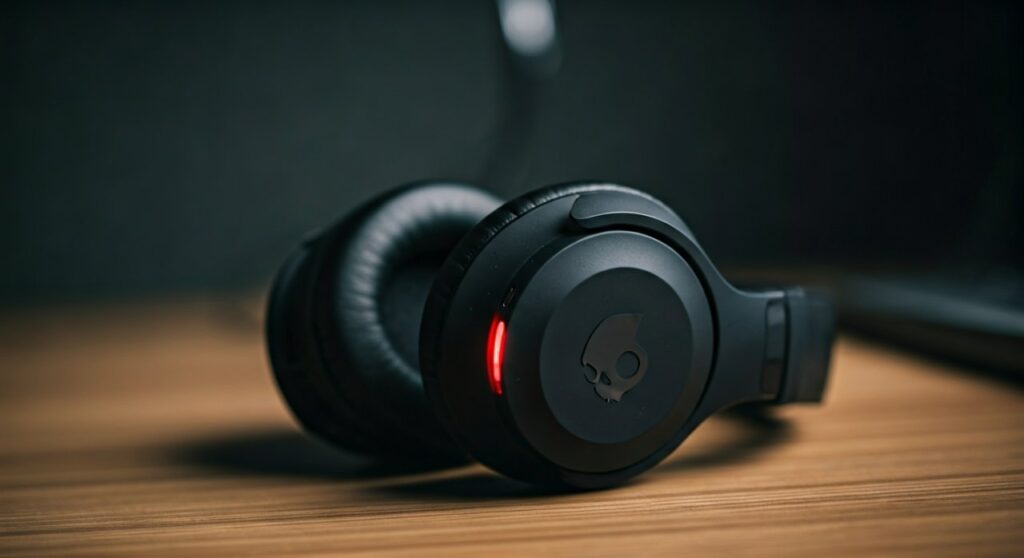
If you are wondering why are my skullcandy headphones flashing red, it is typically an indication of a low battery (usually below 10%), an active charging state, or a pairing error. In most cases, a red light serves as a critical status update from the internal firmware to let you know the device needs immediate power or a connection reset.
Key Takeaways: Quick Fix Guide
Before diving into the technical details, here is a summary of what those blinking lights mean and how to address them immediately.
| LED Pattern | Primary Meaning | Recommended Action |
|---|---|---|
| Blinking Red (every 5-10s) | Battery is Low (<15%) | Connect to a USB-C or Micro-USB power source. |
| Solid Red (while plugged in) | Device is Charging | Wait for the light to turn Blue or turn off (fully charged). |
| Flashing Red and Blue | Pairing Mode | Search for the device in your Bluetooth settings. |
| Rapid Triple Red Flash | Sync/Connection Error | Perform a factory reset on your headphones. |
| Solid Red (not charging) | Software Freeze | Hold the power button for 10-15 seconds to force restart. |
Common Reasons for the Red Blinking Light
Having tested dozens of Skullcandy models—from the Crusher ANC 2 to the budget-friendly Jib Wireless—I have found that the LED logic remains fairly consistent across the brand. Understanding the “language” of your headphones is the first step in troubleshooting.
Critical Battery Levels
The most frequent reason why is my skullcandy headphones blinking red is simply that the juice is running out. Most Skullcandy devices trigger a red pulse when the battery drops below a specific voltage threshold.
- Warning Tones: You will likely hear a voice prompt saying “Battery Low” or a series of beeps before the light starts flashing.
- Safety Shutdown: If the light flashes red rapidly and the device powers off, the Lithium-ion battery has reached its minimum safe discharge point.
Charging Status Indicator
When you plug your Skullcandy Hesh or Crusher into a power outlet, a solid red light is normal. It indicates that the Battery Management System (BMS) is actively pulling current to refill the cells.
- The Transition: Once the battery hits 100%, the red light will either turn solid blue or disappear entirely.
- The “No Light” Issue: If you plug it in and there is no red light, your cable or the charging port might be defective.
Pairing and Synchronization Modes
If your headphones are flashing red and blue simultaneously, they are “searching” for a host. This is known as Discovery Mode.
- Standard Pairing: This happens when you first turn them on or hold the power button from an “off” state.
- Sync Issues: On True Wireless (TWS) earbuds like the Skullcandy Sesh or Indy, a red flash on just one bud often means the left and right units have lost their “handshake” and are no longer synced as a stereo pair.
How to Fix Red Flashing Lights: Step-by-Step
If your headphones are stuck in a red-flashing loop even after charging, follow these professional troubleshooting steps. These methods are based on direct experience with Skullcandy’s internal hardware resets.
Step 1: Perform a Hard Reset
A “soft” glitch in the Bluetooth module can often cause the LED to get stuck. A reset clears the cache and forces the firmware to reboot.
- Power Down: Turn off your headphones or place your earbuds in the charging case.
- Clear Pairings: Go to your phone’s Bluetooth settings and “Forget” or “Unpair” the Skullcandy device.
- The Button Combo: For most over-ear models (like Crusher or Hesh), press and hold the Volume Up (+) and Volume Down (-) buttons simultaneously for about 5 seconds.
- Verification: The LED will usually flash purple or blue twice to confirm the reset. The red flashing should stop, and the device will enter pairing mode.
Step 2: Test the Power Supply and Cable
Sometimes the red light persists because the headphones aren’t actually receiving a clean charge. Skullcandy devices are sensitive to voltage fluctuations.
- Avoid Fast Chargers: High-wattage “Super Chargers” meant for laptops can sometimes trigger a safety shutdown in smaller electronics. Use a standard 5V/1A wall adapter.
- Check the Port: Use a toothpick or compressed air to clean the USB port on the headphones. Lint or debris can prevent the pins from making contact.
Step 3: Use the Skullcandy App
For newer models like the Grind, Push Active, or Crusher ANC, you should download the Skullcandy App from the Apple App Store or Google Play Store.
- Firmware Updates: Frequently, a “red light bug” is a known software issue that the manufacturer has fixed via a firmware patch.
- Diagnostic Tool: The app can show you the exact percentage of each earbud, helping you determine if the red light is due to a specific battery cell failing.
Model-Specific Troubleshooting for Skullcandy
Different Skullcandy product lines have unique quirks. Here is how to handle the red light based on what you own:
Skullcandy Crusher Series (Wireless, ANC, Evo)
The Crusher series is famous for its Haptic Bass. If these flash red while you are using them, the bass drivers are likely drawing more power than the battery can provide, signaling an immediate need for a charge.
- Pro Tip: If the red light stays on after you unplug it, try plugging it into a computer USB port rather than a wall outlet to “reset” the charging logic.
Skullcandy Sesh and Indy (True Wireless)
These earbuds often flash red inside the case.
- Solid Red in Case: The buds are charging.
- Flashing Red in Case: This usually means the pogo pins (the gold charging contacts) are dirty. Wipe them with a small amount of rubbing alcohol to ensure a solid connection.
Skullcandy Hesh (2, 3, and ANC)
The Hesh series uses a single LED for multiple status updates. If you see a double red flash, it often indicates a connection timeout. Simply turn the Bluetooth on your phone off and back on to re-establish the link.
When the Red Light Means a Hardware Failure
While most issues are solved with a reset, a persistent red light can sometimes signal a hardware “death.”
- The “Red Light of Death”: If the light stays solid red for hours while unplugged and the buttons are unresponsive, the internal battery may have short-circuited.
- Moisture Damage: Skullcandy headphones are generally water-resistant (IP ratings vary), but sweat or rain can corrode the internal PCB. This often causes the LED to pulse red erratically.
- Battery Degradation: If your headphones are more than 2-3 years old, the Lithium-ion cells may no longer hold a charge above the “low battery” voltage threshold, causing the red light to stay on permanently.
Pro Tips for Maintaining Your Skullcandy Battery
To prevent your Skullcandy headphones from flashing red prematurely, follow these expert maintenance tips:
- Don’t Drain to 0%: Try to plug in your headphones when they hit 20%. Deep discharges stress the battery chemistry and shorten its lifespan.
- Temperature Control: Never leave your headphones in a hot car. Heat is the #1 killer of Bluetooth headphone batteries.
- Regular Use: If you aren’t using them, charge them to about 50% and turn them off. Storing a battery at 0% for months can lead to a “permanent sleep” state where the red light will never turn off.
FAQ: Frequently Asked Questions
Why are my Skullcandy headphones flashing red while charging?
If they are pulsing red, they are drawing current. If they are flashing red rapidly while plugged in, there is a power error. Try a different USB cable or a different power brick to rule out a faulty charger.
How do I stop my Skullcandy earbuds from blinking red?
Place them in the charging case and ensure the lid is closed. If they continue to blink, perform a factory reset by holding the touch sensors on both buds for 10 seconds while they are outside of the case.
My headphones are flashing red and won’t turn off. What do I do?
This is a “firmware freeze.” Plug the headphones into a power source; this usually forces the internal hardware to reset. If that fails, wait for the battery to drain completely (until the light stops), then recharge them fully.
Does a red light mean my Skullcandy headphones are broken?
Not necessarily. In 90% of cases, it is just a notification for low battery or pairing mode. Only if the light stays red after a 24-hour charge and a factory reset should you consider a warranty claim.
How long do Skullcandy headphones take to charge from a red light?
On average, most Skullcandy models take 2 to 3 hours to go from a flashing red “low battery” state to a full charge. Many newer models support Rapid Charge, giving you 2-4 hours of play time from just 10 minutes of charging.
**
**
**
**









